
Target TT-IK-DST 1130
Target TT-IK-DST 1130 タワースピーカー ユーザーマニュアル
Model: TT-IK-DST 1130
1. はじめに
This manual provides essential instructions for the safe and efficient operation of your Target TT-IK-DST 1130 Tower Speaker. Please read this manual thoroughly before using the product and retain it for future reference. The Target TT-IK-DST 1130 is a versatile audio system featuring 130W RMS output, an 8-inch subwoofer, Bluetooth connectivity, FM radio, USB playback, and karaoke functionality with a wireless microphone.
2. 重要な安全情報
感電、火災、または装置の損傷を防ぐために、次の安全上の注意事項を守ってください。
- このアプライアンスを雨や湿気にさらさないでください。
- 通気口を塞がないでください。
- 電源の接地が適切であることを確認してください。
- スピーカー キャビネットを開けないでください。すべての修理は資格のある担当者に依頼してください。
- ユニットを熱源の近くや直射日光の当たる場所に置かないでください。
- 乾いた布でのみ清掃してください。
3. パッケージ内容
以下にリストされているすべてのアイテムがパッケージに含まれていることを確認してください。
- Target TT-IK-DST 1130 Tower Speaker
- ワイヤレスマイク
- リモートコントロール
- 電源コード
- ユーザーマニュアル(このドキュメント)
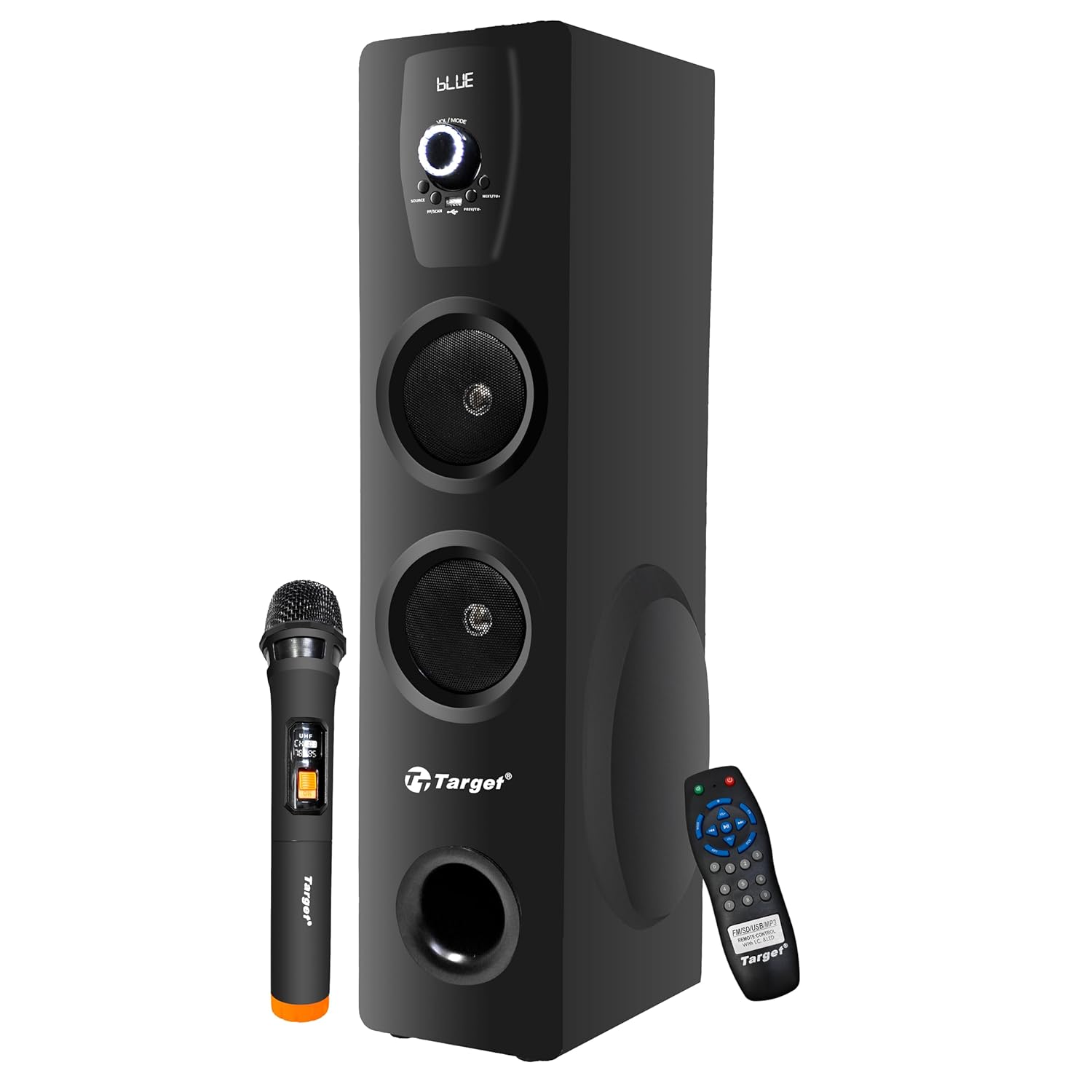
Figure 3.1: Target TT-IK-DST 1130 Tower Speaker with included wireless microphone and remote control.
4.製品オーバーview
The Target TT-IK-DST 1130 Tower Speaker is designed for a comprehensive audio experience. It features multiple input options and a user-friendly interface.
4.1 主な特徴
- 強力なオーディオ出力: 130 Watts RMS with dual drivers and an 8-inch subwoofer for deep bass.
- 複数の接続性: Bluetooth for wireless streaming, USB port for media playback, and FM radio.
- カラオケ機能: Includes a wireless microphone for vocal performances.
- 直感的なインターフェース: LED display for status indication and a full-function remote control.
- コンピュータの互換性: Plug-and-play setup for direct connection to PCs.

Figure 4.1: Visual representation of the speaker's main features.
4.2 コントロールパネル
The main controls are located on the front panel of the speaker. These include the master volume knob, input selection buttons, and playback controls.

図4.2:詳細 view スピーカーのコントロールパネルの。
4.3リモコン
The included remote control allows for convenient operation of all speaker functions from a distance.

Figure 4.3: Remote control and key feature icons.
5. セットアップ手順
5.1 配置
Place the tower speaker on a stable, flat surface. Ensure there is adequate space around the speaker for proper ventilation and optimal sound dispersion. Avoid placing it in enclosed spaces or directly against walls if possible.
5.2電源接続
- Connect the power cord to the power input port on the rear of the speaker.
- 電源コードのもう一方の端を標準の AC 電源コンセントに差し込みます。
- Press the power button on the speaker or remote control to turn on the unit. The LED display will illuminate.
5.3 オーディオソースの接続
スピーカーはさまざまなオーディオ入力方法をサポートしています。
- ブルートゥース: スマートフォン、タブレット、その他の Bluetooth 対応デバイスへのワイヤレス接続用。
- USB: オーディオ再生用 fileUSB フラッシュドライブから直接。
- AUX/Line-In: For wired connection to devices using a 3.5mm audio cable.
- FMラジオ: Built-in tuner for receiving FM broadcasts.
- HDMI: 対応デバイスからのデジタルオーディオ接続用。
6. 操作手順
6.1 電源オン/オフ
を押す 力 button on the control panel or remote control to turn the speaker on or off.
6.2 モード選択
を押す モード button on the control panel or remote control to cycle through available input modes: Bluetooth, USB, FM Radio, AUX, HDMI.
6.3Bluetoothの操作
- スピーカーをオンにして選択 ブルートゥース mode. The LED display will show "BLUE" or a similar indicator.
- モバイル デバイスで Bluetooth を有効にし、利用可能なデバイスを検索します。
- 「TT-IK-DST 1130" (or similar name) from the list to pair.
- ペアリングすると、デバイスからのオーディオをスピーカーから再生できるようになります。
6.4 USB再生
- オーディオを含む USB フラッシュ ドライブを挿入します fileスピーカーのUSBポートに差し込みます。
- 選択 USB mode. The speaker will automatically detect and begin playing audio files.
- Use the playback controls (Play/Pause, Next, Previous) on the speaker or remote control.
6.5FMラジオ
- 選択 FM モード。
- を押す スキャン button (if available) on the remote or speaker to automatically search and save available radio stations.
- 使用 前/次 保存されたステーション間を移動するためのボタン。
6.6 カラオケ機能
- ワイヤレス マイクの電源がオンになっており、スピーカーの範囲内にあることを確認します。
- Play your desired background music through any input mode (Bluetooth, USB, AUX, HDMI).
- Adjust the microphone volume using the dedicated control (if available) or the main volume.

Figure 6.1: Using the wireless microphone for karaoke.
7. メンテナンスとケア
- クリーニング: スピーカーの外装を清掃する際は、柔らかく乾いた布をご使用ください。液体クリーナーや研磨剤は使用しないでください。
- ストレージ: 長期間使用しない場合は、スピーカーを直射日光や極端な温度を避け、涼しく乾燥した場所に保管してください。
- 換気: 過熱を防ぐため、通気口がふさがれていないことを確認してください。
8。 トラブルシューティング
スピーカーに問題が発生した場合は、次の一般的な問題と解決策を参照してください。
| 問題 | 考えられる原因 | 解決 |
|---|---|---|
| 電源なし | 電源コードが接続されていません。電源コンセントがアクティブではありません。 | 電源コードの接続を確認し、別のコンセントを試してください。 |
| 音が出ない | Volume too low; Incorrect input mode selected; Audio cable loose. | Increase volume; Select correct input mode; Reconnect audio cables. |
| Bluetoothが接続されない | Speaker not in pairing mode; Device Bluetooth off; Device too far. | Ensure speaker is in Bluetooth mode; Turn on device Bluetooth; Move device closer. |
| カラオケマイクが機能しない | Microphone not powered on; Batteries low; Microphone out of range. | Check microphone power; Replace batteries; Move microphone closer to speaker. |
9. 技術仕様
| 特徴 | 詳細 |
|---|---|
| モデル | TT-IK-DST 1130 |
| ブランド | ターゲット |
| オーディオ出力 | 130ワットRMS |
| サブウーファーのサイズ | 8インチ |
| 接続性 | Bluetooth, USB, FM Radio, AUX, HDMI |
| 周波数応答 | 20 Hz (Lower limit only provided) |
| インピーダンス | 8オーム |
| チャンネル数 | 2 |
| 材料 | エンジニアリングウッド |
| 製品寸法(長さ x 幅 x 高さ) | 22 x 25 x 90 cm |
| アイテム重量 | 1.5キロ |
| 電源 | コード式電気 |
注:仕様は予告なく変更される場合があります。
10. 保証と顧客サポート
For warranty information, service, or technical support, please contact your retailer or the manufacturer directly. Keep your purchase receipt as proof of purchase for warranty claims.
Manufacturer: Target
Ask a question about this manual
Ask about setup, troubleshooting, compatibility, parts, safety, or missing instructions. Manuals+ will review the question and use this page’s manual context to help answer it.