
導入
ご購入ありがとうございますasing the UPERFECT 23.8-inch 120Hz Portable Touch Monitor. This device is designed to enhance your productivity and entertainment experience with its large display, high refresh rate, and versatile connectivity. Please read this manual carefully before use to ensure proper operation and to maximize the monitor's potential.
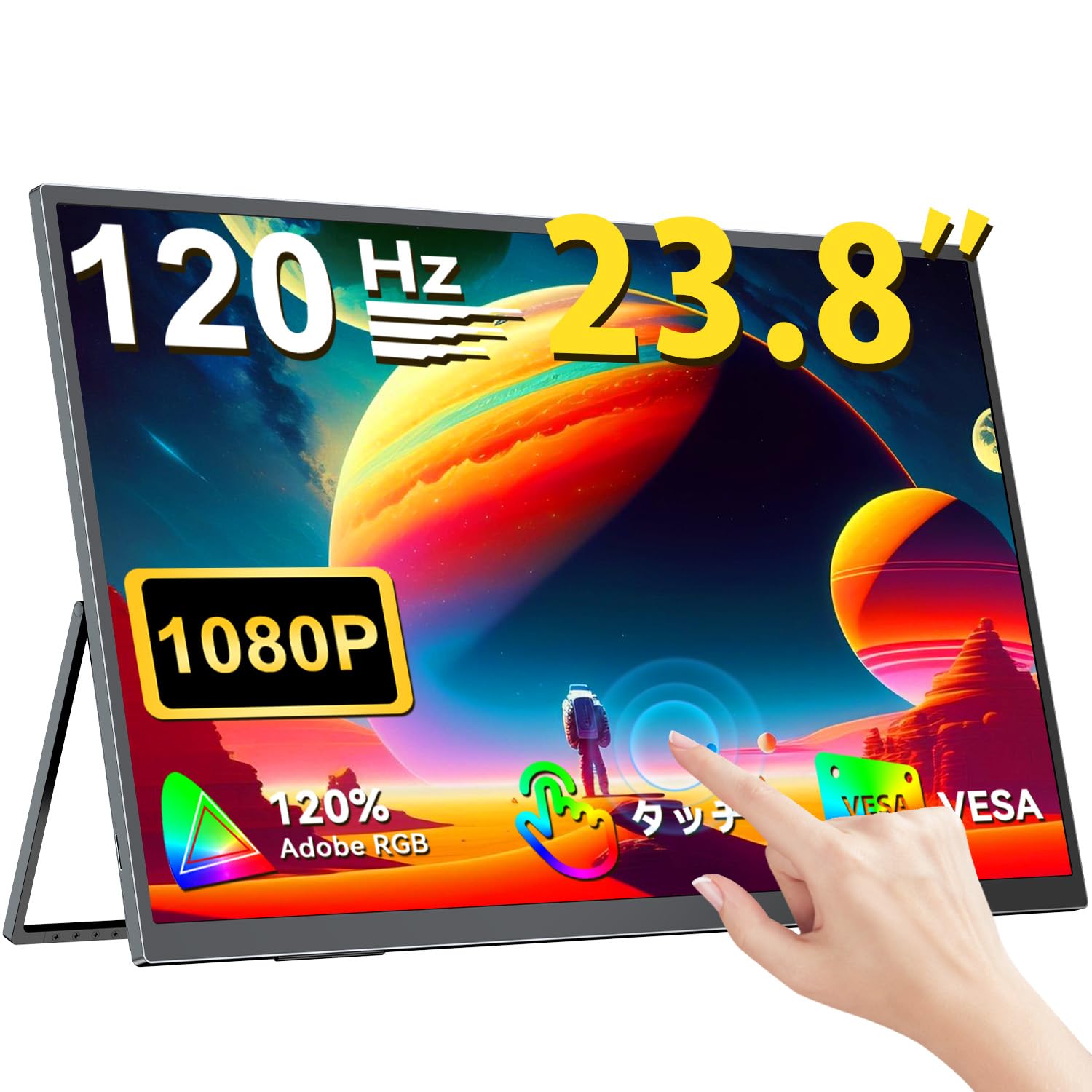
The UPERFECT 23.8-inch 120Hz Portable Touch Monitor.
安全情報
損傷を防ぎ、安全な操作を確保するために、次の注意事項を守ってください。
- モニターを雨、湿気、極端な温度にさらさないでください。
- モニターの上に重い物を置かないでください。
- 付属の電源アダプターとケーブルのみを使用してください。
- モニターをご自身で分解したり修理したりしないでください。サポートが必要な場合は、カスタマーサポートにお問い合わせください。
- 過熱を防ぐために、モニターの周囲に適切な換気を確保してください。
- When adjusting the stand, ensure the monitor is stable to prevent tipping.

推奨される人間工学 viewing angles for comfortable use. Avoid upward viewing angles to prevent tipping and eye strain.
パッケージ内容
パッケージにすべてのアイテムが揃っていることを確認します。
- UPERFECT 23.8インチ ポータブルタッチモニター
- 電源アダプター
- USB Type-C Cable (Full-featured)
- ミニHDMI-HDMIケーブル
- USB-A to USB-C Cable (for power/OTG)
- ユーザーマニュアル
製品終了view
モニター機能
- 23.8インチIPSパネル: Large display with 178° wide view角度を変える。
- 120Hzリフレッシュレート: Provides smooth visuals, ideal for gaming and fast-paced content.
- 10ポイントマルチタッチ: Intuitive interaction with supported devices.
- 120% sRGB 色域: 鮮やかで正確な色彩を実現します。
- 一体型スタンド: Adjustable from 0° to 180° for flexible viewing のポジション。
- VESA マウント対応: Supports 75x75mm VESA standard for alternative mounting options.
- Non-Glare Screen: Reduces reflections for comfortable long-term use.
- 内蔵スピーカー: オーディオ出力用。
ポートとボタン

以上view モニターのポートとコントロール ボタン。
- イヤホンジャック: 3.5mmオーディオ出力。
- メニューボタン: オンスクリーン ディスプレイ (OSD) メニューにアクセスします。
- プラス/マイナスボタン: Navigate OSD menu, adjust volume/brightness.
- 電源インジケーター: 電源の状態を表示します。
- 電源/戻るボタン: Powers the monitor on/off, or returns to previous OSD menu.
- Type-C ポート (x2): Full-featured USB-C for power, video, and touch signal.
- ミニ HDMI ポート: ビデオ入力。
- Micro USB-B OTG ポート: For connecting peripherals like mouse or keyboard.
設定
デバイスへの接続
The monitor supports various devices including laptops, desktops, smartphones, and gaming consoles (PS4, PS5, Xbox, Nintendo Switch).

The monitor can be connected to various devices using a single Type-C cable for power and display, provided the device supports DP Alt Mode.
- USB Type-C接続: Connect a full-featured USB Type-C cable from your device (laptop, smartphone, Switch) to one of the monitor's Type-C ports. If your device supports DP Alt Mode, a single cable can transmit video, audio, touch, and power. If your device does not support DP Alt Mode, or for stable power delivery, connect the included power adapter to the other Type-C port.
- ミニHDMI接続: Connect a Mini HDMI to HDMI cable from your device (PC, game console) to the monitor's Mini HDMI port. For power, connect the included power adapter to one of the monitor's Type-C ports.
- OTGポート: Micro USB-B OTG ポートを使用してマウスまたはキーボードを接続すると、特にデスクトップ モードでスマートフォンとともにモニターを使用する場合に、制御が強化されます。
重要な注意:
- For optimal performance, especially when increasing contrast, brightness, or color saturation, always connect the monitor to an external power source using the provided power adapter.
- If your device's USB-C port does not support DP Alt Mode, a Type-C cable alone cannot transmit video. Refer to your device's specifications for compatibility.
Stand Adjustment and VESA Mounting

The monitor features a smart integrated stand for flexible positioning and VESA compatibility for arm mounts.
- 一体型スタンド: The monitor features a durable aluminum alloy integrated stand. Adjust the viewing angle freely within a 0° to 180° range. The base includes anti-slip rubber pads for stability.
- VESA 取り付け: The monitor is compatible with VESA 75x75mm mounts (M4*4mm screw holes). This allows for attachment to monitor arms or wall brackets for a customized setup.
操作手順
電源オン/オフ
Press the Power/Return button to turn the monitor on or off.
オンスクリーンディスプレイ(OSD)メニュー
Press the Menu button to access the OSD menu. Use the Plus/Minus buttons to navigate and adjust settings such as brightness, contrast, color temperature, and input source.
タッチ機能

The monitor supports 10-point multi-touch gestures for intuitive control. For MacBook connections, 2-point gestures (pinch zoom/rotate) are supported.
The monitor supports 10-point multi-touch for Windows and Android devices. For MacBook connections, 2-point gestures (pinch zoom/rotate) are fully supported. This allows for direct interaction with the screen for tasks like sketching, document navigation, and presentations.
表示モード

Easily switch between horizontal (landscape) and vertical (portrait) display modes to suit your content and workflow. Portrait mode settings are configured on your PC.
モニターは、ニーズに合わせてさまざまな表示モードをサポートしています。
- 拡張モード: Extend your PC desktop across both screens for increased workspace.
- 複製モード: Mirror your PC screen for presentations or shared viewing。
- ポートレートモード: Rotate the monitor vertically for document review or coding. (Settings for portrait mode are typically configured on the connected PC).
ゲーム機能

The monitor supports FreeSync technology to eliminate screen tearing and stuttering during gaming.
- 120Hzリフレッシュレート: Experience smoother gameplay and action sequences compared to standard 60Hz displays.
- FreeSync サポート: Compatible with FreeSync technology to reduce screen tearing and stuttering, providing a more fluid gaming experience.
- 高速応答時間: Enjoy a quick response time of 1ms, minimizing motion blur.
メンテナンス
Follow these guidelines to maintain your monitor:
- 画面の掃除: 柔らかく糸くずの出ない布で画面を優しく拭いてください。頑固な汚れには、軽くamp布に水または画面洗浄液を含ませてください。画面に直接液体を吹きかけないでください。
- Cのクリーニングasing: モニターを清掃するには、柔らかく乾いた布を使用してください。asing. 研磨剤入りの洗剤や溶剤は使用しないでください。
- ストレージ: 長期間使用しない場合は、モニターを直射日光や極端な温度を避け、涼しく乾燥した場所に保管してください。
- 指紋耐性: The screen features an anti-fingerprint coating to help maintain cleanliness in business environments.
トラブルシューティング
問題が発生した場合は、次の一般的な問題と解決策を参照してください。
| 問題 | 考えられる原因 | 解決 |
|---|---|---|
| 表示なし/信号なし | Incorrect input source selected; Cable not connected properly; Device not outputting signal; Insufficient power. | Check cable connections; Select correct input source via OSD; Ensure device is powered on and configured to output to external display; Connect external power adapter to monitor. |
| タッチ機能が動作しない | USB-C cable not full-featured; Device does not support touch output; Driver issue (Windows); Cable connection issue. | Ensure a full-featured USB-C cable is used; Verify device compatibility with touch output; Reconnect USB-C cable; For Windows, ensure touch drivers are installed (usually automatic). |
| Screen flickering/Unstable image | Cable issue; Graphics card issue; Refresh rate mismatch; Insufficient power. | Try a different cable; Update graphics drivers; Adjust refresh rate in device settings; Ensure external power is connected. |
| モニタースピーカーから音が出ない | 音量が低すぎます。ミュートされています。デバイスで間違ったオーディオ出力が選択されています。 | OSD でモニターの音量を調整します。デバイスのオーディオ出力設定を確認します。 |
| Monitor keeps restarting | 不十分な力。 | Ensure the monitor is connected to the provided power adapter for stable power delivery. |
仕様
| 特徴 | 仕様 |
|---|---|
| ブランド | パーフェクト |
| モデル番号 | M238T02 |
| 画面サイズ | 23.8インチ |
| 解決 | FHD 1080p (1920 x 1080) |
| アスペクト比 | 16:9 |
| パネルタイプ | IPS液晶 |
| スクリーン表面 | 非光沢 |
| コントラスト比 | 1000:1 |
| リフレッシュレート | 120Hz |
| 応答時間 | 1ミリ秒 |
| View角度 | 178度 |
| 色域値 | 120% sRGB |
| 接続性 | 2x USB Type-C (Full-featured), 1x Mini HDMI, 1x Micro USB-B (OTG), 1x 3.5mm Audio Jack |
| VESA互換性 | 75x75mm(M4*4mmネジ) |
| 寸法(D x W x H) | 1.7 x 54.5 x 32.7 cm |
| アダプティブ同期 | フリーシンク |
保証とサポート
UPERFECT provides comprehensive support for your product:
- メーカー保証: この製品には 2 年間のメーカー保証が付いています。
- 90日間満足保証: If you are not completely satisfied within 90 days, a full refund is available.
- 専用サポート: Contact our dedicated support team for any questions or issues.
- 無料のアクセサリ交換: Genuine cables and adapters are provided free of charge for life.
- PSE認証済み: The product is PSE certified, ensuring safety standards.
For any inquiries or if you encounter an initial defect within the warranty period, please contact us through your order history. We are committed to providing the best possible assistance.