
1.製品オーバーview
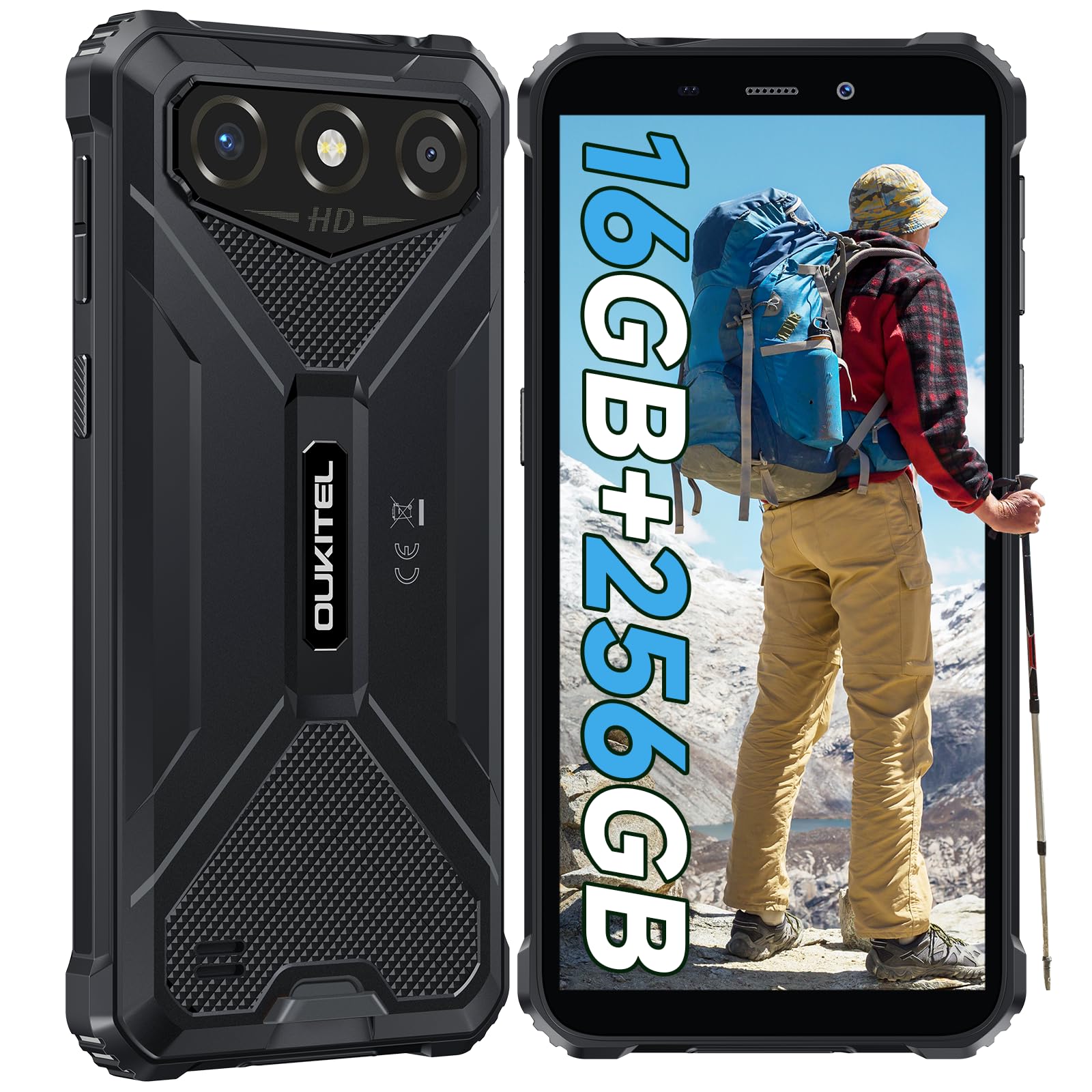
The OUKITEL G3 is a rugged smartphone designed for durability and performance in challenging environments. It features a 6.0-inch HD display, a 6300mAh battery, 16GB RAM (expandable), 256GB ROM (expandable to 1TB), and a 13MP main camera. The device is certified with IP68, IP69K, and MIL-STD-810H ratings, ensuring resistance to water, dust, and drops. It operates on Android 14 and supports 4G Dual SIM, GPS, Face ID, and OTG functionality.
2. パッケージ内容
パッケージにすべてのアイテムが含まれていることを確認します。
- OUKITEL G3スマートフォン1台
- 充電器 x 1
- タイプCケーブル x 1
- 1x SIM Card Ejector Pin
- ユーザーマニュアル x 1

3. 初期設定
3.1. SIMカードとTFカードの挿入
- デバイスの側面にある SIM カード トレイを見つけます。
- 付属の SIM イジェクタ ピンを使用してトレイを開きます。
- Carefully place your Nano SIM cards (up to two) and/or a TF card (for memory expansion up to 1TB) into the designated slots.
- カードがトレイに示されているとおり正しい向きになっていることを確認します。
- カチッと音がするまでトレイをゆっくりと電話機に戻します。

3.2. バッテリーの充電
Before first use, fully charge the device. Connect the Type-C cable to the phone's charging port and the other end to the provided charger. Plug the charger into a power outlet. The battery indicator on the screen will show charging status. The OUKITEL G3 features a 6300mAh battery for extended use.
3.3.電源のオン/オフ
- 電源を入れるには:OUKITELのロゴが表示されるまで電源ボタンを押し続けます。
- 電源を切るには: 電源ボタンを長押しし、画面上のオプションから「電源を切る」を選択します。
- 再起動するには: 電源ボタンを長押しし、オプションから「再起動」を選択します。
4. 操作手順
4.1. 表示とナビゲーション
The OUKITEL G3 features a 6.0-inch HD display with 450 nits brightness and Corning Glass 5 protection. Navigate the Android 14 interface using touch gestures: tap, swipe, pinch-to-zoom. Access quick settings by swiping down from the top of the screen.

4.2. カメラ機能
The device is equipped with a 13MP rear camera and a 5MP front camera. Open the Camera app to capture photos and videos. Features include:
- 標準写真モード: 日常の写真撮影に。
- AIビューティーモード: 肖像画の顔の特徴を強調します。
- 水中カメラモード: Allows capturing photos and videos while submerged up to 1.5m for 30 minutes. Ensure all ports are securely sealed before underwater use.
- パノラマモード: 広角の風景撮影に。

4.3. バッテリー管理とOTG
The 6300mAh battery provides extended usage. To optimize battery life, manage screen brightness, close unused applications, and enable power-saving modes when needed. The device supports OTG (On-The-Go) reverse charging, allowing you to use your OUKITEL G3 to charge other compatible devices via a Type-C OTG cable (sold separately).

4.4. カスタムキーとセキュリティ機能
- カスタム キー: A programmable button on the side of the device for quick access to specific applications or functions. Configure its actions (single click, double click, long press) in the phone settings.
- 顔認証: Use facial recognition for secure unlocking of your device. Set up Face ID in the Security settings.
- GPSナビゲーション: The OUKITEL G3 supports GPS, GLONASS, Beidou, and Galileo navigation systems for accurate positioning.

5. メンテナンスと耐久性
The OUKITEL G3 is built to withstand harsh conditions, certified with IP68, IP69K, and MIL-STD-810H standards.
- IP68防水性能: Protected against continuous immersion in water up to 1.5 meters for 30 minutes. Ensure all port covers are tightly sealed before exposure to water.
- IP69K Dust Resistance: ほこりの侵入や高圧・高温の水の噴流に対して完全に保護されています。
- MIL-STD-810H Drop Resistance: Designed to withstand drops from up to 1.5 meters. The aluminum frame and rubberized corners provide enhanced shock absorption.
デバイスをクリーニングするには、ソフトを使用します。amp cloth. Avoid harsh chemicals or abrasive materials. Regularly check port covers for proper sealing to maintain water and dust resistance.

6。 トラブルシューティング
OUKITEL G3 で問題が発生した場合は、次の一般的な解決策を参照してください。
| 問題 | 考えられる解決策 |
|---|---|
| デバイスの電源が入らない | バッテリーが充電されていることを確認してください。充電器を接続し、数分待ってから再度電源を入れてください。 |
| ネットワーク信号が弱い | Check if SIM cards are correctly inserted. Move to an area with better network coverage. Contact your service provider if the issue persists. |
| アプリケーションがクラッシュまたはフリーズする | Close background applications. Clear the cache of the problematic app. Restart the device. Ensure sufficient storage space is available. |
| バッテリーの消耗が早い | Reduce screen brightness. Disable unused features like Wi-Fi, Bluetooth, GPS. Close power-intensive apps. Check battery usage in settings to identify culprits. |
| タッチスクリーンが反応しない | デバイスを再起動してください。問題が解決しない場合は、工場出荷時設定にリセットしてください(まずデータをバックアップしてください)。 |
7. 技術仕様
| 特徴 | 詳細 |
|---|---|
| ブランド | ウキテル |
| モデル | G3 |
| オペレーティング·システム | アンドロイド14 |
| ラム | 4GB(仮想RAM 16GBまで拡張可能) |
| 内部ストレージ (ROM) | 256GB |
| 拡張可能なストレージ | 最大1TB(TFカード) |
| 表示サイズ | 6.0インチ |
| ディスプレイ解像度 | HD (450 nits brightness, Corning Glass 5) |
| リフレッシュレート | 60Hz |
| リアカメラ | 13メガピクセル |
| フロントカメラ | 5メガピクセル |
| バッテリー容量 | 6300mAh |
| 充電ポート | USBタイプC |
| 耐久性評価 | IP68、IP69K、MIL-STD-810H |
| SIMカードのサポート | Dual 4G Nano SIM |
| ナビゲーション | GPS、GLONASS、北斗、ガリレオ |
| 生体認証セキュリティ | 顔認証 |
| オーディオジャック | 3.5mm |
エネルギー効率に関する詳細な情報については、EU EPREL データベースを参照してください。 https://eprel.ec.europa.eu/qr/2400970

8. 保証とサポート
OUKITEL provides the following support for the G3 smartphone:
- 返品規則: 30日間の理由なし返品。
- 保証: TWO-YEAR warranty.
- テクニカルサポート: 長期的な技術支援。
- 顧客サービス: 24時間オンラインカスタマーサービス。
For any inquiries or support, please contact OUKITEL official customer service.