
Metz MUE7800Z
Metz Art TV Smart 65-inch QLED Television MUE7800Z User Manual
Model: MUE7800Z
1. はじめに
Welcome to the user manual for your Metz Art TV Smart 65-inch QLED Television, model MUE7800Z. This television is designed to seamlessly integrate advanced multimedia technology with sophisticated interior design. It functions as a high-quality display for entertainment and transforms into a piece of art when not in use, offering a customizable visual experience with digital artworks or personal photos.
2. 重要な安全情報
Please read all safety instructions carefully before using your television. Keep this manual for future reference. Always ensure the television is installed on a stable surface or securely mounted to a wall. Do not expose the unit to rain or moisture to prevent fire or electric shock. Avoid blocking ventilation openings. Disconnect the power cord during lightning storms or when unused for long periods.
3. 箱の中身
Upon unpacking your Metz Art TV, please ensure all the following items are present:
- リモートコントロール
- 電源ケーブル
- ユーザーマニュアル
- Bases (for tabletop installation)
4. セットアップとインストール
4.1. 取り付けオプション
The Metz Art TV features an all-in-one design that eliminates the need for an external connection box, allowing for easy and flush wall mounting. Its slim profile integrates seamlessly into your living space.

Image: Metz Art TV mounted flush against a wall, highlighting its slim design.

画像: サイドプロfile comparison showing the slimness of the Metz Art TV.
4.2. 接続
Connect your external devices using the available ports. The TV includes multiple HDMI and USB ports, along with Wi-Fi and Bluetooth connectivity for a versatile setup.

画像: 上view of the TV's input and output ports.
The TV features:
- HDMIポート3個
- USBポート2個
- イーサネット (LAN)
- デジタルオーディオ出力(光)
- Wi-FiおよびBluetooth接続
- CI+スロット
- DVB-T/T2/C and DVB-S/S2 tuners
5. Operating Your Metz Art TV
5.1. 画質
Experience stunning visuals with the Metz Art TV's advanced display technologies:
- QLED+ 4K: Utilizes the latest quantum dot technology for enhanced durability and a wider color gamut, delivering exceptional image and color quality.
- HDR and Dolby Vision: Bring your movies to life with breathtaking HDR and Dolby Vision image quality, offering vibrant colors and deep contrasts.
- マットスクリーン: Minimizes reflections and glare, providing a comfortable view明るい部屋でも快適な体験を提供します。
- アイケア: Features flicker-free technology and low blue light emission to reduce eye fatigue and protect your vision.
- Adaptive Ambient Brightness: Automatically adjusts screen brightness and color temperature based on ambient light conditions for optimal view快適さを。

Image: QLED+ 4K technology for vibrant colors.

Image: HDR and Dolby Vision for enhanced picture realism.

Image: Matte Screen technology reducing glare.
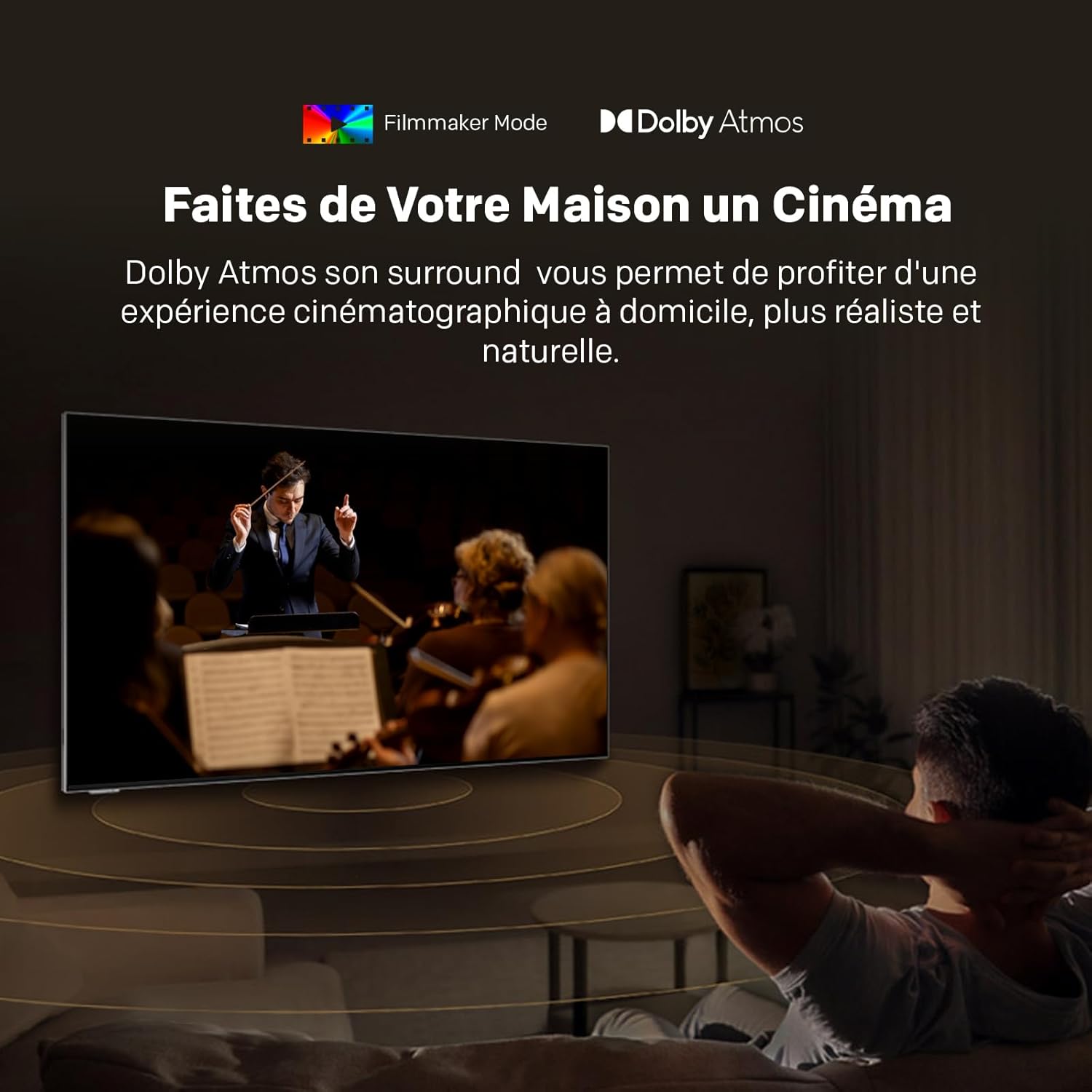
Image: EyeCare features for comfortable viewing。

Image: Adaptive Ambient Brightness in action.
5.2. 音質
Immerse yourself in superior audio with Dolby Atmos, providing a surround sound experience that places you at the heart of the action.

Image: Dolby Atmos delivering immersive audio.
5.3. スマートテレビの機能
Your Metz Art TV comes equipped with Google TV and a unique Art Time mode:
- Google TV: Access a vast library of cinematic and television content, streaming services, and apps. Enjoy personalized recommendations and voice control with 'Hey Google'.
- Art Time: Transform your television into a stunning work of art. Choose from over 150 high-quality digital images or display your personal photos, seamlessly integrating the TV into your home decor.

Image: Google TV interface for easy content access.

Image: Art Time mode displaying classic artwork.
5.4. 公式製品ビデオ
このビデオを最後までご覧くださいview of features found in Metz QLED TVs with Google TV and EyeCare technology.
Video: Metz MQE7100Z TV overview、ショーasing QLED+, Google TV, and EyeCare features.
6. メンテナンスとケア
To ensure the longevity and optimal performance of your Metz Art TV, follow these maintenance guidelines:
- 画面のクリーニング: 柔らかく糸くずの出ない布で画面を優しく拭いてください。頑固な汚れには、画面に直接拭くのではなく、布に画面専用の洗浄液をつけてご使用ください。
- ダスティング: Regularly dust the TV frame and back panel with a dry, soft cloth.
- 換気: 過熱を防ぐため、テレビ背面の通気口が塞がれていないことを確認してください。
- 力: 掃除をする前、または長期間使用しない場合は、テレビを電源コンセントから抜いてください。
7. 一般的な問題のトラブルシューティング
If you encounter any issues with your Metz Art TV, refer to the following common solutions:
- 電源なし: 電源ケーブルがテレビと壁のコンセントの両方にしっかりと接続されているかご確認ください。別のコンセントでお試しください。
- 画像/音声なし: 正しい入力ソースが選択されていることを確認してください。すべてのケーブル接続(HDMI、オーディオ)を確認してください。
- リモコンが機能しない: リモコンの電池を交換してください。リモコンとテレビの赤外線センサーの間に障害物がないことを確認してください。
- 画質が悪い: 画像設定(明るさ、コントラスト、シャープネス)を調整します。コンテンツソースが高品質であることを確認してください。
- ネットワーク接続の問題: Restart your router and modem. Check Wi-Fi settings on the TV and ensure the password is correct.
より複雑な問題については、完全なユーザーマニュアルを参照するか、カスタマー サポートにお問い合わせください。
8. 技術仕様

Image: Product Information Sheet with detailed technical specifications.

| 特徴 | 詳細 |
|---|---|
| ブランド | メス |
| モデル | MUE7800Z |
| 画面サイズ | 65インチ(164 cm) |
| ディスプレイ技術 | クォリティLED |
| 解決 | 4K(3840x2160ピクセル) |
| リフレッシュレート | 60Hz |
| 特集 | Auto Volume Leveller, Bezel-Less Design, Ambient Light Sensor, Chromecast, Eye Comfort Mode, Art Time Mode, Matte Screen |
| 接続性 | Bluetooth、USB、Wi-Fi |
| HDMIポート | 3 |
| USBポート | 2 |
| チューナー | DVB-T2/C/S/S2 |
| Dimensions (W x D x H) without base | 145.0 x 3.1 x 84.4 cm |
| 重量(ベース付き) | 34キロ |

Image: Repairability Index for the Metz TV.
9. 保証とサポート
Your Metz Art TV MUE7800Z comes with a 2年間のメーカー保証. For warranty claims, technical support, or any inquiries, please contact Metz customer service. Refer to the contact information provided in your product packaging or visit the official Metz web詳細はサイト。