
1. はじめに
The EWEADN F61 is a compact 60% wired gaming keyboard designed for efficiency and performance. It features vibrant RGB backlighting, durable PBT keycaps, and an ergonomic design for comfortable extended use. This manual provides detailed instructions for setting up, operating, and maintaining your keyboard.
2. パッケージ内容
- EWEADN F61 60% Wired RGB Gaming Keyboard
- 取り外し可能な USB-C ケーブル
- ユーザーマニュアル
3. セットアップ
To begin using your EWEADN F61 keyboard, follow these simple steps:
- USB-Cケーブルを接続します。 Plug the detachable USB-C cable into the Type-C port on the keyboard and the other end into an available USB port on your computer (PC, laptop, gaming console, smartphone, or tablet). The keyboard is plug-and-play, requiring no additional drivers.
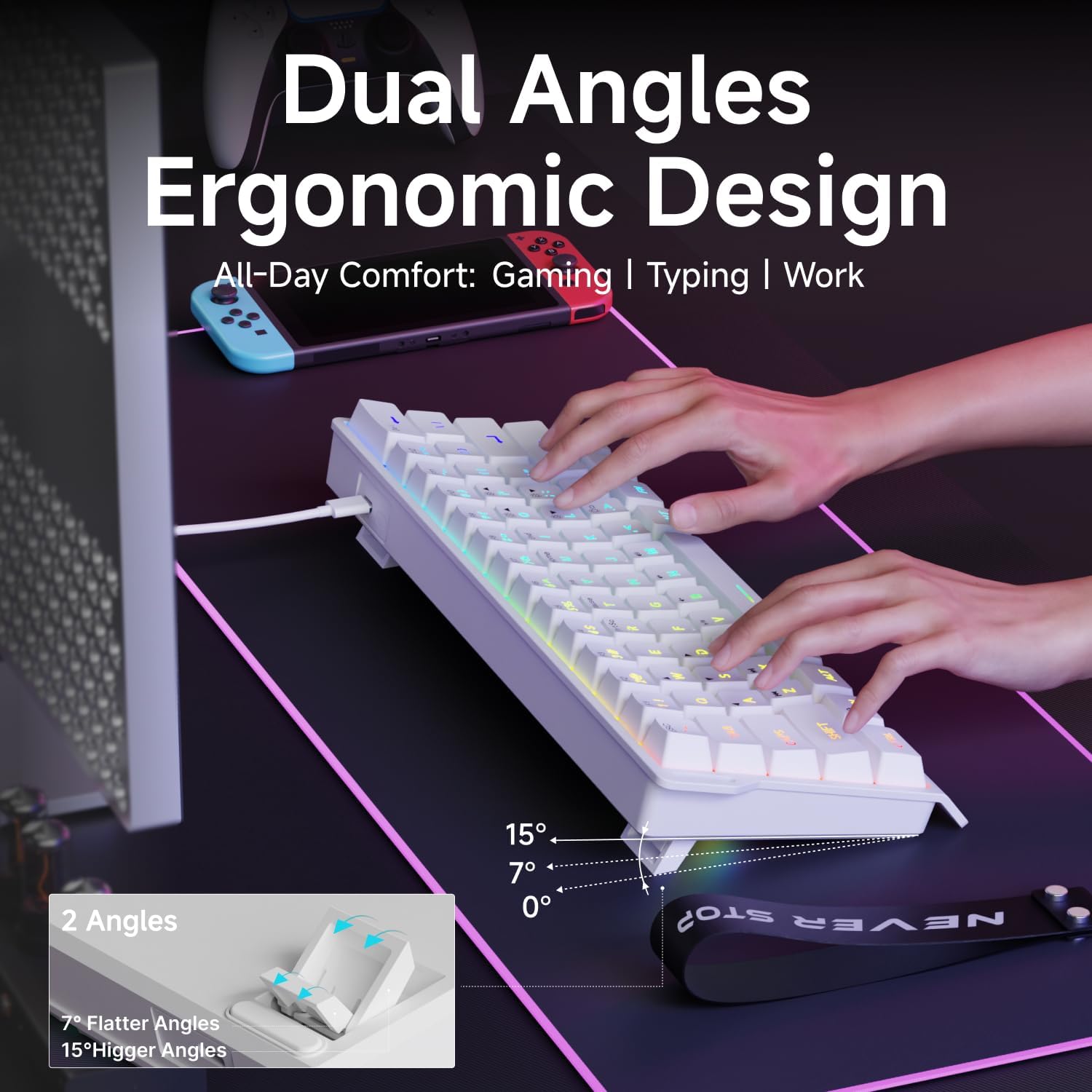
- Adjust Ergonomic Kickstands: The keyboard features dual-layer feet support with two adjustable angles (7° and 15°) for enhanced typing comfort. Flip out the kickstands on the underside of the keyboard to your preferred height.
- システム互換性: The keyboard is compatible with both Windows and Mac operating systems. To switch between modes, hold down the 'FN' key and press 'A' for Windows or 'S' for Mac.
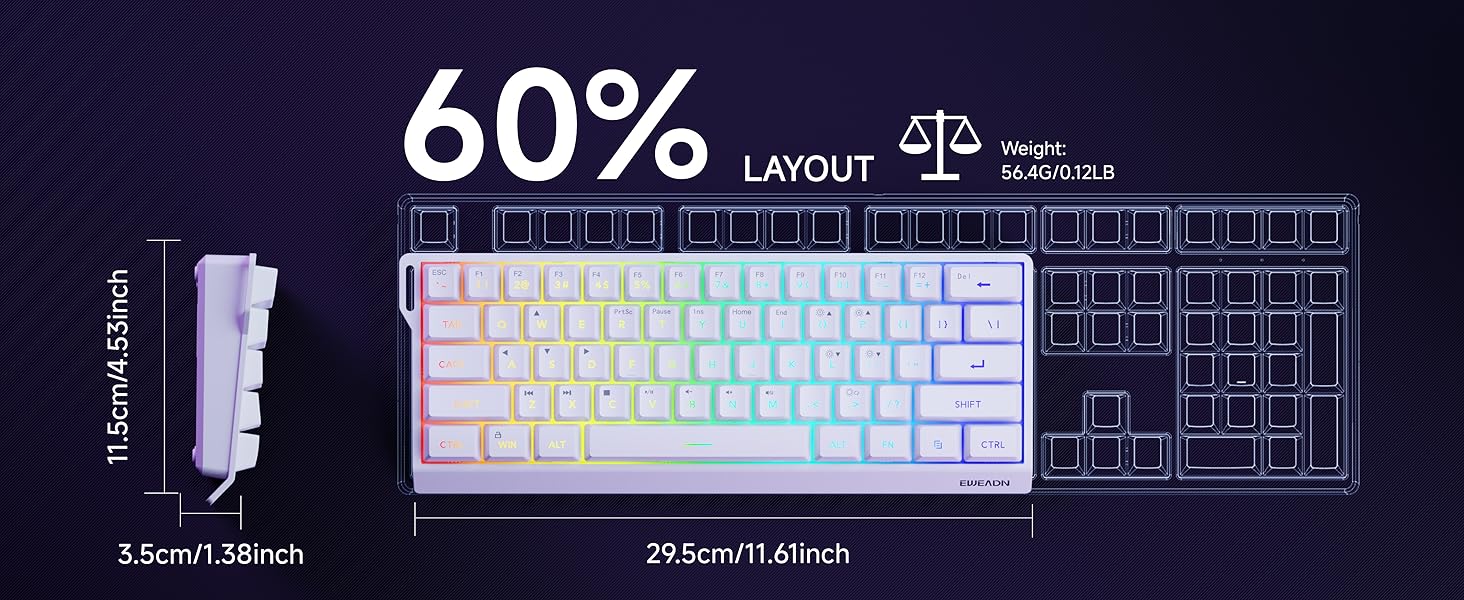
Video: Demonstrates the compact 60% design of the EWEADN F61 keyboard, highlighting its portability and suitability for gaming and travel. Shows the keyboard being connected and used.
4. 操作手順
4.1 RGB照明制御
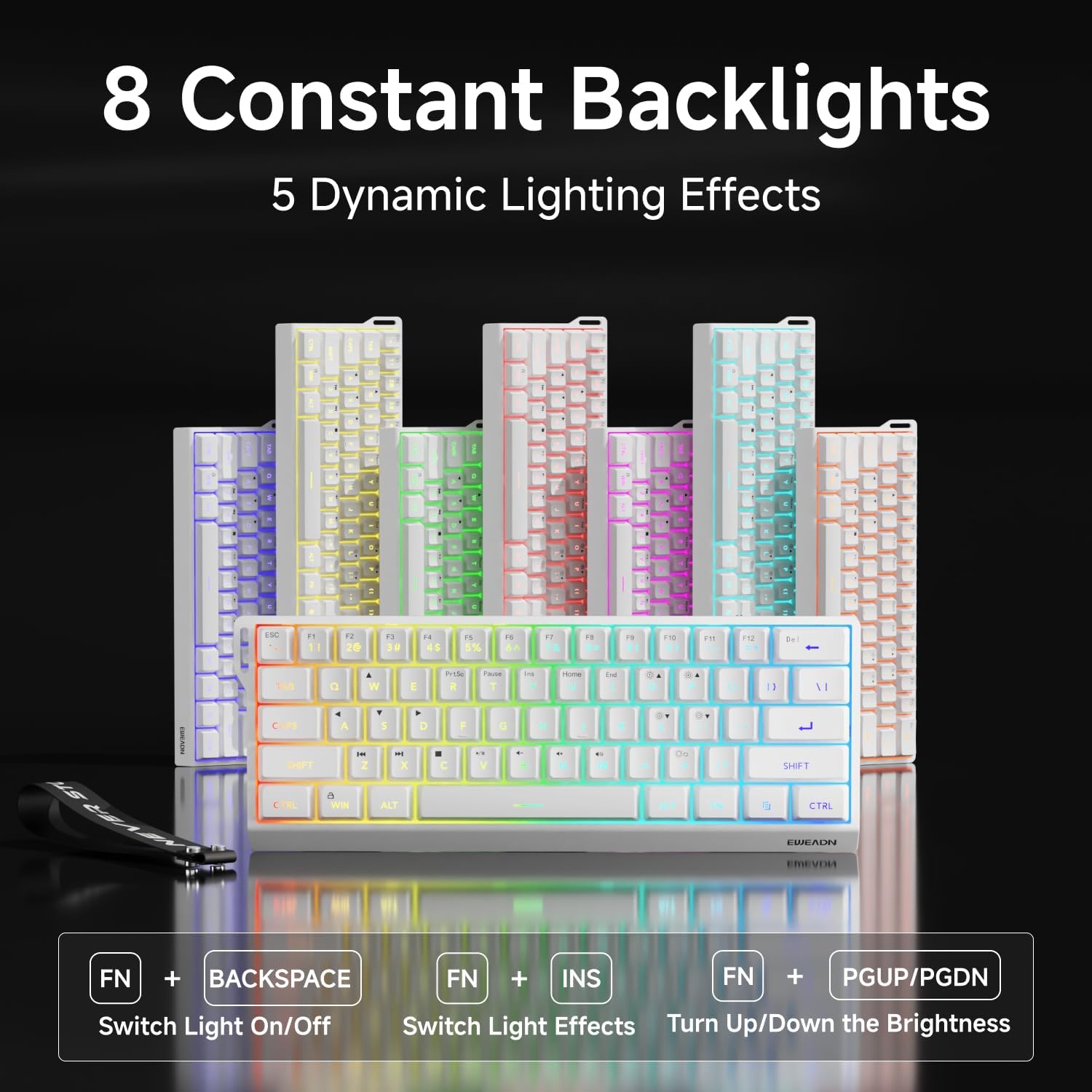
The EWEADN F61 features 16.8 million RGB backlight colors with 6 effects and 5 brightness levels. Use the following key combinations to customize your lighting:
- バックライト効果を切り替える: 所有 FN + インス 利用可能な 6 種類の照明効果を循環します。
- 明るさを調整: 所有 FN + P (to increase brightness) or FN + ;: (to decrease brightness). There are 5 brightness levels.
- 照明速度を調整する: 所有 FN + O (to increase speed) or FN + L (to decrease speed).
- ライトをオン/オフにする: 所有 FN + バックスペース バックライトのオン/オフを切り替えます。

Video: A vertical video showcasing the EWEADN F61 60% Wired RGB Backlit Gaming Keyboard, demonstrating its compact size and various RGB lighting effects.
4.2 主な機能とレイアウト
The F61 features a 60% compact layout, which means some keys are accessed via the 'FN' (Function) key. This design saves desk space while retaining essential functionality.
- Lockable Win Key: Prevent accidental interruptions during gaming by locking the Windows key. Press FN + 勝つ to toggle the Win key lock.
- PBT キーキャップ: The keyboard is equipped with dual-layer injection PBT keycaps, ensuring durability and clear, translucent characters that resist fading.
- サイレントメンブレンスイッチ: Experience quieter keystrokes for a more comfortable and less disruptive typing or gaming session.


5. メンテナンス
To ensure the longevity and optimal performance of your EWEADN F61 keyboard, follow these maintenance guidelines:
- 定期清掃: キーキャップとキーボードの表面は、柔らかく乾いた布で拭いてください。よりしっかりと掃除したい場合は、圧縮空気の缶を使ってキーの間の埃やゴミを取り除くこともできます。
- 液体のこぼれを避ける: While durable, direct exposure to liquids can damage the internal components. In case of a spill, immediately disconnect the keyboard and allow it to dry completely before reconnecting.
- ケーブルのお手入れ: Handle the detachable USB-C cable with care. Avoid sharp bends or excessive pulling to prevent damage to the cable or port.
6。 トラブルシューティング
If you encounter any issues with your EWEADN F61 keyboard, refer to the following troubleshooting tips:
- キーボードが応答しない:
- USB-C ケーブルがキーボードとコンピューターの両方にしっかりと接続されていることを確認します。
- キーボードをコンピューターの別の USB ポートに接続してみてください。
- コンピュータを再起動します。
- RGB ライトが動作しない/正しくない:
- バックライトがオフになっているかどうかを確認します (FN + Backspace)。
- Cycle through lighting effects (FN + INS) to see if they respond.
- Adjust brightness levels (FN + P / ;:).
- Keys Not Functioning as Expected (e.g., Esc, Delete):
- Remember that due to the 60% layout, many functions are accessed via the 'FN' key in combination with other keys. Refer to the keycap legends or the user manual for specific combinations.
- Ensure the correct system compatibility mode is selected (FN + A for Windows, FN + S for Mac).
7. 仕様
| 特徴 | 詳細 |
|---|---|
| メーカー | イウィードン |
| モデル番号 | F61 |
| レイアウト | 60% コンパクト |
| 接続性 | 有線(USB-C) |
| キーキャップ素材 | PBT(二層射出成形) |
| スイッチタイプ | Membrane (Silent) |
| バックライト | RGB(6つの効果、5つの明るさレベル) |
| 人間工学 | Dual-Angle Adjustable Feet (7°, 15°) |
| 対応デバイス | ゲーム機、ノートパソコン、PC、スマートフォン、タブレット |
| オペレーティングシステム | ウィンドウズ、マック |
| 寸法 | 11.61 x 4.53 x 1.93 インチ (29.5 x 11.5 x 4.9 cm) |
| アイテム重量 | 1.32ポンド(0.6kg) |
8. 保証とサポート
For any product inquiries, technical assistance, or warranty claims, please contact EWEADN customer support:
- メールサポート: eweadnkeyboard@outlook.com
サポートにお問い合わせの際は、製品のモデル番号 (F61) と購入の詳細をご用意ください。


