導入
This manual provides detailed instructions for the Fanvace EU-K11 MP3 Player. This device combines an Android 13 operating system with a 4-inch touchscreen, offering a versatile portable media experience. It features 96GB of storage, Wi-Fi, and Bluetooth connectivity, supporting various music and video formats, along with popular streaming applications.

画像: 正面 view of the Fanvace EU-K11 MP3 Player, showcasin4インチのタッチスクリーンディスプレイを搭載。
パッケージ内容
パッケージにすべてのアイテムが揃っていることを確認します。
- 1 x Fanvace EU-K11 MP3 Player
- 1 x 64GBマイクロSDカード
- USB-Cケーブル x 1
- 有線イヤホン x 1
- スクリーンプロテクター x 1
- 保護ケース x 1
- ユーザーマニュアル x 1
設定
1. デバイスの充電
初めて使用する前に、MP3 プレーヤーを完全に充電してください。
- 付属の USB-C ケーブルを使用してデバイスを電源に接続します。
- フル充電には通常3〜4時間かかります。
- 画面上のバッテリーインジケーターに充電状態が表示されます。

Image: Illustration of the MP3 player's 2000mAh battery and charging process, indicating 20 hours music playback, 6 hours video playback, and 3-4 hours charge time.
2. Micro SDカードの挿入
The device comes with a 64GB Micro SD card pre-installed or included. You can expand storage up to 512GB.
- デバイスの側面にある Micro SD カード スロットを見つけます。
- Micro SD カードをカチッと音がするまでゆっくりとスロットに挿入します。
- 取り外すには、カードが飛び出すまで軽く押します。

Image: Diagram showing the 32GB ROM, 64GB SD card, and expandable storage up to 512GB for the MP3 player.
3.電源のオン/オフ
- 電源をオンにするには: 画面が点灯するまで電源ボタンを押し続けます。
- 電源を切るには: 電源ボタンを長押しし、オプションから「電源を切る」を選択します。
- To restart: Press and hold the power button, then select "Restart" from the options.
操作手順
1. 基本的なナビゲーション
The Fanvace EU-K11 features a 4-inch HD touchscreen. Navigate the interface by tapping, swiping, and pinching.
- タップ: 項目を選択するか、アプリケーションを開きます。
- スワイプ: リストをスクロールしたり、画面を切り替えたりします。
- ピンチ: サポートされているアプリケーションで拡大または縮小します。
2.音楽の再生
The device supports a wide range of audio formats and online streaming services.
- サポートされている形式: MP3、WAV、FLAC、APE、OGG、M4A、AAC、WMA。
- オンラインミュージック: Pre-installed applications include Spotify, Omnia, Deezer, Amazon Music, and access to the Play Store for more.
- オフライン音楽: 音楽を転送する fileデバイスの内部ストレージまたは Micro SD カードに保存します。
- サウンドエフェクト: Adjust audio settings for a personalized listening experience.
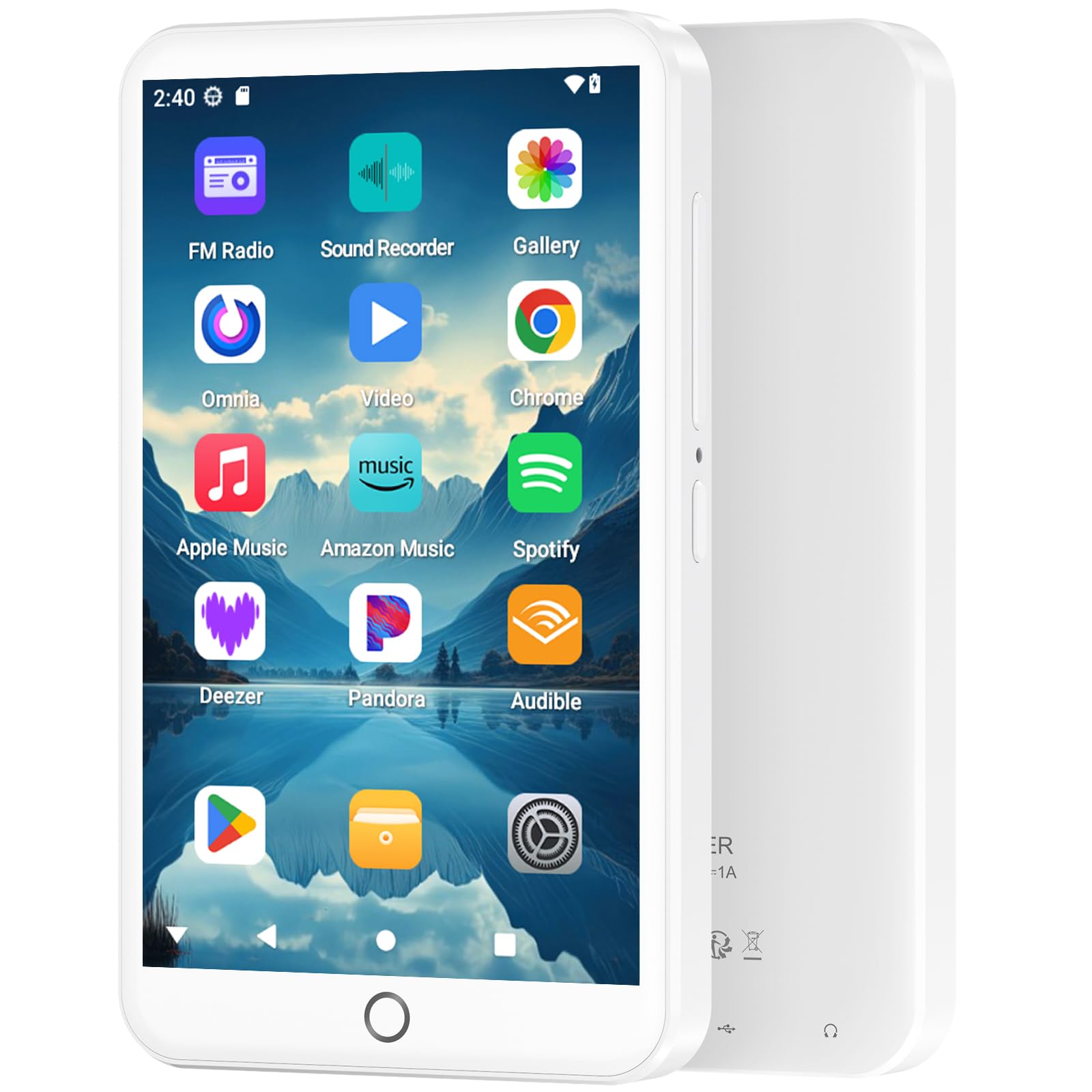
Image: The MP3 player displaying its music playback interface, highlighting features like gapless playback, playlist synchronization, Bluetooth autoplay, resume playback, adjustable sound effects, and support for various music formats.
3.ビデオ再生
Enjoy videos on the 4-inch HD screen with 480*800P resolution.
- サポートされている形式: RM、RMVB、FLV、MP4、DAT、MKV、MPG、MOV、TS。
- Videos can be played directly without conversion.

Image: The MP3 player displaying a video, emphasizing its 4.0-inch HD screen, 480*800P resolution, and high color reproduction for video playback.
4. 接続性(BluetoothとWi-Fi)
Connect wirelessly for app downloads, online streaming, and peripheral devices.
- Wi-Fi: Access the internet to download apps, stream music/videos, and browse.
- Bluetooth 5.0: Connect to Bluetooth headphones, speakers, or other compatible devices for stereo and dual-channel audio.
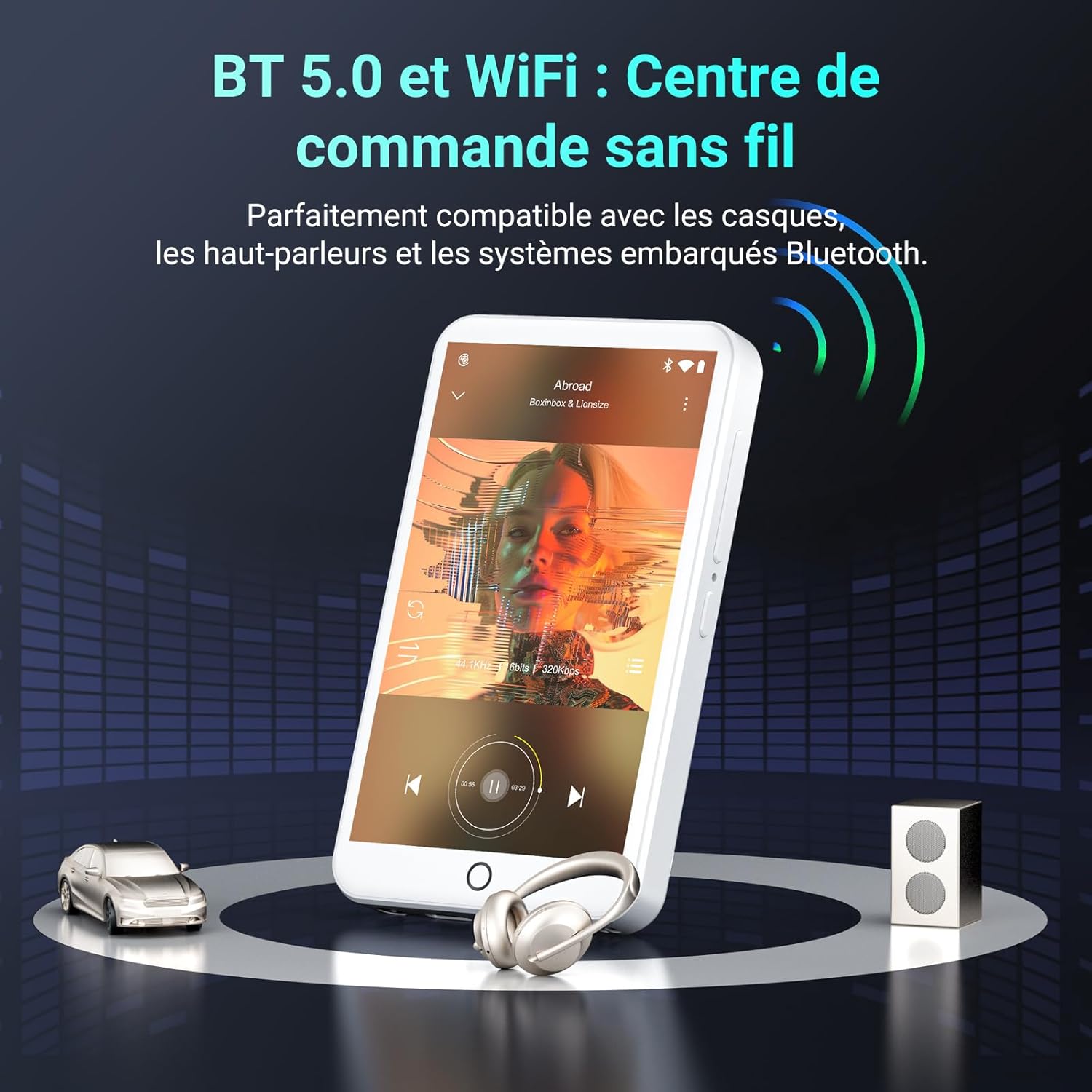
Image: The MP3 player demonstrating Bluetooth 5.0 and Wi-Fi connectivity, showing it paired with headphones and a speaker.
5. Android 13 OSとアプリケーション
The device runs on Android 13, providing a smooth user experience and access to a wide range of applications.
- プリインストールされたアプリ: Spotify, Omnia, Deezer, Amazon Music, Play Store, FM Radio, etc.
- カスタマイズ: Install or remove applications to personalize your device.

Image: The MP3 player displaying its Android 13 interface with various application icons, illustrating its intelligent and adaptive OS.
6. Multifunction Features
Beyond music and video, the player offers several additional functionalities:
- ペアレンタルコントロール
- FMラジオ
- 音声録音
- 電子書籍
- 電卓
- Chromeブラウザ
メンテナンス
1.デバイスのクリーニング
- 柔らかく糸くずの出ない布を使用して、デバイスの画面と本体を拭きます。
- 強力な化学薬品や研磨材の使用は避けてください。
- デバイスを過度の湿気にさらさないでください。
2. バッテリーのお手入れ
- バッテリーを頻繁に完全に放電することは避けてください。
- バッテリーの状態を維持するために、使用していない場合でも定期的にデバイスを充電してください。
- 長期間使用しない場合は、デバイスを涼しく乾燥した場所に保管してください。
3. ソフトウェアの更新
Periodically check for software updates through the device's settings to ensure optimal performance and access to the latest features.
トラブルシューティング
If you encounter issues with your Fanvace EU-K11 MP3 Player, refer to the following common solutions:
| 問題 | 解決 |
|---|---|
| デバイスの電源が入らない | Ensure the battery is charged. Connect to a charger for at least 30 minutes. If unresponsive, perform a hard reset by holding the power button for 10-15 seconds. |
| Wi-Fiに接続できません | Check if Wi-Fi is enabled in settings. Ensure you are within range of a Wi-Fi network and have entered the correct password. Restart the device and your router. |
| Bluetoothデバイスがペアリングされない | Ensure Bluetooth is enabled on both devices and they are in pairing mode. Keep devices close to each other. Try restarting both devices. |
| 音楽/ビデオ file遊んでいない | 確認する file format is supported (see Specifications). Ensure the files are not corrupted. Try playing other files. |
| デバイスが遅い、または反応しない | Close unnecessary background applications. Clear cache from apps. Restart the device. If issues persist, consider a factory reset (back up your data first). |
If the problem persists, please contact Fanvace customer support for further assistance.
仕様
| 特徴 | 詳細 |
|---|---|
| ブランド | ファンバス |
| モデル番号 | EU-K11 |
| オペレーティング·システム | アンドロイド13 |
| 画面サイズ | 4インチ |
| 画面解像度 | 480*800P |
| ラム | 3ギガバイト |
| 内部ストレージ (ROM) | 32ギガバイト |
| Included Micro SD Card | 64ギガバイト |
| 総ストレージ容量 | 96 GB (32GB ROM + 64GB SD) |
| 拡張可能なストレージ | 最大512 GB(マイクロSD) |
| 接続性 | Wi-Fi、Bluetooth 5.0 |
| バッテリー容量 | 2000 mAhのリチウムイオン |
| 音楽再生時間 | 最大20時間 |
| ビデオ再生時間 | 最大6時間 |
| 充電時間 | 3~4時間 |
| サポートされているオーディオ形式 | MP3、WAV、FLAC、APE、OGG、M4A、AAC、WMA |
| サポートされているビデオ形式 | RM、RMVB、FLV、MP4、DAT、MKV、MPG、MOV、TS |
| 特集 | Touchscreen, Online Music App Support, Parental Control, FM Radio, Voice Recording, E-books, Calculator, Chrome |
保証とサポート
保証情報
The Fanvace EU-K11 MP3 Player comes with a 1年間のメーカー保証 ご購入日から1年間有効です。本保証は、通常の使用における材料および製造上の欠陥を対象としています。誤用、事故、不正な改造、または通常の摩耗や損耗による損傷は保証の対象外となります。保証請求の際は、購入証明書を保管してください。
カスタマーサポート
For technical assistance, troubleshooting, or warranty inquiries, please contact Fanvace customer support. Refer to the contact information provided with your product packaging or visit the official Fanvace webサポート詳細のサイト。