
導入
This manual provides detailed instructions for setting up, operating, and maintaining your GMKtec EVO-X2 AI Mini PC. Please read this manual thoroughly before using the device to ensure proper functionality and longevity.
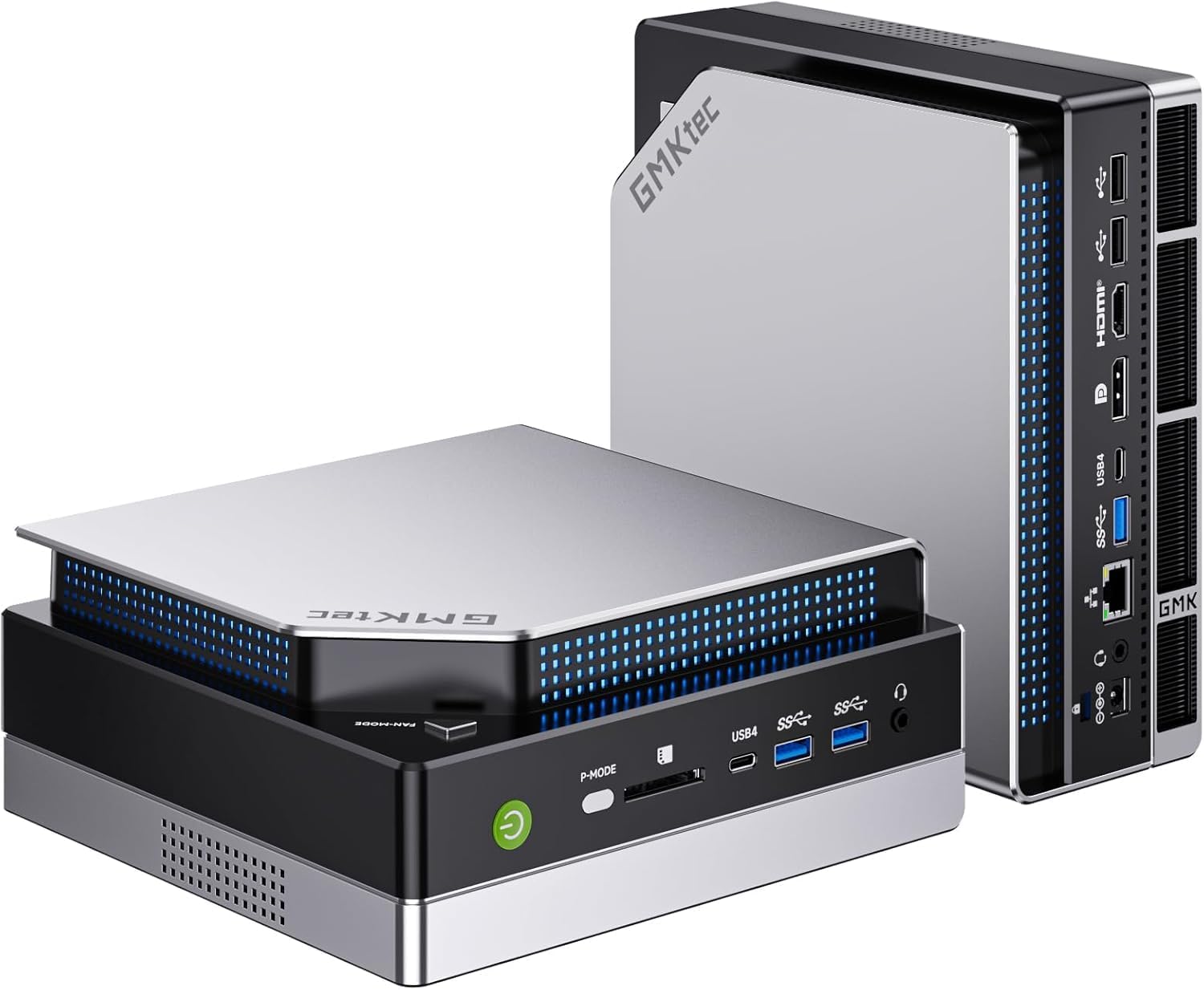
画像: 前面 view of the GMKtec EVO-X2 AI Mini PC.
セットアップ手順
1. 開梱と初期検査
- パッケージからすべてのコンポーネントを慎重に取り出します。
- パッケージの内容に記載されているすべてのアイテムが揃っていることを確認します。
- ミニ PC に物理的な損傷の兆候がないか検査します。
2. 周辺機器の接続
Connect your monitor(s), keyboard, mouse, and other necessary peripherals to the appropriate ports on the Mini PC.

画像: 背面 view of the Mini PC, illustrating available ports for peripheral connections.
- ディスプレイ接続: The EVO-X2 supports up to four displays with 8K resolution via HDMI 2.1 (8K@60Hz), DisplayPort 1.4 (4K@60Hz), and dual USB4 ports (40Gbps with PD3.0/DP1.4/Data). Use the appropriate cables for your monitors.
- USB デバイス: キーボード、マウス、その他の USB デバイスを使用可能な USB ポートに接続します。
- ネットワーク接続: For wired internet, connect an Ethernet cable to the 2.5GbE LAN port. For wireless internet, ensure the Wi-Fi antennas are properly connected (if external) or that the internal Wi-Fi 7 module is enabled.

Image: The Mini PC connected to multiple displays, showcasing its 8K quad-screen capability.
3. 電源接続
電源アダプタをミニ PC の DC 入力ポートに接続し、電源コードを壁のコンセントに差し込みます。
4. 電源を入れる
Press the power button located on the front of the Mini PC. The system will boot up, and the operating system (Windows 11 Pro) will load. Follow the on-screen instructions for initial Windows setup if this is the first time using the device.
操作手順
1. 一般的な使用法
The GMKtec EVO-X2 is designed for a wide range of tasks, from daily computing to demanding AI workloads and gaming. Its AMD Ryzen AI Max+ 395 processor with 16 Zen 5 cores and 32 threads provides robust performance.
2. AI Performance with XDNA 2 NPU
The integrated XDNA 2 NPU delivers over 50 TOPS of AI performance, making the EVO-X2 suitable for local AI tasks such as running large language models (LLMs) with applications like LM Studio. This allows for efficient AI processing without requiring cloud services.

Image: Visual representation of the XDNA 2 NPU architecture and its support for various AI applications.
3. Gaming with AMD Radeon 8090S iGPU
Equipped with an AMD Radeon 8090S iGPU featuring 40 compute units and RDNA 3.5 architecture, the Mini PC offers strong gaming performance, comparable to dedicated laptop GPUs. It supports Full HD gaming with high detail settings. The 96GB LPDDR5X memory also aids in running demanding applications and LLMs.

画像: 詳細 view of the integrated AMD Radeon 8060S graphics, highlighting its gaming capabilities.
4. High-Speed Connectivity
- Wi-Fi 7 (802.11be): Provides wireless speeds up to 46 Gbps, significantly faster than previous Wi-Fi standards, ensuring stable and high-bandwidth connections.
- 2.5GbE LAN: The 2.5 Gigabit Ethernet port offers high-speed wired networking, suitable for applications requiring stable and fast data transfer, such as NAS or software routers.
- Bluetooth 5.4: For reliable connections to wireless peripherals like headphones, keyboards, and mice.
- USB4: Dual USB4 ports offer 40Gbps data transfer, Power Delivery 3.0, and DisplayPort 1.4 capabilities.

Image: A comparison of Wi-Fi standards, emphasizing the speed benefits of Wi-Fi 7 on the Mini PC.

Image: The Mini PC connected via 2.5GbE Ethernet, illustrating high-speed network capabilities.
メンテナンス
1. 冷却システム
The EVO-X2 features a triple cooling system with two CPU turbo fans and a dedicated DDR5/SSD fan, along with three heat pipes and 360° airflow. This system is designed for efficient heat dissipation while maintaining a quiet operation (as low as 35 dB in silent mode).
- Ensure proper ventilation around the Mini PC. Do not block air vents.
- Periodically clean dust from the exterior vents using compressed air to maintain optimal cooling performance.
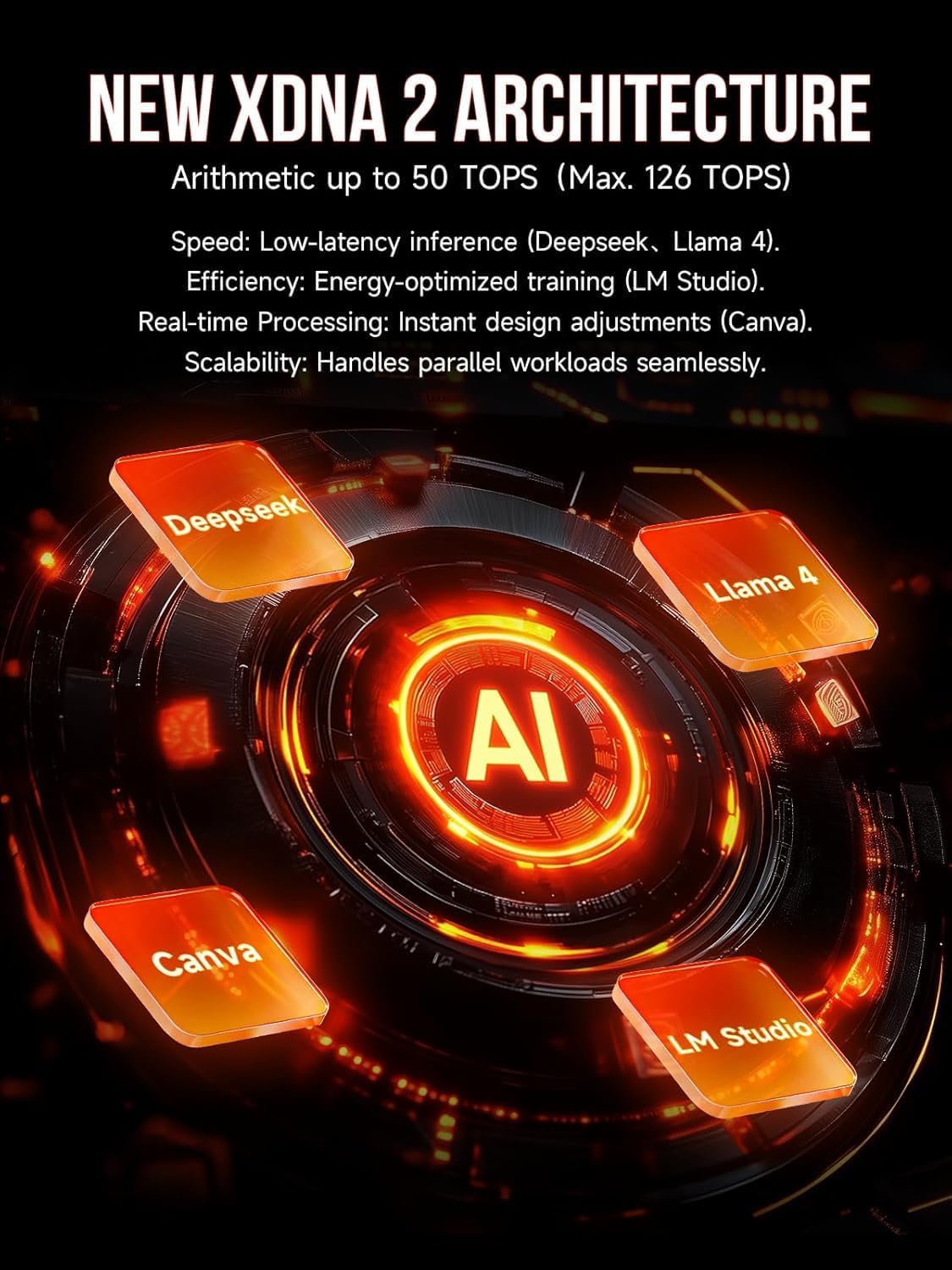
Image: Internal components of the Mini PC, showing the advanced cooling solution.
2. ソフトウェアの更新
Regularly update your operating system (Windows 11 Pro) and drivers to ensure system stability, security, and optimal performance.
3. 清掃
ミニPCの外装を清掃する際は、柔らかく乾いた布をご使用ください。液体クリーナーを直接デバイスに使用しないでください。
トラブルシューティング
- 電源なし: 電源アダプタがミニPCと電源コンセントの両方にしっかりと接続されていることを確認してください。必要に応じて別のコンセントを試してください。
- 表示なし: モニターの電源がオンになっており、ミニPCに正しく接続されていることを確認してください。ディスプレイケーブルやポートを変えてみてください。モニターで正しい入力ソースが選択されていることを確認してください。
- インターネット接続なし: For wired connections, check the Ethernet cable and router status. For Wi-Fi, ensure Wi-Fi is enabled in Windows settings and that you are connected to the correct network with the correct password.
- システムの速度低下: Check for background applications consuming resources. Ensure sufficient free space on the SSD. Consider running system diagnostics or updating drivers.
- 過熱: Ensure the Mini PC has adequate ventilation and that air vents are not obstructed. Clean any dust accumulation.
技術仕様
| 特徴 | 仕様 |
|---|---|
| モデル名 | GMKtec EVO-X2 |
| プロセッサ | AMD Ryzen AI Max+ 395 (16 Cores, 32 Threads, up to 5.1 GHz) |
| 非営利 | XDNA 2 Architecture, >50 TOPS AI Performance |
| グラフィックス | AMD Radeon 8090S iGPU (40 Compute Units, RDNA 3.5, up to 2.9 GHz) |
| ラム | 96 GB LPDDR5X 8000 MT/s |
| ストレージ | 1 TB PCIe 4.0 SSD |
| オペレーティング·システム | ウィンドウズ11プロ |
| ディスプレイ出力 | Up to 4 displays, 8K resolution (HDMI 2.1, DisplayPort 1.4, Dual USB4) |
| ネットワーク | 2.5GbE LAN, Wi-Fi 7 (802.11be), Bluetooth 5.4 |
| ポート | USB4 (x2), HDMI (x2), DisplayPort (x2), 2.5GbE LAN, USB-A (various), SD Card Reader |
| 冷却システム | Triple Cooling (2 CPU fans, 1 DDR5/SSD fan), 3 Heat Pipes, 360° Airflow |
| 寸法 | 38.5 x 25 x 9.2 cm |
| 重さ | 3.26キロ |
保証とサポート
保証情報およびテクニカル サポートについては、次のリソースを参照してください。
- アマゾンのサポート: For inquiries related to your purchase, log in to your Amazon account, navigate to "Your Account" -> "Your Orders," and select "Ask Product Question" for the GMKtec EVO-X2.
- アフターサポート: Contact the GMKtec After-Sales Team directly via email at eu-cs@gmktec.com 24時間7日のカスタマーサポート。

Image: Warranty and support contact information for GMKtec products.