
マブVIEW ベル J7
マブVIEW Bell J7 2K ワイヤレスビデオドアベルカメラ(チャイム付き)ユーザーマニュアル
Model: Bell J7
1. はじめに
This manual provides detailed instructions for the installation, operation, and maintenance of your MUBVIEW Bell J7 2K Wireless Video Doorbell Camera with Chime. Please read this manual thoroughly before using the product to ensure proper function and safety. This device is designed to enhance your home security with advanced features like 2K video, motion detection, and two-way audio.
2. 箱の中身
インストールを続行する前に、すべてのコンポーネントが存在していることを確認してください。
- Camera Doorbell x1
- チャイム×1
- ユーザーマニュアル x1
- 充電ケーブルx1
- バッテリーx3
- Other Accessories (screws, anchors, screwdriver)

Image: Contents of the MUBVIEW Bell J7 package, including the doorbell, chime, and installation tools.
3.製品オーバーview
Familiarize yourself with the main parts of your video doorbell and chime:
ドアベルカメラ
- 2K Camera Lens: 高解像度のビデオをキャプチャします。
- PIRモーションセンサー: 人の動きを検知します。
- マイクロフォン: 双方向の音声通信用。
- スピーカー: 双方向音声通信とサイレン用。
- ドアベルボタン: チャイムを鳴らし、通知を送信します。
- Micro USB-C Port: 内蔵バッテリーを充電します。
- リセットボタン: デバイスのリセット用。
- マイクロSDカードスロット: For local video storage (up to 128GB, card not included).
- Anti-Theft Button: Triggers an alarm if the doorbell is removed from its mount.
ワイヤレスチャイム
- スピーカー: ドアベルの音を発します。
- 音量コントロール: チャイムの音量を調整します。
- トーンセレクター: チャイムのメロディーを変更します。
- 電源: バッテリー駆動なので設置場所を選ばない。

画像: 正面 view of the MUBVIEW Bell J7 doorbell and chime.
4. セットアップ
Follow these steps to set up your MUBVIEW Bell J7 doorbell camera:
4.1 ドアベルの充電
- Before first use, fully charge the doorbell camera using the provided USB charging cable.
- The charging port is located on the side of the doorbell, protected by a rubber flap.
- A full charge can last up to 180 days, depending on usage.
4.2 アプリのインストールとWi-Fi接続
- ダウンロード クラウドエッジ or マブVIEW app from your smartphone's app store (Apple App Store or Google Play Store).
- アカウントを登録するか、すでにアカウントをお持ちの場合はログインしてください。
- スマートフォンがインターネットに接続されていることを確認してください 2.4GHz Wi-Fiネットワーク. The doorbell is not compatible with 5GHz Wi-Fi.
- In the app, select "Add Device" and choose "Smart Video Doorbell".
- Follow the on-screen prompts to connect the doorbell to your Wi-Fi network. This typically involves scanning a QR code displayed on your phone with the doorbell camera.
- 接続したら、デバイスに名前を付けてセットアップを完了できます。
4.3 ドアベルの取り付け
The doorbell can be mounted using screws or strong adhesive tape (not included for all mounting types).
- Attach the mounting bracket to your desired location on the wall or door frame. Ensure it is at an appropriate height for optimal viewing。
- Secure the bracket using the provided screws and anchors.
- Slide the doorbell camera into the mounting bracket until it clicks securely into place.
- For added security, a small screw can be inserted from the bottom of the bracket into the doorbell to prevent easy removal.

Image: Installation of the MUBVIEW Bell J7 doorbell camera onto its mounting bracket.
5. 操作手順
5.1 ライブ View および双方向オーディオ
- MUBを開くVIEW app to access the live video feed from your doorbell camera.
- Use the microphone icon in the app to enable two-way audio and speak with visitors at your door.
- The voice changer feature can be activated for added privacy and security.

Image: Demonstrating two-way audio and voice message functionality via the app.
5.2 動きの検出とアラート
- The doorbell features advanced PIR motion and human detection to minimize false alarms.
- When motion is detected, you will receive instant push notifications on your smartphone.
- Adjust motion detection sensitivity and set custom motion zones within the app to suit your environment.

Image: Smartphone notification for human detection from the doorbell camera.
5.3 ナイトビジョン
- The doorbell camera automatically switches to IR night vision in low-light conditions.
- Enhanced night vision provides clear images up to 33 feet.
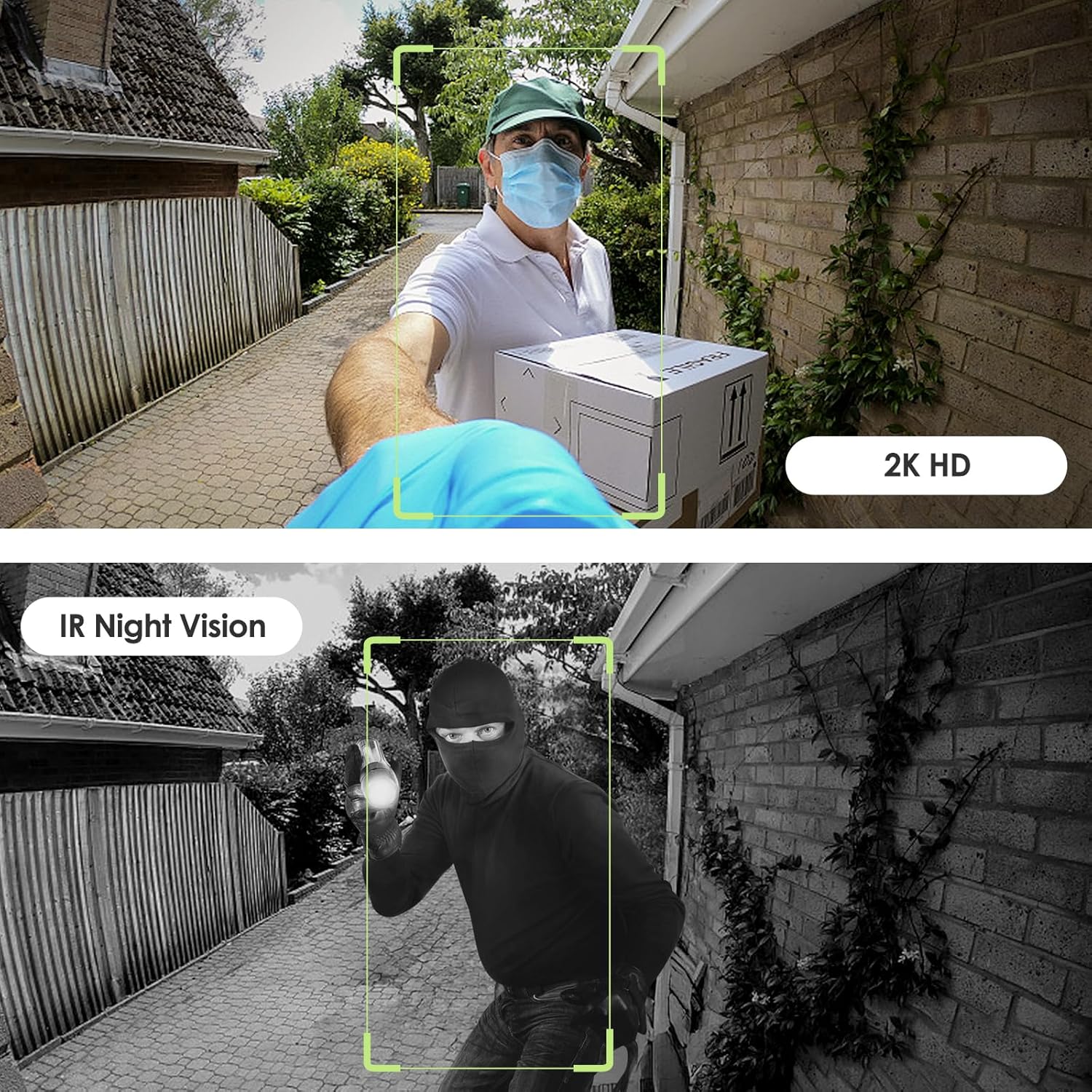
Image: Day and night vision capabilities of the MUBVIEW Bell J7 doorbell.
5.4ビデオストレージ
- マイクロSDカード: Insert a micro SD card (up to 128GB, not included) into the designated slot for local storage of recorded footage.
- クラウドストレージ: Enjoy 7-day free cloud loop storage. Optional premium cloud storage plans are available for extended storage and features.

Image: Multiple storage options: local Micro SD card and cloud service.
6. 特徴
- 2KフルHD解像度: 鮮明で詳細なビデオを提供します。
- 145°広角レンズ: 幅広い view あなたの玄関先で。
- バッテリ駆動: Ensures easy, wire-free installation.
- 2.4GHz Wi-Fi接続: Stable and reliable wireless connection.
- IP65耐候性: Built to withstand various outdoor conditions (rain, heat, hail, sun, dust).
- 盗難防止アラーム: Siren sounds if the doorbell is tampとしました。
- ボイスチェンジャー: Enhances privacy during two-way audio.
- Pre-Recorded Voice Messages: Respond quickly with custom messages.
- ファミリー共有: Supports up to 15 online users and 20 user accounts.
- 互換性: Alexa および Google アシスタントと連携します。

画像: 上view of MUBVIEW Bell J7 features.
7. メンテナンス
7.1 バッテリーの充電
The doorbell is powered by rechargeable batteries. Monitor the battery level through the app and recharge as needed. The battery life can extend up to 180 days on a single charge, depending on activity and settings.
7.2 クリーニング
カメラのレンズとドアベルの外側を柔らかくて乾いた布で拭いてください。amp 布で埃やゴミを取り除いてください。デバイスを損傷する可能性のある、刺激の強い化学薬品や研磨剤の使用は避けてください。
7.3 耐候性
MUBVIEW Bell J7 is IP65 weather-resistant, designed to endure various outdoor conditions. However, extreme weather conditions may still impact performance or battery life.

Image: IP65 Weather Resistance of the MUBVIEW Bell J7 doorbell.
8。 トラブルシューティング
| 問題 | 考えられる解決策 |
|---|---|
| ドアベルがWi-Fiに接続できない | Ensure your Wi-Fi is 2.4GHz. Move the doorbell closer to your router during setup. Reset the doorbell and try again. |
| 頻繁な誤動作アラーム | Adjust the motion detection sensitivity in the app. Set custom motion zones to exclude busy areas or moving foliage. |
| ビデオ品質が悪い | Check your Wi-Fi signal strength in the app. Ensure the camera lens is clean and free from obstructions. |
| バッテリー寿命が短い | Reduce motion detection sensitivity or frequency of live view access. Ensure the doorbell is fully charged. |
| Anti-theft alarm not working | Ensure the anti-theft feature is enabled in the app settings. Check if the doorbell is properly seated in its mounting bracket, activating the tamperボタン。 |
9. 仕様
- モデル名: ベル J7
- ビデオキャプチャ解像度: 2K
- 接続技術: ワイヤレス(2.4GHz Wi-Fi)
- 電源: Battery Powered (3 A batteries included)
- 屋内/屋外での使用: 屋外
- 耐水性レベル: IP65防水
- 特別な機能: 2-Way Audio, Built-In Light, HD Resolution, Image Sensor, Motion Sensor, Voice Changer, Anti-Theft Alarm
- 対応デバイス: Smartphone (via CloudEdge/MUBVIEW アプリ)
- 製品寸法: 1.37 x 5.27 x 2.2インチ
- 商品の重量: 15.4オンス
10. 保証とサポート
マブVIEW is committed to providing quality products and customer satisfaction. For any inquiries or support needs, please refer to the following:
- 顧客サービス: Available via Call Service (9AM-5PM EST) and Online Email.
- 戻り値: 30-day Amazon return policy applies.
- 保護プラン: オプションで 2 年および 3 年の保護プランを購入できます。
For detailed contact information, please visit the official MUBVIEW website or refer to the contact details provided in the product packaging.

Image: MUBVIEW Customer Service details.
Ask a question about this manual
Ask about setup, troubleshooting, compatibility, parts, safety, or missing instructions. Manuals+ will review the question and use this page’s manual context to help answer it.