
1. はじめに
This manual provides essential information for the safe and efficient operation of your PETLIBRO Automatic Pet Feeder with Camera. This device is designed to automate pet feeding schedules, monitor your pet, and facilitate two-way communication, ensuring your pet receives meals on time and you stay connected.
The feeder features a 1080P HD camera with night vision, 5G WiFi connectivity, two-way audio, and a stainless steel slow-feed bowl to promote healthier eating habits.

Figure 1: PETLIBRO Automatic Pet Feeder with Camera
2.製品コンポーネント
パッケージにすべてのコンポーネントが含まれていることを確認します。
- 1 x PETLIBRO Automatic Camera Feeder
- 1 x Stainless Steel Slow Food Bowl
- 電源アダプター x 1
- 乾燥剤バッグ 1 個(プリインストールまたは別売)
- ユーザーマニュアル x 1
3.セットアップガイド
3.1開梱と配置
- パッケージからすべてのコンポーネントを慎重に取り出します。
- Place the feeder on a flat, stable surface in a dry area, away from direct sunlight or heat sources.
- 電源コンセントに簡単にアクセスできることを確認してください。
3.2電源接続
- 電源アダプターをフィーダーに接続し、壁のコンセントに差し込みます。
- パワーouのためにtage protection, install 3 D-cell batteries (not included) in the battery compartment at the bottom of the feeder.
3.3 アプリのダウンロードとWiFi接続
- ダウンロード PETLIBROアプリ スマートフォンのアプリストア(iOS または Android)から。
- Create an account and follow the in-app instructions to add your feeder. The feeder supports both 2.4GHz and 5GHz WiFi networks.
- Ensure your phone is connected to the same WiFi network you intend to connect the feeder to during setup.
3.4 フードタンクへの給水
- フードタンクの蓋を開けます。
- Pour dry pet food into the tank. The feeder has a 5L capacity.
- Ensure the desiccant bag is placed in its compartment to keep food fresh. Replace the desiccant bag every 15-30 days.
- 食品の鮮度を保つために蓋をしっかり閉めてください。
3.5 Attaching the Slow Food Bowl
- Place the stainless steel slow food bowl into the designated slot at the base of the feeder. Ensure it is seated correctly.

Figure 2: Stainless Steel Slow Food Bowl
4. 操作手順
4.1 食事のスケジュール
- Use the PETLIBRO App to set up to 10 meals per day.
- Adjust portion sizes from 1 to 50 portions per meal, according to your pet's dietary needs.
- The app allows for flexible scheduling and monitoring of feeding history.
4.2 手動給餌
- Press the manual feed button on the feeder or use the app's "Feed Now" function to dispense a single portion instantly.
4.3 Camera Features and Monitoring
The built-in 1080P HD camera allows you to monitor your pet's mealtime in real-time.
- リアルタイム Viewing: Access the live camera feed through the PETLIBRO App.
- ナイトビジョン: The camera automatically switches to night vision in low-light conditions, providing clear monitoring even at night.
- Automatic Capture: Feeding moments are automatically recorded and stored for playback within the app.
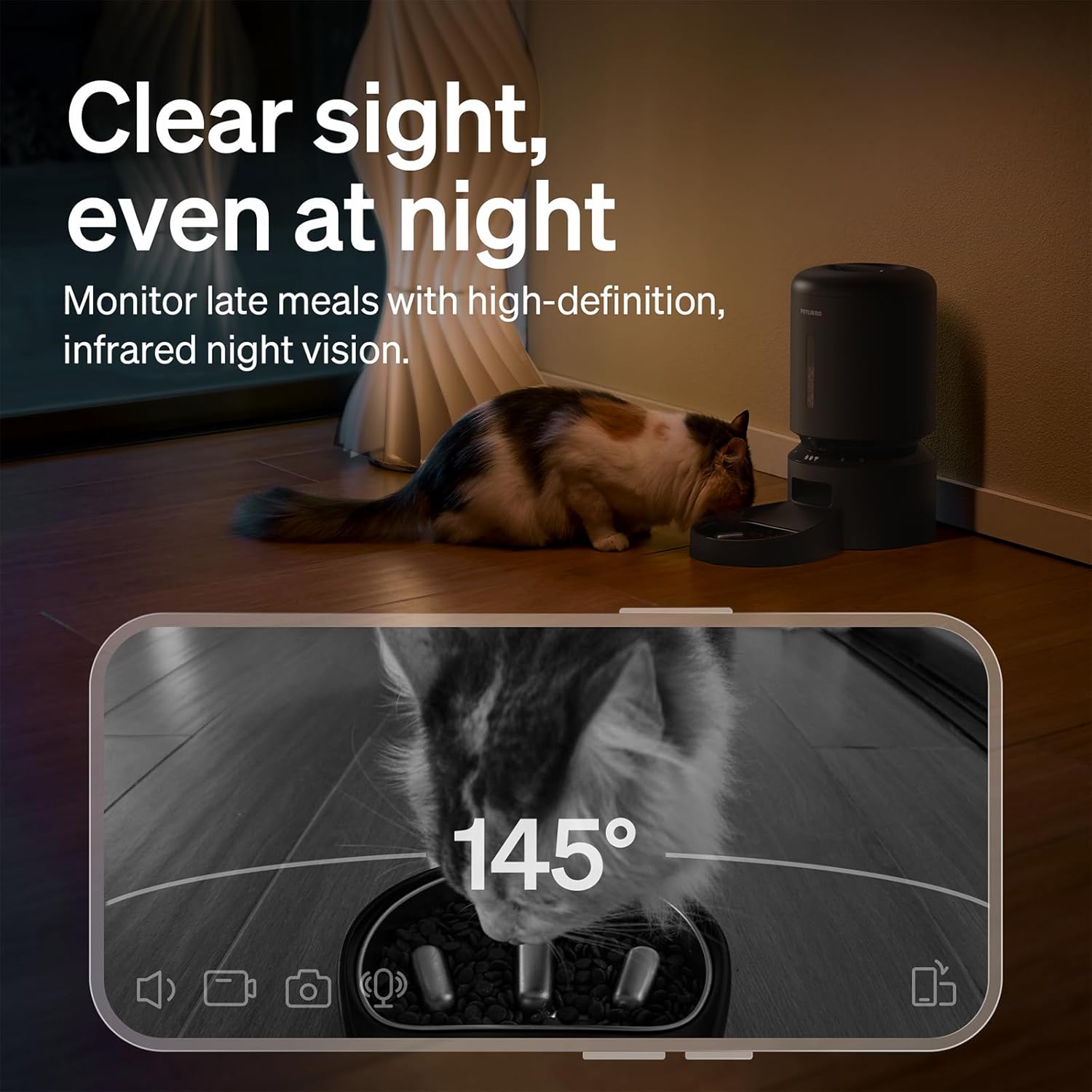
図3: 夜間視力監視
4.4 Two-Way Audio Interaction
- Use the two-way audio feature in the app to speak to your pet remotely.
- You can also record a personalized 10-second meal call that plays during scheduled feeding times.
4.5 通知とアラート
The PETLIBRO App provides instant alerts to keep you informed:
- 食料レベルが低い: Receive alerts when the food tank is running low, prompting you to refill.
- フードジャム: The anti-blockage system detects and alerts you to any food dispensing issues.
- 動きと音の検出: Get notifications for detected motion or sound around the feeder.

Figure 4: Real-time Notifications
4.6 Slow Feeding Benefits
The integrated stainless steel slow-feed bowl is designed with ridges to reduce eating speed by up to 2 times. This helps prevent choking, bloating, and indigestion, supporting better digestion for pets that eat too fast.

Figure 5: Slow Feeding in Action
4.7 ビデオデモンストレーション
Watch this short video to see the PETLIBRO Automatic Pet Feeder in operation, demonstrating its food dispensing capabilities.
Video 1: PETLIBRO Automatic Dog Feeder with Slow Bowl, 1080P HD (6 seconds)
5. メンテナンス
5.1 Cleaning the Slow Food Bowl
- The stainless steel bowl is removable and dishwasher safe for easy cleaning.
- Wash regularly to maintain hygiene and prevent bacterial growth.
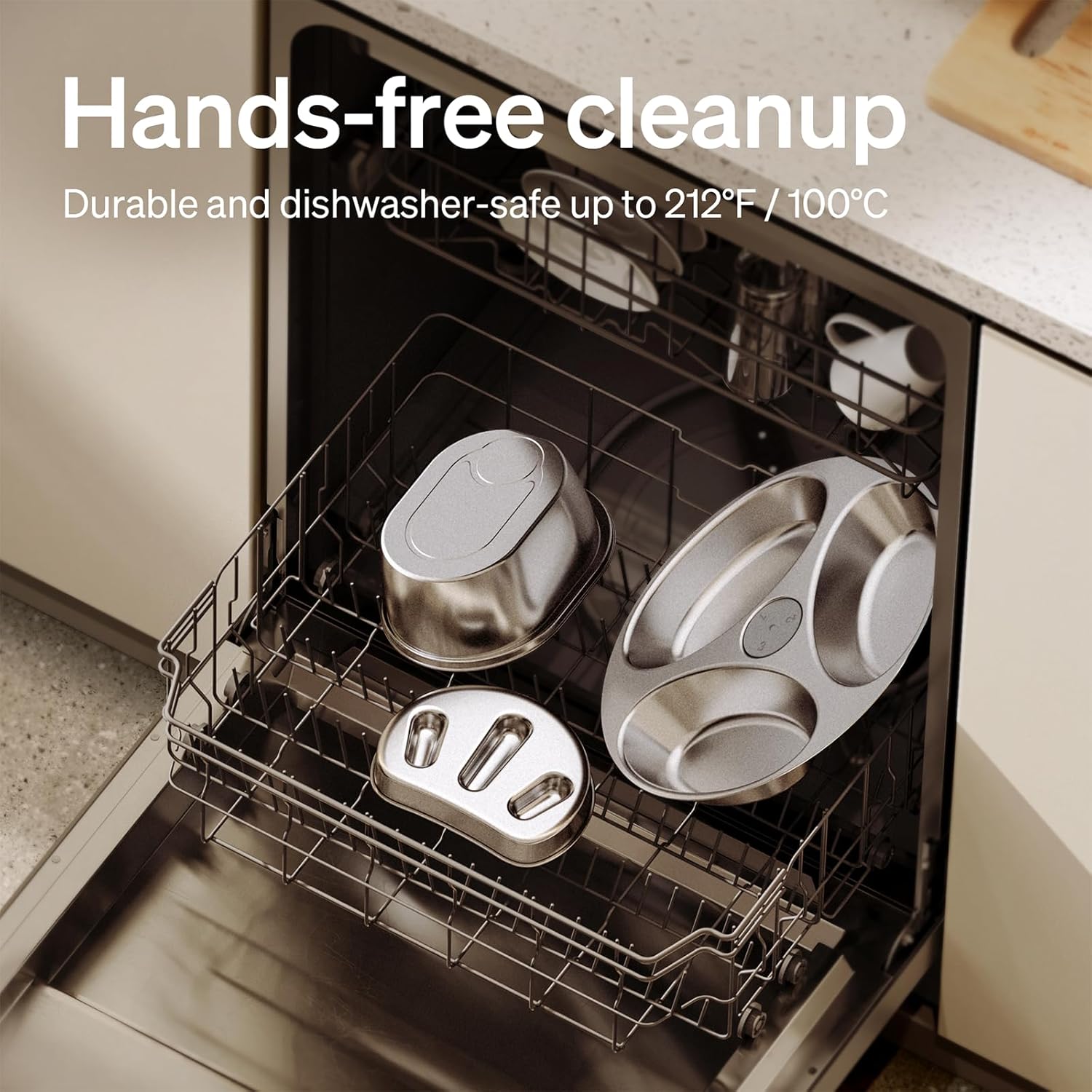
Figure 6: Dishwasher Safe Components
5.2 Cleaning the Food Tank and Dispenser
- Wipe the interior of the food tank with a damp cloth. Ensure it is completely dry before refilling.
- Clean the food dispensing outlet regularly to prevent blockages.
5.3 乾燥剤袋の交換
- Replace the desiccant bag in the lid compartment every 15-30 days to ensure food freshness.
6。 トラブルシューティング
| 問題 | 考えられる原因 | 解決 |
|---|---|---|
| フィーダーの電源が入らない | Power adapter disconnected; no battery backup; batteries depleted. | Check power connection; install fresh D-cell batteries. |
| 食べ物が出ない | Food tank empty; food jam; dispenser blocked. | Refill food tank; clear any food blockages in the dispenser; clean the outlet. |
| WiFi 接続の失敗 | Incorrect WiFi password; feeder too far from router; incompatible WiFi band. | Verify password; move feeder closer to router; ensure 2.4GHz or 5GHz network is used. |
| カメラが動作しない | App permissions; network issue. | Check app camera permissions; ensure stable WiFi connection. |
| 通知が受信されませんでした | App notification settings; phone settings. | Enable notifications in the PETLIBRO App and your phone's settings. |
If issues persist, please contact PETLIBRO customer support.
7. 仕様
- モデル番号: PLAF203-SB
- 製品寸法: 長さ12.99インチ x 幅7.48インチ x 高さ13.78インチ
- 商品の重量: 3.8 ポンド
- 容量: 5リットル
- 材料: ステンレス(ボウル)、プラスチック(フィーダー本体)
- 接続技術: WiFi (2.4GHz & 5GHz)
- 電源: Corded Electric, Battery Backup (3 x D-cell batteries, not included)
- カメラ: 1080P HD ナイトビジョン付き
- 特別な機能: Two-Way Audio, Slow Food Bowl, App Control, Motion/Sound Detection, Low Food Alerts
- 対象種: 猫、犬、小動物
8. 保証とサポート
Your PETLIBRO Automatic Pet Feeder with Camera comes with a 24ヶ月保証 ご購入日から有効です。この保証は、通常の使用における製造上の欠陥および故障を対象としています。
For warranty claims, technical support, or any questions regarding your product, please visit the official PETLIBRO web購入サイトをご覧いただくか、カスタマーサービスに直接お問い合わせください。購入証明書としてレシートを保管してください。
オンラインサポート: www.petlibro.com/support