1. はじめに
This manual provides essential information for the safe and efficient operation of your Anern FGI-DU4200 Dual Voltage Hybrid Solar Inverter. Please read this manual thoroughly before installation and use, and retain it for future reference. This inverter is designed to provide reliable power for various applications, integrating solar charging, AC utility charging, and inverter output functions.
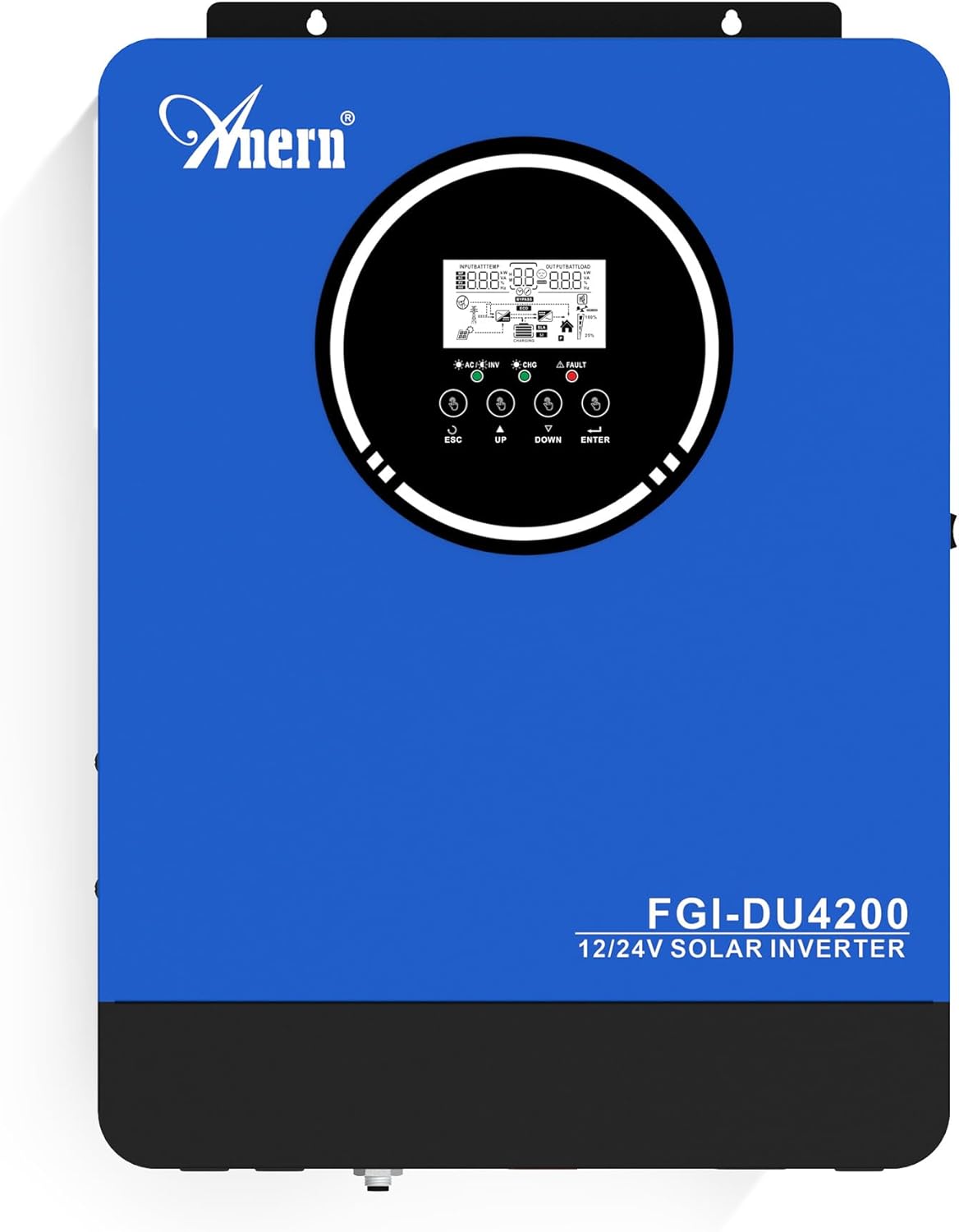
図1: アナーン FGI-DU4200 デュアルボリュームtage Hybrid Solar Inverter. This image shows the front panel of the inverter, featuring the display screen and control buttons.
2. 安全に関する注意事項
怪我やインバーターまたは接続機器の損傷を防ぐために、次の安全上の注意事項を守ってください。
- 設置は、地域の電気規則に従って資格のある人が行う必要があります。
- すべての配線のサイズが適切であり、正しく接続されていることを確認します。
- インバータを分解しないでください。内部にはユーザーが修理できる部品はありません。
- インバーターは可燃性物質、湿気、直射日光から遠ざけてください。
- 過熱を防ぐために、インバータの周囲に十分な換気を確保してください。
- メンテナンスや配線を行う前に、必ずすべての電源 (太陽光、バッテリー、ユーティリティ) を外してください。
- 設置およびメンテナンス中は適切な個人用保護具 (PPE) を着用してください。
3.製品オーバーview および機能
The Anern FGI-DU4200 is a versatile hybrid solar inverter designed for both on-grid and off-grid applications. It features automatic dual-voltage operation and a 120A MPPT solar charge controller.
主な特徴:
- Automatic Dual-Voltage操作: Automatically recognizes 12VDC (2300W output) or 24VDC (4200W output) battery systems.
- High-Efficiency Pure Sine Wave Output: Provides stable 220-230VAC ±5% output (50Hz) with 90% efficiency.
- 統合型120A MPPTソーラー充電コントローラー: Maximizes solar power harvesting.
- 複数の充電モード: Solar, Solar and Utility, Solar Priority.
- 複数の出力モード: Solar Priority, Utility Priority, SBU (Solar-Battery-Utility) Mode.
- Seamless Transfer: Grid/generator transfer time less than 20ms for critical loads.
- 包括的な保護: Overload, over-temperature, and short-circuit protection.
- バッテリー互換性: Supports 12V/24V Lithium, Lead-Acid, and Gel batteries.
- Cold Start Capability: Ensures operation in extreme conditions.
- Wi-Fiモニタリング: Allows system operation control via mobile phone (requires optional Wi-Fi module).

図2: 以上view of key features including frequency range, waveform, charging currents, battery voltage、および保護メカニズム。

図3: Illustration of the inverter's dual voltage capability, supporting 4.2KW at 24V and 2.3KW at 12V battery systems.
4. セットアップとインストール
4.1 開梱と検査
Upon receiving the inverter, carefully unpack it and inspect for any shipping damage. Ensure all components listed in the packing list are present. If any damage or missing parts are found, contact your dealer immediately.
4.2 インバータの取り付け
Mount the inverter vertically on a sturdy wall or surface. Ensure there is sufficient clearance around the unit for proper ventilation (at least 20 cm on all sides). Avoid mounting in direct sunlight, near heat sources, or in areas with excessive dust or moisture.
4.3配線接続
All wiring must comply with local electrical codes. Use appropriate wire gauges for all connections to prevent overheating and ensure efficient power transfer.
4.3.1バッテリー接続
The inverter supports both 12VDC and 24VDC battery systems. The inverter automatically detects the battery voltage. Ensure correct polarity when connecting batteries. For 12V systems, batteries are typically connected in parallel. For 24V systems, batteries are typically connected in series.

図4: Wiring diagram illustrating parallel connection for 12V battery systems (2300W output) and series connection for 24V battery systems (4200W output).

図5: The inverter is compatible with various battery types, including Gel, AGM, Flooded (FLD), Lithium (LI), and Sealed Lead-Acid (SLD) batteries.
4.3.2 ソーラーパネルの接続
Connect your solar panels to the designated PV input terminals. Ensure the open circuit voltage (Voc) of your solar array does not exceed the inverter's maximum PV input voltage (500Vdc). Observe correct polarity.
4.3.3 AC入力接続(ユーティリティ/発電機)
Connect the AC utility grid or a compatible generator to the AC input terminals. The inverter supports 220-230VAC input. Ensure proper grounding.
4.3.4 AC Output Connection (Loads)
Connect your household or office loads to the AC output terminals. The inverter provides a pure sine wave output suitable for sensitive electronics. Do not exceed the rated output power of the inverter (2300W for 12VDC systems, 4200W for 24VDC systems).
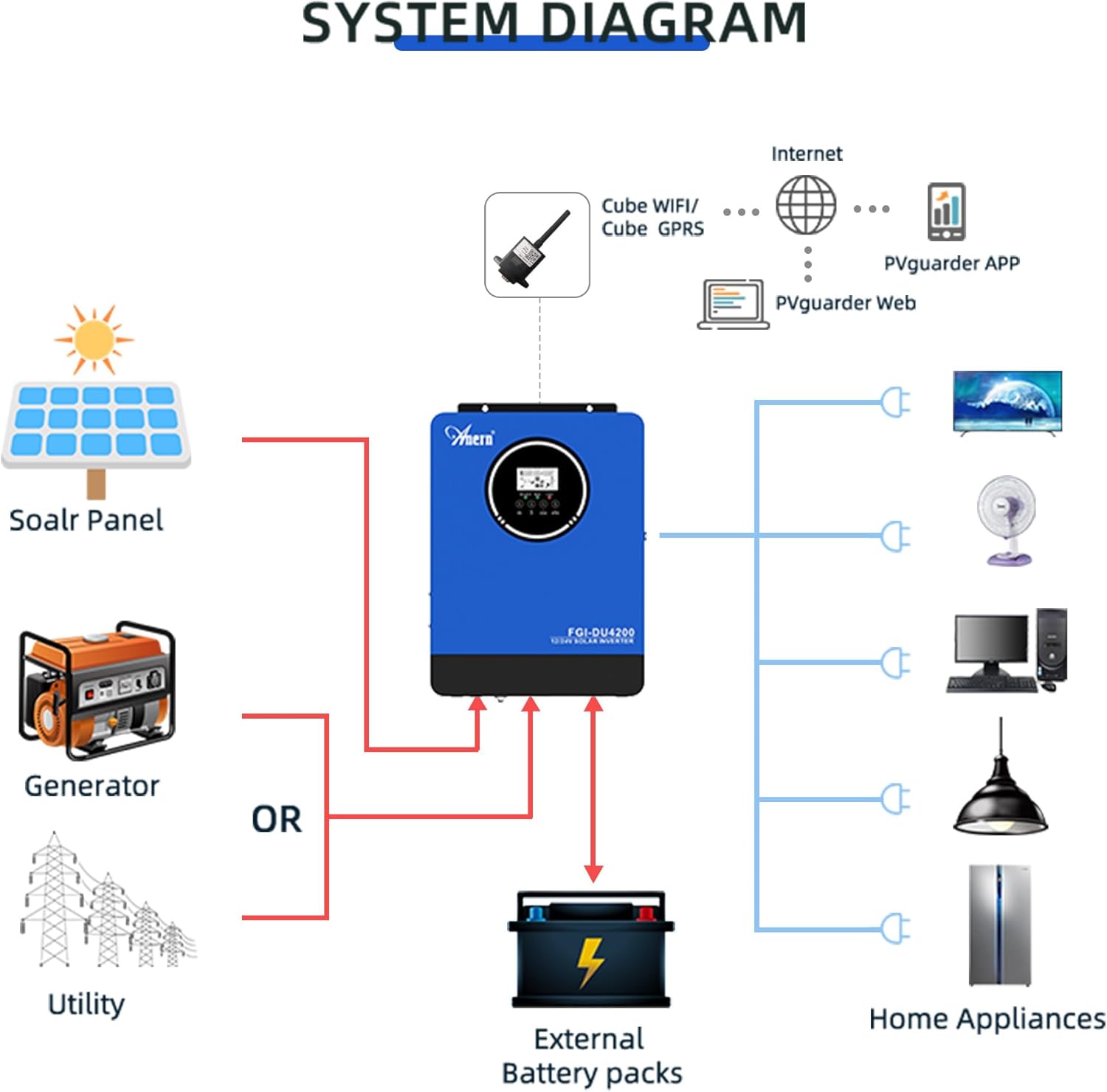
図6: Comprehensive system diagram showing connections for solar panels, generator/utility, external battery packs, and various home appliances.

図7: Example of an outdoor installation of the Anern FGI-DU4200 inverter, demonstrating its integration into a home solar power system.
5. 操作手順
5.1 電源のオン/オフ
After all connections are securely made, switch on the battery breaker first, then the solar array breaker, and finally the AC input breaker (if connected). Press the power button on the inverter to turn it on. To power off, reverse the sequence: turn off AC input, then solar, then battery, and finally the inverter power button.
5.2 LCDディスプレイとコントロールボタン
The inverter features an LCD display that shows real-time operating status, input/output voltages, battery status, and error codes. Use the control buttons (ESC, UP, DOWN, ENTER) to navigate through menus and adjust settings.
5.3つの充電モード
インバーターには選択可能な 4 つの充電モードがあります。
- 太陽光の優先順位: Solar power charges the battery first. If solar is insufficient, utility power supplements.
- ユーティリティの優先度: Utility power charges the battery first. Solar power supplements if utility is unavailable.
- 太陽光発電のみ: バッテリーの充電は太陽光のみで行います。
- 太陽光とユーティリティ: Both solar and utility power charge the battery simultaneously.
5.4 出力モード
The inverter offers three selectable output modes:
- ユーティリティの優先度: Loads are primarily powered by utility. If utility fails, the inverter switches to battery power.
- 太陽光の優先順位: Loads are primarily powered by solar. If solar is insufficient, battery power is used. If both are insufficient, utility power is used (if connected).
- SBU (Solar-Battery-Utility) Mode: Loads are powered by solar first, then battery, and finally utility if both solar and battery are depleted or unavailable.
5.5 Wi-Fi Monitoring (Optional)
If equipped with the optional Wi-Fi module, the inverter can be monitored and controlled via a mobile application. Connect the Wi-Fi module to the designated port on the inverter and follow the instructions provided with the module for setup.

図8: Diagram illustrating the connection of an optional Wi-Fi module for remote monitoring and control of the inverter system via a mobile application or web インタフェース。
6. メンテナンス
定期的なメンテナンスにより、インバーターの寿命が長くなり、最適なパフォーマンスが確保されます。
- クリーニング: インバーターの外装は定期的に乾いた布で拭いてください。通気口に埃やゴミが詰まっていないことを確認してください。
- 接続: すべての電気接続部の締め付け具合と腐食を毎年点検してください。必要に応じて締め直してください。
- バッテリーの検査: For lead-acid batteries, check electrolyte levels and terminal condition as per battery manufacturer guidelines.
- 環境: 動作環境が指定された温度と湿度の範囲内であることを確認してください。
7。 トラブルシューティング
このセクションでは、よくある問題の解決策を紹介します。ここに記載されていない問題については、テクニカルサポートにお問い合わせください。
| 問題 | 考えられる原因 | 解決 |
|---|---|---|
| インバータがオンにならない | バッテリー接続なし; バッテリー容量tage too low; Power button not pressed. | バッテリーの接続と容量を確認してくださいtage; Charge battery; Press and hold power button. |
| AC出力なし | Overload; Short circuit; Battery low; Inverter fault. | Reduce load; Check for short circuits; Charge battery; Restart inverter. |
| ソーラー充電が機能しない | Solar panels disconnected; Insufficient sunlight; PV voltage too low/high; MPPT fault. | Check PV connections; Ensure adequate sunlight; Verify PV voltag範囲内です。 |
| エラーコードが表示されました | Specific fault detected by the inverter. | Refer to the inverter's LCD display for the specific error code and consult the full manual (if available) or contact support for detailed interpretation and resolution. |
8. 仕様
| パラメータ | 価値 |
|---|---|
| モデル | FGI-DU4200 |
| Rated Power (12VDC) | 2300W |
| Rated Power (24VDC) | 4200W |
| バッテリー巻tage | 12VDC / 24VDC (Auto-sensing) |
| 出力巻tage | 220-230VAC ±5% (50Hz) |
| 波形 | 純粋な正弦波 |
| MPPTソーラー充電コントローラ電流 | 120A |
| 最大 PV アレイ開回路ボリュームtage | 500Vdc |
| AC充電電流 | 60A |
| 効率 | 90% |
| 転送時間 | <20ミリ秒 |
| 製品寸法 | 16.9 x 8.27 x 21.6インチ |
| アイテム重量 | 19.14ポンド |
| メーカー | アナーン |
9. 保証とサポート
Anern products are designed for reliability and performance. For warranty information, please refer to the warranty card included with your product or visit the official Anern website. For technical support, troubleshooting assistance, or spare parts, please contact Anern customer service through their official channels. Please have your model number (FGI-DU4200) and purchase date ready when contacting support.
連絡先: Refer to your product packaging or the official Anern web最新の連絡先情報については、サイトをご覧ください。