導入
The Rayofi FREESWIM W26 are waterproof bone conduction headphones designed for various activities, including swimming, running, cycling, and general fitness. They feature both Bluetooth connectivity for above-water use and an integrated MP3 player with 32GB of storage for underwater music playback. This manual provides instructions for setup, operation, maintenance, and troubleshooting to ensure optimal performance and longevity of your device.

Image: Rayofi FREESWIM W26 Bone Conduction Headphones, front view.
箱の中身
開封したらパッケージの内容を確認してください:
- Rayofi FREESWIM W26 Headphones
- ユーザーマニュアル
- 磁気充電ケーブル
- Swimming Earbuds (Earplugs)
製品終了view
The FREESWIM W26 headphones utilize bone conduction technology, delivering sound through your cheekbones, leaving your ears open to ambient sounds for safety. The design is lightweight and comfortable for extended wear.
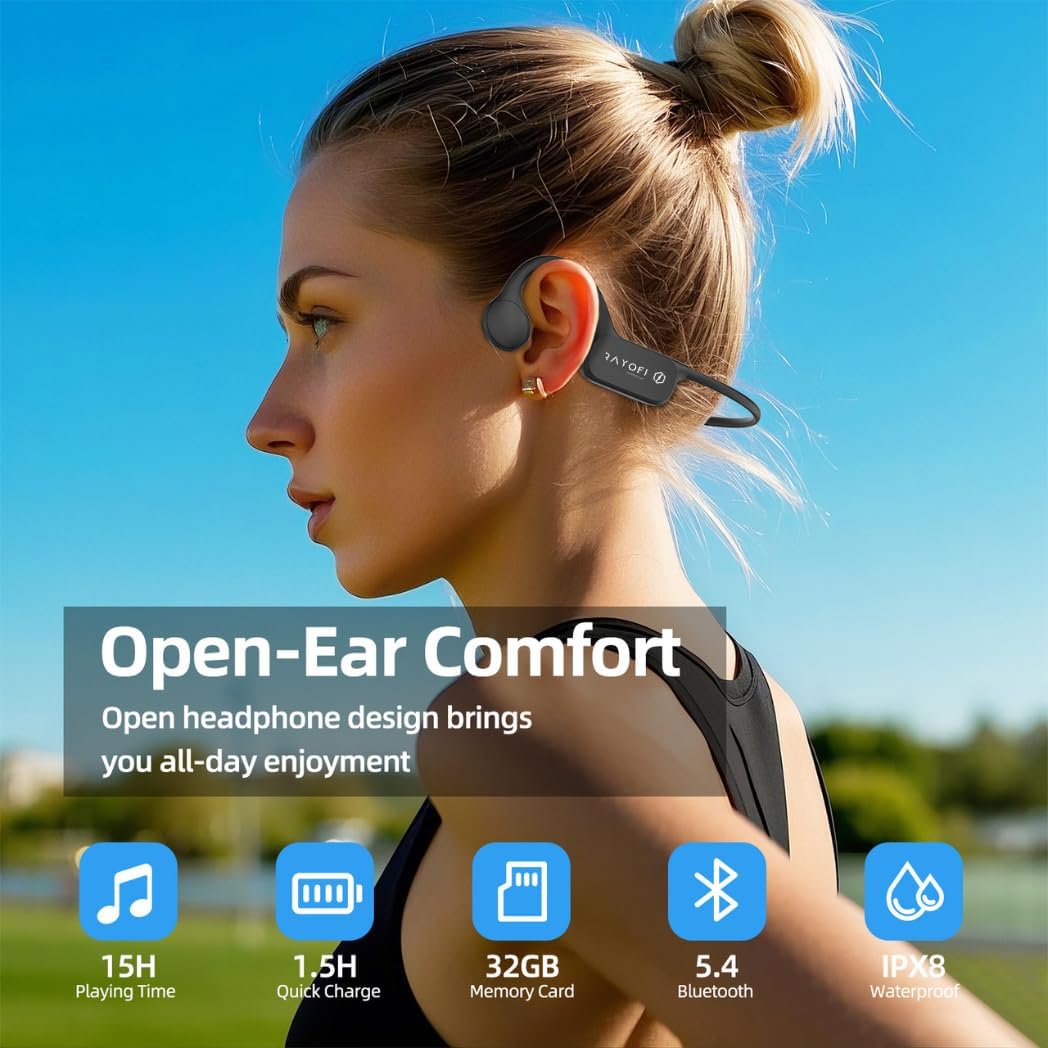
Image: A user wearing the Rayofi FREESWIM W26 headphones, highlighting the open-ear design and key features like 15H playing time, 1.5H quick charge, 32GB memory, Bluetooth 5.4, and IPX8 waterproof rating.
主なコンポーネントは次のとおりです。
- 骨伝導トランスデューサー: Located near the temples, these transmit sound.
- コントロールボタン: For power, volume, mode switching, and playback control.
- 磁気充電ポート: 充電やデータ転送に。
- フレキシブルヘッドバンド: 安全で快適なフィット感を保証します。
設定
1. ヘッドフォンを充電する
Before first use, fully charge the headphones. Connect the magnetic charging cable to the charging port on the headphones and the other end to a USB power adapter (not included) or a computer's USB port. The LED indicator will show charging status. A full charge takes approximately 1.5 hours.
2. 電源のオン/オフ
- 電源オン: LED インジケーターが点灯するまで、電源ボタンを 3 秒間押し続けます。
- 電源を切る: LED インジケータが消えるまで、電源ボタンを 5 秒間押し続けます。
3. Bluetooth Pairing (Above Water Use)
ヘッドフォンをスマートフォンやその他の Bluetooth 対応デバイスに接続するには:
- ヘッドフォンの電源がオフになっていることを確認してください。
- LED インジケーターが赤と青に交互に点滅し、ペアリング モードを示すまで、電源ボタンを 5 ~ 7 秒間押し続けます。
- デバイスで Bluetooth を有効にし、利用可能なデバイスを検索します。
- Select "FREESWIM W26" from the list. Once connected, the LED indicator will flash blue slowly.
Note: Bluetooth connectivity is only supported in above-water environments. For underwater use, switch to MP3 mode.
4. MP3 Mode and Music Transfer
The headphones have 32GB of internal storage for MP3 files, allowing you to listen to music without a connected device, especially useful for swimming.
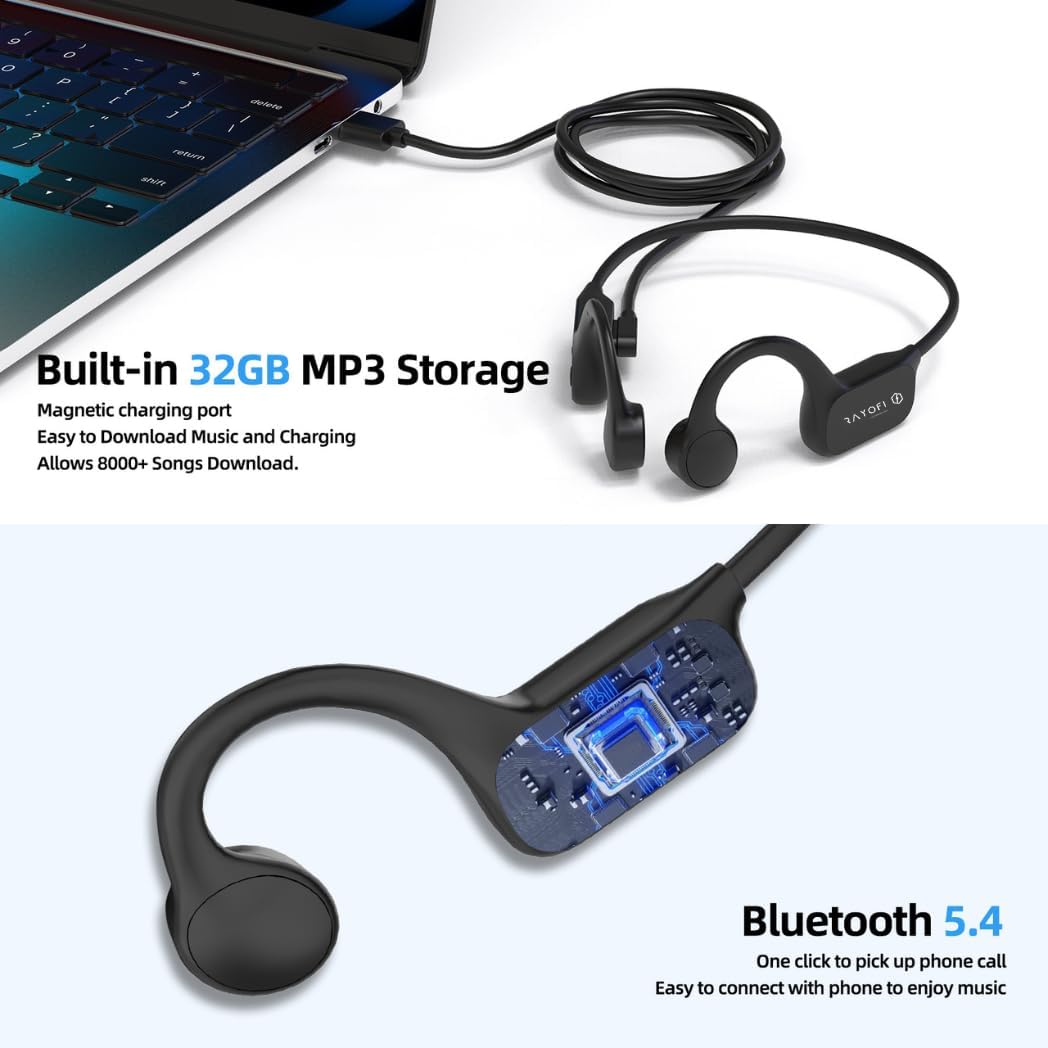
Image: Rayofi FREESWIM W26 headphones connected to a laptop via magnetic charging cable, illustrating built-in 32GB MP3 storage for music download and Bluetooth 5.4 capabilities.
To transfer music:
- 磁気充電ケーブルを使用してヘッドフォンをコンピューターに接続します。
- ヘッドフォンはリムーバブル ディスク ドライブとして表示されます。
- MP3オーディオをドラッグアンドドロップします fileヘッドフォンの保存フォルダに保存します。
- ケーブルを外す前に、デバイスをコンピューターから安全に取り外してください。
操作手順
1. BluetoothとMP3モードの切り替え
Press the Mode button (often combined with the Power button or a dedicated button) to switch between Bluetooth mode and MP3 player mode. The headphones will typically announce the current mode.
Important: Always switch to MP3 mode when using the headphones for swimming or any underwater activity.

Image: A person swimming while wearing Rayofi FREESWIM W26 headphones, with a clear note: "IPX8 Waterproof Rating. NOTE: PLEASE SWITCH TO MP3 MODE WHEN SWIMMING."
2. Basic Controls (Above Water - Bluetooth Mode)
- 再生/一時停止: 多機能ボタンをXNUMX回押します。
- 次のトラック: 音量アップボタンを長押しします。
- 前のトラック: 音量ダウンボタンを押し続けます。
- ボリュームアップ: 音量アップボタンを短く押します。
- ボリュームダウン: 音量ダウンボタンを短く押します。
- 通話の応答/終了: 着信中にマルチファンクションボタンを1回押します。
- 通話を拒否: 着信中にマルチファンクションボタンを2秒間押し続けます。
3. Basic Controls (Underwater - MP3 Mode)
When in MP3 mode, especially underwater, controls are simplified:
- 再生/一時停止: 多機能ボタンをXNUMX回押します。
- 次のトラック: 音量アップボタンを長押しします。
- 前のトラック: 音量ダウンボタンを押し続けます。
- 音量調整: 音量アップ/ダウンボタンを使用します。
4. ヘッドホンの装着
Place the headphones with the bone conduction transducers resting on your cheekbones, just in front of your ears. The headband should wrap around the back of your head. Adjust for a comfortable and secure fit. The open-ear design allows you to hear your surroundings, which is crucial for safety during outdoor activities.

Image: A man cycling while wearing Rayofi FREESWIM W26 headphones, emphasizing safety and connection by allowing awareness of surroundings.
メンテナンス
1. 清掃
After each use, especially after swimming or intense workouts, rinse the headphones with fresh water to remove chlorine, salt, or sweat. Wipe them dry with a soft, clean cloth. Do not use harsh chemicals or abrasive materials for cleaning.
2. ストレージ
Store the headphones in a cool, dry place away from direct sunlight and extreme temperatures. Avoid placing heavy objects on them. Ensure the charging port is clean and dry before charging.
3. バッテリーのお手入れ
バッテリー寿命を延ばすには、ヘッドフォンを頻繁に完全に放電させないでください。長期間使用しない場合でも、定期的に充電してください。
トラブルシューティング
- ヘッドホンの電源が入らない:
Ensure the headphones are fully charged. Connect them to the magnetic charging cable and a power source for at least 1.5 hours. - 音が出ない、または音量が低い:
Check the volume level on both the headphones and your connected device (if in Bluetooth mode). Ensure the headphones are properly positioned on your cheekbones. If in MP3 mode, verify that music fileは正しくロードされます。 - Bluetooth経由でペアリングできません:
Ensure the headphones are in pairing mode (LED flashing red and blue). Turn off and on Bluetooth on your device. Move closer to your device (within 10 meters). Forget the device from your phone's Bluetooth list and try pairing again. - Sound breaks up or is unclear underwater:
Ensure the headphones are in MP3 mode. Bluetooth signals do not transmit effectively underwater. Verify that the MP3 filesは破損していません。 - ヘッドフォンがコンピュータに認識されない:
Ensure the magnetic charging cable is securely connected. Try a different USB port or computer.
仕様
| ブランド | Rayofi |
| モデル番号 | W26 |
| 色 | 黒 |
| 耳の位置 | 耳に装着(骨伝導) |
| フォームファクター | 耳を開ける |
| 内部ストレージ | 32GB(MP3用) files) |
| アイテム重量 | 34グラム |
| コントロールタイプ | ボタンコントロール |
| 耐水性レベル | IPX8防水(最大2メートル) |
| 接続技術 | ブルートゥース |
| ワイヤレステクノロジー | ブルートゥース5.4 |
| Bluetooth範囲 | 10メートル |
| バッテリー充電時間 | 1.5時間 |
| バッテリーの平均寿命 | 8-15 Hours (varies by usage mode) |
| 周波数範囲 | 20 Hz - 20,000 Hz |
| オーディオドライバータイプ | 骨伝導ドライバー |
| 対応デバイス | iOS、Android 対応 |
| 具体的な用途 | Fitness, Sports, Swimming |
保証情報
The Rayofi FREESWIM W26 headphones come with a 1-year manufacturer's warranty from the date of purchase. This warranty covers defects in materials and workmanship under normal use. It does not cover damage caused by misuse, accidents, unauthorized modifications, or normal wear and tear.
保証請求のために購入証明書を保管してください。
サポート
For further assistance, technical support, or warranty inquiries, please refer to the contact information provided with your purchase or visit the official Rayofi webサイト。