
導入
This manual provides essential information for the safe and effective use of your Paladone Lilo & Stitch Galaxy Projection Light. Please read these instructions carefully before operating the device and retain them for future reference.
箱の中身:
- Paladone Lilo & Stitch Galaxy Projection Light
- リモートコントロール
- USB充電ケーブル
- ユーザーマニュアル
設定
Follow these steps to set up your Galaxy Projection Light:
- デバイスの充電: Before first use, fully charge the projection light using the provided USB charging cable. Connect the USB-C end of the cable to the port on the back of the light and the standard USB-A end to a compatible USB power adapter (not included). The charging indicator will illuminate during charging and turn off when fully charged.
- 配置: Place the projection light on a stable, flat surface. For optimal projection, position it in a dark room, facing a wall or ceiling.
- リモートコントロール: Ensure the remote control has working batteries. If not, insert 2x AAA batteries (not included) into the remote control's battery compartment, observing correct polarity.
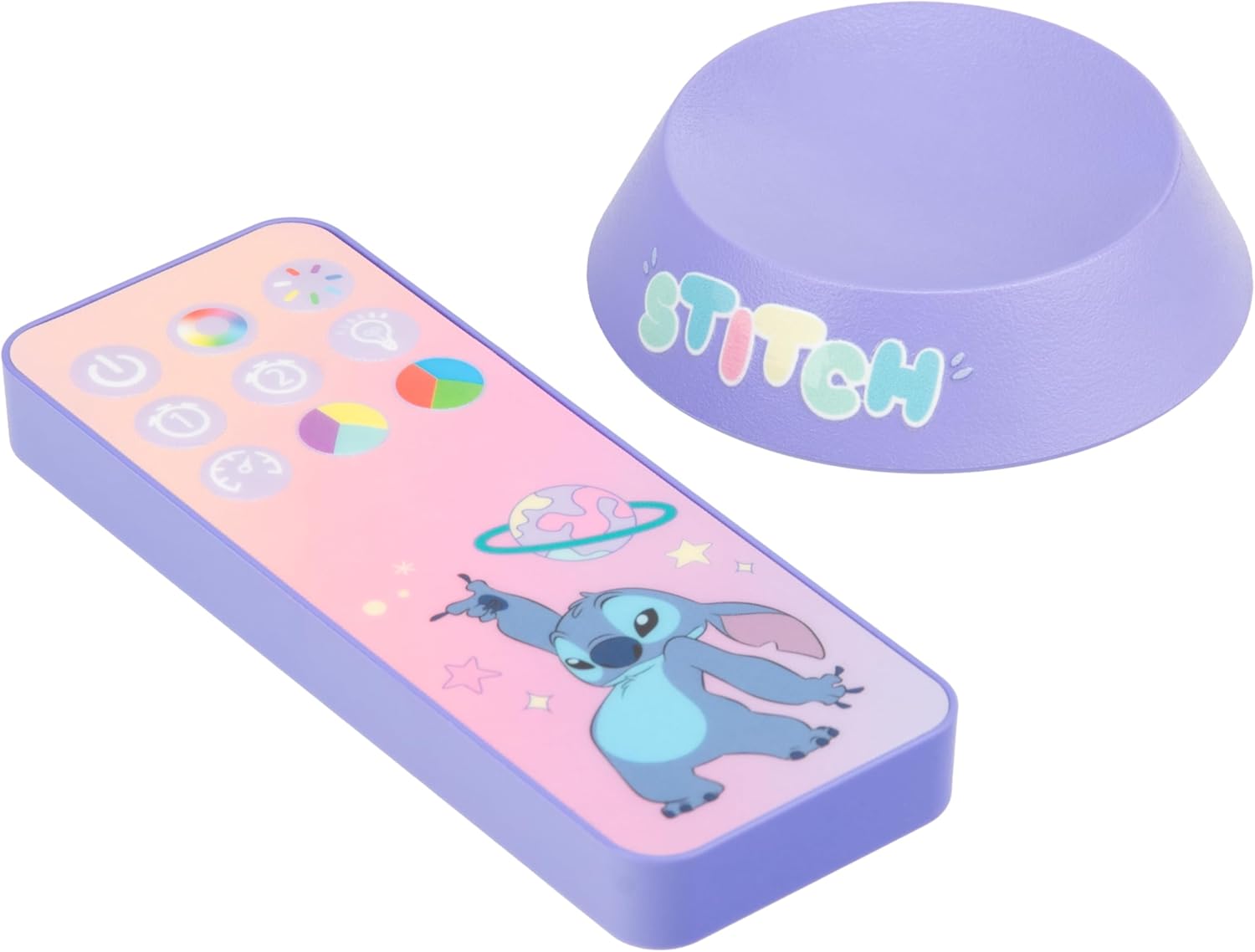
Image: The back of the projection light showing the USB-C input and control buttons.
操作手順
Your Galaxy Projection Light offers various lighting modes and controls:
- 電源オン/オフ: Press the power button on the back of the unit or the power button on the remote control to turn the light on or off.
- 明るさ調整: Use the brightness buttons on the remote control to adjust the intensity of the projection.
- カラーPhasing モード: Press the 'Color Phasing' button on the remote to cycle through a sequence of colors, creating a dynamic galaxy effect.
- カラー選択モード: Use the 'Color Select' button or specific color buttons on the remote to choose a static color for your projection.
- ナイトモード: Activate the 'Night Mode' for a softer, more subdued projection, ideal for use as a night light.
- 自動オフタイマー: Set the auto-off timer using the remote control. Options typically include 15, 30, or 60 minutes, after which the light will automatically turn off.
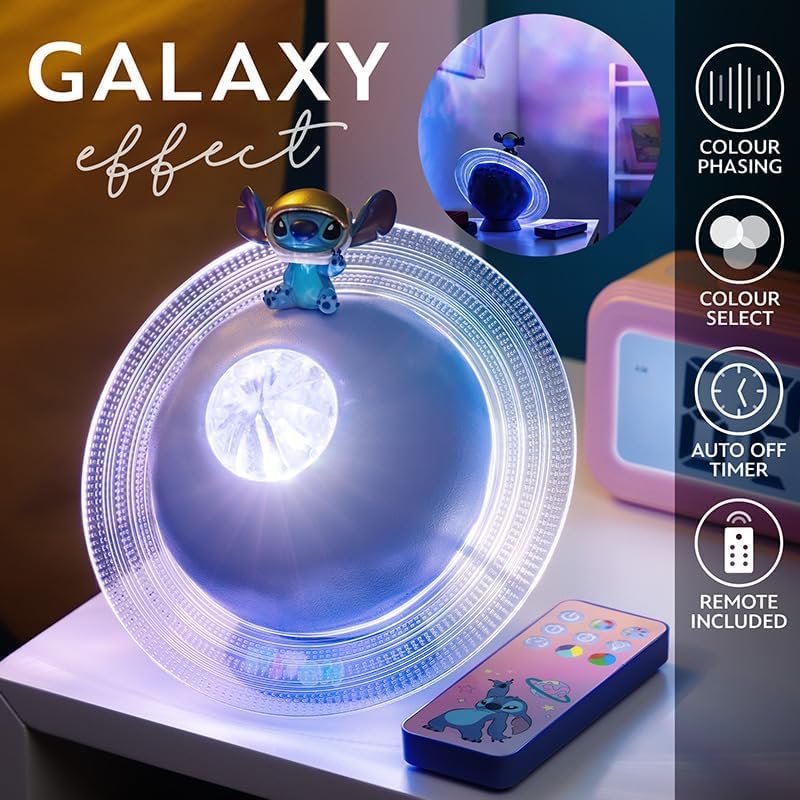
Image: The projection light creating a galaxy effect, with the remote control visible.

Image: The remote control for the projection light, showing buttons for color, brightness, and timer functions.

Image: The projection light in action, casting a colorful galaxy pattern onto a wall.
メンテナンス
To ensure the longevity and optimal performance of your projection light:
- クリーニング: 柔らかく乾いた布でデバイスを拭いてください。研磨剤入りの洗剤や溶剤は表面を傷つける可能性があるため、使用しないでください。
- バッテリーのケア: Recharge the device regularly to maintain battery health. Avoid fully depleting the battery frequently. If storing for an extended period, charge the device every few months.
- ストレージ: ライトは直射日光や極端な温度を避け、涼しく乾燥した場所に保管してください。
トラブルシューティング
If you encounter issues with your Galaxy Projection Light, refer to the following common problems and solutions:
| 問題 | 考えられる原因 | 解決 |
|---|---|---|
| ライトが点灯しません。 | 電池が消耗しています。 | 付属の USB ケーブルを使用してデバイスを充電します。 |
| リモコンが動作しません。 | リモコンの電池が切れているか、正しく挿入されていません。 | Replace remote batteries (2x AAA) and ensure correct polarity. Ensure line of sight to the light. |
| 投影が暗かったり不鮮明です。 | Room is too bright; device is too far from projection surface. | Use in a darker environment. Adjust the light's position closer to the wall or ceiling. Ensure the lens is clean. |
| ライトが突然消えます。 | Auto-off timer is activated; battery is low. | Check timer settings on the remote. Recharge the device. |
仕様
| 特徴 | 詳細 |
|---|---|
| モデル番号 | 14475 |
| ブランド | パラドン |
| 製品寸法 | 奥行き7.09インチ x 幅7.09インチ x 高さ3.94インチ |
| アイテム重量 | 300グラム |
| 電源 | 電池駆動(USB充電式) |
| 光源の種類 | 導かれた |
| 材質タイプ | プラスチック |
| 屋内/屋外での使用 | 屋内 |
| GTIN(UPC) | 05056577754445 |
保証
The manufacturer warranty description for this product is listed as 'None'. Please refer to your retailer's return policy for information regarding returns or exchanges.
サポート
For further assistance or inquiries regarding your Paladone Lilo & Stitch Galaxy Projection Light, please contact the retailer from whom you purchased the product. You may also visit the official Paladone web一般的な製品情報のサイト: AmazonのPaladoneストア.