
1. はじめに
Thank you for choosing the BUGANI OWSB10S Open Ear Wireless Headphones. These headphones are designed to provide a comfortable listening experience while maintaining situational awareness. Featuring Bluetooth 5.4 technology, HiFi stereo sound, and an IPX5 waterproof rating, they are suitable for various activities including sports, running, and cycling. This manual provides detailed instructions for setup, operation, maintenance, and troubleshooting to ensure optimal performance.
2. パッケージ内容
- BUGANI OWSB10S Open Ear Wireless Headphones (Left and Right)
- 充電ケース
- USB-C充電ケーブル
- ユーザーマニュアル
3.製品オーバーview
The BUGANI OWSB10S headphones feature an open-ear design that rests gently outside your ears, reducing pressure and fatigue. This design allows you to stay aware of your surroundings, making them ideal for outdoor activities. They are equipped with custom dynamic drivers for rich audio and an HD microphone for clear calls.

Figure 3.1: BUGANI OWSB10S Open Ear Wireless Headphones worn on ear, demonstrating the comfortable fit.

図 3.2: 分解 view of a BUGANI OWSB10S earbud, showcasing the custom dynamic driver and internal structure.

Figure 3.3: Diagram illustrating the directional sound transmission technology of the BUGANI OWSB10S, designed to reduce sound leakage.
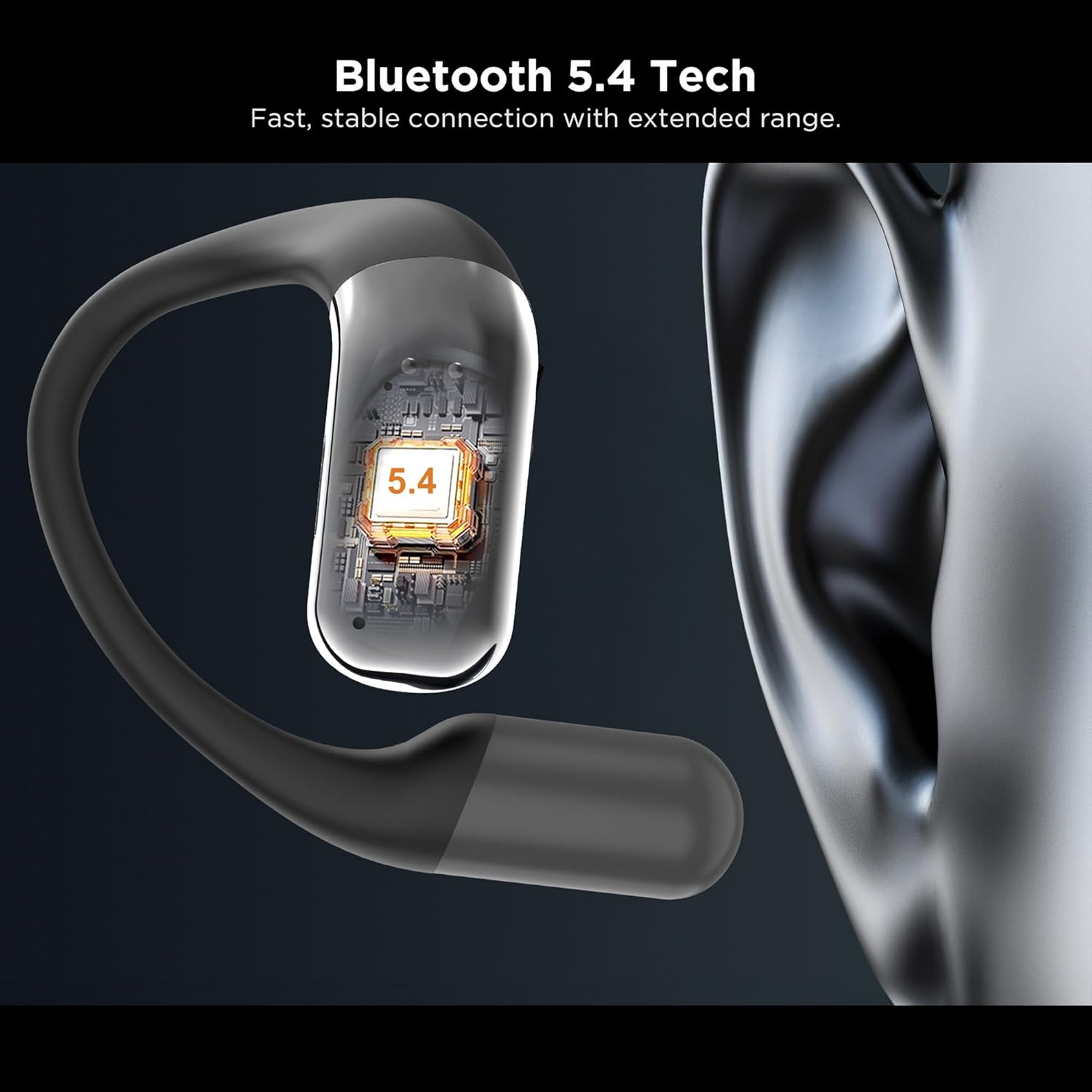
図 3.4: 拡大図 view of the integrated Bluetooth 5.4 chip within the BUGANI OWSB10S earbud, ensuring stable connectivity.

Figure 3.5: The BUGANI OWSB10S earbuds securely placed in their charging case, ready for recharging.
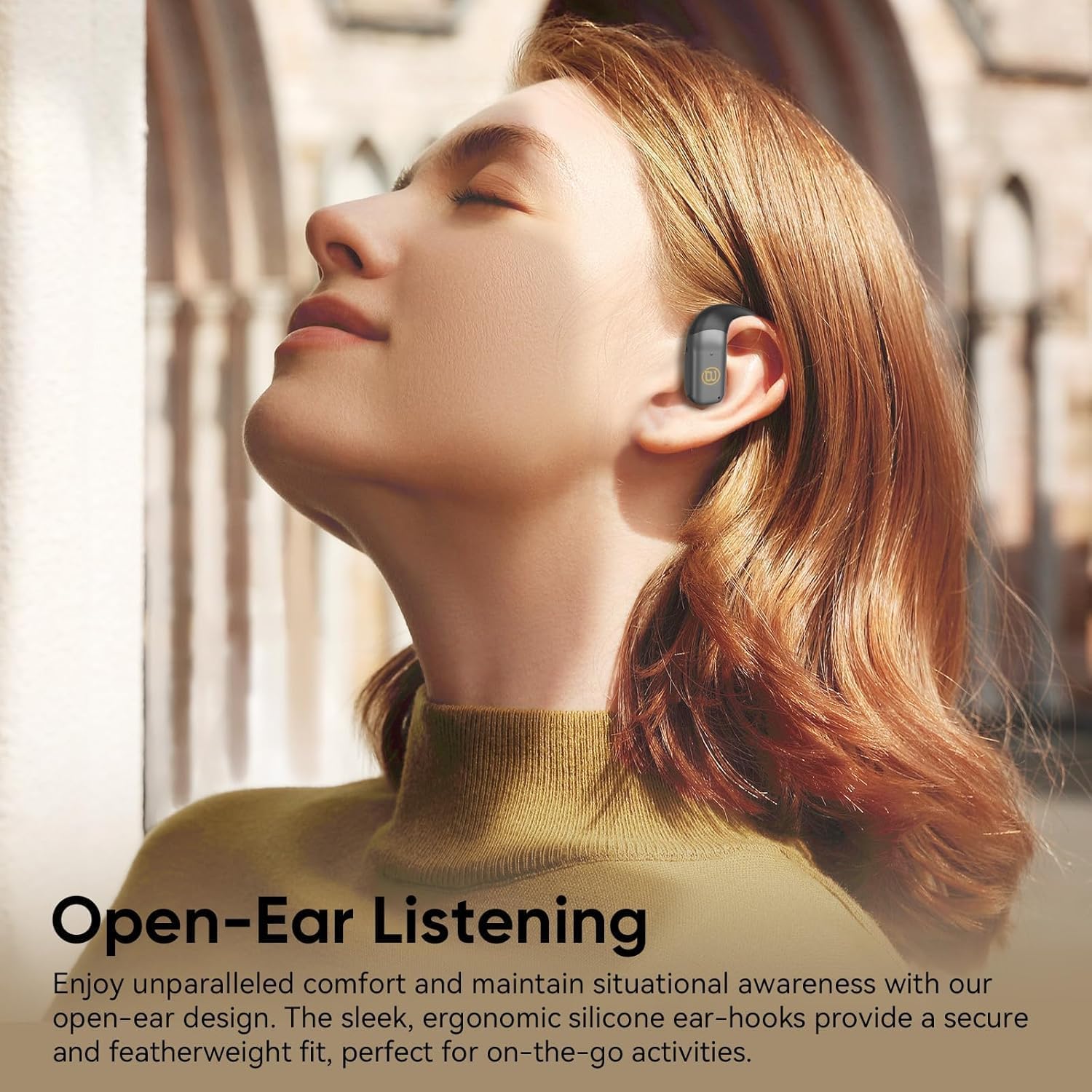
Figure 3.6: A user wearing the BUGANI OWSB10S headphones, highlighting the open-ear design for comfort and environmental awareness.
4. セットアップ
4.1 初期充電
Before first use, ensure the charging case is fully charged. Connect the provided USB-C cable to the charging port on the case and to a power source. The indicator light on the case will show charging status. Once fully charged, the case can provide multiple recharges for the earbuds.
4.2 保護フィルムの除去
Upon unboxing, remove any protective plastic film covering the charging contacts on the earbuds. This film prevents charging and proper connection. Place the earbuds back into the charging case after removing the film.
4.3Bluetoothペアリング
- 充電ケースを開けると、イヤホンは自動的にペアリングモードになります。
- デバイス(スマートフォン、タブレットなど)で Bluetooth を有効にします。
- 検索する 利用可能なBluetoothデバイスを選択し、リストから「BUGANI B10」を選択します。
- 接続すると音声プロンプトが聞こえ、イヤホンが使用できるようになります。
Video 4.1: This video demonstrates the unboxing and initial setup process for the BUGANI OWSB10S headphones, including how to remove protective films and place them in the charging case.
5. 操作手順
5.1 ヘッドホンの装着
Gently place the ear hooks over your ears, ensuring the earbud rests comfortably outside your ear canal. Adjust for a secure fit. The open-ear design allows for ambient sound awareness.
5.2 タッチコントロール
The BUGANI OWSB10S headphones feature touch controls for various functions:
- 再生/一時停止: どちらかのイヤホンを 1 回タップします。
- 次のトラック: 右のイヤホンをダブルタップします。
- 前のトラック: 左のイヤホンをダブルタップします。
- 通話の応答/終了: 着信中にどちらかのイヤホンを 1 回タップします。
- 通話を拒否: 着信中にどちらかのイヤホンを長押しします。
- 音声アシスタントを有効にする: どちらかのイヤホンをトリプルタップします。
5.3 AI翻訳機能
These headphones support AI translation capabilities when used with a compatible application on your smartphone. Once the app is set up and connected, you can utilize the earbuds for real-time translation. This feature allows you to hear translated speech and/or read translated text on your phone, facilitating communication across different languages.
6. 充電
The earbuds provide 8-10 hours of playtime on a single charge. The 500mAh charging case offers up to 6 full recharges for the earbuds, extending total usage time to approximately 60 hours.
6.1イヤフォンの充電
Place the earbuds into the charging case. Ensure the charging contacts align. The earbuds will automatically begin charging. Indicator lights on the earbuds or case will confirm charging status.
6.2 ケースの充電
Connect the USB-C charging cable to the charging port on the case and to a 5V/1A power adapter (not included). The indicator light on the case will illuminate to show charging progress. A full charge typically takes a few hours.
7. メンテナンス
The BUGANI OWSB10S headphones are IPX5 waterproof, meaning they are resistant to sweat, light rain, and splashes. They are not designed for submersion in water.
- クリーニング: Use a soft, dry cloth to wipe the earbuds and charging case. Do not use abrasive cleaners or solvents.
- ストレージ: ヘッドホンを充電ケースに保管し、保護と充電状態を保ちましょう。使用しない時は、極端な温度を避けてください。
- 水への露出: イヤホンが濡れた場合は、充電端子の損傷を防ぐために、充電ケースに戻す前にイヤホンを完全に拭いて乾かしてください。
8。 トラブルシューティング
| 問題 | 考えられる原因 | 解決 |
|---|---|---|
| イヤホンがペアリングされない | Protective film still on contacts; Bluetooth not enabled; Earbuds not in pairing mode. | Remove protective film. Ensure Bluetooth is on. Place earbuds in case, close, then open to re-enter pairing mode. |
| 音が出ない | Volume too low; Not connected; Media paused. | デバイスとイヤホンの音量を上げてください。Bluetoothを再接続してください。メディアの再生状態を確認してください。 |
| 充電ケースが充電されない | Cable not connected properly; Faulty cable/adapter. | Ensure cable is securely connected. Try a different USB-C cable or power adapter. |
| イヤホンが充電されない場合 | Protective film on contacts; Dirty contacts; Case battery low. | Remove protective film. Clean charging contacts on earbuds and case. Charge the charging case. |
9. 仕様
| 特徴 | 詳細 |
|---|---|
| モデル名 | OWSB10S |
| 接続技術 | ワイヤレス(Bluetooth 5.4) |
| イヤーピースの形状 | 耳を開ける |
| 耐水性レベル | IPX5(防水) |
| 制御方法 | 触る |
| イヤホンのバッテリー寿命 | 8~10時間(1回の充電あたり) |
| 充電ケース容量 | 500mAh (up to 6 full recharges) |
| ケース付き合計プレイ時間 | 最大60時間 |
| オーディオドライバータイプ | ダイナミックドライバ |
| 製品寸法 | 1.9 x 4.5 x 4.5インチ |
| アイテム重量 | 6.7オンス |
10. 保証とサポート
BUGANI products are designed and manufactured to the highest quality standards. For warranty information, technical support, or customer service inquiries, please refer to the contact details provided on the product packaging or visit the official BUGANI webサイトでご確認ください。保証請求の際に必要となりますので、購入証明書を保管してください。