
1. はじめに
The Elitech DIT-220 is a high-precision, non-contact infrared thermometer designed for safe and accurate temperature measurement across various applications. This device utilizes laser targeting for precise aim and features adjustable emissivity to ensure accurate readings on different surface types. It is suitable for use by professionals, DIY enthusiasts, and in household settings for monitoring temperatures in industrial, commercial, and domestic environments.
2. 安全情報
本製品をご使用になる前に、すべての安全に関する警告と指示をよくお読みください。これらの指示に従わない場合、怪我をしたり、機器が損傷したりする可能性があります。
- レーザーの安全性: Do not look directly into the laser beam or point it at people or animals. The laser is used for targeting only and should be used with caution.
- 非接触測定: This thermometer measures surface temperature. It is not intended for measuring body temperature.
- 電気安全: Do not use the device near strong electromagnetic fields. Keep the device dry and avoid exposure to moisture or extreme temperatures.
- バッテリーの安全性: Use only the specified battery type (2x AAA). Ensure correct polarity when installing batteries. Remove batteries if the device will not be used for an extended period. Do not mix old and new batteries or different types of batteries.
- メンテナンス: 本製品を分解または改造しないでください。修理は必ず資格のある専門家にご依頼ください。
3. パッケージ内容
パッケージにすべてのアイテムが揃っていることを確認します。
- Elitech DIT-220 Infrared Thermometer
- 単2電池XNUMX本
- ユーザーマニュアル(このドキュメント)
4 製品の特徴
- 広い温度範囲: -50°C ~ 530°C (-58°F ~ 986°F) を測定します。
- 高速応答時間: 約 0.5 秒で読み取り結果を提供します。
- 高精度: ±1.5°C (±2.7°F) or ±1.5% for temperatures between -50°C and 50°C.
- レーザーターゲティング: Integrated laser pointer for precise aiming at the target surface.
- 調整可能な放射率: User-adjustable emissivity from 0.10 to 1.00 for accurate readings on various materials.
- 距離対スポット比(D:S): 12:1, ensuring accurate measurement from a safe distance.
- MAX/MIN/AVG Mode: Automatically tracks maximum, minimum, and average temperatures during a measurement session.
- バックライト付きLCDディスプレイ: さまざまな照明条件で読み取り値を明瞭に表示します。
- 自動シャットオフ: 一定時間操作しないと自動的に電源がオフになり、バッテリー寿命を節約します。
- 低バッテリリマインダー: 電池の交換が必要な時期を示します。
- °C/°F スイッチ: 摂氏と華氏の単位を簡単に切り替えることができます。

図1: Elitech DIT-220 Infrared Thermometer highlighting its main features.
5. セットアップ
5.1 バッテリーの取り付け
- 体温計のハンドルにある電池ケースのカバーを見つけます。
- 電池ボックスのカバーを開きます。
- 電池ボックス内の指示に従って、極性 (+ と -) が正しいことを確認して、単 4 電池 2 本を挿入します。
- 電池カバーをしっかりと閉じてください。

図2: Elitech DIT-220 components and battery compartment location.
5.2 電源のオン/オフ
To power on the device, simply press the measurement trigger. The device will automatically power off after a period of inactivity to conserve battery life.
6. 操作手順
6.1測定を行う
- Point the thermometer at the target surface. Ensure the laser pointer (if activated) is aimed at the center of the area you wish to measure.
- Press and hold the measurement trigger. The laser will activate, and the current temperature will be displayed on the LCD screen.
- Release the trigger to hold the measurement on the display. The 'HOLD' icon will appear.
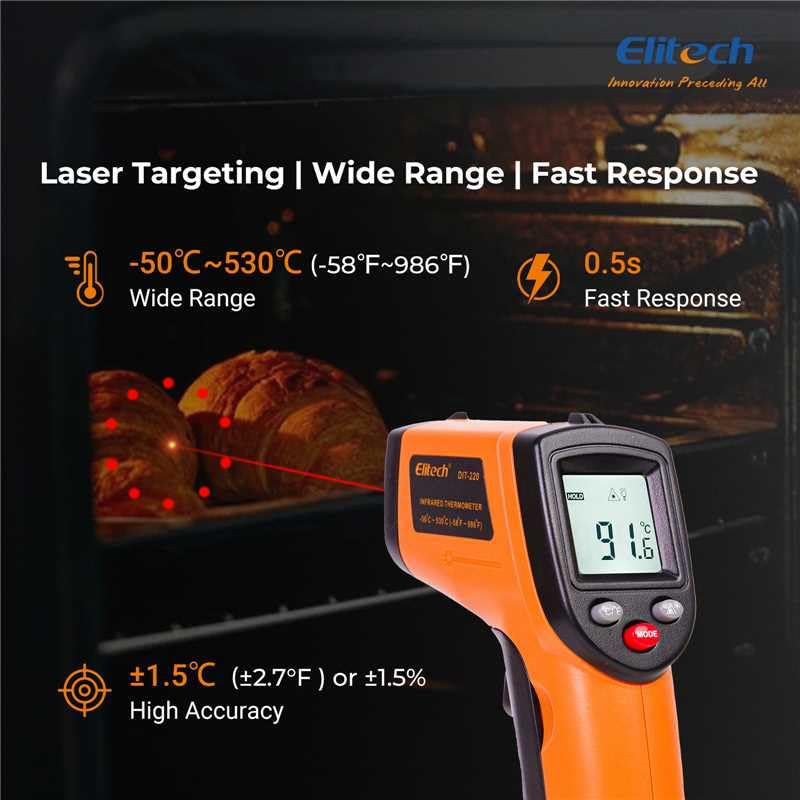
図3: Using the DIT-220 for non-contact temperature measurement with laser targeting.
6.2 距離対スポット比(D:S)の理解
The DIT-220 has a Distance-to-Spot ratio of 12:1. This means that as you move further from the target, the area being measured (spot size) increases. For accurate readings, ensure the target area is larger than the spot size. For example, at a distance of 12 inches, the measurement spot will be 1 inch in diameter.

図4: Illustration of the 12:1 Distance-to-Spot ratio.

図5: Visual guide for maintaining correct measurement distance.
6.3 放射率の調整
Different materials emit infrared energy differently. The DIT-220 allows you to adjust the emissivity (ε) from 0.10 to 1.00 to compensate for this and achieve more accurate readings. Refer to a standard emissivity table for common materials or adjust empirically.
- を押す モード button to cycle through settings until 'EMS' (Emissivity) is displayed.
- 上/下矢印ボタンを使用して放射率の値を調整します。
- を押す モード もう一度ボタンを押して確認し、終了します。
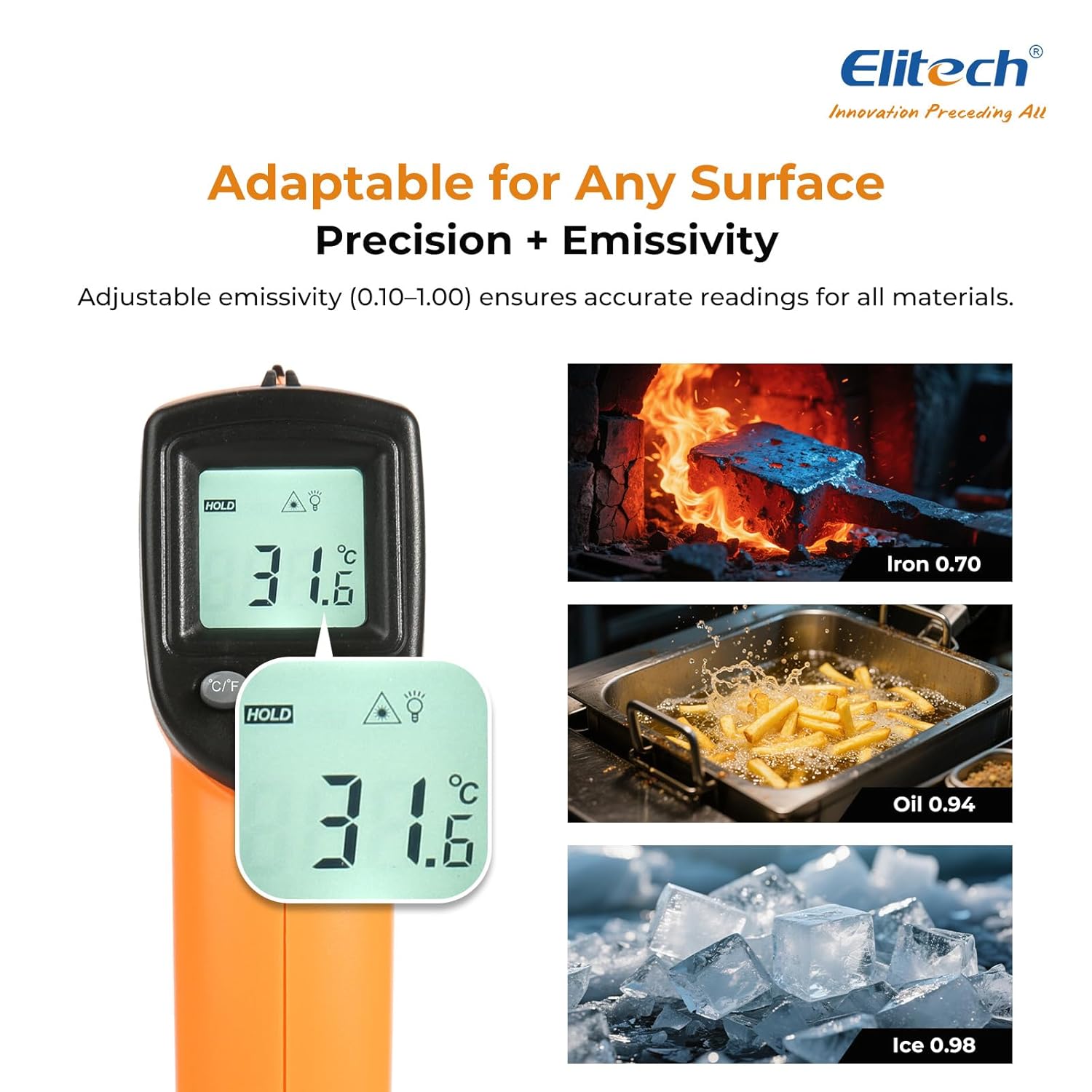
図6: Adjustable emissivity feature and exampさまざまな材料に関するリスト。
6.4 Using MAX/MIN/AVG Modes
These modes are useful for monitoring temperature fluctuations over time.
- While holding the measurement trigger, press the モード button repeatedly to cycle through MAX (Maximum), MIN (Minimum), and AVG (Average) display modes.
- The corresponding icon will appear on the screen, showing the respective temperature value recorded during the current measurement session.
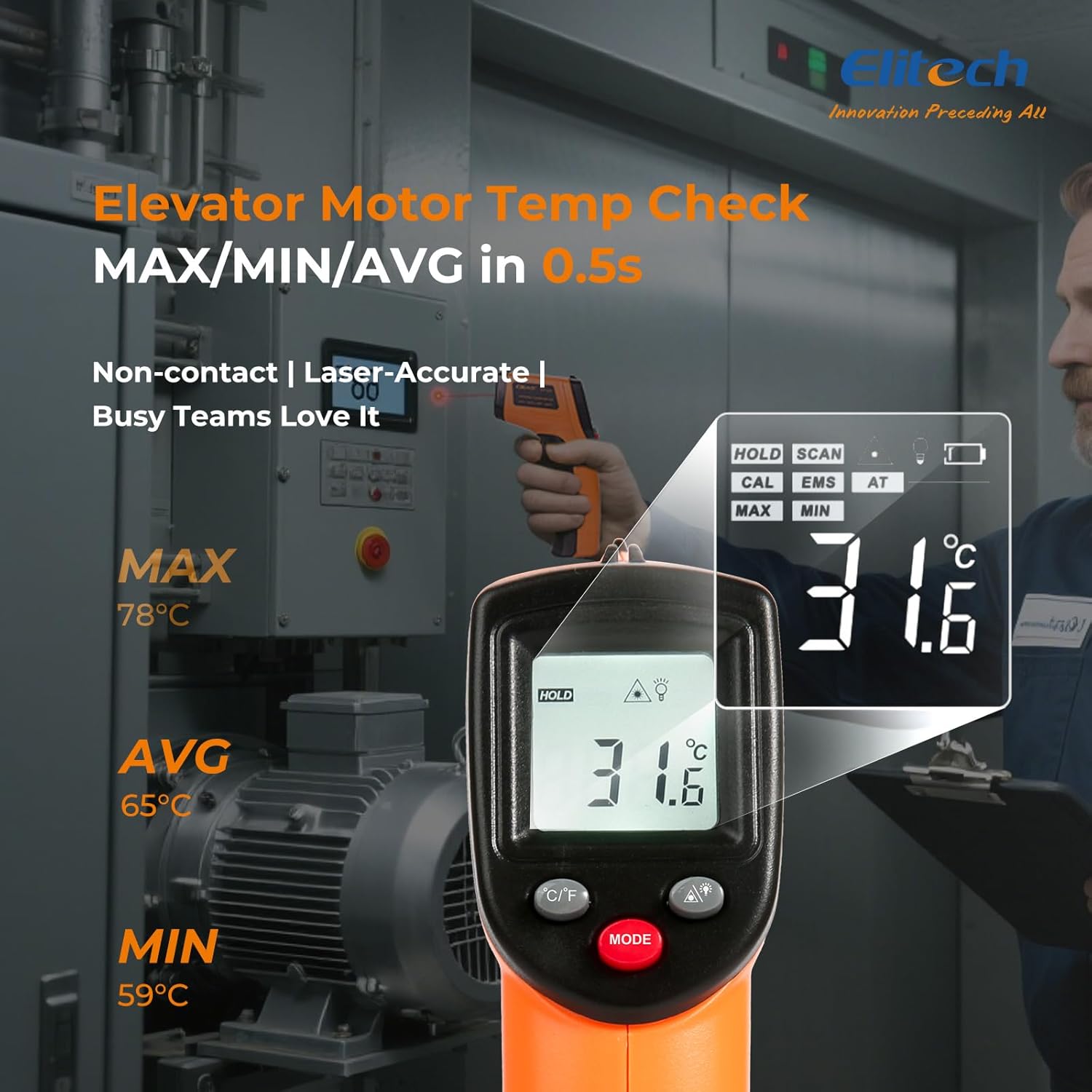
図7: Displaying MAX, MIN, and AVG temperature readings.
6.5 温度単位の切り替え(°C/°F)
To switch between Celsius and Fahrenheit, press the °C/°F button located on the device.
7. メンテナンス
7.1 クリーニング
- レンズを柔らかい布で拭きます。amp 布または綿棒を使用してください。研磨剤入りの洗剤や溶剤は使用しないでください。
- デバイスを拭くasin柔らかく乾いた布で拭いてください。
7.2 電池の交換
When the low battery indicator appears on the display, replace the two AAA batteries as described in the Setup section (5.1 Battery Installation).
7.3 ストレージ
温度計は直射日光や極端な温度を避け、涼しく乾燥した場所に保管してください。長期間保管する場合は、電池を取り外してください。
8。 トラブルシューティング
| 問題 | 考えられる原因 | 解決 |
|---|---|---|
| ディスプレイに「Lo」または「Hi」が表示されます | 温度が測定範囲外です。 | 目標温度が -50°C ~ 530°C (-58°F ~ 986°F) の範囲内であることを確認します。 |
| 不正確な測定値 | Incorrect emissivity setting; measurement distance too far/close; lens dirty. | Adjust emissivity for the target material. Maintain appropriate D:S ratio. Clean the lens. |
| デバイスの電源が入らない | 電池が切れているか、正しく取り付けられていません。 | 新しい単4電池に交換してください。電池の極性を確認してください。 |
| レーザーが機能しない | Laser may be disabled or faulty. | Check if the laser function is enabled via the MODE button. If not, contact support. |
9. 仕様
| 特徴 | 仕様 |
|---|---|
| モデル | DIT-220 (EU-DIT-220) |
| 温度範囲 | -50°C ~ 530°C (-58°F ~ 986°F) |
| 正確さ | ±1.5°C (±2.7°F) or ±1.5% (for -50°C to 50°C) |
| 応答時間 | 500ミリ秒(0.5秒) |
| 距離対スポット比(D:S) | 12:1 |
| Emissivity(放射率) | 調整可能 0.10 - 1.00 |
| 電源 | 2 x AAA電池(付属) |
| 表示タイプ | デジタル、バックライト付きLCD |
| 特集 | Non-contact, Laser Target, MAX/MIN Mode, Auto Calibration |
| 材料 | プラスチック |
| アイテム重量 | 30グラム |
| パッケージ寸法 | 18.7 x 9.7 x 3.6 cm |
10. 保証とサポート
Elitech products are designed for reliability and performance. For warranty information, technical support, or service inquiries, please contact Elitech customer support through their official website or the retailer where the product was purchased. Please have your model number (DIT-220) and purchase date available when contacting support.