
1. はじめに
The JAIOTlink D1 5-in-1 Smart Lock offers advanced security and convenience for your home. This keyless entry deadbolt integrates multiple access methods, a built-in camera, and a doorbell, providing a comprehensive solution for modern smart homes. This manual will guide you through the installation, setup, operation, and maintenance of your smart lock.
2.製品オーバーview & 特徴
The JAIOTlink D1 Smart Lock combines five secure unlocking methods with integrated smart features:
- 5-in-1 Keyless Smart Lock: Offers fingerprint recognition, passcode entry, IC card, mechanical key, and remote app control.
- 高速指紋ロック解除: High-precision sensor recognizes fingerprints in less than 0.5 seconds with over 99% accuracy, featuring an anti-spoofing algorithm.
- Anti-Peep Virtual Code: Protects your privacy by allowing random digits before or after your real password.
- App & Compatible with Alexa: Remote unlocking, real-time alerts for tampering, forced entry, or low battery, and access to unlock history via app or voice commands.
- Built-in Doorbell Camera, Voice Changer & 2-Way Audio: HD camera captures snapshots when the doorbell rings, sending them to your phone. Two-way audio with voice changer for secure communication with visitors.
- 充電式バッテリー: Extended use with smart low battery alerts via the app.
- 耐候性: Engineered for outdoor installation, withstanding rain, dust, and temperature changes.
- Multi-User Code Management: Create permanent, temporary, or one-time codes for various users and monitor access history.

Image: The JAIOTlink D1 Smart Lock highlighting its five versatile unlocking methods.

Image: Fingerprint unlocking on the JAIOTlink D1 Smart Lock, demonstrating quick recognition.

Image: Anti-peeping password feature in use on the JAIOTlink D1 Smart Lock.
3. セットアップとインストール
Follow these steps for proper installation of your JAIOTlink D1 Smart Lock. Ensure the door surface is clean and flat before beginning.
3.1. インストールビデオガイド
Video: Detailed guide on how to install the JAIOTlink D1 Smart Lock.
3.2. ステップバイステップのインストール
- ロック本体を取り付けます。
- Ensure the 'UP' marking on the latch faces upward.
- ラッチをドアの端に挿入し、ネジで固定します。

Image: Door dimensions and lock components for easy installation.
- Install Studs & Front Panel Wires:
- Tighten the bolts to ensure stability of the front panel.
- Pass the data cables through the bottom of the lock body.
- Apply Rear Seal & Attach Cover:
- Align the front and back panels horizontally.
- Tighten the three connecting screws to secure the panels.
- Connect Data Cable & Fix Rear Panel:
- Gently connect the data cable without pulling it.
- Secure the three screws in place on the rear panel.
3.3. Adding an Administrator & App Connection
Before connecting to Wi-Fi, an administrator must be added to the lock.
- 管理者を追加:
- Wake up the door lock keypad.
- Press the '*' key followed by the '#' key.
- Input the initial administrator information: 123456, then press the '#' key to confirm.
- Press '1' to enter administrator settings.
- Press '1' again to add an administrator.
- Enter your desired administrator password, then re-enter it. The voice prompt will confirm "001 entered successfully."

Image: Keypad instructions for adding an administrator.
- アプリに接続します。
- Download the Tuya app from Google Play or the App Store.
- Enable Wi-Fi and Bluetooth on your mobile phone.
- On the lock keypad, press the '*' key followed by the '#' key.
- Input your administrator password, then press '#'.
- Press '3' to enter network settings.
- Press '1' to connect via hotspot. The keypad's '5' key will now flash.
- The device should be automatically detected via Bluetooth in the Tuya app. Follow the in-app instructions to add the device and enter your Wi-Fi network name and password.
Video: Guide on how to connect and work with the Tuya APP.
4. 操作手順
4.1. ロック解除方法
- 指紋: 登録した指をセンサーに当てます。
- パスコード: キーパッドに登録したパスコードを入力します。
- ICカード: Tap your registered IC card on the designated area.
- メカニカルキー: 物理キーをバックアップとして使用します。
- アプリコントロール: Unlock remotely via the Tuya app.
4.2. スマートな機能
- アプリ経由のリモートコントロール: Unlock from anywhere, receive instant alerts, and view 履歴のロックを解除します。
- 音声コントロール: Compatible with Alexa for voice commands (e.g., "Alexa, open the front door!").
- Doorbell Camera & 2-Way Audio: When the doorbell is pressed, the HD camera captures a snapshot and sends it to your phone. Use two-way audio with a voice changer to communicate with visitors.

Image: Remote control and two-way audio functionality via the app.
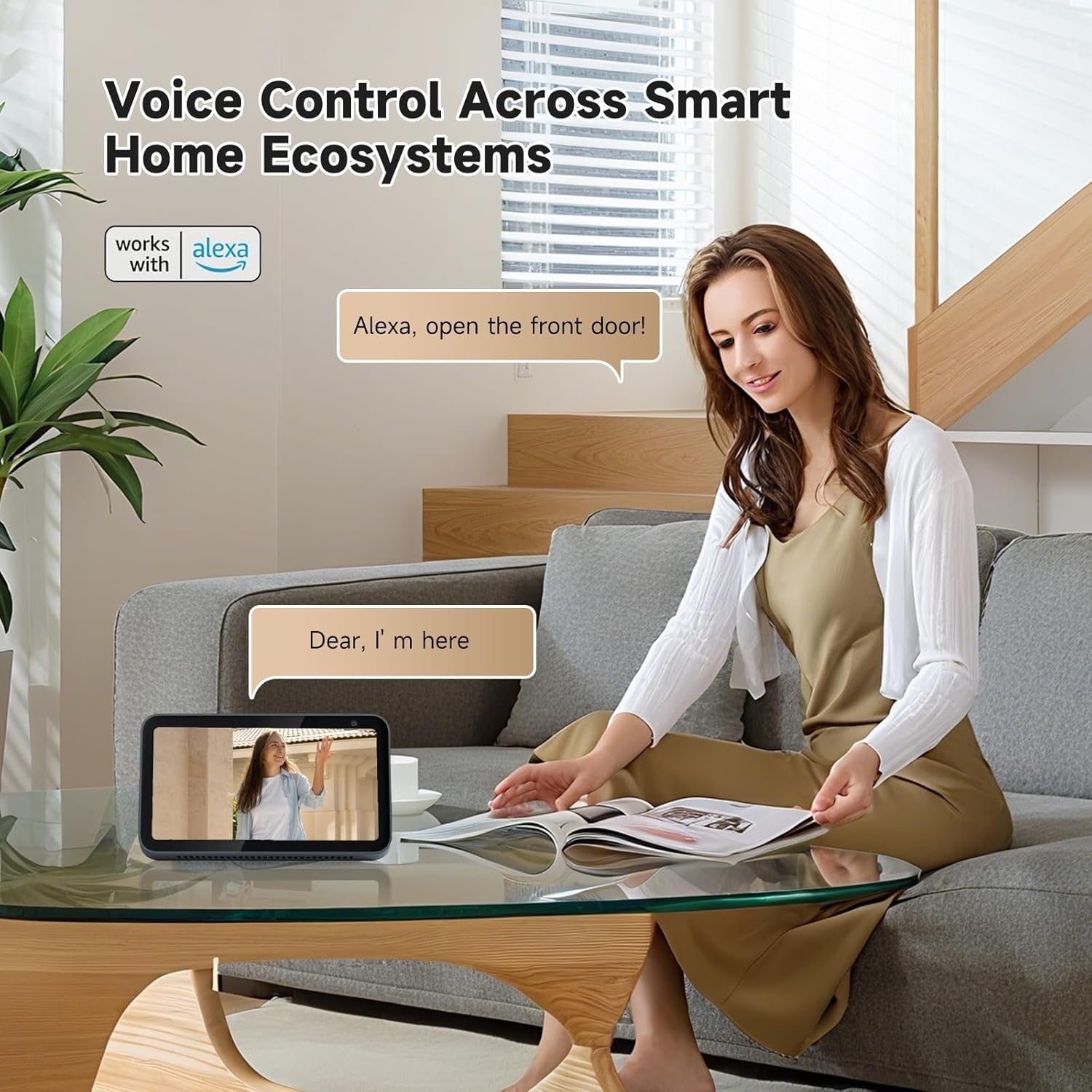
Image: Voice control integration with Alexa.
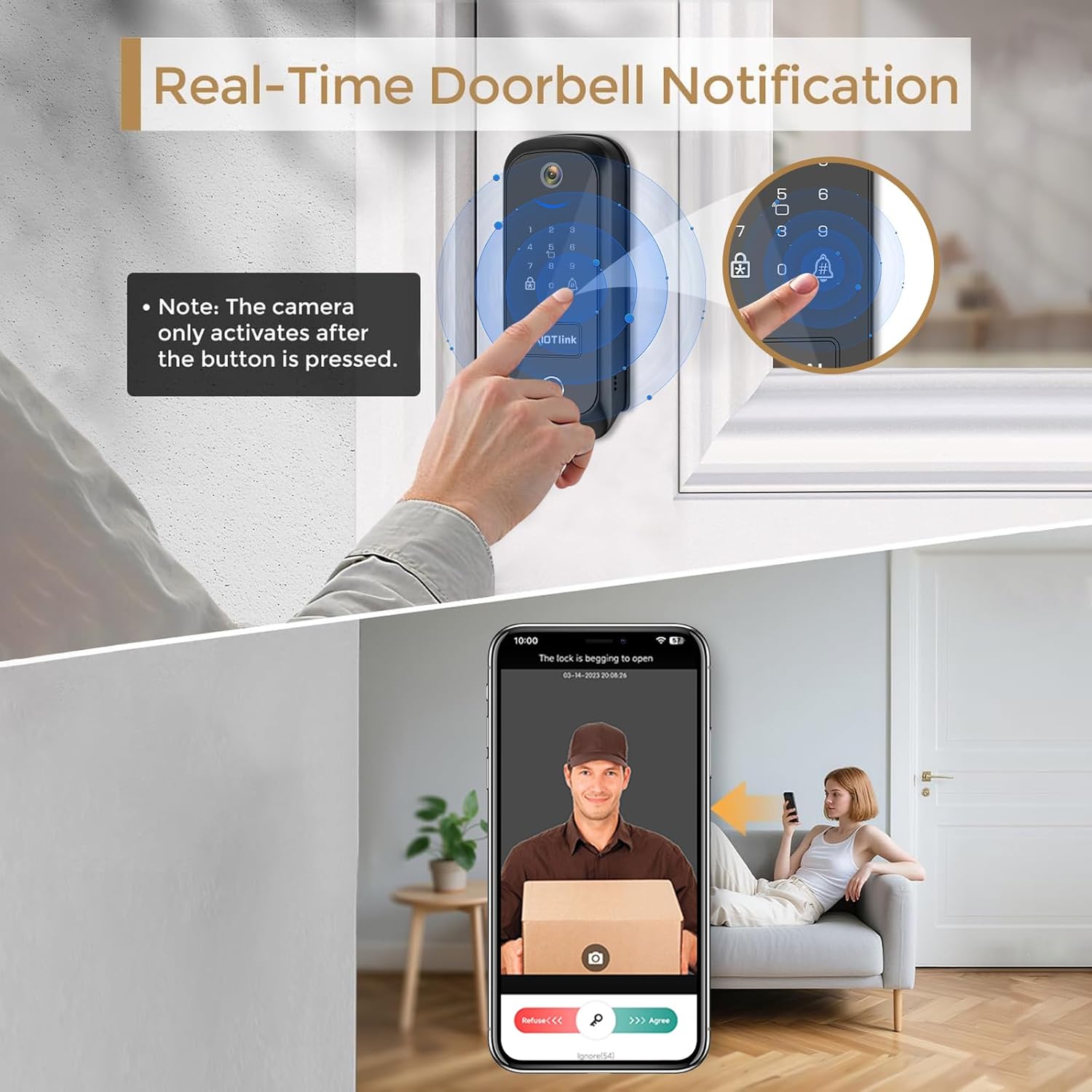
Image: Real-time doorbell notification on a smartphone.

Image: Direct Wi-Fi connection with router for remote access.

Image: Mute Mode feature for quiet operation.
5. メンテナンス
5.1.バッテリー管理
The smart lock is equipped with a rechargeable lithium battery. The app will notify you when the battery is running low to prevent accidental lockouts.

Image: Built-in rechargeable battery for long-lasting performance.

Image: Low battery alert and emergency Type-C port for charging.
5.2. 耐候性
The front lock is IP65 waterproof and designed to operate in temperatures from -4°F to 140°F, ensuring reliable performance in various weather conditions.

Image: Weather resistance features of the JAIOTlink D1 Smart Lock.
6。 トラブルシューティング
If you encounter issues with your JAIOTlink D1 Smart Lock, consider the following:
- 接続の問題: Ensure your Wi-Fi network is stable and that you have correctly entered the network name and password during app setup. Verify that an administrator has been added to the lock before attempting Wi-Fi pairing.
- 指紋リーダー: If the fingerprint reader is unreliable, ensure your finger is clean and dry, and try re-registering your fingerprint.
- Temporary Pin Removal: The system allows for management of temporary pins. Refer to the app's member management section to delete or modify temporary access codes.
- Doorbell Camera Activation: The camera activates when the doorbell button is pressed. It is not motion-sensing.
- バッテリー残量低下: If the lock is unresponsive, the battery may be depleted. Use the emergency Type-C port for power or replace the rechargeable battery.
7. 仕様
| ブランド | JAIOTlink |
| モデル名 | D1 |
| ロックタイプ | 生体認証、コンビネーションロック、デッドボルト、キーパッド |
| 特集 | Anti-Peeping Password, Auto-Lock, Back-Lit Keypad, Fingerprint, Passcode Unlock |
| 材料 | アルミニウム |
| 色 | 黒 |
| 商品の寸法(長さ x 幅 x 高さ) | 2.7 x 1.2 x 6.7インチ |
| アイテム重量 | 2.53 ポンド (1.15 キログラム) |
| バッテリー | 1 個のリチウムイオン電池が必要 (付属) |
| 接続プロトコル | Wi-Fi |
| コントローラータイプ | Amazon Alexa、Android、iOS |
| 含まれるコンポーネント | Back Plate*1, Front Plate*1, Hardware Assembly*1, Key *2, IC card *2, User Guide*1 |
8.保証とサポート
JAIOTlink is committed to providing quality products and customer satisfaction.
- 保証: 1年間の保証。
- 戻り値: Free 30-day refund/replacement.
- 顧客サービス: 24-hour customer support available.
- メールサポート: E-Mingxun@outlook.com

Image: JAIOTlink customer support details.