
ハビット KB896L
Havit x VKS Keyd KB896L RGB Mechanical Gaming Keyboard User Manual
モデル: KB896L
導入
Thank you for choosing the Havit x VKS Keyd KB896L RGB Mechanical Gaming Keyboard. This manual provides essential information for setting up, operating, maintaining, and troubleshooting your new keyboard. Please read it carefully to ensure optimal performance and longevity of your device.
主な特徴
- 耐久性のあるアルミニウム合金ボディ: Crafted from anodized aluminum for a solid, stable, and aesthetic design.
- Customizable Modular Design: Features a plug-in internal module for easy switch and frame replacement, allowing personalized setups.
- 迅速な対応: Ultra-low 8ms latency, full N-key rollover, and anti-ghosting for precise and quick actions.
- Advanced VIA Software Customization: Powerful and user-friendly software for customizing game modes, lighting effects, macros, and more.
- Exclusive VKS x HAVIT Accessories: Includes official VKS team emblem and custom stickers.
- RGB照明: Customizable RGB illumination to enhance your gaming experience.
- コンパクトな71キーレイアウト: Efficient design for gaming and productivity.
- ホットスワップ可能なスイッチ: Easy keycap and switch replacement.

図1:以上view of the Havit KB896L's 8 core features, including aluminum casing, modular design, rapid response, gasket structure, VIA software, RGB lights, 71-key layout, and hot-swappable switches.

Figure 2: A gamer utilizing the Havit KB896L keyboard, demonstrating its rapid response capabilities in action.
セットアップガイド
- キーボードを開梱します。 キーボードとすべての付属品をパッケージから慎重に取り出します。
- PCに接続:
- Locate the USB-C cable provided with your keyboard.
- Plug the USB-C end into the port on the keyboard.
- Plug the USB-A end into an available USB port on your computer.
The keyboard is plug-and-play and should be recognized by your operating system automatically. No additional drivers are typically required for basic functionality.
- Install VIA Software (Optional but Recommended):
- For advanced customization of key assignments, macros, and RGB lighting, download the VIA software from the official Havit website or the provided link (if available).
- 画面の指示に従ってソフトウェアをインストールします。
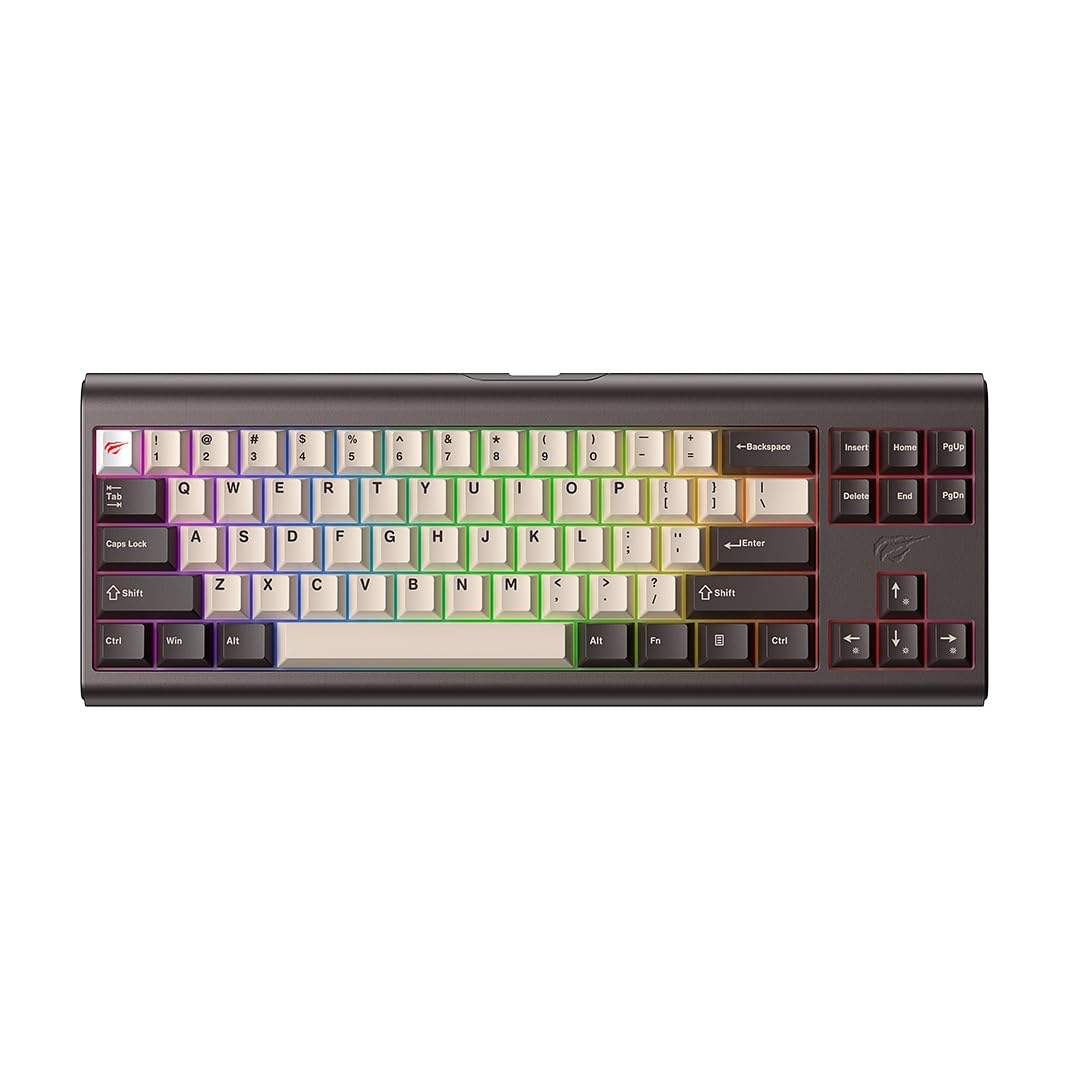
Figure 3: The Havit KB896L keyboard, ready for connection.
操作手順
基本的な使い方
The Havit KB896L functions as a standard QWERTY keyboard. Simply connect it to your PC, and it will be ready for use. The compact 71-key layout includes essential keys for gaming and general productivity.
RGB照明制御
Your keyboard features customizable RGB lighting. You can cycle through various lighting effects and adjust brightness directly on the keyboard using function key combinations, or through the VIA software for more granular control.
- 照明モードの変更: Refer to the keyboard's specific key combinations (often Fn + a designated key like '\' or 'Ins') to cycle through pre-set RGB effects.
- 明るさ/速度の調整: Use Fn + arrow keys (up/down for brightness, left/right for speed) to modify lighting parameters.

Figure 4: The KB896L keyboard showcasing its vibrant RGB illumination.
VIAソフトウェアのカスタマイズ
The VIA software unlocks the full potential of your keyboard, allowing you to:
- キーの再マップ: 任意のキーを別の機能に割り当てます。
- マクロを作成する: Record and assign complex sequences of keystrokes to a single key.
- Customize RGB Effects: Design your own lighting patterns and colors.
- Manage Layers: Configure multiple key layouts for different applications or games.
For detailed instructions on using the VIA software, please refer to the software's built-in help or the official VIA documentation online.

Figure 5: The customizable design of the KB896L, highlighting hot-swappable switches and keycaps.
ホットスワップ可能なスイッチ
The KB896L features hot-swappable switches, allowing you to change individual switches without soldering. This enables customization of typing feel and sound.
- キーキャップの取り外し: 付属のキーキャップ プーラーを使用して、必要なキーキャップを慎重に取り外します。
- スイッチを削除: 付属のスイッチプーラーを使用して、スイッチを慎重に掴んで引き抜きます。
- 新しいスイッチを挿入: 新しいスイッチのピンをPCBの穴に合わせ、カチッと音がするまでしっかりと押し込みます。ピンが曲がっていないことを確認してください。
- キーキャップの交換: キーキャップを新しいスイッチステムに押し込みます。

Figure 6: Internal structure of the KB896L, illustrating the layers including switches, aluminum plate, and various foam dampeners for sound and feel optimization.
メンテナンスとケア
- キーボードの掃除:
- 清掃する前に、キーボードをコンピューターから取り外してください。
- 圧縮空気缶を使用して、キーキャップ間のほこりやゴミを取り除きます。
- キーキャップとキーボードの表面を、柔らかくて少し硬めの布で拭いてください。amp糸くずの出ない布で拭いてください。湿気を避けてください。
- 強力な化学薬品、溶剤、研磨剤入りの洗剤は使用しないでください。
- キーキャップとスイッチのお手入れ:
- When removing keycaps or switches, do so gently to avoid damaging the components.
- 予備のキーキャップとスイッチは安全で乾燥した場所に保管してください。
- ケーブル管理 損傷を防ぐため、USB-C ケーブルを急激に曲げたり、過度に引っ張ったりしないでください。
トラブルシューティング
| 問題 | 考えられる原因 | 解決 |
|---|---|---|
| キーボードが反応しない | ケーブル接続が緩んでいる、USB ポートに障害がある、ドライバーに問題がある。 |
|
| RGB照明が機能しない、または正しくない | Lighting mode not selected, software conflict, power issue. |
|
| 特定のキーが機能しない | Faulty switch, bent switch pin, software remapping. |
|
| VIAソフトウェアがキーボードを検出しない | Software not installed correctly, firmware issue, connection problem. |
|
仕様
| 特徴 | 詳細 |
|---|---|
| ブランド | ハビット |
| モデル番号 | KB896L - VKS |
| 接続技術 | USB-C |
| 対応デバイス | PC |
| キーボードの説明 | 機械 |
| スイッチタイプ | Mechanical (Longhua Red) |
| 特集 | Customizable RGB lighting, VIA customization software |
| キーボードレイアウト | QWERTY |
| 色 | BRONZE/BLACK |
| 材料 | アルミニウム合金 |
| 商品の寸法 (長さ x 幅 x 高さ) | 36 cm x 13.2 cm x 4 cm |
| アイテム重量 | 1.8キロ |
| キーの数 | 71 |
| 営業巻tage | 5V±0.5V |
| 動作電流 | ≤350mA |
| キーの寿命 | 50,000,000回 |
| ケーブル長さ | 1.2m (2.4m when stretched) |
| 原産国 | 中国 |
保証情報
The Havit x VKS Keyd KB896L RGB Mechanical Gaming Keyboard comes with a 1年間のメーカー保証この保証は、通常の使用における材料および製造上の欠陥を対象とします。誤用、事故、不正な改造、または通常の摩耗や損耗による損傷は保証の対象外となります。
Please retain your proof of purchase for warranty claims. For specific warranty terms and conditions, refer to the documentation included with your product or visit the official Havit webサイト。
サポート
If you encounter any issues not covered in the troubleshooting section or require further assistance, please contact Havit customer support:
- 公式ハビット Webサイト: www.havit.com (Check for support contact information, FAQs, and driver/software downloads)
- メールサポート: Refer to the Havit web最新のサポート メール アドレスについては、サイトをご覧ください。
- オンラインリソース: Look for community forums or support pages related to Havit products.
When contacting support, please have your product model (KB896L) and proof of purchase ready.
関連文書KB896L


Ask a question about this manual
Ask about setup, troubleshooting, compatibility, parts, safety, or missing instructions. Manuals+ will review the question and use this page’s manual context to help answer it.