
導入
This manual provides detailed instructions for the setup, operation, and maintenance of your SPYPOINT FORCE-PRO 30 Megapixel 4K Trail Camera. Designed for outdoor monitoring, this camera captures high-resolution photos and videos, making it ideal for wildlife observation and security. Please read this manual thoroughly to ensure proper use and optimal performance of your device.
パッケージ内容
Verify that all items listed below are present in your package. If any items are missing or damaged, please contact SPYPOINT customer support.
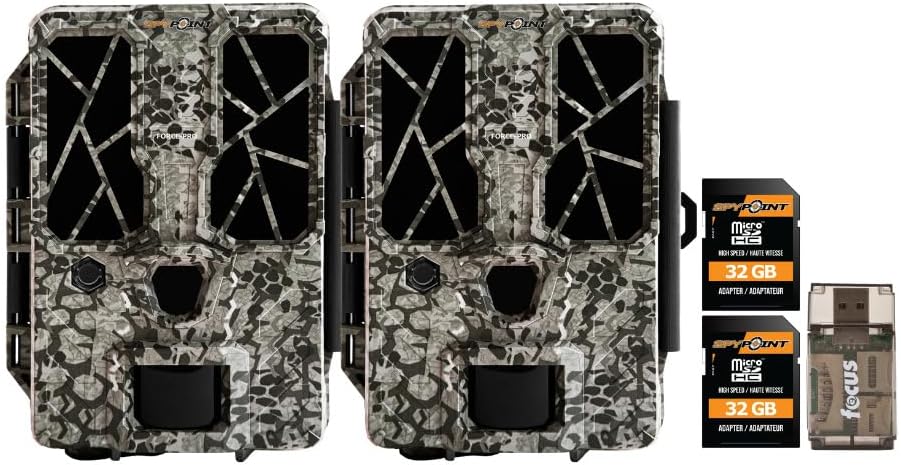
- 2 x SPYPOINT FORCE-PRO 30 Megapixel Trail Camera
- 2 x SPYPOINT MicroSD 32GB Ultra High Speed Class 10 Memory Card
- 1 x Focus All-In-One High Speed Card Reader

製品終了view
The SPYPOINT FORCE-PRO is a robust trail camera designed for reliable performance in outdoor environments. It features advanced imaging capabilities and user-friendly controls.
主な特徴
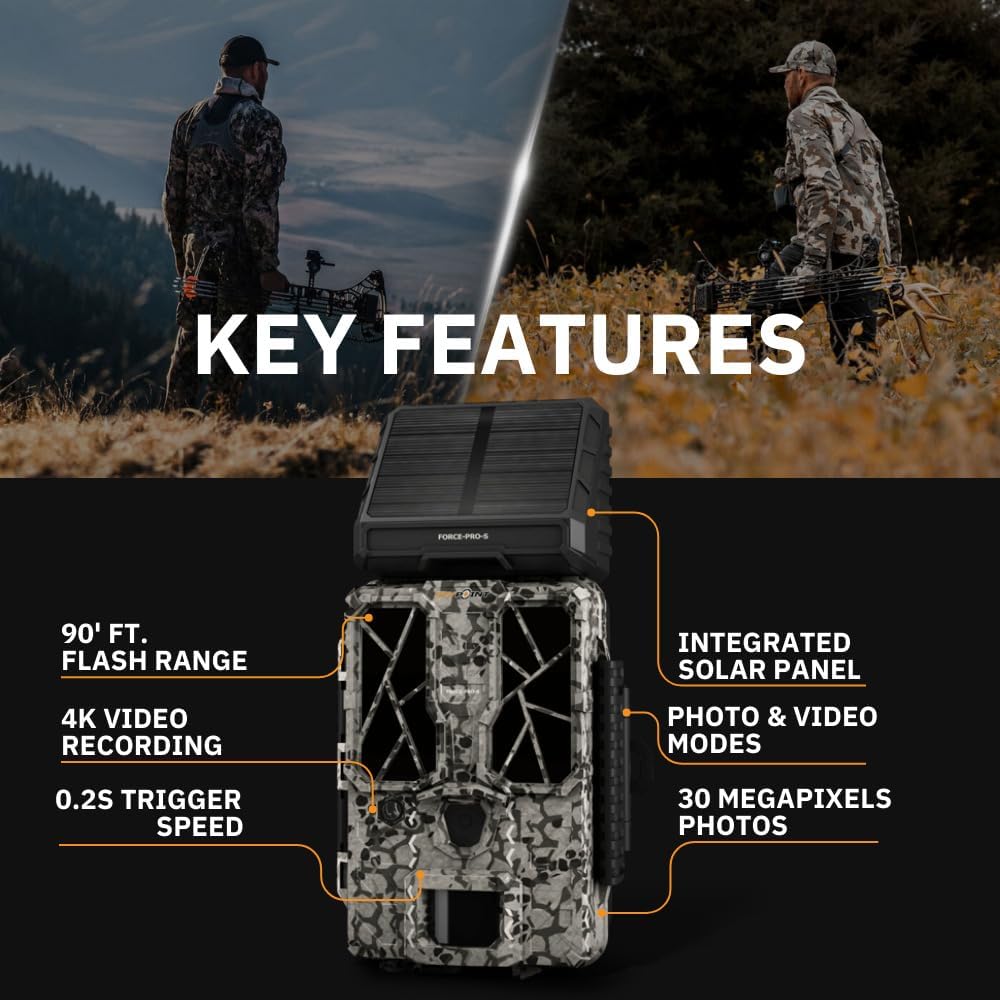
- 高解像度: 30 Megapixel photos and 4K video recording with sound.
- 高速トリガー速度: Ultra-fast 0.2-second trigger speed to capture quick movements.
- 広い検出範囲: 110-foot detection range.
- Powerful Flash: 90-foot flash range with 54 LEDs for clear night images.
- 統合ソーラーパネル: For extended battery life and reduced maintenance.
- Dual-SIM Cellular: Automatically connects to the best available network for reliable transmission (if cellular model).



設定
1. 電源の設置
The FORCE-PRO camera is equipped with an integrated solar panel for charging its internal battery. For initial setup or extended use without sufficient sunlight, an external power source can be used.
- 内蔵バッテリー: Ensure the camera's internal battery is charged. The integrated solar panel will charge it during daylight hours.
- 外部電源(オプション): If using an external 12V power source (not included), connect it to the camera's 12V jack.
2. MicroSDカードの挿入
A MicroSD card is required to store photos and videos. Two 32GB MicroSD cards are included in this bundle.
- カメラの MicroSD カード スロットを見つけます。
- MicroSD カードを、金色の接点をカメラの背面に向けて、カチッと音がするまで挿入します。
- 取り外すには、カードが飛び出すまで軽く押します。
3. 初回電源投入と基本設定
- Turn the camera ON using the power switch.
- Follow the on-screen prompts (if available) or refer to the camera's menu for initial settings such as date, time, and language.
- Format the MicroSD card through the camera's menu for optimal performance.
4.カメラの取り付け
The camera can be mounted using a strap, tripod, or other compatible mounting accessories. While specifications mention 'Tabletop Mount', for outdoor use, secure mounting is crucial.
- 明るい場所を選んでください view 希望する監視エリアの。
- 風や動物による動きを防ぐためにカメラがしっかりと固定されていることを確認してください。
- Position the camera to avoid direct sunlight into the lens, which can cause overexposure.
操作手順
カメラモード
- 写真モード: トリガーされると静止画像をキャプチャします。
- ビデオモード: トリガーされるとビデオ クリップを記録します。
- 写真 + ビデオ モード: 写真に続いてビデオ クリップをキャプチャします。
設定の調整
Access the camera's menu using the built-in screen and navigation buttons to customize settings:
- 解決: Select desired photo (up to 30MP) and video (up to 4K) resolution. Higher resolutions consume more storage.
- トリガー遅延: 連続するトリガー間の遅延を設定します。
- 感度: Adjust the motion sensor sensitivity to suit the environment and avoid false triggers.
- 営業時間: Define specific times the camera should be active.
- 日付/時刻amp: Enable or disable the date and time overlay on images/videos.
データ取得
- MicroSDカード: Remove the MicroSD card from the camera and insert it into the included Focus All-In-One High Speed Card Reader. Connect the card reader to a computer to access files.
- SPYPOINT App: For cellular models, use the SPYPOINT mobile application to view and manage captured media remotely. The app also allows for camera settings adjustments and firmware updates.
メンテナンス
- クリーニング: Regularly clean the camera lens and housing with a soft, dry cloth. Avoid abrasive materials or harsh chemicals.
- バッテリーチェック: Monitor battery levels, especially during periods of low sunlight. The integrated solar panel helps maintain charge, but supplemental charging may be needed.
- ファームウェアの更新: Periodically check for and install firmware updates via the SPYPOINT app or web最適なパフォーマンスと新機能へのアクセスを確保するために、サイトを更新してください。
- ストレージ: When not in use, store the camera in a cool, dry place away from direct sunlight.
トラブルシューティング
- カメラが作動しない: Check motion sensor sensitivity, ensure no obstructions, and verify battery level.
- 画像/ビデオの品質が悪い: Clean the lens, check resolution settings, and ensure proper lighting conditions.
- 電力の問題: Ensure the internal battery is charged or an external power source is properly connected. Check for any damage to power cables.
- microSD カードのエラー: Reformat the MicroSD card (backing up data first) or try a different card. Ensure the card is properly inserted.
- Connectivity Problems (Cellular Models): Verify cellular signal strength in the camera's location. Check your SPYPOINT app for data plan status.
仕様
| 特徴 | 仕様 |
|---|---|
| モデル | フォースプロ |
| 写真解像度 | 30メガピクセル |
| ビデオ解像度 | 4K |
| トリガースピード | 0.2秒 |
| 検出範囲 | 110フィート |
| フラッシュ範囲 | 90フィート |
| LED について | 54 |
| 電源 | Integrated Solar Panel, Corded Electric (external 12V option) |
| 接続性 | USB, Wired (for data transfer), Cellular (for remote management) |
| 材料 | プラスチック |
| 耐水性 | 耐水性 |
| フォーカスタイプ | オートフォーカス |
| 欧州連合 | 196271434986 |
保証とサポート
For warranty information, technical support, or service inquiries, please refer to the official SPYPOINT webご購入いただいたサイトをご覧いただくか、カスタマーサービス部門に直接お問い合わせください。保証請求のために購入証明書を保管してください。
スパイポイント Webサイト: www.spypoint.com