
導入
This manual provides detailed instructions for the operation and maintenance of your KEPLUG MX9 Sunrise Alarm Clock. Please read this manual thoroughly before use to ensure proper functionality and to maximize your experience with the device.
The KEPLUG MX9 is a multifunctional device designed to enhance your sleep and wake-up routine, featuring a sunrise simulation alarm, white noise sound machine, and a dimmable night light.
パッケージ内容
- KEPLUG MX9 Sunrise Alarm Clock
- 電源ケーブル
- ユーザーマニュアル
設定
電源接続
- Connect the provided power cable to the DC 5V input port on the back of the alarm clock.
- Plug the other end of the power cable into a standard USB wall adapter (included) or a compatible USB port.
- The device will power on and the time display will illuminate.
バッテリーバックアップ(オプション)
The device requires 2 AAA batteries (not included) for battery backup functionality. These batteries preserve your time settings in the event of a power outage but do not power the alarm clock for normal operation.
- デバイスの下部にあるバッテリー コンパートメントを見つけます。
- 正しい極性 (+/-) を確認して、単 4 電池 2 本を挿入します。
- 電池カバーをしっかりと閉じてください。

This image shows the front of the KEPLUG MX9 Sunrise Alarm Clock, highlighting its compact design and the digital time display. The device is white with control buttons located on the lower front panel.
ビデオ1: オーバーview of the KEPLUG MX9 Sunrise Alarm Clock, demonstrating its physical features and initial setup steps, including power connection and battery installation.
操作手順
時間設定
- を押し続けます 時間設定 button (usually indicated by a clock icon) for 2 seconds to enter time setting mode.
- 使用 + or - 時間を調整するためのボタン。 時間設定 もう一度ボタンを押して確認します。
- このプロセスを繰り返して、分を設定します。
- You may also select 12-hour or 24-hour format if available.
アラーム設定
- を押し続けます アラーム button (bell icon) for 2 seconds to enter alarm setting mode.
- 使用 + or - buttons to set the desired alarm time (hour and minute). Press the アラーム button to confirm each step.
- Select your preferred alarm sound from the available 6 options using the 音楽 button (note icon) or +/- ボタン。
- アラーム音量(7段階)を調節します。 + or - ボタン。
- アラームをオン/オフにするには、 アラーム ボタンを押します。ディスプレイにアラームアイコンが表示されたり消えたりします。
The snooze function allows for an additional 9 minutes of sleep. To activate snooze, press any button on the front panel when the alarm sounds. The alarm will sound again after 9 minutes.
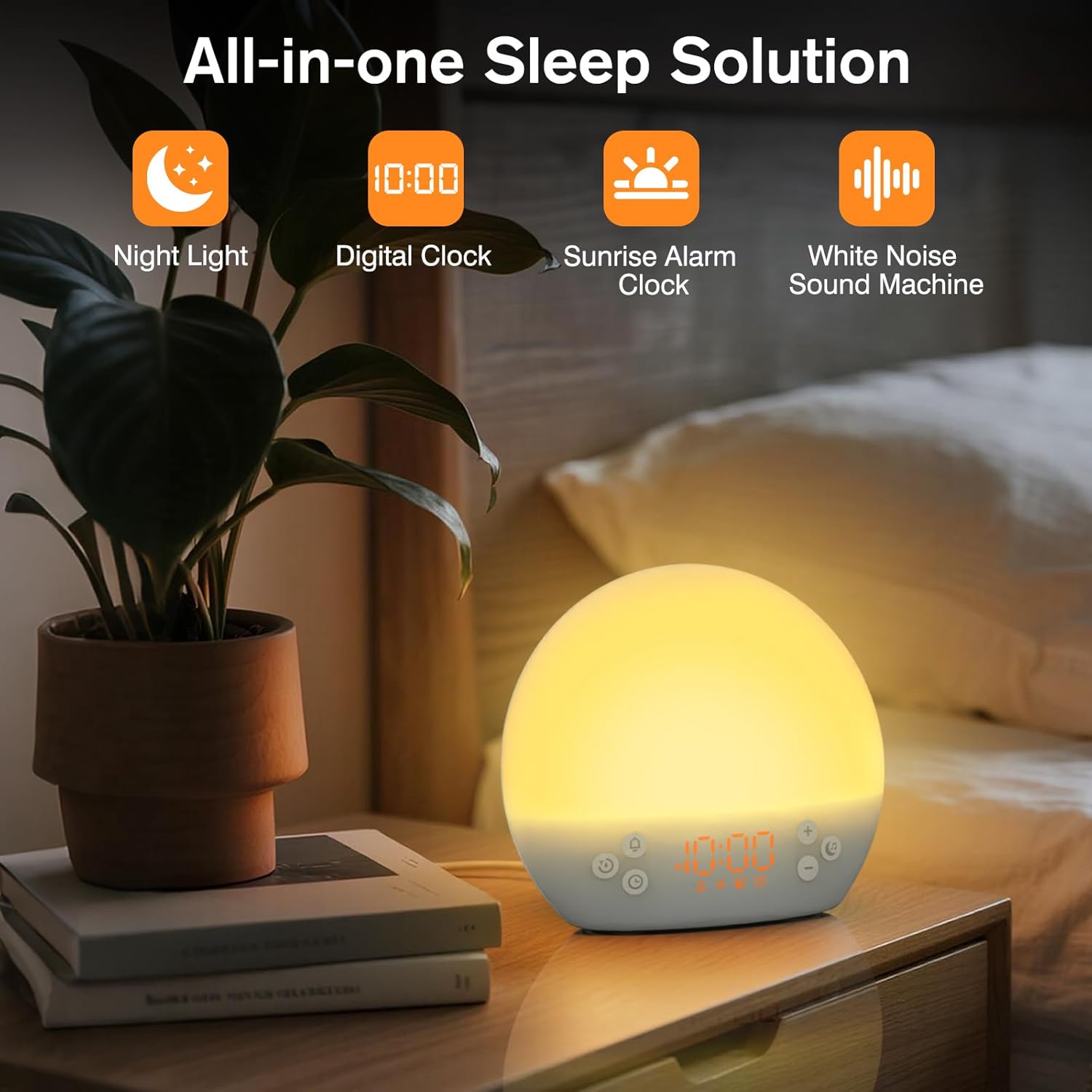
This image shows the KEPLUG MX9 alarm clock on a bedside table next to a plant, with its digital time display clearly visible. The clock emits a warm, soft light, indicating its function as a night light or ambient light source.
日の出シミュレーション
The sunrise simulation feature gradually brightens the light before your set alarm time, mimicking a natural sunrise. This duration can be customized from 15 to 120 minutes.
- During alarm setting, you can adjust the sunrise duration.
- Choose from 3 wake-up modes: gentle light + sound, just the alarm, or sunrise light without sound.
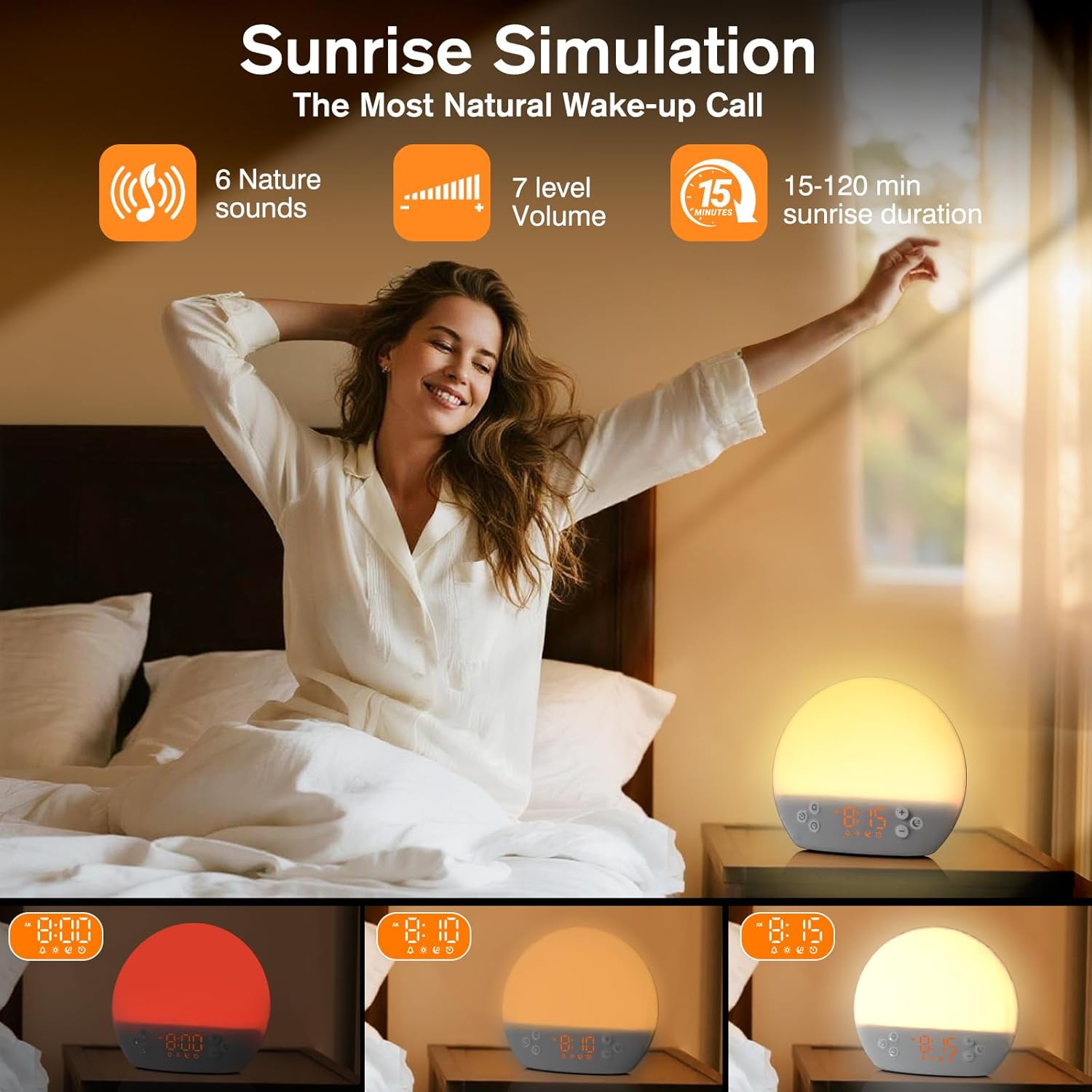
This image illustrates the sunrise simulation feature of the KEPLUG MX9 alarm clock. It shows a person waking up gently as the clock's light gradually brightens, simulating a natural sunrise over a period of 15-120 minutes.
Video 2: This video demonstrates the sunrise simulation feature, showing how the light gradually brightens to gently wake the user.
ホワイトノイズサウンドマシン
The device offers 30 soothing sounds to aid in relaxation and sleep. These include 10 white noises (white, pink, brown noises, fan sounds) and 20 nature sounds (rain, ocean waves, thunderstorms, birdsong, campfires, lullabies).
- を押す 音楽 button to cycle through the available sounds.
- 使用 + or - buttons to adjust the volume (15 levels).
- An optional sleep timer (30-120 minutes) can be set to automatically turn off sounds.

This image highlights the 30 soothing sounds available on the KEPLUG MX9, categorized into white noises and nature sounds, designed to create a tranquil environment for sleep.
Video 3: This video demonstrates the sound machine functionality, demonstrating the variety of white noise and nature sounds available.
Night Light & Dimmable Display
The alarm clock features 12-color night lights and adjustable brightness. It can be used as a bedside lamp, baby nursery light, or for creating romantic ambient lighting.
- を短く押す ライト button (sun icon) to turn the light on/off or change colors.
- Use the dedicated light dimmer slider on the back of the device to adjust the light brightness.
- The LED clock display brightness can also be adjusted to your personal comfort level using the display dimmer slider.
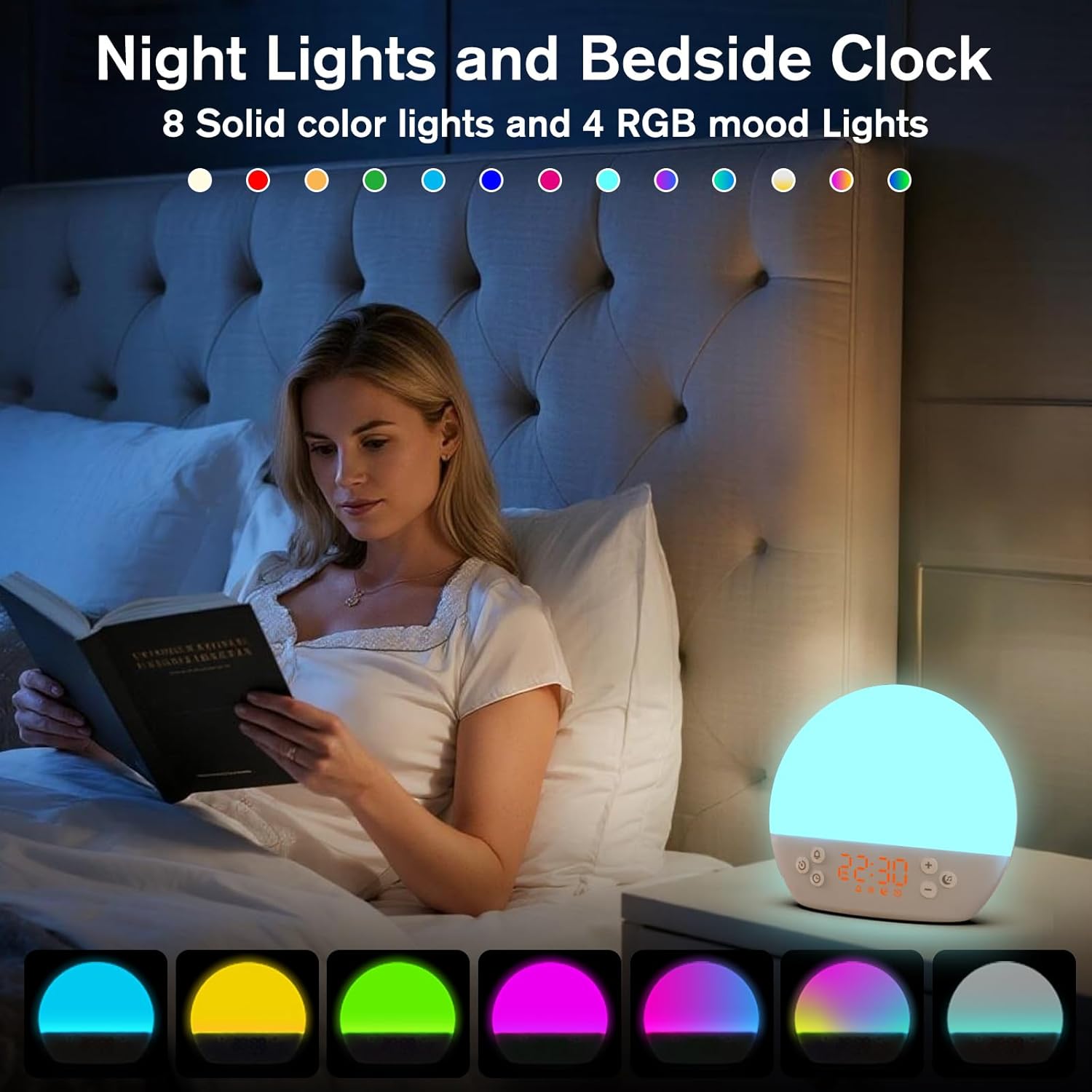
This image displays the KEPLUG MX9 alarm clock functioning as a night light, showing a range of 12 solid colors and 4 RGB mood lights. It highlights the device's versatility in creating different ambient settings.
Video 4: This video demonstrates the 12-color night light feature, showing the various color options and how to adjust them.
Intelligent Sleep Timer
The sleep timer allows you to set the device to automatically and gradually turn off sounds and lights after a specified duration (15, 30, 60, or 120 minutes), ensuring an undisturbed night's rest.
- を押す タイマー button (clock with arrow icon) to activate the sleep timer.
- Cycle through the available durations (15, 30, 60, 120 minutes) by repeatedly pressing the タイマー ボタン。
- The timer will begin counting down and the light/sound will gradually fade before turning off.
メンテナンス
クリーニング
- クリーニングする前に、デバイスのプラグが抜かれていることを確認してください。
- 柔らかく乾いた布で表面を拭いてください。
- 研磨剤入りの洗剤、溶剤、または刺激の強い化学薬品は使用しないでください。
ストレージ
長期間使用しない場合は、直射日光や極端な温度を避け、涼しく乾燥した場所にデバイスを保管してください。
トラブルシューティング
| 問題 | 考えられる原因 | 解決 |
|---|---|---|
| デバイスの電源が入りません。 | 電源ケーブルが接続されていないか故障しています。 | Ensure the power cable is securely connected to both the device and a working power outlet. Try a different USB adapter or outlet. |
| アラームは鳴りません。 | アラームが作動していないか、音量が低すぎます。 | Check if the alarm icon is displayed. If not, activate the alarm. Increase the alarm volume. |
| Time settings are lost after power outage. | No AAA batteries installed or batteries are depleted. | Install 2 new AAA batteries for backup. Remember, batteries only save settings, they do not power the clock for normal operation. |
| Light does not change color or brightness. | Incorrect button press or dimmer setting. | Short press the Light button to cycle colors. Use the light dimmer slider on the back to adjust brightness. |
製品仕様
| 特徴 | 詳細 |
|---|---|
| モデル名 | MX9 |
| 製品寸法 | 奥行き2.76インチ x 幅6.38インチ x 高さ5.71インチ |
| アイテム重量 | 0.39キログラム(13.7オンス) |
| 電源 | コード式電気(DC 5V) |
| バッテリーバックアップ | 2 AAA batteries (not included) for time settings only |
| ライトタイプ | Wake Up Light, 12-color Night Light |
| サウンドオプション | 30 Soothing Sounds (White Noise, Nature Sounds) |
| アラーム音 | 6 自然の音 |
| スヌーズ時間 | 9 minutes |
| スリープタイマー | 15、30、60、120分 |
安全情報
- お風呂や水の近くでは使用しないでください。
- Follow all instructions to avoid injury or damage to the device.
- Use at safe volumes to protect hearing.
- お子様やペットの手の届かない場所に保管してください。
保証とサポート
For warranty information or technical support, please refer to the product packaging or contact KEPLUG customer service directly. Keep your purchase receipt for warranty claims.
さらにサポートが必要な場合は、次のサイトを参照してください。 KEPLUG Store on Amazon.