
1. はじめに
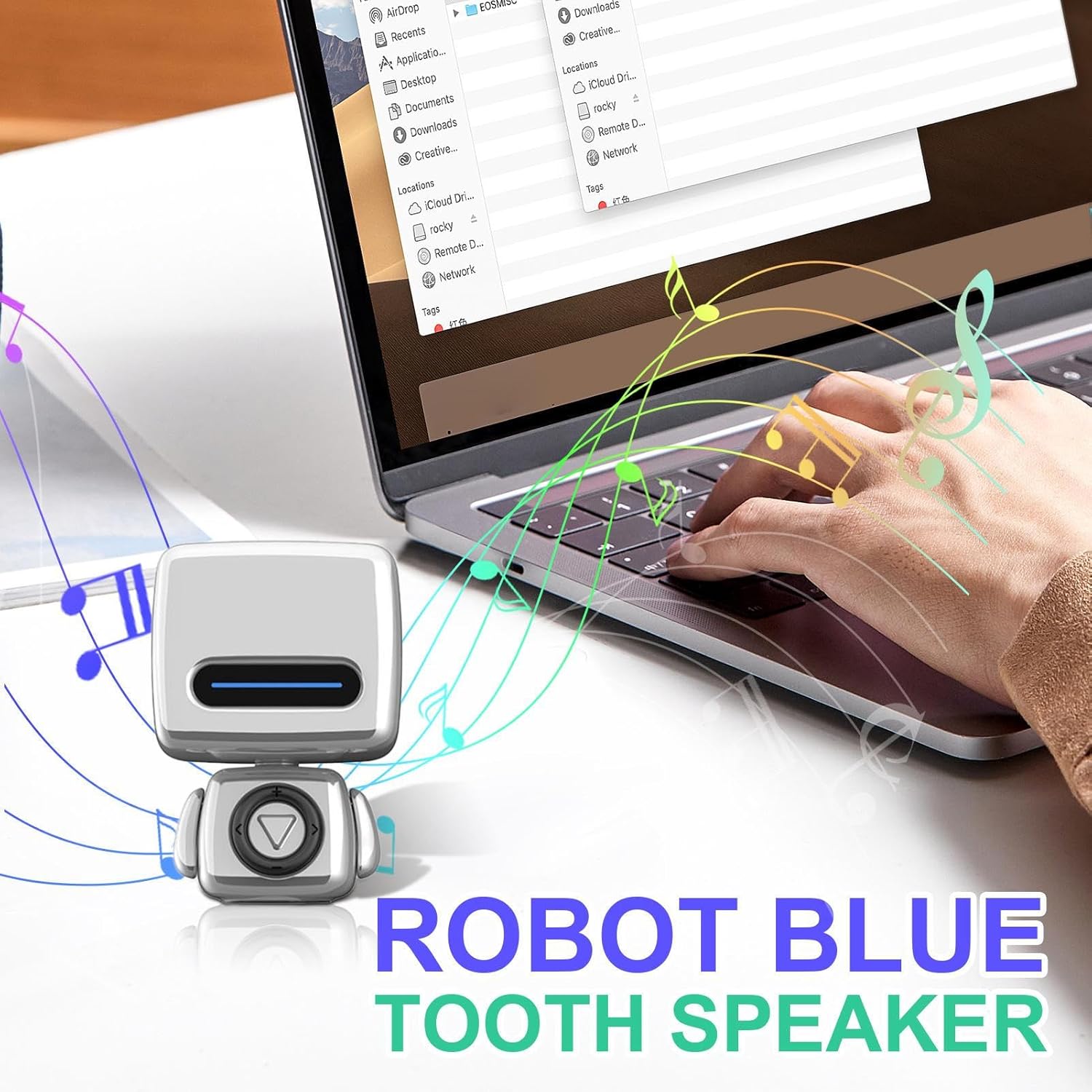
The Generic Portable Wireless Speaker is a compact, waterproof audio device designed for versatile use. It features a unique robot-shaped design and delivers clear sound. Its portability makes it suitable for various indoor and outdoor environments.
パッケージ内容
- 1x Generic Portable Wireless Speaker

2. 安全情報
重要な安全上の注意事項
- スピーカーを極端な温度(45°C/113°F 以上または 0°C/32°F 以下)にさらさないでください。
- ご自身で本製品を分解したり修理したりしないでください。修理はすべて資格を持った専門家にご依頼ください。
- デバイスを子供やペットの手の届かない場所に保管してください。
- Use only the charging cable provided or a certified compatible USB charger.
- Ensure the charging port cover is securely closed when using the speaker in wet environments to maintain its waterproof integrity.
- スピーカーを落としたり、強い衝撃を与えたりしないでください。
3.製品オーバーview
The speaker features a durable, waterproof construction, making it suitable for various indoor and outdoor environments. Its compact size allows for easy portability, fitting comfortably in one hand or a bag.
主な特徴
- 防水設計: Engineered for use in wet conditions, such as showers or near pools.
- ワイヤレス接続: Connects to devices via robust wireless technology for stable audio streaming up to 10 meters.
- コンパクトで持ち運びに便利: Miniature and lightweight design for convenient carrying.
- クリアなオーディオ出力: Delivers balanced sound reproduction with distinct vocal clarity.

4. セットアップ
スピーカーの充電
Before initial use, fully charge the speaker to ensure optimal battery performance.
- Locate the charging port, typically protected by a waterproof rubber flap.
- Gently open the flap and connect the provided charging cable to the speaker and a compatible USB power source (e.g., computer USB port, wall adapter).
- The LED indicator on the speaker will illuminate (e.g., red) to show that it is charging. It will change color (e.g., blue) or turn off when fully charged.
- Once charging is complete, disconnect the cable and securely close the waterproof flap to prevent water ingress.
ワイヤレスペアリング
To connect your speaker to a wireless-enabled device:
- Ensure the speaker is charged and powered on. The LED indicator will typically flash rapidly, indicating it is in pairing mode and discoverable.
- On your device (e.g., smartphone, tablet, laptop), navigate to the wireless settings menu and enable wireless functionality.
- 検索する available devices. The speaker will appear in the list, usually named "Generic Speaker" or a similar identifier.
- Select the speaker from the list to initiate pairing. A confirmation sound or a steady LED light on the speaker will indicate successful pairing.
- The speaker maintains a stable connection up to 10 meters (approximately 33 feet) from the paired device.
5. 操作手順
電源オン/オフ
- 電源を入れるには: Press and hold the power button (often integrated with the play/pause button) for approximately 3-5 seconds until the LED indicator lights up and you hear a power-on sound.
- 電源を切るには: Press and hold the power button again for approximately 3-5 seconds until the LED indicator turns off and you hear a power-off sound.
オーディオ再生コントロール
Once paired with your device, you can control audio playback directly from the speaker:
- 再生/一時停止: Press the central button (often marked with a triangle or play symbol) once to play or pause audio.
- ボリュームアップ: 「+」ボタンを押すと音量が上がります。
- ボリュームダウン: 音量を下げるには、「-」ボタンを押します。
- 次のトラック: Press the ">>" or right arrow button to skip to the next audio track.
- 前のトラック: Press the "<<" or left arrow button to go back to the previous audio track.

6. メンテナンス
クリーニング
- スピーカーの外側を柔らかく、少し硬めの布で拭いてください。amp 布。
- Do not use abrasive cleaners, solvents, or strong chemicals, as these may damage the finish or internal components.
- Ensure the charging port cover is securely closed before cleaning with any moisture.
ストレージ
- スピーカーは直射日光や極端な温度を避け、涼しく乾燥した場所に保管してください。
- If storing for an extended period, ensure the speaker is partially charged (around 50%) to help preserve battery life.
7。 トラブルシューティング
よくある問題と解決策
- スピーカーの電源が入りません。
- スピーカーが完全に充電されていることを確認してください。電源に接続し、少なくとも30分間充電してから、再度電源を入れてください。
- デバイスとペアリングできません。
- Ensure the speaker is in pairing mode (flashing LED indicator).
- Check that your device's wireless function is enabled.
- Move the speaker closer to your device (within 1 meter for initial pairing).
- If previously paired, try 'forgetting' or 'unpairing' the speaker from your device's wireless settings and attempt to pair again.
- スピーカーに他のデバイスが接続されていないことを確認してください。
- 音が出ない、または音量が低い。
- スピーカーと接続されたデバイスの両方の音量レベルを確認してください。
- スピーカーが適切にペアリングされ、接続されていることを確認します。
- デバイス上の別のアプリケーションまたはソースからオーディオを再生してみてください。
- 接続が頻繁に切断されます。
- Ensure the speaker is within the 10-meter operating range of your device.
- Avoid obstacles (e.g., thick walls, large metal objects) between the speaker and your device that may interfere with the wireless signal.
- Ensure the speaker is fully charged, as low battery can affect connection stability.
8. 仕様
技術仕様
| 特徴 | 詳細 |
|---|---|
| モデル番号 | QOWALMJ71I1A713U3 |
| ブランド | ジェネリック |
| 色 | 銀 |
| 製品寸法(高さ x 幅 x 奥行き) | 2.91インチ x 2.01インチ x 1.97インチ (7.4 cm x 5.1 cm x 5.0 cm) |
| アイテム重量 | 4.3オンス(122グラム) |
| 接続技術 | 無線 |
| 含まれるコンポーネント | ワイヤレススピーカー x 1 |
| 防水等級 | Designed for use in wet environments (specific IP rating not provided) |

9. 保証とサポート
保証情報
This product is covered by a return policy allowing for a refund or replacement within 30 days of purchase. Please refer to your retailer's specific return policy for detailed terms and conditions, as these may vary.
カスタマーサポート
For further assistance, technical support, or inquiries regarding your Generic Portable Wireless Speaker, please contact your retailer or the manufacturer, Generic, through their official support channels.