
1。 オーバーview
The TOWODE 2K Light Bulb Security Camera offers advanced surveillance features for your home. Designed for easy installation into standard E27 light sockets, this camera provides high-definition video, motion detection, two-way audio, and comprehensive area coverage. It is compatible with 2.4GHz Wi-Fi networks for wireless connectivity.
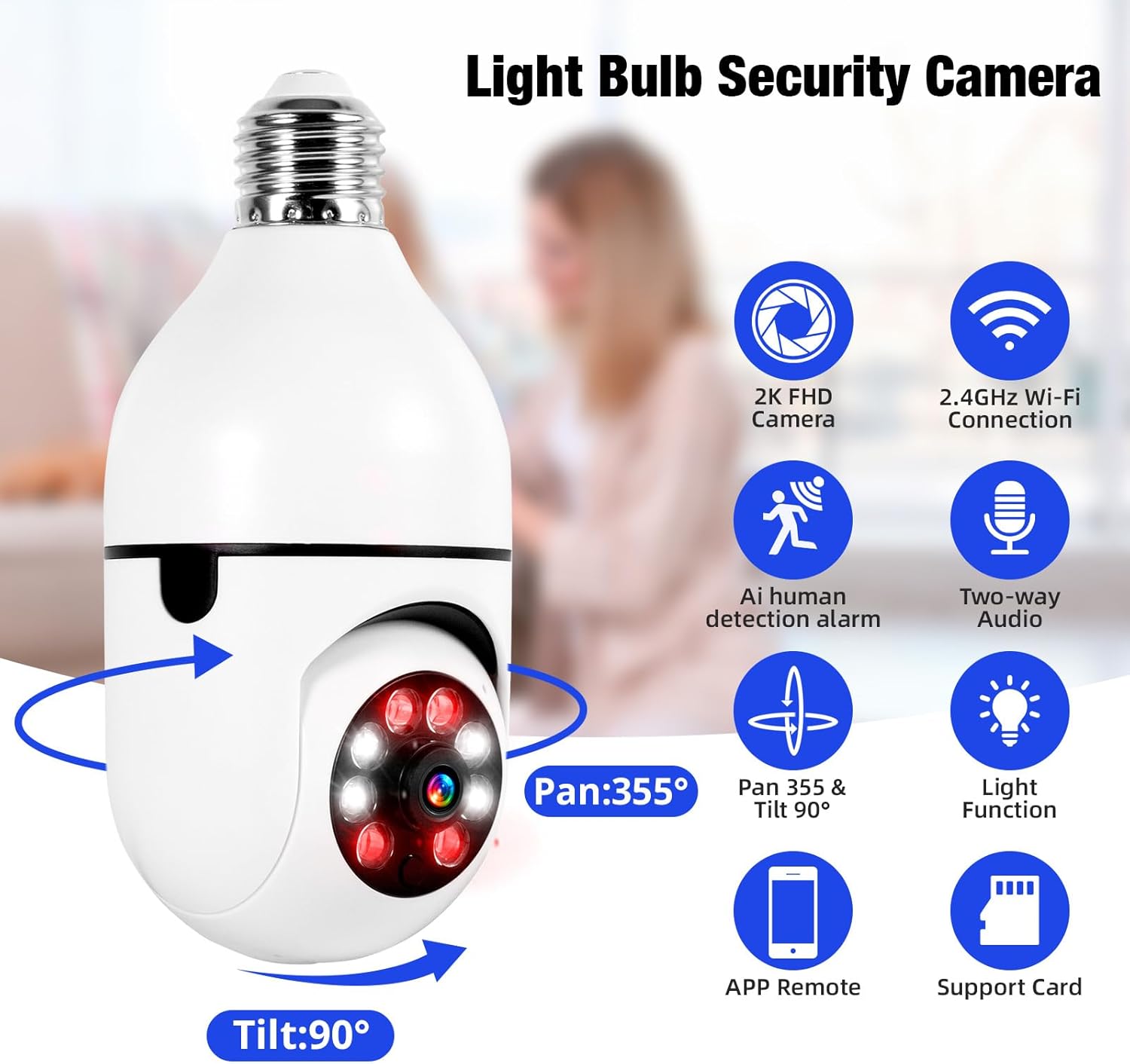
Image 1.1: The TOWODE 2K Light Bulb Security Camera, highlighting its 2K FHD camera, 2.4GHz Wi-Fi connection, AI human detection alarm, two-way audio, Pan 355° & Tilt 90° rotation, light function, APP remote control, and support for SD card storage.
2. パッケージ内容
パッケージにすべてのアイテムが含まれていることを確認します。
- TOWODE 2K Light Bulb Security Camera (2 units)
- E27 Light Sockets (2 units)
- 取扱説明書
3 製品の特徴
- High-Definition Image Quality: Features ultra-clear 2K resolution, four built-in infrared lights, and four white lights. Infrared automatically switches to full-color mode at night, capturing clear details in dark environments.
- 簡単なインストール: Fits standard E27 light sockets (compatible with 110V-240V). Plug-and-play screw-in installation requires no drilling or wiring. An adapter is included for direct power source connection.
- AI Human Detection & Real-Time Alarm: Supports two-way voice chat for communication. Effectively filters out environmental disturbances like rustling leaves. Customizable voice alarms and real-time alerts are sent to your phone upon anomaly detection.
- 360°パノラマ View: Supports remote control with 355° horizontal rotation and 90° vertical pan. Provides nearly 360° panoramic monitoring without blind spots, handling wide-angle detection and precise tracking.
- 複数のストレージ オプション: Supports cloud storage, local Micro SD cards (up to 128GB), and cell phone memory for continuous 24/7 recording.
4. セットアップとインストール
The camera is designed for simple installation, similar to replacing a light bulb.
- 場所を選択してください: Select a location with a standard E27 light socket (110V-240V compatible) or a power source where the included adapter can be used. Ensure the location provides adequate Wi-Fi signal strength.
- ねじ込み式カメラ: Carefully screw the camera into the E27 light socket. If using the adapter, plug the adapter into a power source and then screw the camera into the adapter.
- 電源オン: Ensure the light socket or power source is switched on. The camera will power up and initiate its startup sequence.

Image 4.1: A person demonstrating the easy installation of the light bulb camera by screwing it into a standard E27 socket.
5.アプリ接続
To operate your camera, download the companion mobile application and connect it to your Wi-Fi network.
- アプリをダウンロードする: 検索する the 'AJCloud' app in your smartphone's app store (iOS or Android) and install it.
- 登録/ログイン: アプリを開き、画面の指示に従って新しいアカウントを作成するか、既にアカウントをお持ちの場合はログインします。
- デバイスを追加: Tap the '+' icon or 'Add Device' option within the app. Select 'Light Bulb Camera' or a similar option.
- Wi-Fiに接続します: Follow the app's prompts to connect the camera to your 2.4GHz Wi-Fi network. You may need to scan a QR code on the camera or enter your Wi-Fi password.
- セットアップを完了します: Once connected, name your camera and complete any remaining setup steps. The camera feed should now be visible in the app.
Video 5.1: An official product video demonstrating the features and setup of the Light Bulb Camera, including app integration and functionality.
6. 操作手順
6.1. 動きの検出と追跡
The camera features advanced AI human detection and motion tracking capabilities.
- リアルタイムアラート: When motion or a human figure is detected, the camera sends instant alerts to your connected smartphone.
- モーショントラッキング: カメラは視野内の動く物体を自動的に追跡することができる。 view継続的な監視を保証します。
- カスタマイズ可能なアラーム: Set up personalized voice alarms through the app to deter intruders.
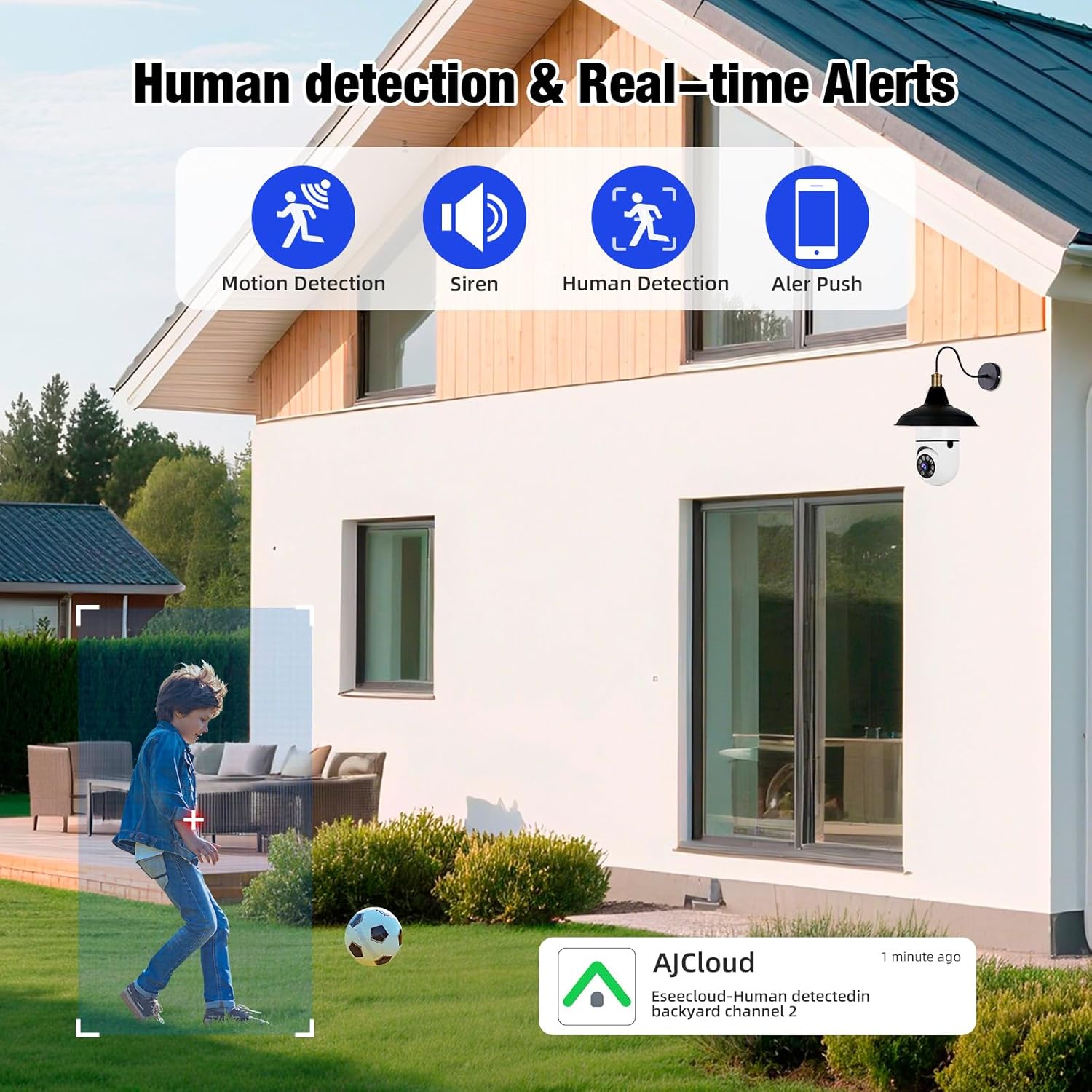
Image 6.1: The camera's human detection feature in action, showing an alert notification on a smartphone as a child is detected in the backyard.

Image 6.2: An illustration of the camera's real-time alarm and human detection at night, with a warning light activated and a notification on a smartphone.
6.2. ナイトビジョン
カメラは暗い場所でも鮮明な視界を提供します。
- カラーナイトビジョン: Utilizing its white lights, the camera can switch to full-color mode at night, providing detailed and vibrant images.
- 赤外線ナイトビジョン: For discreet monitoring, the infrared lights provide clear black and white video in complete darkness.
6.3. 双方向オーディオ
双方向オーディオ機能を使用して、カメラを通じて直接通信します。
- 話すことと聞くこと: Use the app to speak to visitors or deter unwanted guests, and listen to audio from the camera's location.

Image 6.3: The two-way audio function, illustrating communication between a user via smartphone and a delivery person at the door through the camera.

Image 6.4: A visual representation of the two-way audio feature, showing a person interacting with a delivery driver at their doorstep via the camera.
6.4. Video Playback & Storage
記録された foo にアクセスするtage and manage storage options.
- ローカルストレージ: Insert a Micro SD card (up to 128GB, not included) into the camera's slot for continuous local recording.
- クラウドストレージ: 安全なリモートビデオバックアップのために、アプリを通じてクラウド ストレージ サービスに加入します。
- Mobile Storage: Save important video clips directly to your smartphone's memory.
- 再生: View 記録されたfootage directly from the app, with options to download or share.

Image 6.5: The camera highlighting its support for both Micro SD card (up to 128GB) and cloud storage solutions for video recording.
7. メンテナンス
定期的なメンテナンスにより、セキュリティ カメラの最適なパフォーマンスと寿命が確保されます。
- クリーニング: Gently wipe the camera lens and body with a soft, dry cloth to remove dust and debris. Avoid abrasive cleaners.
- ファームウェアの更新: 定期的にアプリで利用可能なファームウェア アップデートを確認し、カメラに最新の機能とセキュリティ強化が適用されていることを確認してください。
- Wi-Fi接続: Ensure a stable 2.4GHz Wi-Fi connection for uninterrupted operation.
- ストレージ管理: 定期的に再view 記録した食べ物を管理するtage, especially if using local SD card storage, to prevent it from becoming full.
8。 トラブルシューティング
If you encounter issues with your TOWODE 2K Light Bulb Security Camera, refer to the following common solutions:
| 問題 | 解決 |
|---|---|
| カメラがWi-Fiに接続できない | Ensure your Wi-Fi is 2.4GHz. Check Wi-Fi signal strength at the camera's location. Restart your router and the camera. Re-attempt the connection process in the app. |
| 画質が悪い | Verify the camera lens is clean. Ensure adequate lighting for optimal performance. Check your internet speed; a slow connection can affect streaming quality. |
| モーションアラートなし | Check app notification settings and ensure they are enabled. Verify motion detection sensitivity settings in the app. Ensure the camera has a clear view 監視対象エリアの |
| 双方向オーディオが機能しない | Check microphone and speaker settings in the app. Ensure your phone's volume is up. Verify the camera's microphone and speaker are not obstructed. |
| SDカードに録画されない | Ensure the SD card is inserted correctly. Format the SD card through the app. Check if the SD card is full or corrupted. Replace the SD card if necessary. |
9. 仕様
| 特徴 | 詳細 |
|---|---|
| モデル名 | DPDZ02 |
| ビデオキャプチャ解像度 | 2K (implied from product title, specifications list states 1080p, but product title is 2K, so 2K is used as primary) |
| 接続技術 | ワイヤレス(Wi-Fi 2.4GHz) |
| 屋内/屋外での使用 | Outdoor (as per product title, specifications list states Indoor, but product title is Outdoor, so Outdoor is used as primary) |
| 電源 | コード式電気 |
| パン/チルト範囲 | 横長、355°垂直°90 |
| ナイトビジョン | カラーナイトビジョン、赤外線ナイトビジョン |
| ストレージオプション | Cloud Storage, Micro SD Card (up to 128GB), Cell Phone Memory |
| 特集 | HD Resolution, AI Human Detection, Two-Way Audio |
| 寸法(長さ×幅×高さ) | 1.18 x 1.18 x 2.76インチ |
| アイテム重量 | 15.8オンス |
10. 保証とサポート
For warranty information or technical support, please refer to the contact details provided on the product packaging or visit the official TOWODE webサイト。 保証請求に備えて購入時のレシートを保管しておいてください。