
導入
This manual provides detailed instructions for the operation and maintenance of your YMDJL Y-096AMBT Portable AM/FM Radio with Bluetooth Speaker. Please read this manual thoroughly before using the device to ensure proper function and longevity.
製品終了view
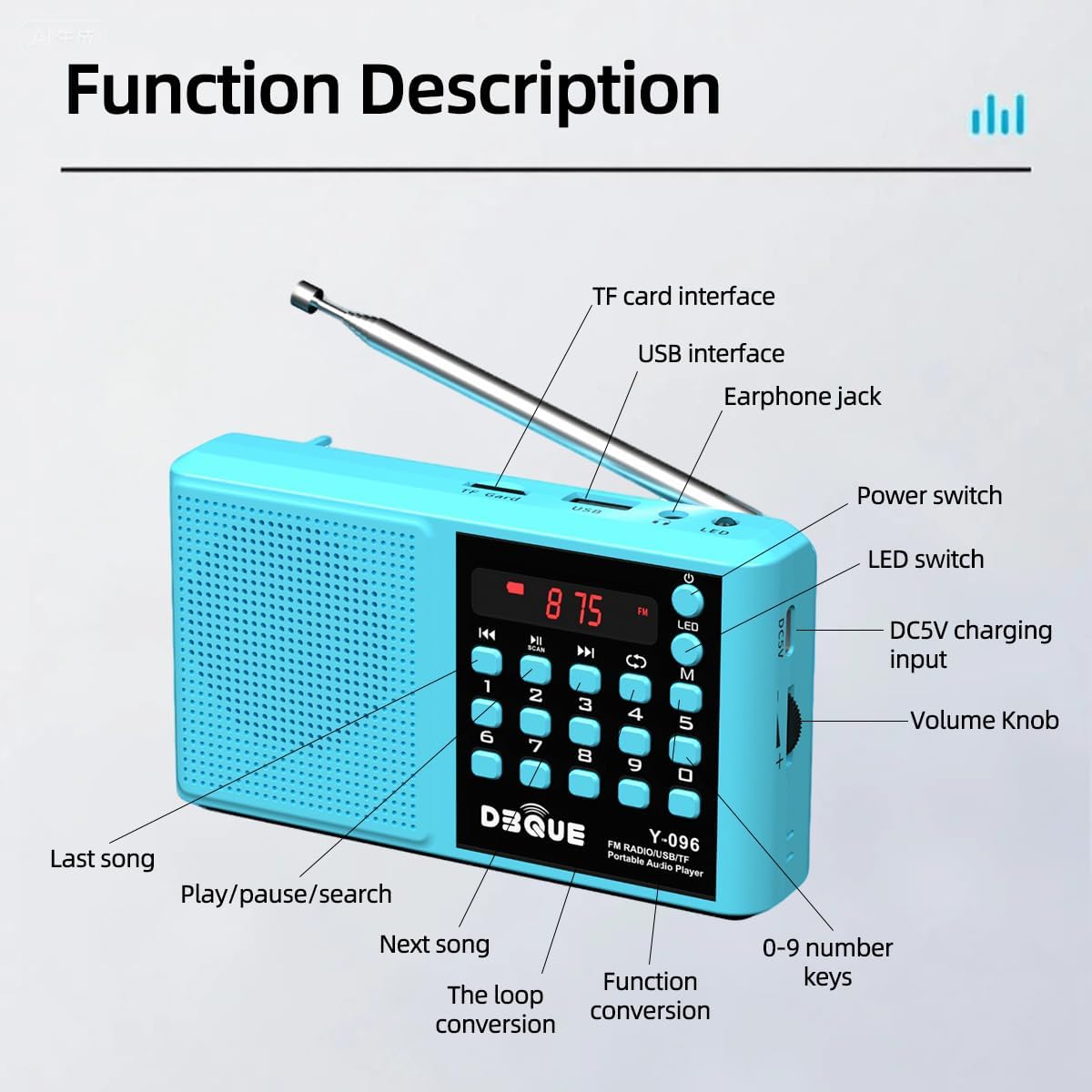
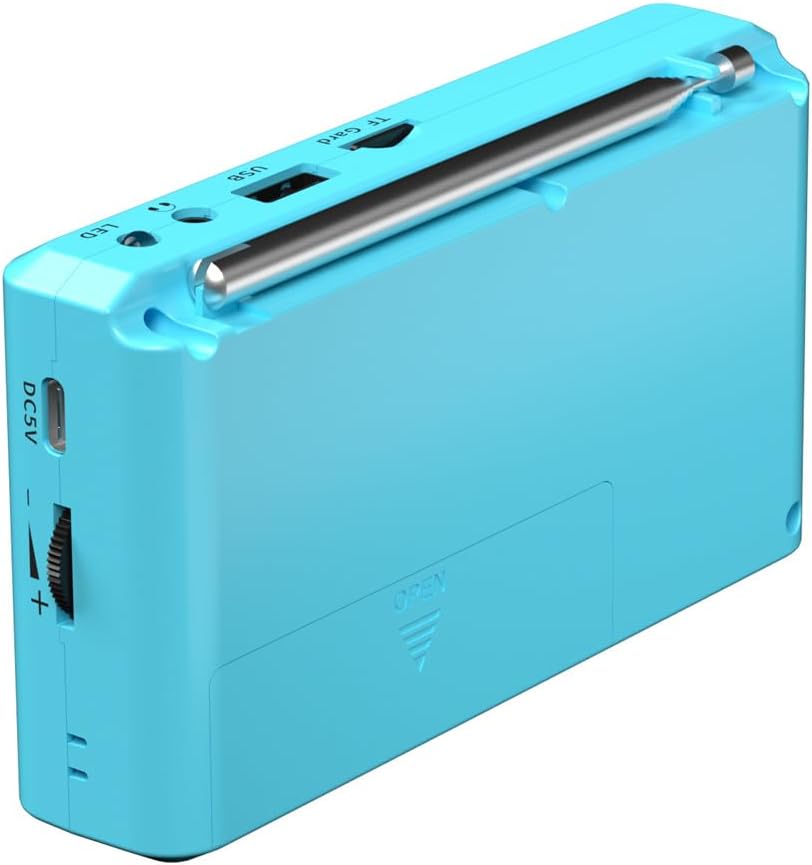
The YMDJL Y-096AMBT is a versatile portable audio player featuring AM/FM radio, Bluetooth 5.0 connectivity, and MP3 playback via USB or TF card. It includes a built-in rechargeable battery and an LED flashlight for convenience.
設定
- 開梱: Carefully remove all components from the packaging. Verify that all included items are present (radio, battery, charging cable, lanyard, owner's manual).
- バッテリーの取り付け: The radio is powered by a standard 18650 lithium battery, which is included. Ensure the battery is correctly installed in the battery compartment, observing polarity.
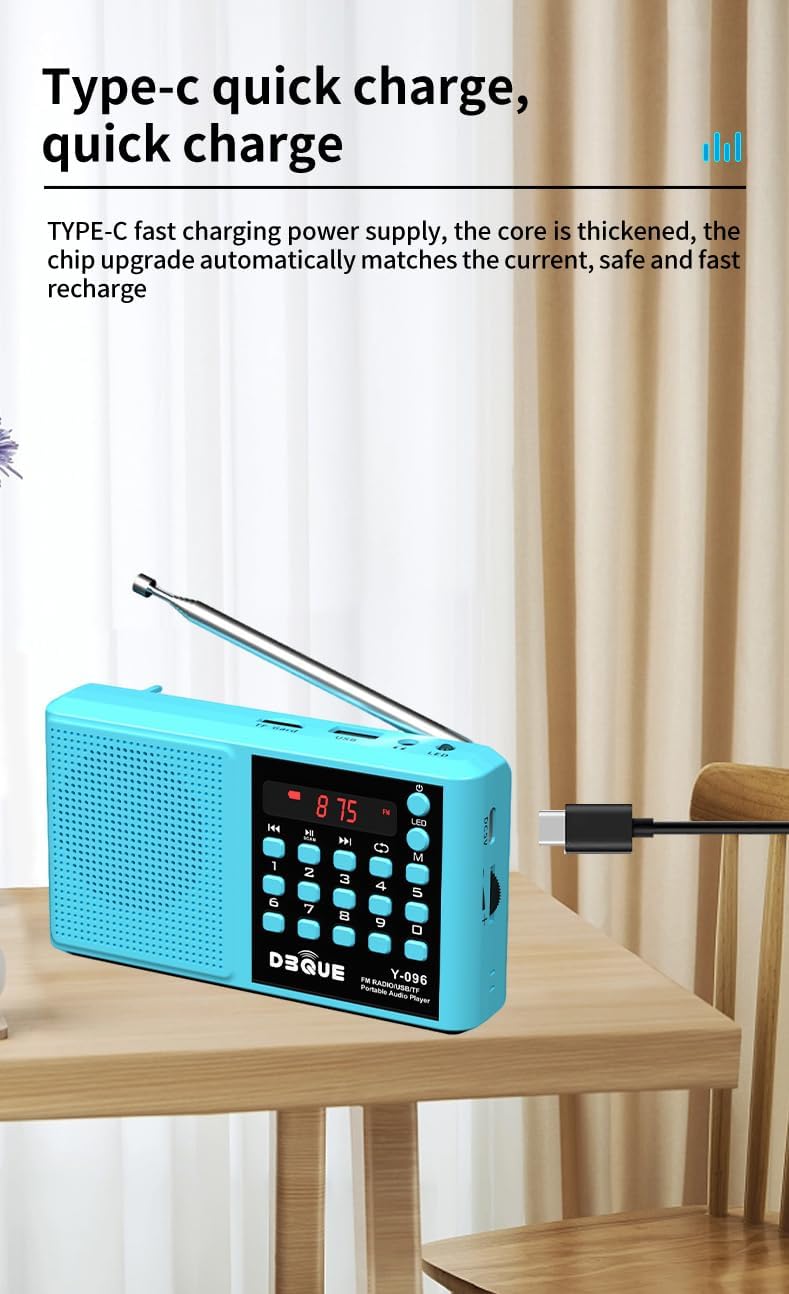
- 初期費用: Before first use, fully charge the radio. Connect the included USB-C charging cable to the DC5V port on the side of the radio and plug the other end into a compatible USB power adapter (not included). The charging indicator will show the charging status.
- ストラップを取り付ける: If desired, attach the included lanyard to the designated loop on the radio for easy carrying.
操作手順
電源オン/オフ
- 電源を入れるには: Long-press the power button (usually marked with a circle and a vertical line) for 3 seconds.
- 電源を切るには: Long-press the power button for 3 seconds again.
モード選択
- Press the "M" button to switch between available modes: FM Radio, AM Radio, Bluetooth, USB Playback, and TF Card Playback.
FM/AMラジオの操作
- アンテナを延長: 最適な受信状態を得るには、伸縮アンテナを完全に伸ばしてください。
- 自動スキャンと保存: In FM or AM mode, long-press the "Scan" button (often integrated with the Play/Pause button) for 3 seconds. The radio will automatically scan for and save available stations. This is most effective in open, low-interference areas.
- Manual Tuning/Direct Access: Use the numeric keypad (0-9) to directly enter a station frequency (e.g., "9-3-9" for FM 93.9). Precision may vary based on local signal conditions.
- Navigate Saved Stations: Use the previous/next track buttons to cycle through saved stations.
Bluetoothの再生
- Bluetoothモードに入る: Press the "M" button until "BLUE" appears on the display. The radio will indicate "Bluetooth mode" and "The Bluetooth device is connected successfully" once paired.
- ペアリング: On your mobile device, enable Bluetooth and search for "YMDJL Y-096AMBT" (or similar). Select it to pair. The radio will confirm successful connection.
- 再生: Once connected, you can play audio from your device through the radio's speaker. Use the radio's play/pause and previous/next buttons to control playback, or control directly from your paired device.
USB/TFカード再生
- メディアを挿入: Insert a TF card into the TF card slot or a USB drive into the USB port. The radio will automatically switch to the corresponding playback mode.
- 再生制御: Use the play/pause and previous/next track buttons to navigate your audio files.
- 直接トラック選択: Use the numeric keypad (0-9) to directly jump to a specific track number (e.g., "9-3-9" for track 939).
LED懐中電灯
- オン/オフするには: Press the "LED" button located near the top of the radio to activate or deactivate the flashlight.
ボリュームコントロール
- Adjust the volume using the rotary volume knob located on the side of the radio.
充電
The YMDJL Y-096AMBT radio is equipped with a rechargeable 18650 lithium battery. To charge:
- Connect the included USB-C charging cable to the DC5V port on the side of the radio.
- Plug the other end of the USB-C cable into a standard USB power source (e.g., wall adapter, computer USB port, power bank).
- 充電中は充電インジケータ ライトが点灯し、通常は完全に充電されると色が変わるか消灯します。
A full charge provides approximately 3-4 hours of playback at maximum volume, or 5-8 hours at normal volume.
メンテナンス
- クリーニング: ラジオの外装を清掃する際は、柔らかく乾いた布を使用してください。研磨剤入りの洗剤や溶剤は使用しないでください。
- ストレージ: ラジオは直射日光や極端な温度を避け、涼しく乾燥した場所に保管してください。
- バッテリーのケア: ラジオを長期間使用しない場合は、バッテリーの状態を維持するために定期的に充電してください。
- 水への露出: このデバイスは防水ではありません。水や高湿度にさらさないでください。
トラブルシューティング
| 問題 | 考えられる原因 | 解決 |
|---|---|---|
| ラジオの電源が入りません。 | 電池残量が少ない、または電池の取り付けが正しくありません。 | バッテリーを充電してください。バッテリーが正しい極性で取り付けられていることを確認してください。 |
| Poor FM/AM reception. | アンテナが伸びていない、信号が弱い、または干渉がある。 | Fully extend the telescopic antenna. Try moving to an area with better signal. Perform an auto scan. |
| Bluetoothが接続されていません。 | 無線が Bluetooth モードになっていないか、デバイスが遠すぎるか、すでに別のデバイスとペアリングされています。 | Ensure the radio is in Bluetooth mode ("BLUE" displayed). Keep devices within 66ft. Disconnect from other devices. |
| USB/TF カードが再生されません。 | 正しくない file format, card/drive not inserted properly, or corrupted media. | 音声を確認する files are in a compatible format (e.g., MP3). Reinsert the card/drive. Try a different card/drive. |
| 音量が低いです。 | 音量ノブの設定が低すぎます。 | Adjust the volume knob on the side of the radio. |
仕様
- モデル: Y-096AMBT
- 製品寸法: 5 x 1.18 x 2.83インチ
- 商品の重量: 8.4オンス
- 電源: Battery Powered (1 x 18650 Lithium Battery, included)
- 充電: USB-C (DC5V)
- チューナー技術: FM/AM
- サポートされている無線バンド: FM/AM
- 接続技術: Auxiliary, Bluetooth 5.0, USB, TF Card
- 特別な機能: Built-In AM Antenna, Built-In Flashlight, Lightweight, Portable, Rechargeable
箱の中身
- YMDJL Y-096AMBT Portable Radio
- 18650充電式バッテリー
- USB-C充電ケーブル
- ストラップ
- 取扱説明書
保証とサポート
For warranty information or technical support, please refer to the contact details provided on the product packaging or contact the manufacturer directly. Keep your purchase receipt for warranty claims.