
1. はじめに
The AWOW HA7 Mini PC is a compact yet powerful computing solution designed for a wide range of applications, from daily office tasks to creative work and light gaming. Featuring the AMD Ryzen 7 8745HS processor, advanced integrated graphics, and high-speed connectivity, the HA7 delivers robust performance in a small form factor.
This manual provides essential information for setting up, operating, maintaining, and troubleshooting your AWOW HA7 Mini PC. Please read it carefully to ensure proper use and to maximize your device's potential.
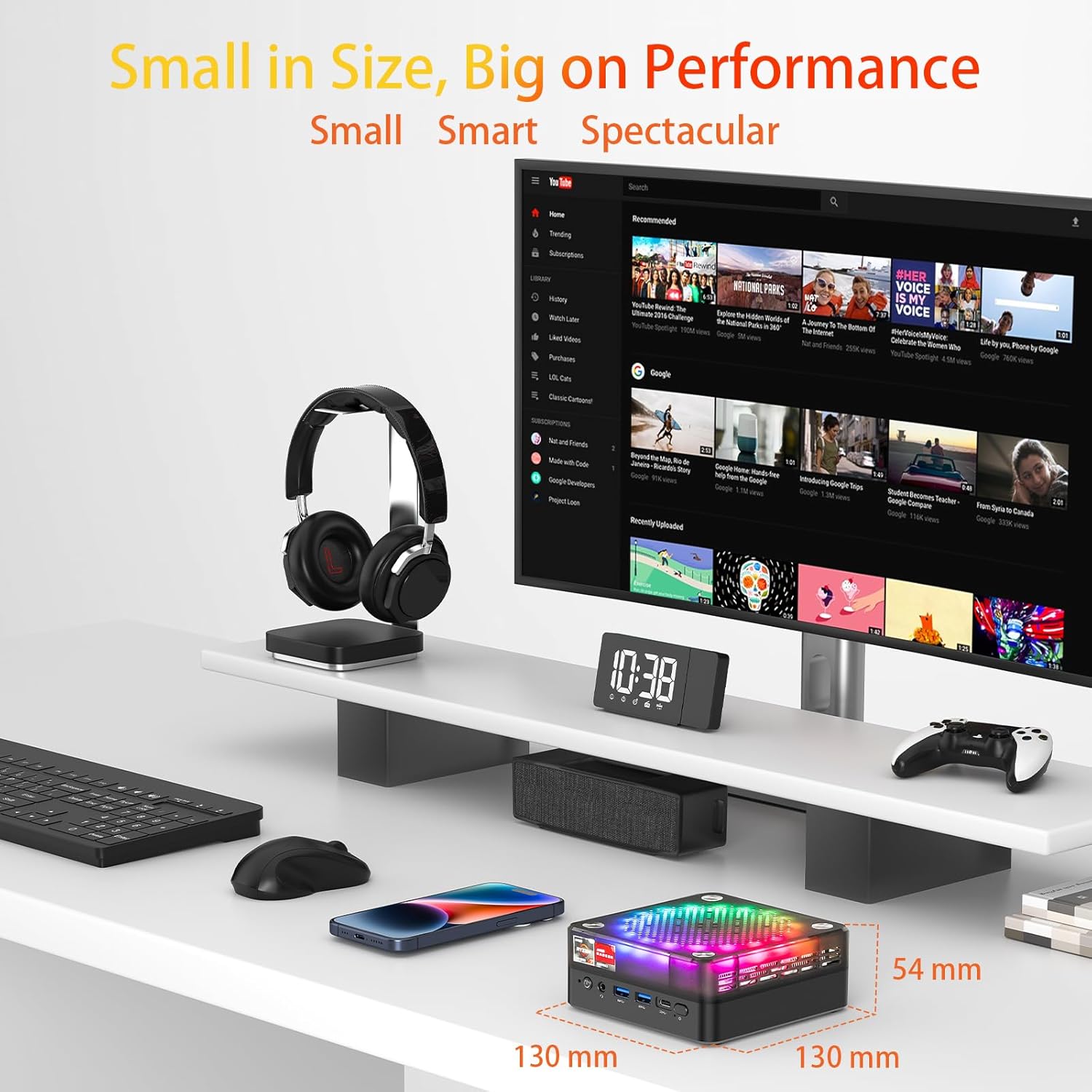
The AWOW HA7 Mini PC is designed for high performance in a compact size, measuring 130mm x 130mm x 54mm.
主な特徴:
- Pure Power in a Tiny Form Factor: The AMD Ryzen 7 8745HS processor (8 cores / 16 threads) on a 4nm manufacturing process, with 16MB Smart Cache and turbo speeds up to 5.1 GHz, handles demanding tasks and multitasking with ease.
- Miraculous Efficiency: With a TDP of only 54W, this mini PC delivers incredible power density, ensuring high performance while being energy-efficient, quiet, and cost-effective.
- Versatile for Work and Creativity: The HA7 is a reliable partner for daily office tasks, programming, and demanding photo/video editing, ensuring smooth operation with multiple applications simultaneously.
- Compact Gaming Pleasure: The HA7, with its Ryzen 7 8745HS and integrated Radeon graphics, provides smooth gaming for popular titles like CS:GO, APEX Legends, PUBG, DOTA 2, and League of Legends.
2. セットアップ
2.1 開梱と初期検査
Carefully remove the AWOW HA7 Mini PC and all accessories from its packaging. Inspect the device for any signs of damage. If any damage is found, contact your retailer immediately.
2.2 周辺機器の接続
ミニ PC の電源を入れる前に、必要な周辺機器をすべて接続します。
- モニター: Connect your monitor(s) to the HDMI 2.0, DisplayPort 1.4, or Type-C video output ports. The HA7 supports triple 4K display output.
- キーボードとマウス: Connect your USB keyboard and mouse to the available USB 2.0 or USB 3.0 ports. Wireless peripherals can be connected via Bluetooth 5.2 or a USB dongle.
- ネットワーク: 有線接続の場合は、イーサネットケーブルを2.5G LANポートに接続してください。無線接続の場合は、Wi-Fiネットワークが利用可能であることを確認してください。
- オーディオ: 必要に応じて、スピーカーまたはヘッドフォンを 3.5 mm オーディオ ジャックに接続します。
- 力: Connect the power adapter to the Mini PC's power input port and then to a power outlet.

Front and rear ports of the AWOW HA7 Mini PC for connecting various peripherals.
2.3 最初の起動とオペレーティングシステムのセットアップ
After connecting all peripherals, press the power button on the front of the Mini PC. The device will power on. Since the system is listed with DOS as the operating system, you will likely need to install your preferred operating system (e.g., Windows, Linux) following its specific installation instructions. Refer to the operating system's documentation for detailed installation steps.
3. 操作手順
3.1 電源オン/オフ
- 電源オン: ミニ PC の前面にある電源ボタンを押します。
- 電源を切る: For a safe shutdown, use the operating system's shutdown function. Alternatively, press and hold the power button for 5-10 seconds to force a shutdown (only recommended if the system is unresponsive).
3.2 ネットワーク接続
- 有線(LAN): Ensure an Ethernet cable is connected to the 2.5G LAN port. The operating system should automatically detect the connection.
- ワイヤレス(Wi-Fi 6): Access your operating system's network settings, select your Wi-Fi network, and enter the password to connect. The HA7 supports Wi-Fi 6 for faster and more reliable connections.
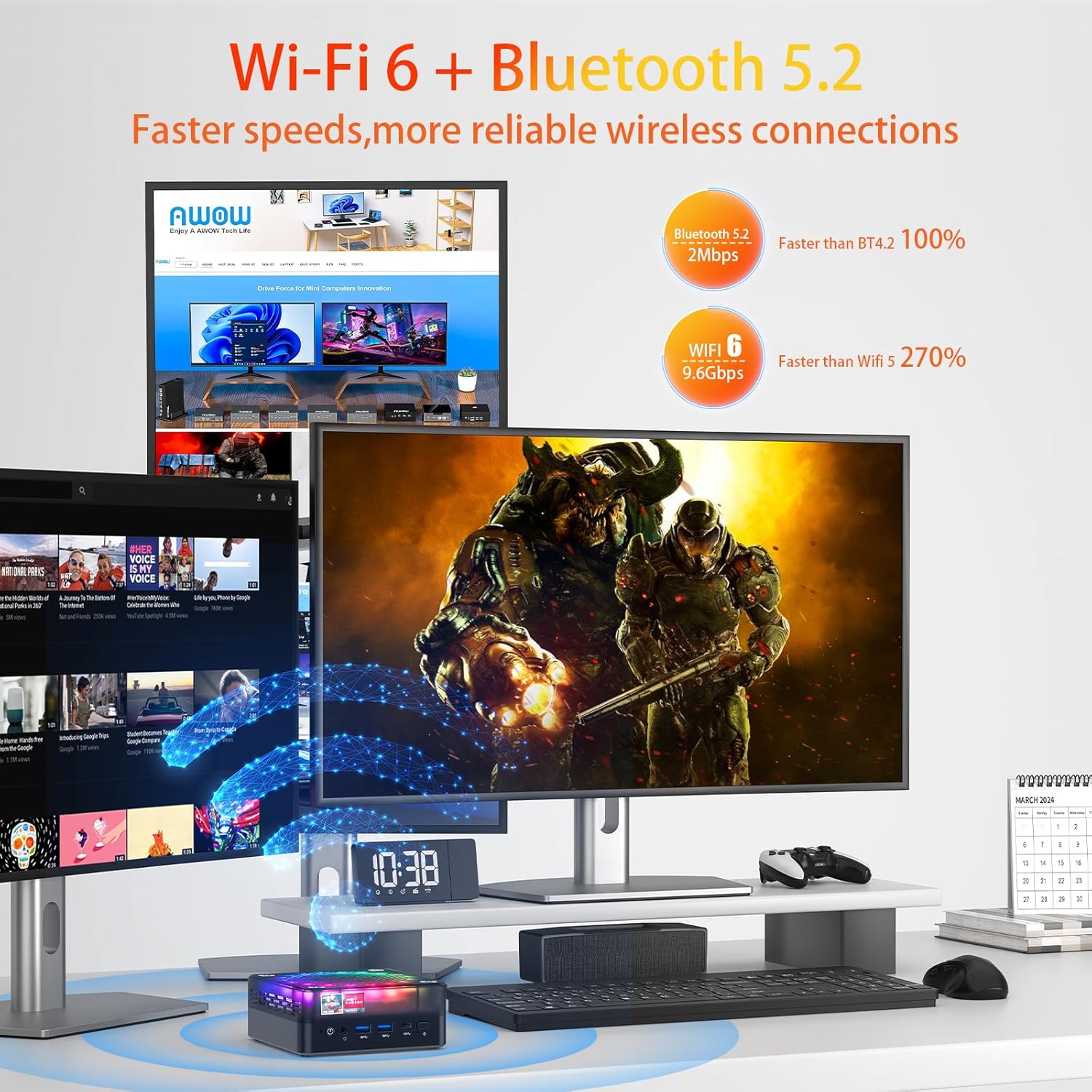
The AWOW HA7 Mini PC features Wi-Fi 6 and Bluetooth 5.2 for advanced wireless connectivity.
3.3 Bluetoothデバイス
To connect Bluetooth devices (e.g., headphones, speakers, keyboard, mouse), enable Bluetooth in your operating system's settings, search for available devices, and pair them according to their instructions.
3.4 トリプルディスプレイ出力
The AWOW HA7 supports connecting up to three 4K displays simultaneously. Connect your monitors to the HDMI 2.0, DisplayPort 1.4, and Type-C ports. Configure display settings within your operating system to extend or duplicate your desktop across multiple screens.
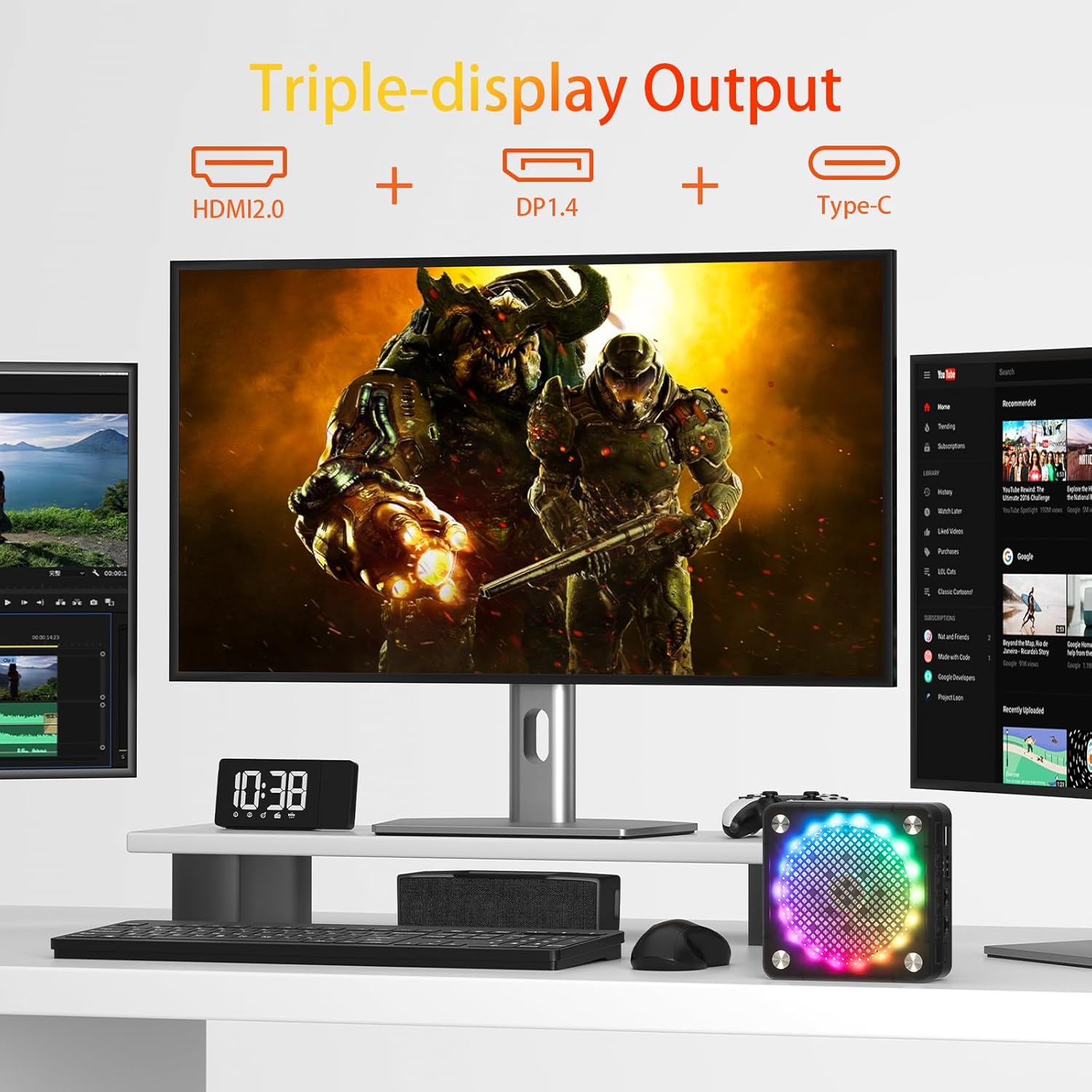
Triple display setup with the AWOW HA7 Mini PC using HDMI, DisplayPort, and Type-C outputs.
4. メンテナンス
4.1 クリーニング
最適なパフォーマンスと寿命を維持するために、ミニ PC を定期的にクリーニングしてください。
- 外観: Use a soft, dry, lint-free cloth to wipe the exterior. Avoid liquid cleaners.
- 通気口: Use compressed air to gently clear dust from the ventilation openings. Do this periodically to prevent overheating.
4.2ソフトウェアアップデート
Keep your operating system, drivers, and applications updated to ensure security, stability, and optimal performance. Check for updates regularly through your operating system's settings or the manufacturer's webサイト。
4.3 ハードウェアのアップグレード
The AWOW HA7 Mini PC may support upgrades for components such as RAM (up to 64GB) and storage (PCIe 4.0 SSD). If you plan to upgrade, consult a qualified technician or refer to specific upgrade guides provided by AWOW to avoid damaging the device or voiding the warranty.

Internal cooling system of the AWOW HA7 Mini PC, featuring a 10cm CPU fan and a 7cm system fan.
5。 トラブルシューティング
This section addresses common issues you might encounter with your AWOW HA7 Mini PC.
5.1 電源なし
- 電源アダプタがミニ PC と正常な電源コンセントの両方にしっかりと接続されていることを確認します。
- 別のデバイスで電源コンセントをテストし、機能していることを確認します。
- 互換性があり利用可能な場合は、別の電源アダプターを試してください。
5.2 ディスプレイ出力なし
- モニターの電源がオンになっており、正しい入力ソースが選択されていることを確認します。
- Check that the video cables (HDMI, DP, Type-C) are securely connected to both the Mini PC and the monitor.
- 別のディスプレイに接続するか、別のビデオ ケーブルを使用してみてください。
5.3 ネットワーク接続の問題
- 有線: Ensure the Ethernet cable is properly connected and your router/modem is working. Check network adapter settings in your operating system.
- 無線: Verify that Wi-Fi is enabled in your operating system and you are connected to the correct network with the right password. Restart your router/modem.
5.4 システムが応答しない
- システムがフリーズした場合は、電源ボタンを5~10秒間押し続けて強制シャットダウンしてください。しばらく待ってから、電源を入れ直してください。
- If the issue persists, consider reinstalling the operating system or contacting support.
6. 仕様
Below are the detailed technical specifications for the AWOW HA7 Mini PC:

The AWOW HA7 is powered by the AMD Ryzen 7 8745HS processor.
| 特徴 | 仕様 |
|---|---|
| ブランド | すごい |
| 商品型番 | HA7 |
| シリーズ | HA7 |
| オペレーティング·システム | ドス |
| プロセッサブランド | アム |
| プロセッサタイプ | AMD ライゼン 7 |
| プロセッサモデル | AMD ライゼン 7 8745HS |
| プロセッサ速度 | 3.8 GHz (up to 5.1 GHz Turbo) |
| コア数 | 8 |
| キャッシュサイズ | 16 MB Smart Cache |
| 最大メモリ | 64ギガバイト |
| ハードドライブのサイズ | 1TB |
| ハードドライブ技術 | SSD(PCIe 4.0) |
| グラフィックスコプロセッサ | AMD Radeon 780M |
| グラフィックカードの説明 | 統合された |
| グラフィックカードのRAMタイプ | DDR5 メモリ |
| 接続タイプ | Bluetooth, Wi-Fi 6 (802.11ac) |
| ハードウェアインターフェイス | Ethernet (2.5G), HDMI, DisplayPort, USB |
| HDMIポートの数 | 1(HDMI 2.0) |
| Number of DisplayPort Ports | 1(DP1.4) |
| USB 2.0 ポートの数 | 2 |
| USB 3.0 ポートの数 | 2(USB 3.2 Gen2) |
| タイプCポート | Yes (for display output and data) |
| オーディオジャック | 3.5mm |
| 特集 | High-performance processor, Triple 4K display support, Quiet operation |
| PCタイプ | ミニPC |
| パッケージ寸法 | 20.3 x 20 x 11.4 cm |
| 重さ | 1.33キログラム |
7. 保証とサポート
7.1 保証情報
The AWOW HA7 Mini PC comes with a standard manufacturer's warranty. Please refer to the warranty card included in your product packaging or visit the official AWOW web保証条件の詳細については、ウェブサイトをご覧ください。保証請求の際は、購入証明書を保管してください。
7.2 テクニカルサポート
For technical assistance, troubleshooting beyond this manual, or service inquiries, please contact AWOW customer support. You can typically find contact information (email, phone, or support portal) on the official AWOW website. When contacting support, please have your product model (HA7) and serial number ready.