
導入
This manual provides detailed instructions for the setup, operation, and maintenance of your AJAZZ AF98Plus Tri-Mode Office Keyboard. Please read this manual thoroughly before using the product to ensure optimal performance and longevity.
製品終了view
The AJAZZ AF98Plus is a versatile 98-key office keyboard designed for efficiency and comfort. It features tri-mode connectivity, a high-capacity 4000mAh battery, ergonomic design, customizable RGB lighting, and dedicated multimedia function keys.
主な特徴
- 98キーレイアウト: Compact yet functional, designed to improve posture and reduce wrist strain.
- トライモード接続: Supports wired (USB-C), 2.4GHz wireless, and Bluetooth connectivity.
- 4000mAhバッテリー: High-capacity battery for extended use with low power consumption.
- 音量調整ノブ: オーディオレベルの便利なコントロール。
- 調節可能なフットサポート: Dual-position feet for ergonomic typing angles.
- RGBイルミネーション: 8 distinct RGB lighting effects with adjustable brightness and speed.
- マルチメディアファンクションキー: 15 FN key combinations for quick access to common functions.
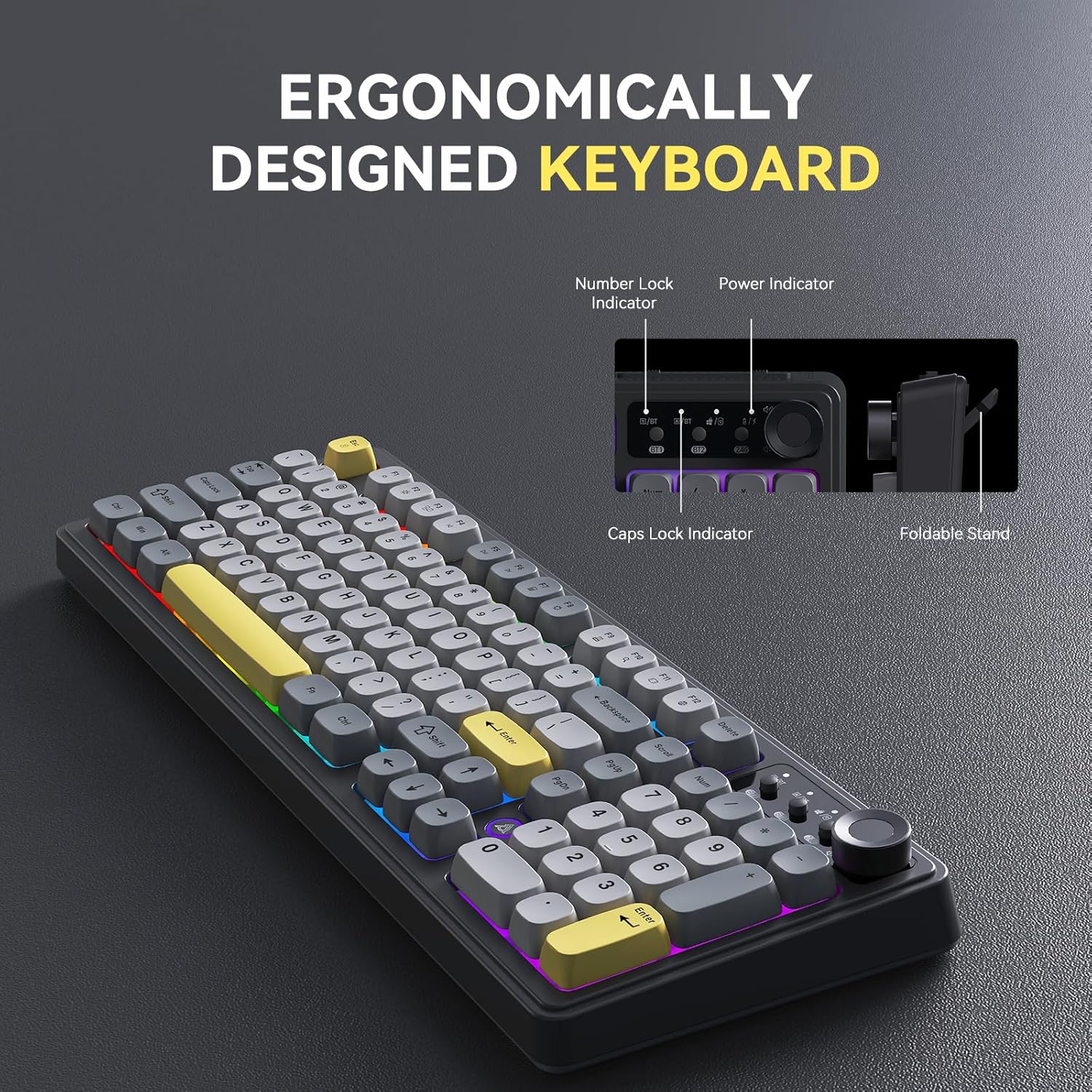
Image: The AJAZZ AF98Plus keyboard highlighting its ergonomic design, including indicators for Number Lock, Power, and Caps Lock, and a foldable stand for adjustable height.

Image: The AJAZZ AF98Plus keyboard positioned on a desk alongside a laptop and notebook, showcasing its full-size ergonomic design for a comfortable typing experience.
設定
パッケージ内容
- AJAZZ AF98Plus Keyboard
- USB-Cケーブル
- ユーザーマニュアル
初期接続
To begin using your keyboard, connect it to your device using one of the available tri-modes: wired, 2.4GHz wireless, or Bluetooth.
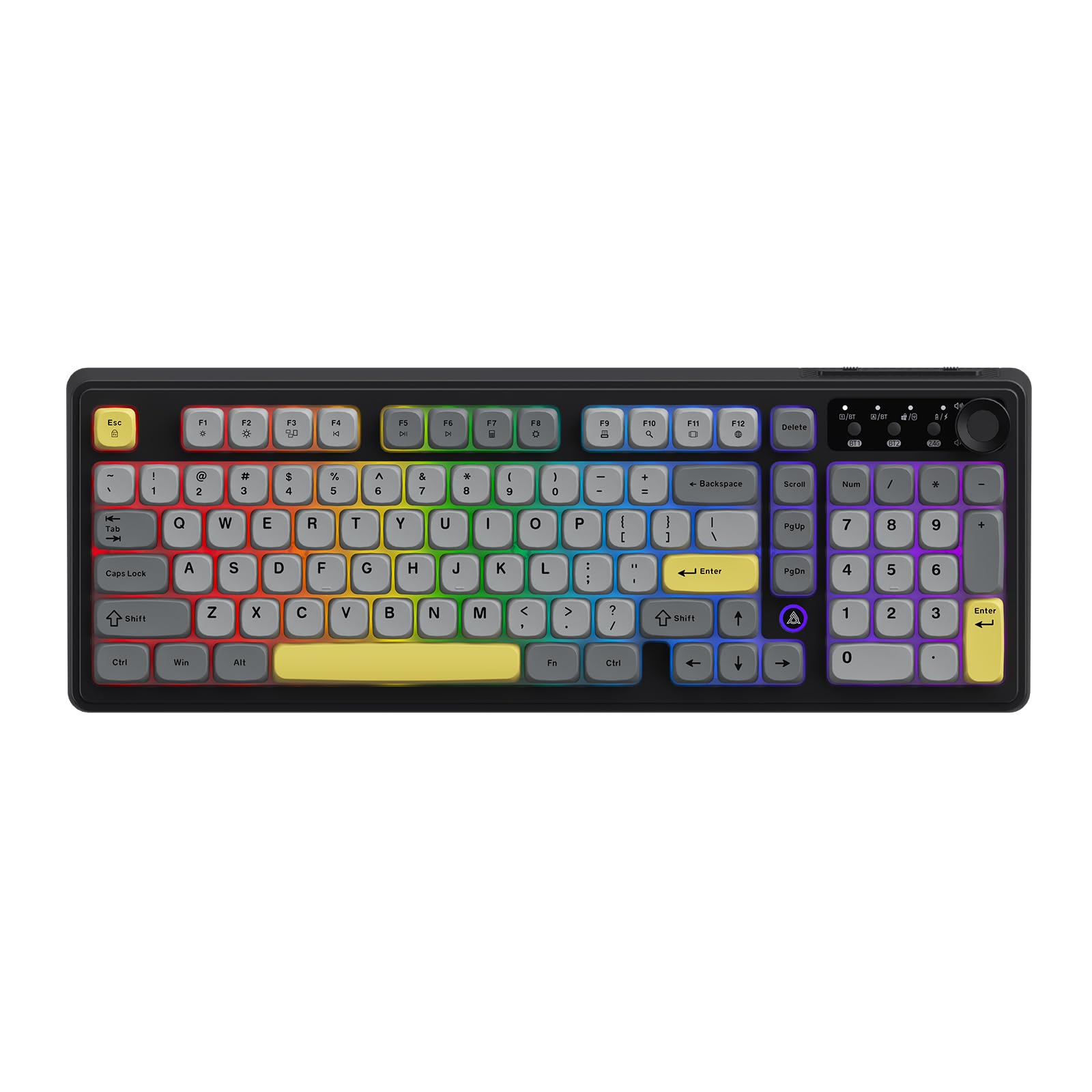
Image: The AJAZZ AF98Plus keyboard in its Black Gray Yellow color scheme, displaying the complete key layout.
操作手順
接続モード
The AF98Plus keyboard supports three connection modes:
- 有線モード: 付属のUSB-Cケーブルを使用してキーボードをデバイスに接続します。キーボードは自動的に有線モードに切り替わります。
- 2.4GHzワイヤレスモード: Insert the 2.4GHz USB receiver into your device. Switch the keyboard to 2.4G mode using the mode switch located near the volume knob.
- Bluetoothモード: The keyboard supports two Bluetooth connections (BT1 and BT2). Switch the keyboard to BT1 or BT2 mode using the mode switch. On your device, search for "AF98Plus" in Bluetooth settings and pair.

画像: 詳細な view of the keyboard's upper right area, featuring the mode switching keys for BT1, BT2, and 2.4G, along with four indicator lights and the volume adjustment knob.
音量調節ノブ
The dedicated knob on the top right of the keyboard allows for quick and easy volume control. Turn the knob clockwise to increase volume, counter-clockwise to decrease volume. Press the knob to mute/unmute.
調節可能なフットサポート
The keyboard features dual-position adjustable feet on the underside. Extend these feet to raise the keyboard to a more angled position for improved typing comfort.

Image: A close-up of the keyboard's underside, showing the foldable kickstand that allows for adjusting the typing angle for enhanced comfort.
RGB照明効果
The AF98Plus keyboard features 8 types of RGB illumination effects. Use the following FN key combinations to control the lighting:
- FN + ↑: ライトの明るさを上げる
- FN + ↓: 照明の明るさを下げる
- FN + →: Increase light speed
- FN + ←: Decrease light speed
- FN+0: バックライトの色を切り替える
- FN+P: ライトをオフ/オンにする
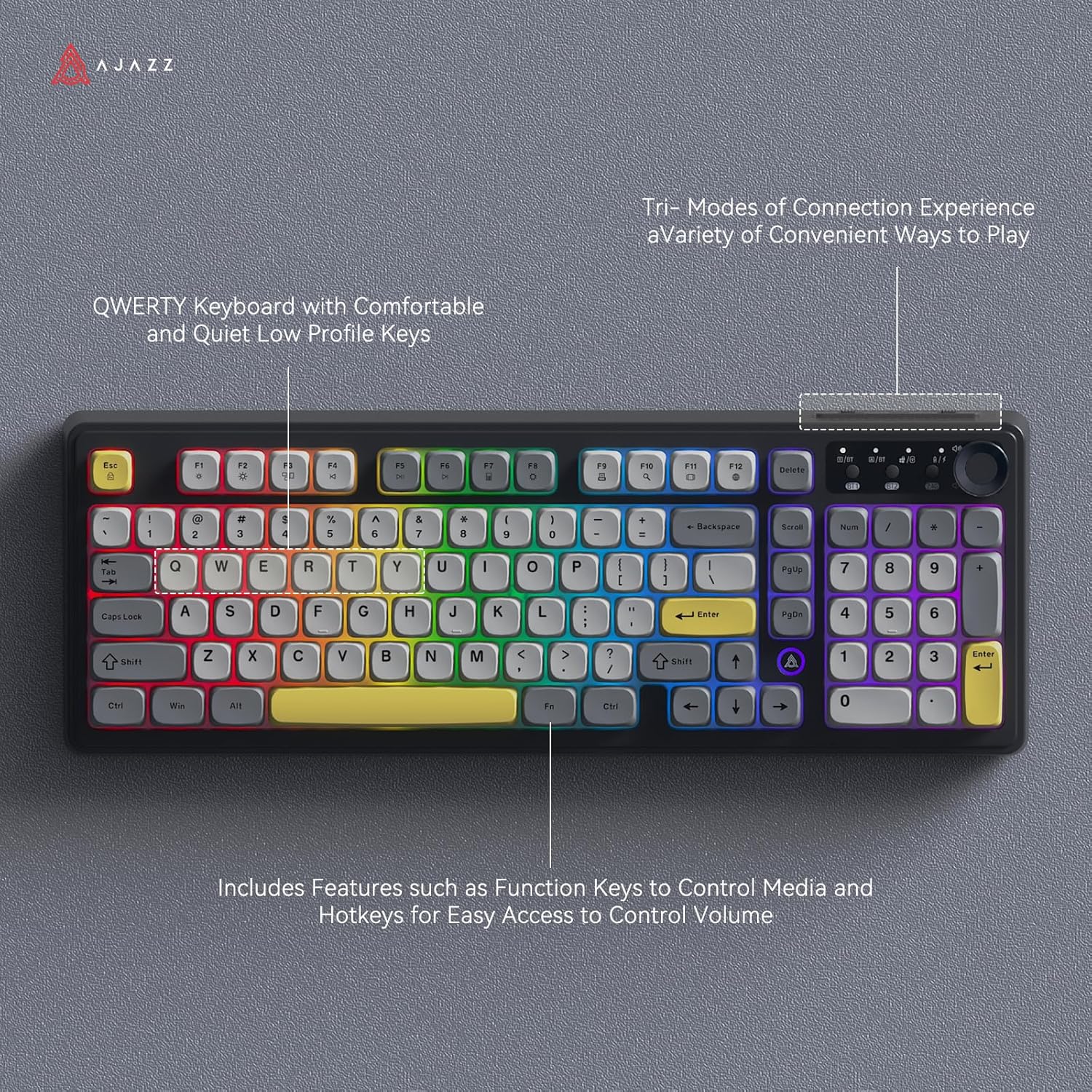
Image: The AJAZZ AF98Plus keyboard illuminated with colorful RGB lighting, showcasing its QWERTY layout and various function keys.

Image: The AJAZZ AF98Plus keyboard showcasing its dynamic RGB lighting effects with keys illuminated in a spectrum of colors.
マルチメディアファンクションキー
The keyboard includes 15 multimedia function key combinations for enhanced productivity:
- FN + F1: Brightness- / Volume-
- FN + F2: Brightness+ / Volume+
- FN + F3: マルチスクリーンディスプレイ
- FN + F4: 前の曲
- FN + F5: 再生/一時停止
- FN + F6: 次の曲
- FN + F7: 電卓
- FN + F8: 設定
- FN + F9: 印刷
- FN + F10: 検索中
- FN + F11: アプリケーションの切り替え
- FN + F12: 言語切り替え
- FN + DEL: 家
- FN+Scrl: インス
- FN + S: Toggle WASD and Arrow Keys

Image: A table detailing the FN key combinations for various multimedia functions, displayed alongside the AJAZZ AF98Plus keyboard.
バッテリー情報
The AJAZZ AF98Plus keyboard is equipped with a 4000mAh high-capacity battery, providing extended usage time. It features a low power consumption chip and an energy-saving design to maximize battery life.

Image: The AJAZZ AF98Plus keyboard, emphasizing its 4000mAh battery, large capacity, low power consumption chip, and energy-saving design.

Image: The underside of the AJAZZ AF98Plus keyboard, with a large "4000mAh" graphic, signifying its battery capacity.
メンテナンス
クリーニング
To clean your keyboard, disconnect it from your device. Use a soft, dry cloth to wipe the keycaps and chassis. For deeper cleaning, you may use a can of compressed air to remove dust and debris from between the keys. Avoid using liquid cleaners directly on the keyboard.
ストレージ
キーボードは、直射日光や極端な温度を避け、涼しく乾燥した場所に保管してください。
トラブルシューティング
キーボードが応答しない
- 有線接続: USB-Cケーブルがキーボードとデバイスの両方にしっかりと接続されていることを確認してください。別のUSBポートまたはケーブルをお試しください。
- 2.4GHzワイヤレス: Ensure the USB receiver is properly inserted and the keyboard is switched to 2.4G mode. Check battery level.
- ブルートゥース: Ensure Bluetooth is enabled on your device and the keyboard is in BT1 or BT2 mode. Re-pair the keyboard if necessary. Check battery level.
RGB Lights Turn Off
The RGB lighting is designed to turn off after a period of inactivity to conserve battery. It will automatically reactivate when you resume typing.
キーが正しく機能しない
If specific keys are not working, try cleaning around the keycap. If the issue persists, ensure the keyboard's firmware is up to date (check the manufacturer's web最新情報についてはサイトをご覧ください。
仕様
| 特徴 | 詳細 |
|---|---|
| ブランド | AJAZZ |
| モデル番号 | AF98 |
| 接続技術 | Bluetooth、USB-C、2.4GHzワイヤレス |
| キーボードの説明 | 膜 |
| キーの数 | 98 |
| キーボードレイアウト | QWERTY |
| キーボードバックライト | RGB |
| 電源 | バッテリー駆動(4000mAh) |
| 製品寸法 | 長さ18インチ x 幅6インチ x 高さ1.37インチ |
| 対応デバイス | Gaming Console, Laptop, PC, Tablet (Windows Vista/XP/7/8/10/11, Mac, Android) |
保証とサポート
The product comes with a 1-year warranty. For warranty claims or technical support, please contact the retailer or manufacturer directly. Refer to your purchase documentation for specific contact details.
Return Policy: This product is eligible for a refund/replacement within 30 days of purchase, subject to the retailer's return policy.