
1. はじめに
Thank you for choosing the Xiaomi Smart Temperature and Humidity Monitor 3 Mini. This device is designed to provide accurate, real-time measurements of indoor temperature and humidity, helping you maintain a comfortable and healthy environment. Its compact design and smart features make it a valuable addition to any home.
2.製品オーバーview および機能
The Xiaomi Smart Temperature and Humidity Monitor 3 Mini combines precision with convenience. Key features include:
- コンパクトなデザイン: Small footprint for versatile placement.
- 高精度センサー: Accurate detection of temperature and humidity changes.
- クリアなLCDディスプレイ: Shows temperature and humidity simultaneously.
- Ideal Range Indicator: Visual cues for optimal environmental conditions.
- 超低消費電力: バッテリー寿命の延長。
- 柔軟な配置: Suitable for tabletop or wall mounting.
- スマートホーム互換性: Bluetooth connectivity for integration with smart home systems.

The monitor features a compact design with a 42.8 x 35.1 mm LCD screen, making it easy to read and place. Device dimensions are approximately 62.6 x 53.2 mm.
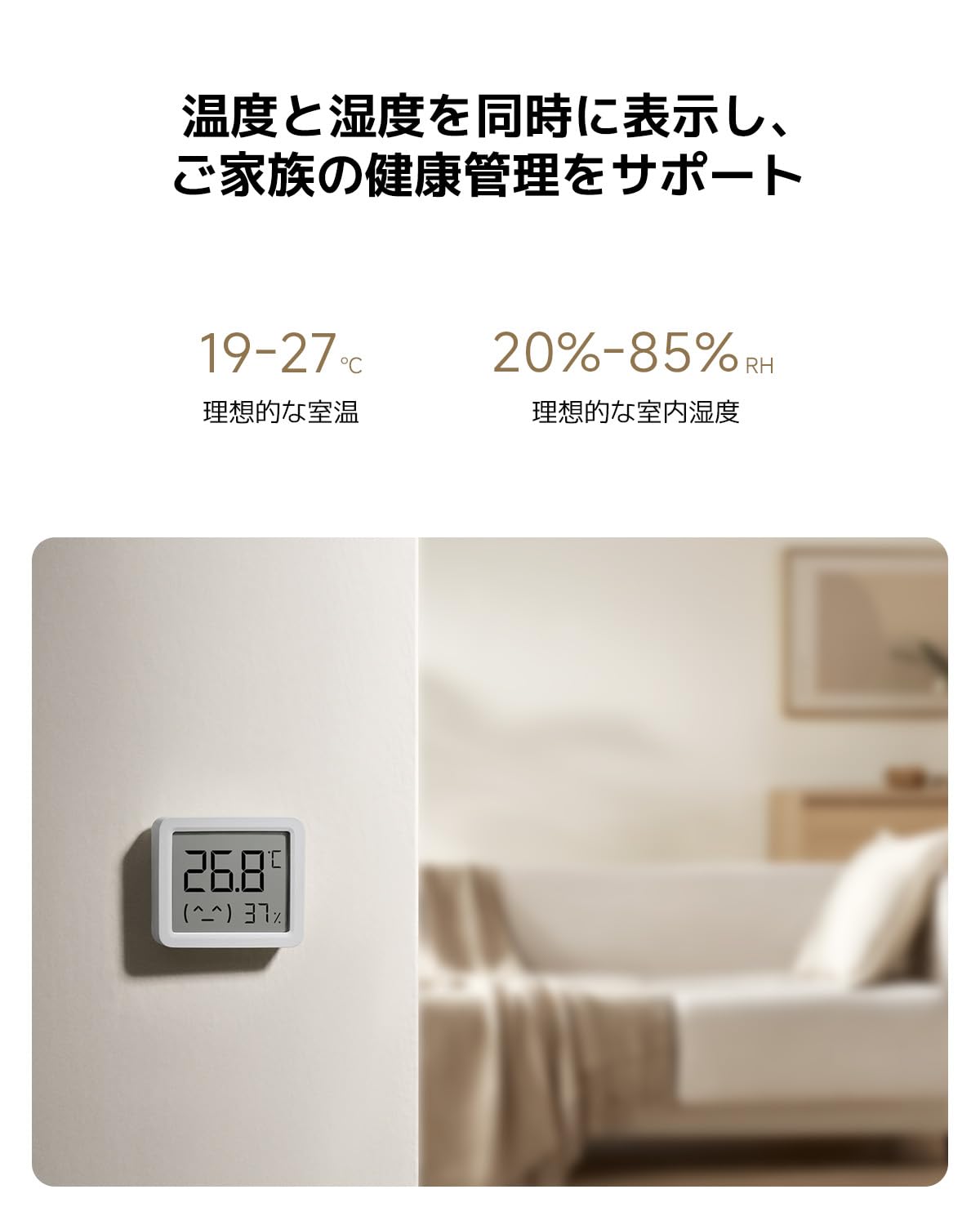
Equipped with a high-precision sensor, the monitor accurately detects changes in temperature (0.1°C resolution) and humidity (1% RH resolution).

The display simultaneously shows current temperature and humidity. Ideal indoor conditions are indicated as 19-27°C for temperature and 20-85% RH for humidity.
3. セットアップ
3.1 開梱と初期検査
Carefully remove the monitor from its packaging. Inspect the device for any signs of damage. The package should include the Xiaomi Smart Temperature and Humidity Monitor 3 Mini and this user manual.
3.2 バッテリーの取り付け
- デバイスの背面にある電池ボックスのカバーを見つけます。
- カバーをゆっくり開けます。
- Insert one CR2450 button cell battery, ensuring the positive (+) side faces upwards as indicated inside the compartment.
- Close the battery compartment cover securely. The display should activate automatically.

The monitor uses a CR2450 button cell battery, offering ultra-low power consumption for up to 2 years in standard mode and 3 years in battery-saving mode.
3.3 配置
The monitor can be placed on a flat surface using its integrated stand or mounted on a wall. For accurate readings, place the device away from direct sunlight, heat sources, and strong drafts.

Its versatile design allows for flexible placement, either on a tabletop using its integrated stand or mounted on a wall.
3.4 Smart Home Pairing (Optional)
To connect the monitor to your smart home system via Bluetooth, follow these general steps:
- Download the official Xiaomi Home app (or compatible smart home app) on your smartphone.
- スマートフォンでBluetoothが有効になっていることを確認します。
- Open the app and follow the on-screen instructions to add a new device. The monitor should appear as an available device for pairing.
- Confirm the pairing within the app.
4. 操作手順
4.1 ディスプレイの読み方
The LCD screen continuously displays the current temperature in Celsius (°C) and relative humidity (RH%). The display is designed for clear visibility from a distance.
4.2 Understanding Ideal Ranges
The monitor may provide visual indicators or a simple emoji to represent comfort levels. Generally, ideal indoor conditions are:
- 温度: 19℃~27℃
- 湿度: 20% RH ~ 85% RH
Adjust your environment (e.g., heating, cooling, humidifiers, dehumidifiers) as needed to stay within these ranges for optimal comfort and health.
5. メンテナンス
5.1 クリーニング
Wipe the device gently with a soft, dry cloth. Do not use liquid cleaners, abrasive materials, or immerse the device in water.
5.2 電池の交換
When the battery is low, a low battery indicator may appear on the display. Replace the CR2450 battery by following the installation steps in Section 3.2. Dispose of used batteries responsibly according to local regulations.
5.3 ストレージ
長期間保管する場合は、液漏れを防ぐため電池を取り外してください。涼しく乾燥した場所に保管してください。
6。 トラブルシューティング
- 表示なし: バッテリーが正しく取り付けられ、十分に充電されていることを確認してください。必要に応じてバッテリーを交換してください。
- 不正確な読み取り: Ensure the device is placed in an appropriate location, away from direct heat, cold, or drafts. Allow some time for the sensor to stabilize after placement or battery change.
- Bluetooth 接続の問題: Ensure Bluetooth is enabled on your smartphone and the device is within range. Try restarting both the monitor (by reinserting the battery) and your smartphone.
- 表示が変化しない: If readings appear stuck, try replacing the battery. If the issue persists, contact customer support.
7. 仕様
| モデル番号 | QBH4312GL |
| 寸法(デバイス) | 約62.6 x 53.2 x 12.7 mm |
| 重さ | 50グラム |
| 温度測定範囲 | 0°C ~ 50°C (32°F ~ 122°F) |
| 温度精度 | ±0.5℃ |
| 湿度測定範囲 | 0% RH ~ 99% RH |
| 湿度精度 | ±1% 相対湿度 |
| 電池のタイプ | CR2450 ボタン電池 |
| バッテリー寿命 | Up to 2-3 years (depending on usage mode) |
| 接続性 | ブルートゥース |
| 取り付けオプション | 卓上、壁掛け |
8. 保証とサポート
8.1 保証情報
The Xiaomi Smart Temperature and Humidity Monitor 3 Mini comes with a standard manufacturer's warranty. Please refer to your purchase documentation or the official Xiaomi webお住まいの地域に固有の詳細な保証条件については、こちらのサイトをご覧ください。
8.2 カスタマーサポート
技術サポート、トラブルシューティング、保証請求については、Xiaomiの公式サポートをご覧ください。 website or contact their customer service department. Contact details can typically be found on the Xiaomi official webサイトまたは製品パッケージに記載されています。
オンラインサポート: www.mi.com/global/support