
強力なSRT427
STRONG 4K UHD Box SRT 427 User Manual
導入
This manual provides comprehensive instructions for the installation, operation, and maintenance of your STRONG 4K UHD Box SRT 427. Please read this manual carefully before using the device to ensure proper functionality and to prevent damage. Keep this manual for future reference.
パッケージ内容
セットアップを進める前に、パッケージにすべてのアイテムが揃っていることを確認してください。
- STRONG 4K UHD Box SRT 427
- リモコン(電池は付属しません)
- 電源アダプター
- HDMIケーブル
- クイックインストールガイド
設定
Follow these steps to set up your STRONG 4K UHD Box SRT 427:
- テレビに接続する: Connect one end of the HDMI cable to the HDMI OUT port on the SRT 427 and the other end to an available HDMI IN port on your television.
- 電源に接続: Plug the power adapter into the DC IN port on the SRT 427, then plug the adapter into a wall outlet.
- インターネットに接続する(オプション): For internet-based features, connect an Ethernet cable to the LAN port on the SRT 427, or configure Wi-Fi settings after initial boot-up.
- リモコンに電池を挿入します: Open the battery compartment on the remote control and insert 2x AAA batteries (not included), ensuring correct polarity.
- 電源オン: Turn on your TV and select the correct HDMI input source. The SRT 427 should power on automatically. If not, press the power button on the remote control.
- 初期セットアップウィザード: Follow the on-screen instructions to complete the initial setup, including language selection, network configuration, and channel scanning.
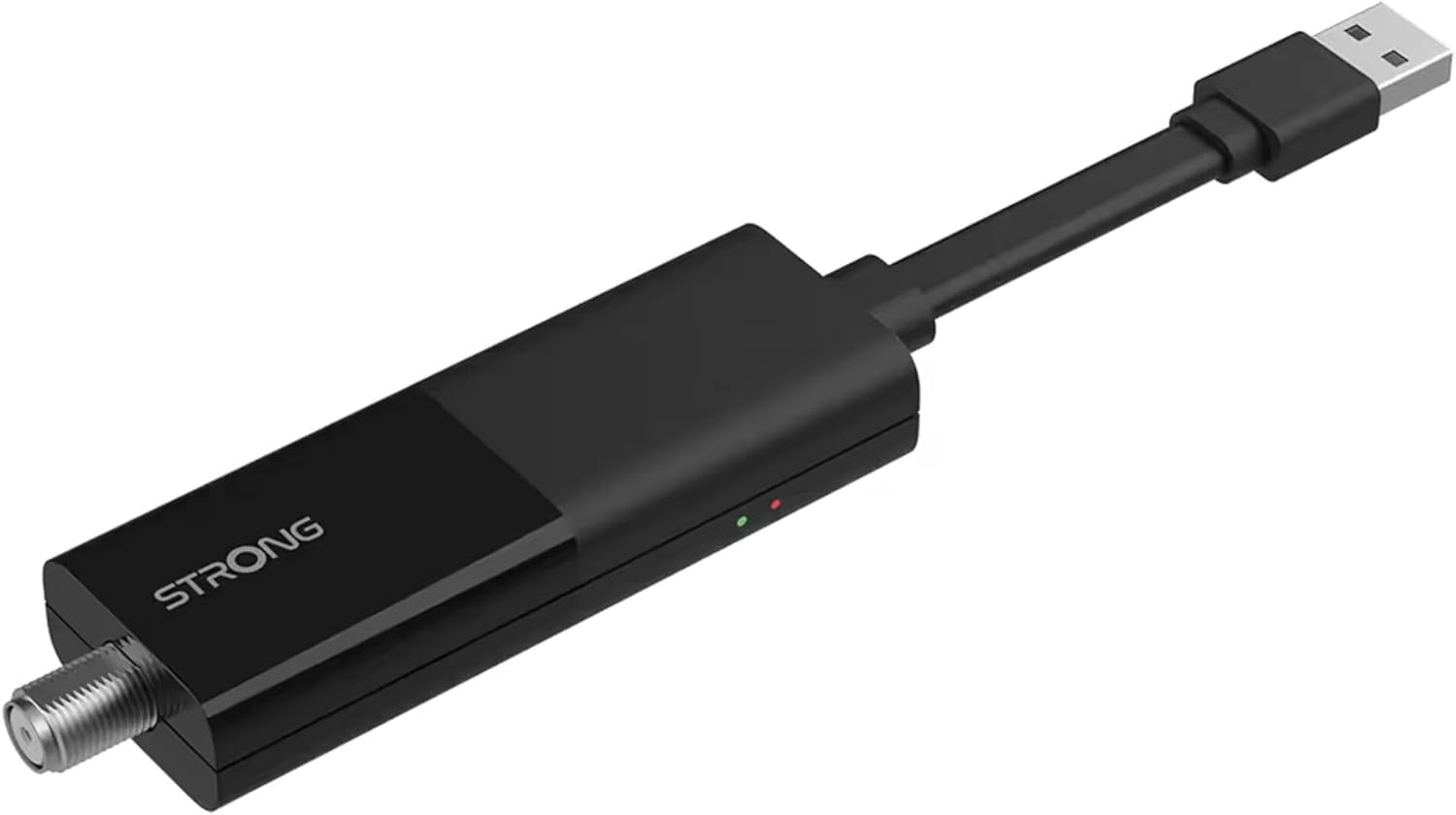
Image: The STRONG 4K UHD Box SRT 427, a compact black USB dongle-style device with a USB connector on one end and an F-type coaxial antenna input on the other, featuring the 'STRONG' logo and small indicator lights.
操作手順
Once the initial setup is complete, you can begin using your SRT 427. Use the remote control to navigate the user interface.
- ホーム画面: を押す 家 button to access the main menu, where you can find applications, settings, and media options.
- ナビゲーション: 矢印キー (上下左右) to move through menus and options. Press OK 選択を確認します。
- 音量コントロール: 使用 巻+ そして vol- 音量を調整するためのボタン。
- チャンネル選択: If connected to an antenna, use the CH+ そして CH- buttons to change channels, or enter channel numbers directly using the numeric keypad.
- 設定: Access the settings menu to customize display, audio, network, and system preferences.
- メディア再生: Connect a USB storage device to the USB port to play media files (photos, videos, music) through the built-in media player.
メンテナンス
Proper maintenance ensures the longevity and optimal performance of your SRT 427.
- クリーニング: Disconnect the device from power before cleaning. Use a soft, dry cloth to wipe the exterior. Do not use liquid cleaners or abrasive materials.
- 換気: Ensure the device is placed in a well-ventilated area. Do not block ventilation openings.
- 温度: デバイスを極端な温度、直射日光、または高湿度にさらさないでください。
- ファームウェアの更新: Periodically check for firmware updates through the system settings to ensure you have the latest features and bug fixes.
トラブルシューティング
If you encounter issues with your SRT 427, refer to the following common problems and solutions:
| 問題 | 解決 |
|---|---|
| 電源なし | Check if the power adapter is securely connected to the device and the wall outlet. Ensure the outlet is functional. |
| テレビに映像が映らない | Verify the HDMI cable is correctly connected to both the SRT 427 and the TV. Ensure the TV is set to the correct HDMI input source. |
| 音が出ない | Check the volume level on both the SRT 427 and your TV. Ensure audio settings in the SRT 427 menu are correct. |
| リモコンが動作しない | Check and replace the batteries. Ensure there are no obstructions between the remote and the device's IR sensor. |
| Wi-Fiに接続できません | Ensure your Wi-Fi router is on and within range. Re-enter the Wi-Fi password in the network settings. Try restarting both the SRT 427 and your router. |
仕様
Technical specifications for the STRONG 4K UHD Box SRT 427:
- モデル番号: SRT427
- 製品寸法: 5.91 x 7.87 x 5.91インチ
- 商品の重量: 1.76ポンド
- 電池: 1 AAAA batteries required (for remote control, typically)
- メーカー: 強い
- Language (Default): Italian (may vary by region, user configurable)
- ASIN: B0FDPX7PRQ
- 発売日: 21年2025月XNUMX日
保証とサポート
For warranty information and technical support, please refer to the warranty card included in your product packaging or visit the official Strong webサイトで確認してください。デバイスを自分で修理しようとしないでください。保証が無効になる可能性があります。
正式 Webサイト: www.strong.tv
Ask a question about this manual
Ask about setup, troubleshooting, compatibility, parts, safety, or missing instructions. Manuals+ will review the question and use this page’s manual context to help answer it.