
サーモプロ TP110
ThermoPro TP110 Refrigerator Thermometer User Manual
モデル: TP110 | ブランド: ThermoPro
導入
ご購入ありがとうございますasing the ThermoPro TP110 Refrigerator Thermometer. This device is designed to accurately monitor temperatures in refrigerators, freezers, and other environments, ensuring optimal conditions for food storage and other applications. Please read this manual thoroughly before use to ensure proper operation and longevity of your device.
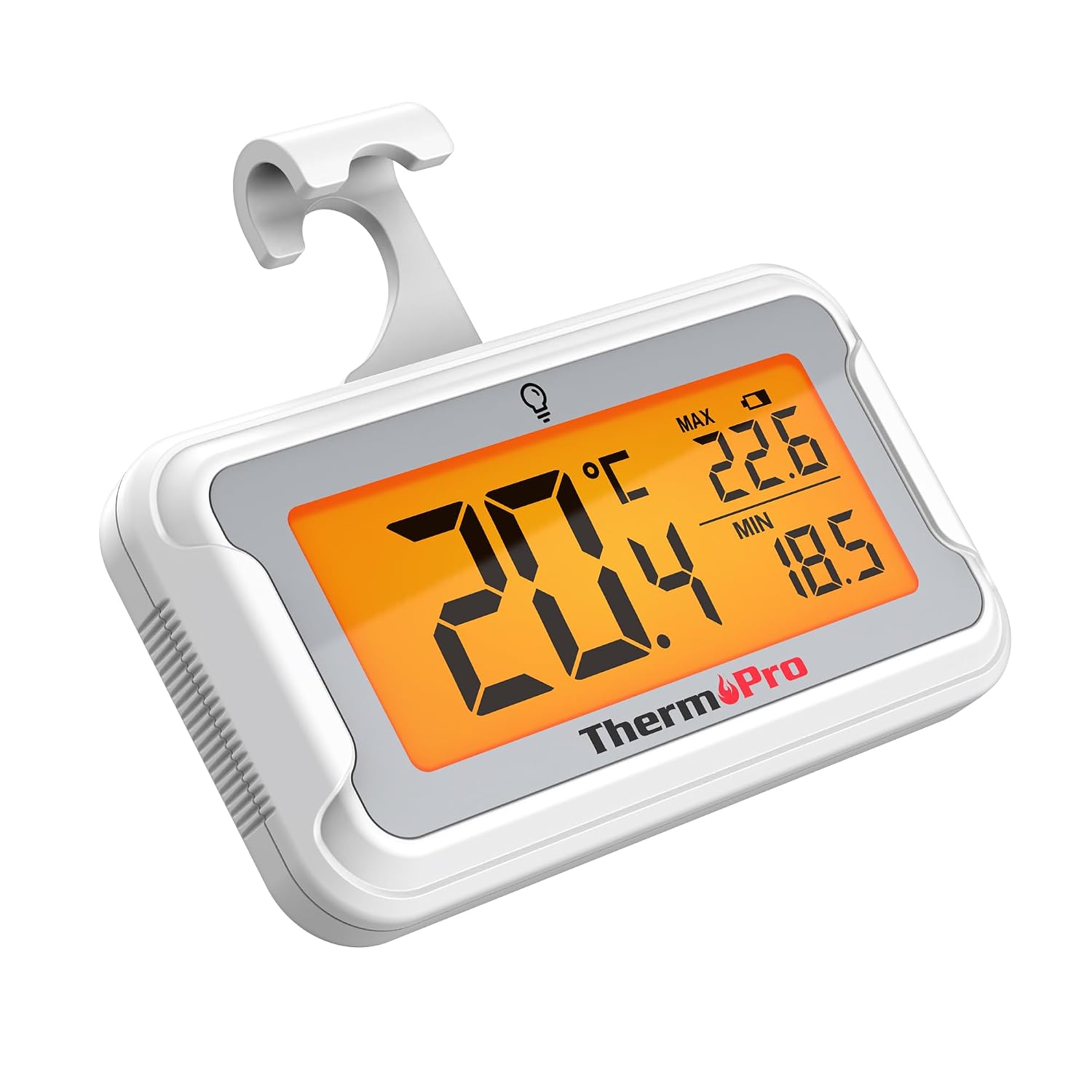
Image: The ThermoPro TP110 Refrigerator Thermometer, a compact white device with a large digital display showing temperature readings.
主な特徴
- Wide Temperature Range & High Accuracy: Measures from -30°C to 50°C (-22°F to 122°F) with an accuracy of ±0.5°C (±1°F).
- 最適な可読性: Features an oversized LCD screen with a bright backlight for easy reading, even in low-light conditions.
- Superior Waterproofing: IPX6 rated design ensures reliable operation in humid and cold environments.
- 最高/最低温度記録: Tracks and displays the maximum and minimum temperatures over the last 24 hours, allowing you to monitor temperature fluctuations.
- 複数の配置オプション: Equipped with a magnet, a hanging hook, and a kickstand for versatile placement.
- 簡単なバッテリー交換: Designed with a rotating battery compartment for quick and tool-free battery changes.

Image: A comparison chart highlighting the ThermoPro TP110's features such as backlight, easy battery change, ±0.5°C precision, full screen, waterproof design, and MAX/MIN temperature tracking, contrasting it with other thermometers.
パッケージ内容
- 1 x ThermoPro TP110 Refrigerator Thermometer
- CR2032電池1個(プリインストール)
- ユーザーマニュアル x 1
設定
1. バッテリーの取り付け
The ThermoPro TP110 comes with a CR2032 battery pre-installed. If the display is not active or shows a low battery indicator, please replace the battery:
- 温度計の背面にある電池収納部を見つけます。
- Rotate the battery cover counter-clockwise to the "OPEN" position.
- 古い CR2032 電池を取り外します。
- 新しい CR2032 電池をプラス (+) 側を上に向けて挿入します。
- Rotate the battery cover clockwise to the "LOCK" position to secure it.

Image: A three-step visual guide demonstrating how to easily replace the battery by rotating the cover to open, inserting a new battery, and rotating to lock.
2. 配置オプション
The thermometer offers three convenient placement options:
- 磁気バック: Attach the thermometer to any metallic surface, such as a refrigerator door.
- 吊り下げフック: 内蔵フックを使用して、温度計を棚やラックに掛けます。
- 折りたたみ式スタンド: Utilize the stand on the back to place the thermometer upright on a flat surface.

Image: Illustrations showing the thermometer used in different environments: a domestic refrigerator, a portable cooler, a car refrigerator, a refrigerated truck, and a wine cellar, demonstrating its versatility.
操作手順
1. 電源のオン/オフ
The thermometer automatically powers on when the battery is installed. To turn it off, press and hold the power button (if available, otherwise it's always on). It features an automatic shutdown after 10 seconds of inactivity to conserve battery life, but will reactivate upon temperature change or button press.
2。 温度単位の選択
Press the "°C/°F" button to switch between Celsius and Fahrenheit temperature displays.
3. バックライトの有効化
Touch the light bulb icon on the screen to activate the backlight for 10 seconds, improving visibility in dark conditions.
4. Max/Min Temperature Records
The thermometer automatically records the maximum and minimum temperatures over a 24-hour period. These values are displayed on the screen alongside the current temperature. The records reset every 24 hours or when the battery is replaced.

Image: The thermometer placed near raw meat in a refrigerator, showing current, maximum, and minimum temperatures. An accompanying graph illustrates the 24-hour temperature history, highlighting the highest and lowest points.
メンテナンス
- クリーニング: 体温計を拭くamp 布で拭いてください。水に浸したり、研磨剤入りの洗剤を使用したりしないでください。
- バッテリー交換: Replace the CR2032 battery when the low battery indicator appears on the display. Refer to the "Battery Installation" section for instructions.
- ストレージ: If storing for an extended period, remove the battery to prevent leakage. Store in a dry place away from extreme temperatures.

Image: The ThermoPro TP110 thermometer partially submerged in water, with water droplets splashing around it, illustrating its IPX6 waterproof rating.
トラブルシューティング
| 問題 | 考えられる原因 | 解決 |
|---|---|---|
| 表示なしまたはかすかな表示 | Low or dead battery; battery inserted incorrectly. | 正しい極性を確認して、CR2032 電池を交換します。 |
| 不正確な温度測定 | Thermometer placed too close to a heat source or vent; sensor obstruction. | Relocate the thermometer to a central area of the refrigerator/freezer, away from direct airflow or heat sources. |
| バックライトが動作しない | Battery low; temporary malfunction. | バッテリーを交換してください。問題が解決しない場合は、カスタマーサポートにお問い合わせください。 |
仕様
| 特徴 | 詳細 |
|---|---|
| 温度範囲 | -30°C ~ 50°C (-22°F ~ 122°F) |
| 正確さ | ±0.5°C (±1°F) |
| 表示タイプ | バックライト付きデジタルLCD |
| 防水等級 | IPX6 |
| 電源 | 1×CR2032バッテリー(付属) |
| 材料 | プラスチック |
| 寸法(約) | 8 cm(長さ) |
| 特集 | Large screen, High precision, Low battery indicator, Backlit, Waterproof, Max/Min record |

Image: A visual representation of the ThermoPro TP110's large LCD screen, showing its approximate dimensions of 8cm by 6cm, and highlighting the backlight feature.
保証とサポート
ThermoProは、本製品に対し、材料および製造上の欠陥に対する保証を提供します。保証に関する詳細情報、製品登録、またはテクニカルサポートについては、ThermoProの公式ウェブサイトをご覧ください。 web購入サイトをご覧いただくか、カスタマーサービスまでお問い合わせください。購入証明書としてレシートを保管してください。
メーカー: ThermoPro
原産国: 中国
For further assistance, please refer to the contact information provided on the ThermoPro official webサイト。
Ask a question about this manual
Ask about setup, troubleshooting, compatibility, parts, safety, or missing instructions. Manuals+ will review the question and use this page’s manual context to help answer it.