
Micool BT-X LINE
Micool BT-X LINE オープンイヤーヘッドホン ユーザーマニュアル
Model: BT-X LINE
1.製品オーバーview
The Micool BT-X LINE Open-Ear Headphones are designed for comfort and high-quality audio, featuring a unique clip-on ear hook design. These wireless earbuds utilize Bluetooth 6.0 for stable connectivity and offer extended playtime, making them ideal for various activities including sports, gym, and daily commutes. The open-ear design allows for situational awareness while enjoying your audio.

Figure 1: Micool BT-X LINE Open-Ear Headphones and Charging Case.
This image shows the velvet purple Micool BT-X LINE open-ear headphones resting inside their matching charging case. The case is open, revealing both earbuds, which are designed with a sleek, metallic finish and the "BT-X LINE" branding visible on each. A small LED indicator light is visible on the front of the charging case.
2. パッケージ内容
パッケージにすべてのアイテムが含まれていることを確認してください。
- Micool BT-X LINE Open-Ear Headphones (Left and Right)
- ワイヤレス充電ケース
- USB-C充電ケーブル
- ユーザーマニュアル(このドキュメント)
3.セットアップガイド
3.1. ヘッドホンとケースの充電
Before first use, it is recommended to fully charge both the headphones and the charging case.
- ケースの充電: Connect the provided USB-C cable to the charging port on the case and the other end to a USB power adapter (not included). The LED indicator on the case will show charging status.
- イヤホンの充電: Place the earbuds into their respective slots in the charging case. Ensure they are properly seated. The earbuds will begin charging automatically. The case's LED indicator will confirm charging.
A full charge provides up to 8 hours of music playtime for the earbuds, with the charging case extending total playtime to up to 36 hours.

Figure 2: Compact Charging Case for On-the-Go Power.
This image shows a hand placing the sleek, velvet purple Micool BT-X LINE charging case into a pocket, emphasizing its compact and portable design. The case is open, revealing the earbuds inside, ready for charging or use.
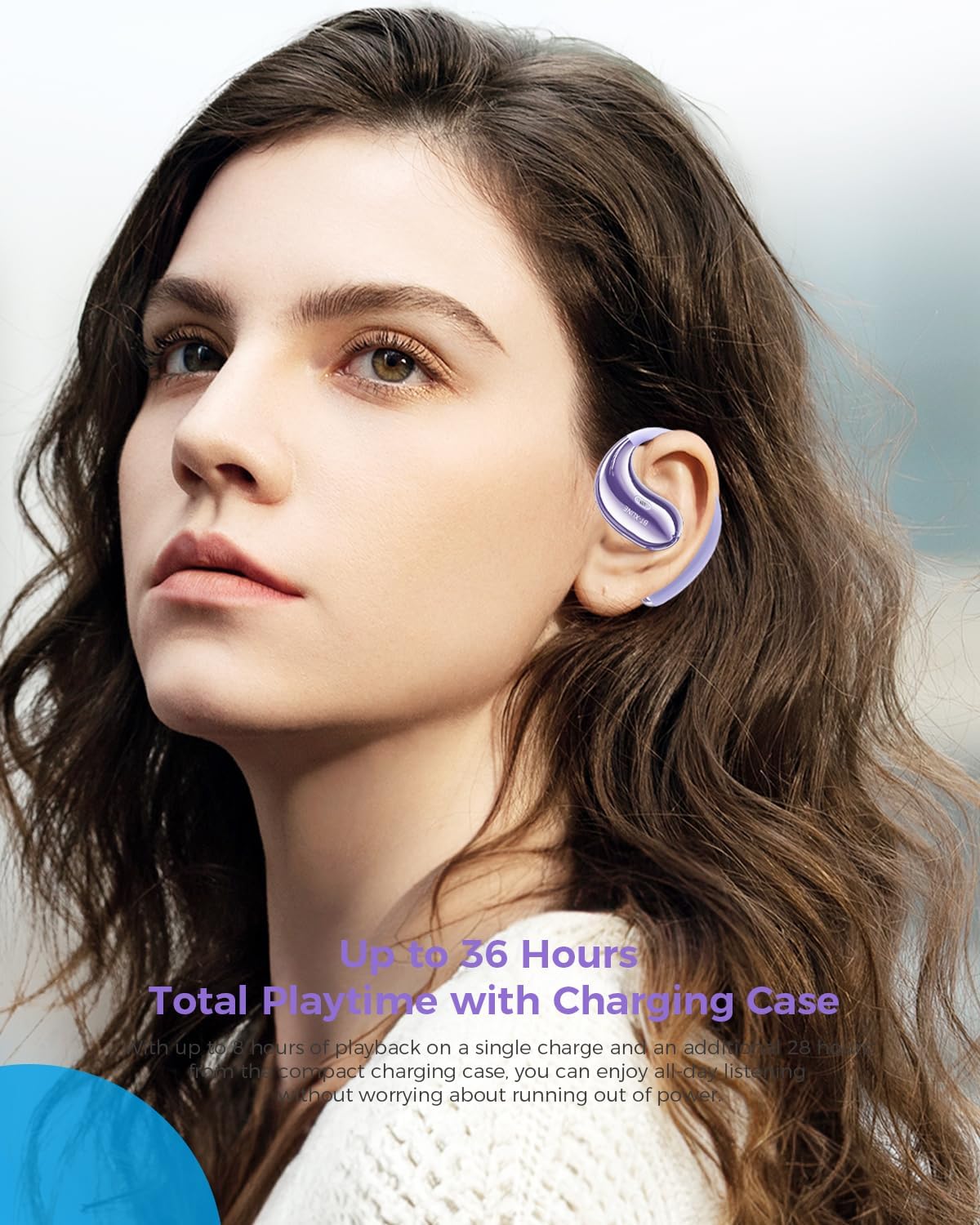
Figure 3: Extended Playtime and Comfortable Wear.
This image features a woman wearing the Micool BT-X LINE open-ear headphones, highlighting their comfortable and secure fit. The text overlay indicates "Up to 36 Hours Total Playtime with Charging Case," emphasizing the long battery life suitable for extended use.
3.2. 電源のオン/オフ
- 電源オン: 充電ケースから取り出すと、イヤホンは自動的に電源がオンになります。
- 電源を切る: イヤホンを充電ケースに戻すと、自動的に電源がオフになり、充電が開始されます。
3.3.Bluetoothペアリング
The Micool BT-X LINE headphones feature one-step auto-pairing for seamless connection using Bluetooth 6.0 technology.
- 初めてのペアリング:
- 充電ケースを開けると、イヤホンの電源が自動的にオンになり、ペアリングモードになります。
- デバイス(スマートフォン、タブレット、ラップトップ)で Bluetooth を有効にし、利用可能なデバイスを検索します。
- Select "BT-X LINE" from the list of found devices.
- 接続されると、確認音が聞こえます。
- 再接続: After the initial pairing, the earbuds will automatically reconnect to the last paired device when removed from the charging case, provided Bluetooth is enabled on your device.

Figure 4: One-Step Pairing Feature.
This image displays the Micool BT-X LINE earbuds inside their open charging case, with text highlighting the "ONE-STEP PAIRING" feature. It visually reinforces the ease of connection by simply opening the case.

Figure 5: Next-Gen Bluetooth 6.0 and Extended Battery Life.
この画像はトップダウンの view of the Micool BT-X LINE earbuds and their charging case, emphasizing the advanced Bluetooth 6.0 technology for stable connections and the impressive battery life of up to 36 hours.
4. 操作手順
4.1. ヘッドホンの装着
The BT-X LINE headphones feature an open-ear design with soft silicone memory ear hooks for a secure and comfortable fit. Gently place the earbud over your ear, ensuring the ear hook rests comfortably behind your ear. Adjust for optimal comfort and sound.

Figure 6: Ergonomic Design for All-Day Comfort.
この画像は詳細な view of the Micool BT-X LINE earbud positioned on an ear model, illustrating its ergonomic design and how the clip-on ear hook ensures a secure and comfortable fit for extended wear.

Figure 7: Comfort Comparison.
This image compares the Micool BT-X LINE's open-ear design to traditional earbuds that can cause discomfort (heavy, painful, stuffy). It visually demonstrates how the BT-X LINE offers a lightweight, ergonomically designed fit that stays secure without blocking the ear canal.

Figure 8: Memory Wire Ear Hook with Soft Silicone.
This close-up image focuses on the Micool BT-X LINE earbud, specifically showcasing the flexible memory wire ear hook covered in soft silicone. This design ensures an adjustable, secure, and sweat-resistant fit for various ear sizes and activities.
4.2.タッチコントロール
The earbuds feature intuitive touch controls for managing audio playback and calls. The touch sensitive area is located on the outer surface of each earbud.
| アクション | 関数 |
|---|---|
| シングルタップ(L/R) | 音楽の再生/一時停止、通話の応答/終了 |
| ダブルタップ(右) | 次のトラック |
| ダブルタップ(左) | 前のトラック |
| トリプルタップ(右) | 音量を上げる |
| トリプルタップ(左) | 音量を下げる |
| 長押し(2秒)(L/R) | 通話を拒否し、音声アシスタントを起動する |

Figure 9: Touch Controls for Easy Operation.
This image shows a woman engaged in an activity (drinking water) while wearing the Micool BT-X LINE headphones, with the charging case visible. The accompanying text highlights the convenience of touch controls for managing music, calls, and volume without needing to access the phone.
5. メンテナンスとケア
- クリーニング: イヤホンと充電ケースは、柔らかく乾いた糸くずの出ない布で優しく拭いてください。刺激の強い化学薬品や研磨剤は使用しないでください。
- 耐水性: The headphones are water-resistant. Avoid submerging them in water or exposing them to excessive moisture for prolonged periods. Dry them thoroughly if they get wet.
- ストレージ: 使用しないときは、ほこりや損傷からヘッドホンを守るため、充電ケースに入れて保管してください。涼しく乾燥した場所に保管してください。
- バッテリーのケア: To prolong battery life, avoid fully discharging the battery frequently. Charge regularly, even if not used for a long time.
6。 トラブルシューティング
If you encounter any issues with your Micool BT-X LINE headphones, please refer to the following common solutions:
| 問題 | 考えられる解決策 |
|---|---|
| ヘッドフォンがペアリングされない |
|
| XNUMXつのイヤフォンから音が出ない |
|
| 充電ケースが充電されない |
|
| 音質が悪い |
|
7. 仕様
Detailed technical specifications for the Micool BT-X LINE Open-Ear Headphones:
| 特徴 | 詳細 |
|---|---|
| モデル名 | BT-X LINE |
| 接続技術 | 無線 |
| 無線通信技術 | ブルートゥース6.0 |
| 耳の位置 | 耳を開ける |
| フォームファクター | 耳に |
| 騒音制御 | Active Noise Cancellation (for calls via dual-mic) |
| ドライバーサイズ | 14.2mmダイナミックドライバー |
| プレイタイム(Earbuds) | 最大8時間 |
| 合計プレイ時間(ケース付き) | 最大36時間 |
| 充電ポート | USB-C |
| 材料 | アクリロニトリルブタジエンスチレン(ABS) |
| 耐水性レベル | 耐水性 |
| アイテム重量 | 5.6オンス(パッケージ全体) |
| 色 | Velvet Purple |
| 欧州連合 | 783429666100 |
8. 保証とサポート
Micool products are designed and manufactured to the highest quality standards. For information regarding warranty coverage, technical support, or service inquiries, please refer to the warranty card included in your package or visit the official Micool website. You may also contact Micool customer support directly for assistance.
メーカー: ミクール
Ask a question about this manual
Ask about setup, troubleshooting, compatibility, parts, safety, or missing instructions. Manuals+ will review the question and use this page’s manual context to help answer it.