
1. はじめに
Thank you for choosing the Ctronics CTIPC-980 4K 8MP PTZ Outdoor WiFi Security Camera. This manual provides detailed instructions for the installation, operation, and maintenance of your new security camera. Please read this manual thoroughly before use to ensure proper functionality and safety.
The CTIPC-980 camera offers advanced surveillance features including 4K Ultra HD resolution, intelligent human, vehicle, and animal detection, dual-band WiFi connectivity, and comprehensive 360° panoramic coverage. Its robust IP66 weatherproof design ensures reliable performance in various outdoor conditions.
2. パッケージ内容
Please check the package contents upon receipt. If any items are missing or damaged, contact Ctronics customer support.
- Ctronics CTIPC-980 4K 8MP PTZ Outdoor WiFi Security Camera
- 電源アダプター
- 取り付けネジキット
- 防水キット
- ユーザーマニュアル

Image: The Ctronics CTIPC-980 camera with its included accessories, such as the power adapter and mounting kit.
3 製品の特徴
- 4K ウルトラ HD 解像度: Captures clear and detailed images at 3840x2160P (8 Megapixels) with a 3.6mm Starlight lens.
- 高度なナイトビジョン: Offers three modes:
- IRナイトビジョン: Black and white images using infrared LEDs.
- カラーナイトビジョン: Full-color images in low light conditions using the built-in spotlight.
- スマートナイトビジョン: Automatically switches from IR to color night vision upon detection of motion.
- インテリジェント検出: Accurately identifies humans, vehicles, and animals, reducing false alarms by up to 95%.
- 積極的抑止: Built-in siren and spotlights activate automatically upon detection to deter intruders.
- デュアルバンド WiFi 接続: Supports both 2.4GHz and 5GHz WiFi for stable and faster network connection.
- 360°パノラマカバー: Pan 355° horizontally and Tilt 90° vertically for comprehensive area monitoring.
- 双方向オーディオ: Communicate directly through the camera using the integrated microphone and speaker.
- 柔軟なストレージ オプション: Supports local storage via a MicroSD card (up to 256GB), Ctronics Cloud storage, and FTP.
- 幅広い互換性: Accessible via the Ctronics Pro app on iOS and Android devices, and HiP2P client on Windows and Mac.
- IP66耐候性: 厳しい屋外気象条件に耐えられるよう設計されています。

Image: The camera's intelligent detection feature identifying a child, a dog, and a car in a driveway, with a notification showing "Human Recognition Warning".

Image: Comparison of IR night vision (black and white), color night vision (full color with spotlight), and smart night vision (activates spotlight on motion) from the Ctronics camera.
4. セットアップ
4.1物理的な設置
- 場所を選択: 適切な屋外の場所を選び、 view of the area you wish to monitor. Ensure it is within range of your WiFi network and has access to a power outlet.
- 取り付け: Use the provided mounting screw kit to securely attach the camera to a wall or ceiling. The camera supports both wall and ceiling installation.
- 電源接続: Connect the camera to the power adapter and plug it into a power outlet. Ensure the power cable is routed safely and protected from the elements using the waterproof kit.
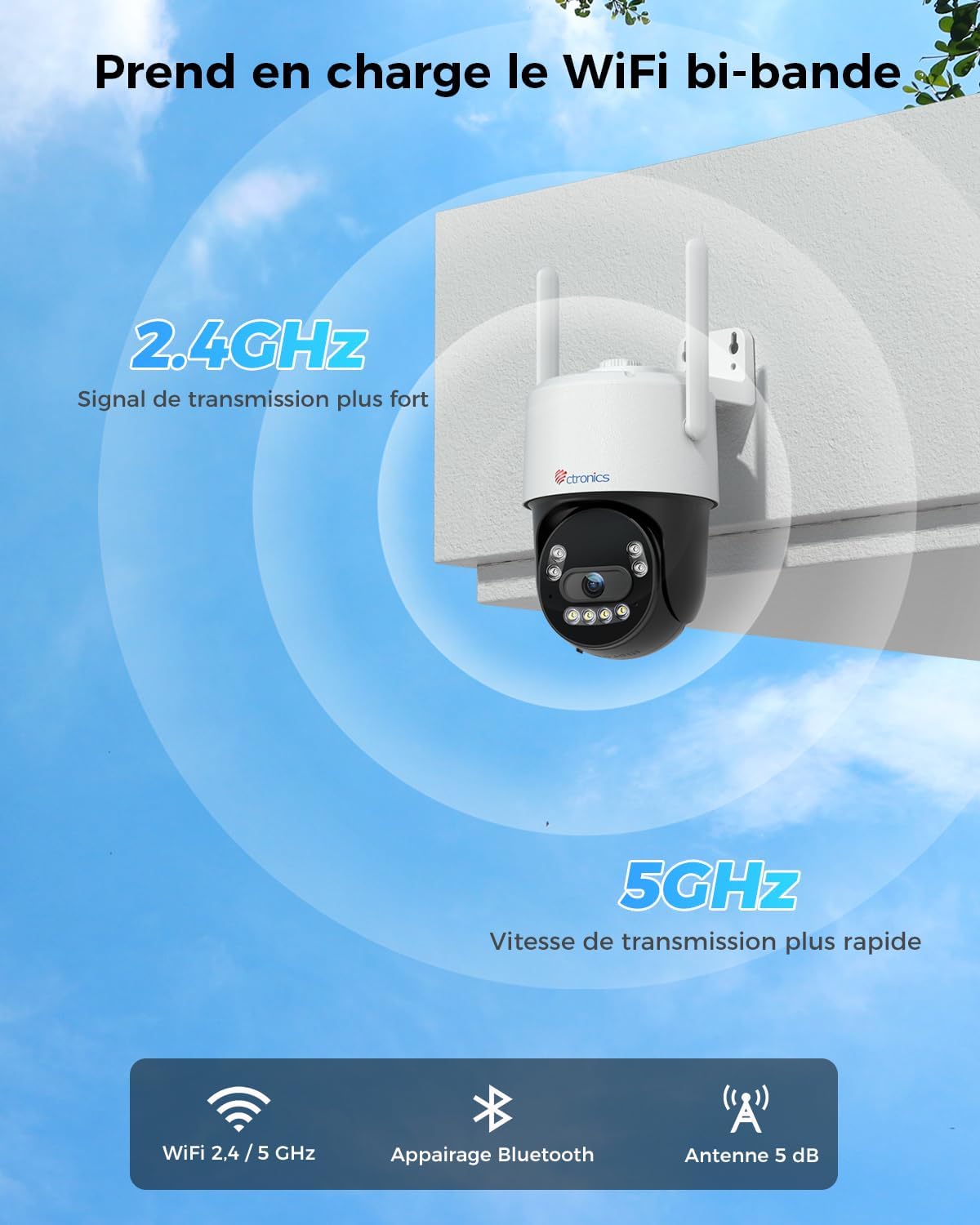
Image: The Ctronics camera securely mounted on an exterior wall of a building, demonstrating a typical installation scenario.
4.2 アプリのインストールとネットワーク接続
- アプリをダウンロード: 検索する "Ctronics Pro" in your mobile device's app store (iOS or Android) and download the application.
- アカウントを作成する: Open the Ctronics Pro app and follow the on-screen instructions to create a new user account.
- カメラを追加:
- カメラの電源を入れます。
- アプリで「+」アイコンをタップして新しいデバイスを追加します。
- Select your camera model or scan the QR code on the camera.
- Follow the in-app instructions for Bluetooth pairing for quick setup.
- Connect the camera to your WiFi network. The CTIPC-980 supports both 2.4GHz and 5GHz bands. Choose the appropriate network and enter the password.
- 接続すると、カメラがデバイス リストに表示されます。

Image: The Ctronics camera illustrating its dual-band WiFi capability, showing stronger 2.4GHz signal and faster 5GHz speed.
5. 操作手順
5.1 ライブ View
Open the Ctronics Pro app and tap on your camera from the device list to access the live video feed. You can view インターネット接続があればどこからでもリアルタイムでフィードを視聴できます。
5.2PTZコントロール
ライブで view screen, use the directional controls to pan (rotate horizontally up to 355°) and tilt (rotate vertically up to 90°) the camera lens to adjust your view角度。
5.3 双方向オーディオ
Tap the microphone icon in the app to speak through the camera's built-in speaker. Tap the speaker icon to listen to audio from the camera's surroundings. This allows for real-time communication with visitors or to deter unwanted guests.

Image: A person using the Ctronics Pro app on a smartphone to communicate via the camera, showing a live feed of a child and a car with speech bubbles indicating two-way conversation.
5.4 録音と再生
The camera can record continuously or based on motion detection. Recorded footage can be accessed and played back through the Ctronics Pro app. Navigate to the playback section to view historical recordings.
5.5 ナイトビジョンモード
You can configure the night vision mode in the camera settings:
- 赤外線(IR)モード: 完全な暗闇でも鮮明な白黒画像を提供します。
- フルカラーモード: Utilizes the built-in spotlight to capture color images at night.
- スマートモード: The camera operates in IR mode and automatically switches to full-color mode with the spotlight activated when motion is detected.
5.6 スマート検出とアラート
Enable intelligent detection for humans, vehicles, or animals in the app settings. When an event is detected, the camera can:
- モバイル デバイスにプッシュ通知を送信します。
- 内蔵サイレンを作動させます。
- Turn on the integrated spotlights.

Image: An intruder being deterred by the camera's activated siren and spotlight, with a notification showing "Human Recognition Warning".
5.7 ストレージオプション
The CTIPC-980 offers multiple storage solutions for your recordings:
- MicroSDカード: Insert a MicroSD card (up to 256GB, not included) into the designated slot for local 24/7 recording. The oldest footagカードがいっぱいになると上書きされます。
- Ctronics Cloud Storage: Subscribe to Ctronics Cloud service for secure off-site storage. A free trial may be available.
- FTP: Configure FTP settings in the app to upload recordings to your own FTP server.

Image: The Ctronics camera with a MicroSD card being inserted, illustrating the various storage options including TF card, cloud storage, and FTP support.
6. メンテナンス
- クリーニング: カメラのレンズとハウジングを定期的に柔らかくてきれいな布で拭いてください。amp 鮮明な画像を保つために布で拭いてください。刺激の強い化学薬品は使用しないでください。
- ファームウェアの更新: Check the Ctronics Pro app periodically for available firmware updates. Keeping your camera's firmware up-to-date ensures optimal performance and security.
- 電源サイクル: If the camera experiences issues, try power cycling it by unplugging and replugging the power adapter.
7。 トラブルシューティング
| 問題 | 考えられる原因 | 解決 |
|---|---|---|
| カメラがオフライン | No power, WiFi disconnected, poor signal. | Check power connection. Restart camera and router. Ensure camera is within WiFi range. Reconfigure WiFi in the app. |
| 画質が悪い | レンズが汚れている、光が弱い、ネットワーク帯域幅が狭い。 | レンズを清掃してください。十分な照明または適切な夜間視力モードであることを確認してください。インターネット速度を確認してください。 |
| 誤警報 | Sensitivity too high, environmental factors (e.g., moving branches). | アプリで検出感度を調整できます。特定の検出ゾーンを定義して、無関係なエリアを除外できます。 |
| 5GHzのWiFiに接続できません | Incorrect WiFi password, router settings, distance. | Verify WiFi password. Ensure your router supports 5GHz and it's enabled. Move camera closer to the router. Try 2.4GHz if 5GHz connection remains unstable. |
| 音声なし | Microphone/speaker disabled, app volume low. | Check audio settings in the app. Ensure your phone's volume is up. |
8. 仕様
| 特徴 | 詳細 |
|---|---|
| モデル番号 | CTIPC-980 |
| ブランド | クトロニクス |
| 解決 | 4K Ultra HD (3840x2160P), 8 Megapixels |
| レンズ | 3.6mm Starlight Lens |
| パン/チルト範囲 | パン: 355°、チルト: 90° |
| ナイトビジョン | IR, Color, Smart (with 4 IR LEDs) |
| WiFi接続 | 2.4GHz / 5GHzデュアルバンド |
| オーディオ | 双方向オーディオ(内蔵マイクとスピーカー) |
| ストレージオプション | MicroSD Card (up to 256GB), Cloud Storage, FTP |
| 検出 | 人間、車両、動物の検出 |
| 耐候性評価 | IP66 |
| 電源入力 | 12ボルト、12ワット |
| 寸法(長さ×幅×高さ) | 10 x 5 x 10 cm(おおよそ) |
| オペレーティングシステム | iOS、Android、Windows、Mac |

Image: Displays the Ctronics camera's compatibility with iOS, Android, Windows, and Mac operating systems, showing the app interface on a laptop, desktop monitor, tablet, and smartphone.
9. 保証とサポート
Ctronics製品には標準保証が付いています。保証の詳細については、パッケージに同梱されている保証書、またはCtronicsの公式ウェブサイトをご覧ください。 website. If you encounter any issues or have questions regarding your CTIPC-980 camera, please contact Ctronics customer support through their official webサイトまたはアプリ内で提供されている連絡先情報。
正式 Webサイト: www.ctronics.com