
パラドン 14328
Paladone PlayStation 12" Desk Headphone Stand with Light User Manual
モデル: 14328
1. はじめに
The Paladone PlayStation 3-in-1 Charging and Tech Accessories Stand is designed to enhance your gaming setup or desk space. This versatile stand functions as a headset holder, console controller cradle, and phone stand, helping to maximize your desk area. It features an RGB LED light panel with multiple lighting modes and is equipped with two USB-C charging ports for convenient device power.
主な特徴:
- 3-in-1 Tech Stand: Organizes your headphones, controller, and phone in one vertical unit.
- 充電ステーション: Includes two USB-C ports for charging compatible devices.
- RGB照明: Customizable light panel with three brightness settings, music reactive mode, color phasing, and color select modes, controlled by an included remote.
- 正式にライセンスを取得: Authentic PlayStation merchandise.
2. パッケージ内容
Please ensure all items are present before setup:
- Paladone PlayStation 12" Desk Headphone Stand with Light
- リモートコントロール
- USB-C Cable (permanently attached)
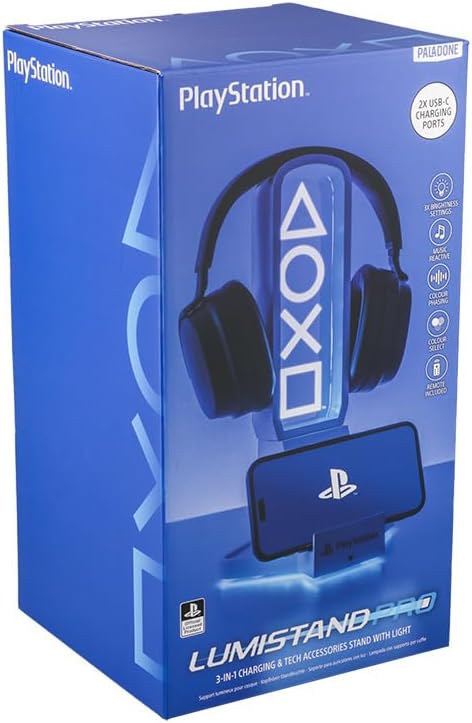
Figure 1: Product packaging showing the stand, headphones, and phone.
3. セットアップ
- 開梱: Carefully remove the headphone stand and all accessories from the packaging.
- 配置: Place the stand on a stable, flat surface on your desk or gaming area.
- 電源接続: Connect the permanently attached USB-C cable from the stand to a compatible USB power source (e.g., computer USB port, USB wall adapter). The RGB lights will illuminate upon connection.
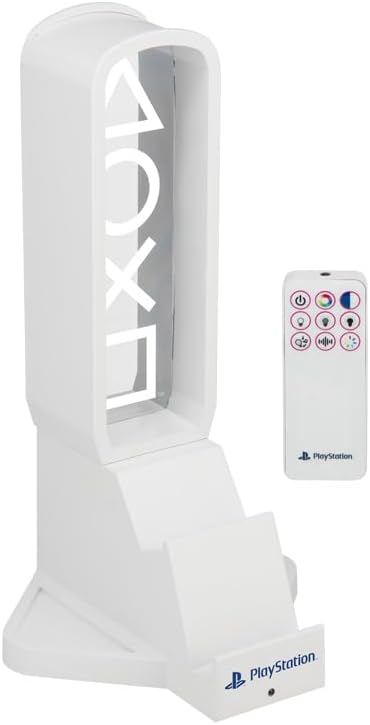
Figure 2: The headphone stand shown with its included remote control.
4. 操作手順
4.1 スタンドの使用
- Headphone Holder: Place your gaming headset or headphones over the top arch of the stand. The design is suitable for various headphone sizes.
- Controller Cradle: The base of the stand features a dedicated cradle to securely hold your PlayStation controller.
- 電話スタンド: A slot on the front of the base allows you to prop up your smartphone for easy viewing。
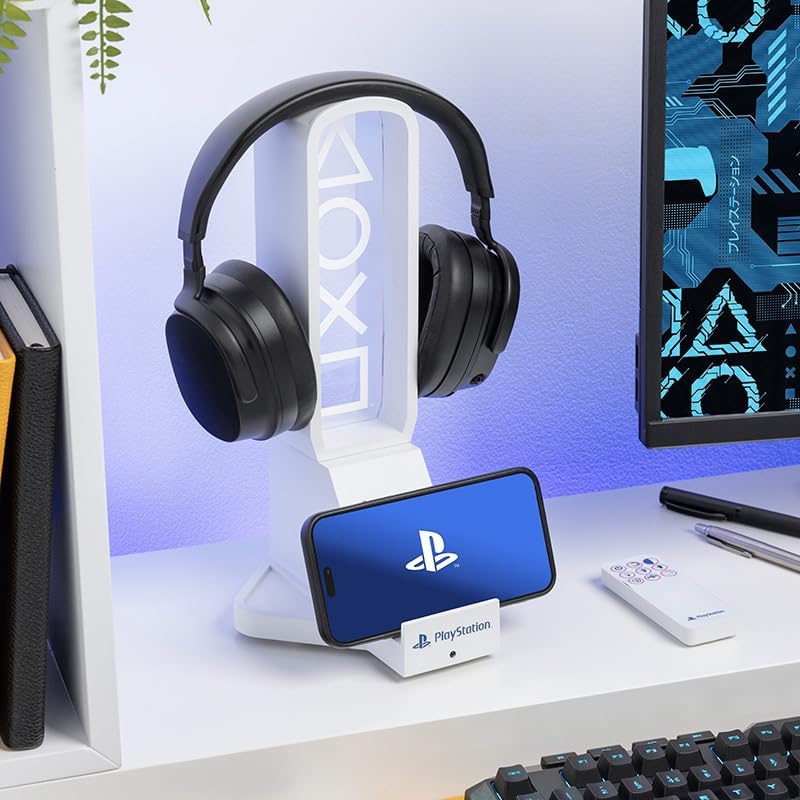
Figure 3: The stand in use, holding a pair of headphones and a smartphone.
4.2 RGB照明制御
The RGB LED light panel can be controlled using the included remote. The remote allows you to:
- 電源オン/オフ: ライトをオンまたはオフにします。
- 明るさ調整: Select from three brightness settings.
- 色の選択: Choose a static color from a range of options.
- カラーPhasing: Activate a mode where colors smoothly transition.
- 音楽反応モード: The lights will respond to audio input, creating a dynamic visual effect.

Figure 4: The headphone stand displaying its blue RGB lighting effect.
4.3 USB-C 充電ポート
The stand is equipped with two USB-C charging ports. These ports can be used to charge your smartphone, controller, or other USB-C compatible devices. Simply connect your device's USB-C cable to one of the available ports on the stand.
5. メンテナンス
- クリーニング: Wipe the stand with a soft, dry cloth. Avoid using abrasive cleaners or solvents, as these may damage the finish or electronic components.
- ストレージ: When not in use for extended periods, disconnect the power cable and store the stand in a cool, dry place.
6。 トラブルシューティング
- ライトが点灯しない: Ensure the USB-C power cable is securely connected to both the stand and a functioning power source. If using the remote, check its battery.
- 充電が機能しない: Verify that the USB-C cable from the stand is connected to a power source. Ensure your device's charging cable is properly inserted into one of the stand's USB-C ports. Test with a different device or cable if necessary.
- リモコンの問題: If the remote is unresponsive, check its battery. Ensure there are no obstructions between the remote and the stand's sensor.
7. 仕様
| 属性 | 詳細 |
|---|---|
| ブランド | パラドン |
| モデル番号 | 14328 |
| 色 | Blue (referring to PlayStation theme) |
| フォームファクター | タワー |
| 対応デバイス | Gaming Consoles (PlayStation), Headphones, Smartphones |
| 取り付けタイプ | ゆりかご |
| テーマ | プレイステーション |
| スタイル名 | Modern, Gaming-Focused, Minimalistic With Dynamic Lighting |
| アイテムの寸法 | 6.3 x 12.4 x 6.69インチ |
| ユニット数 | 1.0 カウント |
| アイテム数 | 1 |
| 内蔵メディア | USB-Cケーブル |
| メーカー | Paladone Products Ltd. |
| エンクロージャ材質 | プラスチック |
8. 保証とサポート
This product is an officially licensed PlayStation product from Paladone. For specific warranty details and support inquiries, please refer to the documentation included with your purchase or visit the official Paladone webサイト。
For additional information or assistance, you may also visit the AmazonのPaladoneストア.
Ask a question about this manual
Ask about setup, troubleshooting, compatibility, parts, safety, or missing instructions. Manuals+ will review the question and use this page’s manual context to help answer it.