
製品終了view
The ASTRO Gaming A20 Gen 2 Wireless Headset provides a high-quality audio experience for gaming across multiple platforms. Designed for comfort and performance, it features low-latency wireless connectivity and a convenient flip-to-mute microphone.
主な特徴:
- 次世代の互換性: Seamlessly works with PlayStation 5, PlayStation 4, Windows, and Mac OS.
- Lag-Free Wireless Audio: 2.4GHz USB wireless transmitter ensures low-latency, high-quality sound.
- 長持ちバッテリー: Up to 15 hours of wireless gaming on a single charge.
- フリップミュートマイク: Flexible boom mic with an intuitive flip-to-mute function for instant control.
- 一日中快適: Lightweight design with padded headband and ear cushions for extended wear.
箱の中身
- A20ワイヤレスヘッドセット
- USB送信機
- USB-C-USB-A充電ケーブル
セットアップ手順
Follow these steps to set up your ASTRO Gaming A20 Gen 2 Wireless Headset:
- ヘッドセットを充電する: Connect the headset to a power source using the provided USB-C to USB-A charging cable. Ensure the headset is fully charged before first use for optimal battery life.
- Connect the USB Transmitter: Plug the USB transmitter into an available USB port on your PlayStation console (PS5 or PS4) or your Windows/Mac computer. The transmitter facilitates the 2.4GHz wireless connection.
- 電源オン: Turn on your ASTRO Gaming A20 Gen 2 Wireless Headset. The headset should automatically pair with the USB transmitter. Refer to your device's audio settings to ensure the headset is selected as the input and output device.
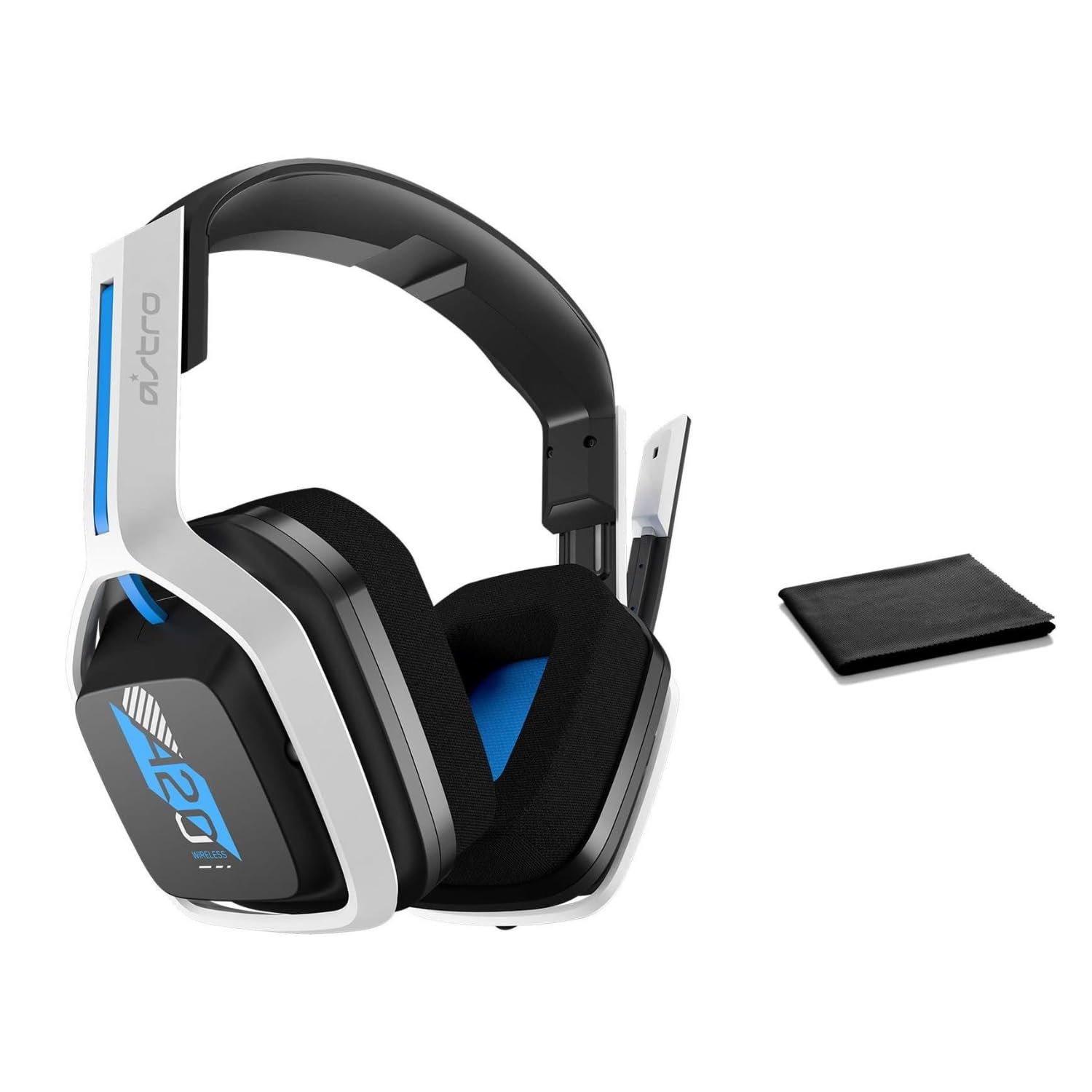
Image: The ASTRO Gaming A20 Gen 2 Wireless Headset, ready for use.
操作手順
マイクの機能
The headset features a flexible boom microphone with a flip-to-mute function. To mute your microphone, simply flip the boom arm upwards. To unmute and activate the microphone, flip the boom arm back down to its original position.
ボリュームコントロール
Adjust the audio volume using the dedicated volume control located on the headset. Rotate the dial or press the buttons (depending on the specific model variant) to increase or decrease the sound output.
メンテナンス
ヘッドセットの寿命を延ばし、最適なパフォーマンスを確保するには:
- クリーニング: Use the included premium microfiber cloth to gently wipe down the headset and accessories. This helps keep your headset dust-free and smudge-free.
- ストレージ: ヘッドセットを使用しないときは、極端な温度や直射日光を避け、清潔で乾燥した場所に保管してください。
- バッテリーのケア: For best battery health, avoid fully discharging the headset frequently. Charge it regularly.
トラブルシューティング
If you encounter issues with your ASTRO Gaming A20 Gen 2 Wireless Headset, consider the following:
- 音声が出ない/マイクが機能しない: Ensure the USB transmitter is securely plugged into your device and the headset is powered on and paired. Check your device's audio settings to confirm the headset is selected as the default input/output. For the microphone, ensure it is not in the 'flipped-up' (muted) position.
- 接続の問題: Try unplugging and re-plugging the USB transmitter. If issues persist, try connecting to a different USB port.
- バッテリーが充電されていません: Verify the charging cable is properly connected to both the headset and the power source. Try a different USB port or power adapter.
- ファームウェアアップデート: Visit the official ASTRO Gaming support website for any available firmware updates for your headset, as these can resolve various performance issues.
仕様
| 特徴 | 詳細 |
|---|---|
| モデル名 | 939-001876 |
| ブランド | アストロゲーミング |
| 接続技術 | 無線 |
| 無線通信 | 2.4GHzワイヤレス |
| 対応デバイス | Mac OS, PlayStation 4, Playstation 5, Windows |
| バッテリー寿命 | 15時間 |
| 充電時間 | 15時間 |
| マイクロフォン | フリップしてミュート |
| 耳の位置 | オーバーイヤー |
| アイテム重量 | 11.2オンス(318グラム) |
| 材料 | プラスチック |
| 含まれるコンポーネント | A20 Wireless Headset, USB transmitter, USB-C to USB-A charging cable |
保証とサポート
詳細な保証情報とテクニカルサポートについては、ASTRO Gamingの公式ウェブサイトをご覧ください。 web購入サイトをご覧いただくか、カスタマーサービスまでお問い合わせください。保証請求のために購入証明書を保管してください。


