
導入
This manual provides essential information for setting up, operating, maintaining, and troubleshooting your NIMO 15.6" IPS FHD Business Laptop. Please read this manual thoroughly before using your device to ensure optimal performance and longevity.
箱の中身
- 1 x Nimo N154 Laptop
- 1 x Type-C 65W PD Fast Charger
- ユーザーマニュアル (本書) x 1
- Windows 11 Home(プリインストール)
- Warranty Information (2 Years Warranty, 90 Days Return)
製品終了view
Familiarize yourself with the key components and features of your NIMO laptop.

図1: NIMO 15.6" Laptop Front View 主な特徴
This image displays the NIMO 15.6-inch laptop from the front, showcasing its full HD IPS display. Icons on the screen highlight key features including the Intel Core i3-1215U 6-core processor, 8GB RAM, 256GB SSD, fingerprint reader, Type-C PD charger, and backlit keyboard. An eagle graphic is prominently featured on the screen.
ポートとコネクタ

図2: Laptop Ports and Connectors
This image illustrates the various ports available on the NIMO laptop. On the left side, from left to right, are the Micro SD card slot, USB 2.0 port, USB 3.0 port, headphone combo jack, and Kensington lock slot. On the right side, from left to right, are a Type-C (charge only) port, USB 3.0 port, HDMI port, Type-C (multifunction) port, and a Charge LED indicator.
- 左側: Micro SD Card Slot, USB 2.0, USB 3.0, Headphone Combo Jack, Kensington Lock
- 右側: Type-C (Charge Only), USB 3.0, HDMI, Type-C (Multifunction), Charge LED
セットアップガイド
1. 初期充電
Before first use, fully charge your laptop. Connect the provided 65W Type-C PD fast charger to the Type-C (Charge only) port on the right side of the laptop and to a power outlet. The Charge LED will indicate charging status.

図3: 65W Type-C PD Fast Charger
This image shows the compact NIMO 65W Type-C PD fast charger with its accompanying Type-C cable. It highlights the charger's versatility, indicating it can be used for laptops, tablets, and iPhones. Below, a comparison graphic contrasts the single, organized Type-C charger with a cluttered power strip filled with multiple, tangled chargers, emphasizing the convenience of the NIMO charger.
2. 電源を入れる
Open the laptop lid. Press the power button, typically located on the top right of the keyboard, to turn on the device. The laptop will boot into Windows 11 Home.
3. Windowsの初期セットアップ
Follow the on-screen prompts to complete the Windows 11 Home setup. This includes selecting your region, language, connecting to a Wi-Fi network, creating a user account, and setting up security features like the fingerprint reader.
4. 指紋リーダーの設定
During Windows setup or later via Windows Settings, configure the integrated fingerprint reader for secure and quick login. This feature is located on the touchpad area.

図4: Fingerprint Reader and Webcam Privacy Shield
This image highlights two security features of the NIMO laptop. The upper left section shows a close-up of the touchpad with a glowing fingerprint icon, indicating the integrated fingerprint scanner for seamless security integration. The lower right section displays the laptop's webcam with a physical privacy shield, emphasizing privacy-focused camera convenience.
操作手順
キーボードとタッチパッド
Your NIMO laptop features a full-size keyboard with a numeric keypad and a backlit function for use in low-light conditions. The large trackpad supports multi-touch gestures.

図5: キーボードの機能
This image displays the NIMO laptop's keyboard, highlighting its features for effortless typing in any environment. Icons above the keyboard represent the backlit keyboard, webcam shield, fingerprint reader, and numeric keypad. Insets show the backlit keyboard in use in a dimly lit setting.
画面
The 15.6" Full HD (1920x1080) IPS display offers vibrant colors and wide viewing angles. Adjust brightness and display settings through Windows settings.

図6: 鮮やかなフル HD ディスプレイ
This image showcases the NIMO laptop's vivid Full HD display, featuring a vibrant image of a jellyfish on the screen. Icons above the display highlight its key attributes: FHD 1920x1080 resolution, IPS technology, Bright View, and Eye Protection. The screen-to-body ratio is indicated as 85%.
接続性
- Wi-Fi 6: 高速ワイヤレス ネットワークに接続します。
- ブルートゥース: ヘッドフォンやマウスなどの Bluetooth 対応デバイスとペアリングします。
- USB ポート: Utilize the USB 2.0 and USB 3.0 ports for connecting external devices.
- HDMI: 外部モニターまたはプロジェクターに接続します。
メンテナンス
ノートパソコンの掃除
- 柔らかく糸くずの出ない布で軽く拭き取ってください。ampディスプレイを清掃するには、水またはスクリーンクリーナーを使用してください。
- キーボードとシャーシのお手入れには柔らかい布をご使用ください。刺激の強い化学薬品は使用しないでください。
- 適切な冷却を確保するために、定期的に圧縮空気を使用して通気口のほこりを除去してください。
バッテリーケア
- バッテリーを頻繁に完全に放電することは避けてください。
- 長期間使用しない場合は、ノートパソコンを涼しく乾燥した場所に保管してください。
- Use only the provided NIMO 65W Type-C PD charger.
Storage and Upgrades
The laptop comes with 8GB DDR4 RAM and a 256GB SSD. Both RAM and SSD are upgradeable, offering flexibility for future performance enhancements.

図7: RAM and SSD Configuration
This image shows the NIMO laptop screen displaying various applications, illustrating its multitasking capabilities. Below the laptop, three boxes highlight its memory and storage specifications: 8GB DDR4 RAM, 256GB PCIe 4.0 SSD, and the presence of Dual RAM Channels, indicating support for upgrades and expansion.
トラブルシューティング
This section addresses common issues you might encounter with your NIMO laptop.
ノートパソコンの電源が入らない
- 充電器がノートパソコンと機能している電源コンセントの両方にしっかりと接続されていることを確認します。
- Check if the Charge LED illuminates when connected to power.
- 電源ボタンを 10 ~ 15 秒間押し続けて、ハードリセットを実行してみてください。
バッテリーの消耗が早い
- 画面の明るさを低めに調整します。
- バックグラウンドで実行されている不要なアプリケーションを閉じます。
- Ensure Windows is updated, as updates often include power management improvements.
- Check power settings in Windows to optimize battery usage.
Applications Freeze or Laptop is Slow
- Close any applications that are not in use.
- ラップトップを再起動します。
- タスク マネージャー (Ctrl + Shift + Esc) で、CPU または RAM を大量に消費しているプロセスを確認します。
- オペレーティング システムとドライバーが最新であることを確認してください。
- Consider upgrading RAM or SSD if performance issues persist, as the laptop supports upgrades.
Wi-Fi接続の問題
- Wi-Fiルーターとモデムを再起動します。
- Disable and re-enable Wi-Fi on your laptop.
- Wi-Fi ドライバーが最新であることを確認します。
- ネットワークを忘れて再接続します。
仕様
Detailed technical specifications for your NIMO N154 laptop.
| 特徴 | 仕様 |
|---|---|
| ブランド | NIMO |
| モデル名 | Nimo N154 |
| 画面サイズ | 15.6インチ |
| 画面解像度 | 1920 x 1080ピクセル(フルHD IPS) |
| プロセッサ | Intel Core i3-1215U (6 コア、最大 4.4 GHz) |
| ラム | 8 GB DDR4 (Upgradeable) |
| メモリ速度 | 3200 MHz |
| ハードドライブ | 256 GB SSD (Upgradeable) |
| グラフィックスコプロセッサ | 統合されたIntelグラフィックス |
| オペレーティング·システム | Windows 11 ホーム |
| ワイヤレスタイプ | Wi-Fi 6(802.11a/b/g/n/ac)、Bluetooth 5.2 |
| USBポート | 1x USB 2.0, 3x USB 3.0, 2x Type-C (1x Charge Only, 1x Multifunction) |
| その他のポート | HDMI, Headphone Combo Jack, Micro SD Card Slot, Kensington Lock |
| 特集 | Fingerprint Reader, HD Audio, Memory Card Slot, Numeric Keypad, Backlit Keyboard, Webcam Shield |
| アイテム重量 | 3.8ポンド |
| 製品寸法 | 14.07 x 8.98 x 0.76インチ |
| 平均バッテリー寿命 | 5 Hours (54Wh Smart Battery) |
| 電源 | Battery Powered, 65W Type-C PD Charger |
保証とサポート
NIMO is committed to providing reliable products and excellent customer service.
- 保証: Your NIMO laptop is covered by a 2-year warranty.
- 戻り値: You may return the product within 90 days of purchase.
- カスタマーサポート: Our 24/7 support team is available to provide assistance.
- 接触: For support inquiries, please visit the official NIMO webサイトまたは連絡先 サービス.

図8: Professional Customer Assistance
This image depicts a customer service representative wearing a headset, symbolizing the availability of professional customer assistance via phone and live chat.
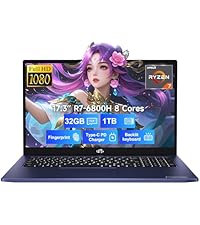
図9: 2年間のサポート
This image shows a technician working on a laptop's internal components with tools, representing the 2-year support coverage for Nimo products.

図10: 90日間返品ポリシー
This image illustrates a delivery person handing a package to a customer, signifying the 90-day return policy for Nimo products.