
BNCF Bpad 11
BNCF Bpad 11 Android 15 タブレット ユーザー マニュアル
モデル: Bpad 11
1. はじめに
This manual provides essential information for the proper use and maintenance of your BNCF Bpad 11 Android 15 Tablet. Please read this manual thoroughly before operating the device to ensure optimal performance and longevity.
2. 箱の中身
Upon opening your BNCF Bpad 11 package, verify that all items listed below are present:
- Bpad 11 タブレット
- 保護ケース
- アダプタ
- USB Type-Cケーブル
- SIMカードイジェクターピン
- ユーザーマニュアル(このドキュメント)

This diagram illustrates the contents of the BNCF Bpad 11 package, including the tablet, gift box, user manual, protective case, SIM card ejector pin, and Type-C charging cable.
3.製品オーバーview
Familiarize yourself with the physical components and ports of your BNCF Bpad 11 tablet.

This diagram illustrates the location of the rear camera, power button, volume up/down buttons, 3.5mm headphone jack, front camera, SIM/MicroSD card slot, and speakers on the BNCF Bpad 11 tablet.
3.1 物理コンポーネント
- 画面: 11-inch FHD IPS In-cell display (1920x1200 resolution, 90Hz refresh rate).
- フロントカメラ: ビデオ通話や自撮りに最適な 5MP。
- リアカメラ: 写真やビデオを撮影するための 8MP。
- 電源ボタン: Located on the side for turning the device on/off and locking/unlocking the screen.
- 音量ボタン: オーディオレベルを調整します。
- 講演者: オーディオ出力用のデュアルスピーカー。
3.2 ポートとスロット
- USB Type-Cポート: 充電やデータ転送に。
- 3.5mmヘッドフォンジャック: 有線ヘッドホンを接続します。
- SIM/MicroSDカードスロット: Supports 4G LTE connectivity and expandable storage up to 1TB via MicroSD card.
4. セットアップ
4.1初期電源オン
- を押し続けます 電源ボタン until the BNCF logo appears on the screen.
- 画面上の指示に従って言語を選択し、Wi-Fi ネットワークに接続し、Google アカウントを設定します。
4.2 SIM/MicroSDカードの挿入
- タブレットの側面にある SIM/MicroSD カード スロットを見つけます。
- 挿入する SIMカードイジェクターピン トレイの横にある小さな穴に差し込んで取り出します。
- Place your Nano-SIM card(s) and/or MicroSD card into the tray according to the diagram on the tray.
- トレイをタブレットに慎重に再挿入します。
5. 操作手順
5.1 Android 15 オペレーティング システム
Your Bpad 11 runs on the Android 15 operating system, offering an intuitive user interface and enhanced features.
- Secure Private Space: Utilize stricter app isolation with hidden notifications, supported by Google's security updates.
- よりスマートな画面録画: Focuses on single-app recording for enhanced privacy.
- アプリペアによるマルチタスクの高速化: Quick split-screen functionality for efficient multitasking.
- タスクバーのカスタマイズの改善: Easier pinning for faster app access.

This image highlights key features of the Android 15 operating system, including Secure Private Space, Smarter Screen Recording, Faster Multitasking with App Pairs, and Better Taskbar Customization.
5.2 表示とパフォーマンス
- 90Hzリフレッシュレート: Provides a smooth and responsive visual experience, ideal for browsing and gaming.
- Helio G100 プロセッサ: The MediaTek Helio G100 Octa-Core processor and Mali-G57 MC2 GPU ensure efficient performance for demanding applications.

The image emphasizes the 90Hz refresh rate of the tablet's display, indicating smoother visuals compared to standard 60Hz screens.
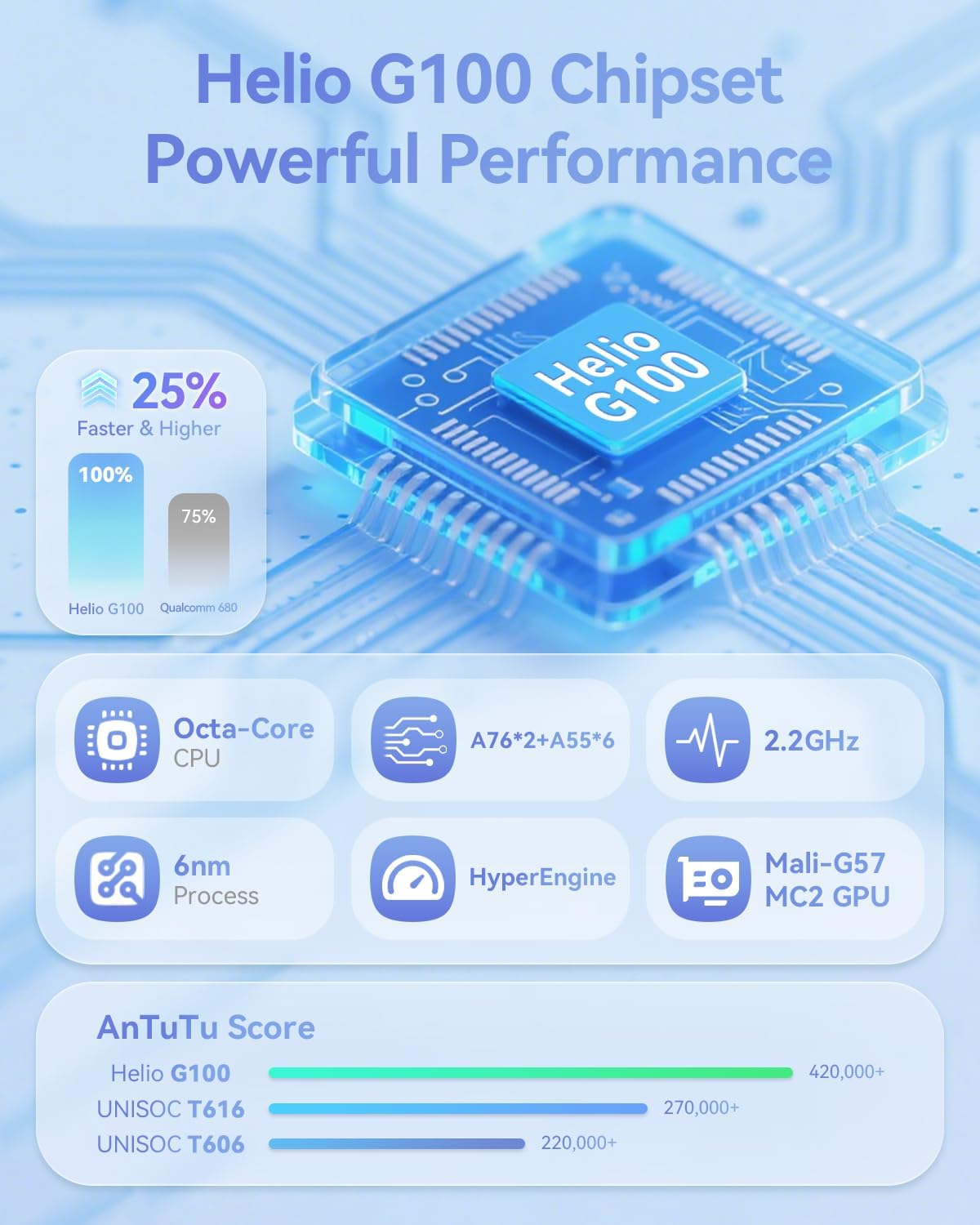
This image provides technical details about the Helio G100 chipset, including its Octa-Core CPU, 6nm process, 2.2GHz clock speed, and Mali-G57 MC2 GPU, along with AnTuTu benchmark scores.
5.3 接続性
- 4GLTE: Supports mobile network connectivity for internet access on the go.
- デュアルバンド Wi-Fi (2.4G & 5G): For stable and fast wireless internet connections.
- Bluetooth 5.0: For pairing with wireless accessories like headphones and keyboards.
- GPS: ナビゲーションと位置情報サービス用に統合されています。
6. マルチメディア機能
6.1 オーディオとビデオ
- Widevine L1 サポート: Enables streaming of high-definition content (1080P) from platforms like Netflix, Hulu, Prime Video, and Disney+.
- デュアルスピーカー: Provides immersive audio for media consumption.

The image illustrates the tablet's Widevine L1 certification for high-definition streaming and its dual speaker setup for an enhanced audio experience.
6.2 カメラと顔認識
- フロントカメラ: 5MP
- リアカメラ: 8MP
- 顔認識: Securely unlock your device using facial recognition technology.
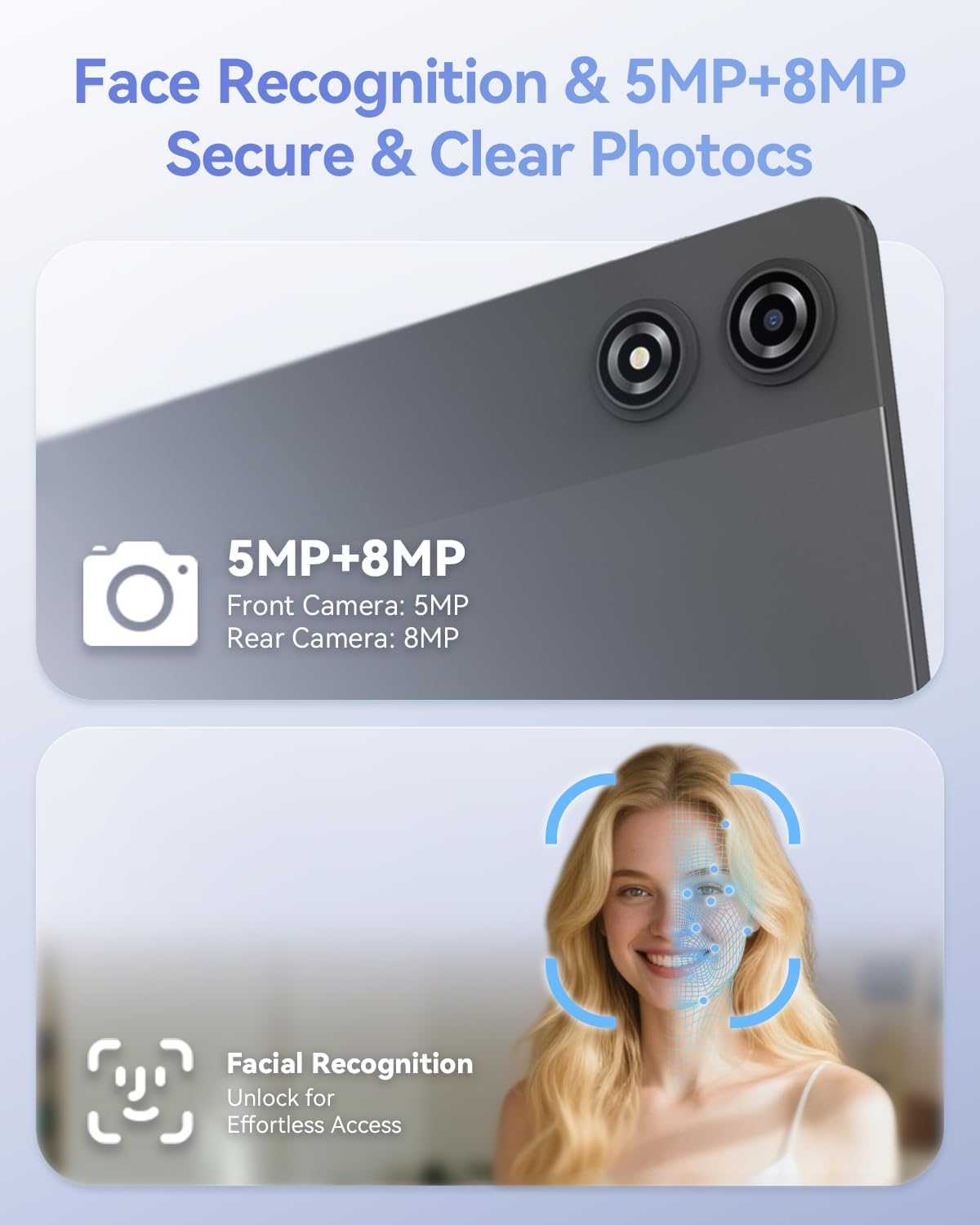
This image details the 5MP front camera and 8MP rear camera, along with the facial recognition feature for secure and effortless device access.
7. ストレージとバッテリー
- ラム: スムーズなマルチタスクを実現する 20GB (物理 8GB + 仮想 12GB)。
- 内部ストレージ: アプリとメディア用に 128GB。
- 拡張可能なストレージ: Supports up to 1TB via MicroSD card.
- バッテリー: 長時間使用に耐える7000mAhの容量。
- 急速充電: Supports PD 18W fast charging for quick recharges.

This image details the 20GB RAM (8GB physical + 12GB virtual), 128GB ROM, 1TB expandable storage, and the 7000mAh battery with PD 18W fast charging capabilities.
8。 トラブルシューティング
If you encounter issues with your BNCF Bpad 11, refer to the common solutions below. For further assistance, please contact customer support.
| 問題 | 考えられる原因 | 解決 |
|---|---|---|
| デバイスの電源が入りません。 | バッテリー残量が少ない、またはシステムがクラッシュしました。 | タブレットを少なくとも30分間充電してください。それでも反応しない場合は、電源ボタンを10~15秒間押し続けて強制的に再起動してください。 |
| タッチスクリーンが反応しません。 | 一時的なソフトウェアの不具合またはスクリーンプロテクターの干渉。 | Restart the tablet. Ensure the screen is clean and free of debris. If a screen protector is installed, check for proper application or try removing it temporarily. |
| Wi-Fi接続の問題。 | Incorrect password, router issue, or tablet Wi-Fi module error. | Verify Wi-Fi password. Restart your router. Toggle Wi-Fi off and on in tablet settings. Forget the network and reconnect. |
| アプリが遅くなったりクラッシュしたりします。 | Too many apps running in the background, low storage, or outdated app versions. | Close unnecessary background apps. Clear app caches. Ensure apps are updated to their latest versions. Free up internal storage. |
9. 仕様
| 特徴 | 詳細 |
|---|---|
| ブランド | BNCF |
| モデル名 | Bpad 11 |
| オペレーティング·システム | アンドロイド15 |
| 画面サイズ | 11インチ |
| 画面解像度 | 1920 x 1200ピクセル(FHD IPS) |
| リフレッシュレート | 90Hz |
| プロセッサ | MediaTek Helio G100 オクタコア (2.2 GHz) |
| グラフィックプロセッサ | マリ-G57 MC2 |
| ラム | 20GB(物理8GB + 仮想12GB) |
| フラッシュメモリサイズ | 128ギガバイト |
| 拡張可能なストレージ | 最大1TB(MicroSD) |
| バッテリー容量 | 7000mAh |
| 充電 | PD 18W Fast Charging (USB Type-C) |
| リアカメラ | 8MP |
| フロントカメラ | 5MP |
| ワイヤレス接続 | 4G LTE, 2.4G/5G WiFi (802.11ac, 802.11g), Bluetooth 5.0 |
| ナビゲーション | GPS |
| オーディオポート | 3.5mmヘッドフォンジャック |
| アイテム重量 | 1.05ポンド(約475g) |
| 製品寸法 | 10.2 x 6.7 x 0.3インチ |
10. 保証とサポート
BNCF is committed to quality and customer satisfaction. For tablets purchased from the BNCF Official Flagship Store, a 12ヶ月間の無料修理保証 is provided, along with lifetime technical support.
If you have any questions, encounter a software glitch, or have a hardware concern, please contact BNCF customer service. Our team aims to respond within 24 hours to assist you with solutions, returns, or exchanges.

An icon representing customer support, indicating availability for assistance and highlighting the one-year warranty and lifetime technical support.
For more information, visit the official BNCF Store: BNCF Store on Amazon