
1. はじめに
This manual provides comprehensive instructions for the installation, operation, and maintenance of the EARU Electric 3-Phase Voltage and Overcurrent Protector, Model EARU-1008. This device is designed to safeguard 3-phase electrical systems by continuously monitoring voltage and current, offering protection against over-voltage、under-voltage, overcurrent, and phase failure. It is suitable for industrial and commercial applications requiring reliable electrical monitoring and protection.
2. 安全情報
警告:感電の危険があります。設置およびメンテナンスは、必ず資格のある担当者が行ってください。
- デバイスの設置または保守を行う前に必ず電源を切ってください。
- 感電を防ぐために適切な接地を確保してください。
- 配線図に従って、すべての配線接続が安全かつ正しいことを確認します。
- デバイスが破損していると思われる場合は操作しないでください。
- 地域および国の電気規則をすべて遵守してください。
3.製品オーバーview
3.1. 主な特徴
- Real-time 3-Phase Monitoring: ライブボリュームを表示tage (L1, L2, L3) and current (L1, L2, L3) values.
- 包括的な保護: Safeguards against over-voltage、under-voltage, overcurrent, and phase failure.
- 調整可能なパラメータ: User-configurable settings for protection thresholds and recovery delays.
- Automatic Phase Failure Reset: Detects and automatically resets after phase anomalies.
- High-Visibility LED Display: Bright red LED for clear readings in various lighting conditions.
- DINレールマウント: Easy integration into standard electrical panels.
- Clear Terminal Labeling: Simplified installation with clearly marked input and output terminals.
3.2. コンポーネントとディスプレイ
The device features a clear LED display and intuitive control buttons for configuration. The display shows real-time voltage and current for each phase, along with indicators for protection status.
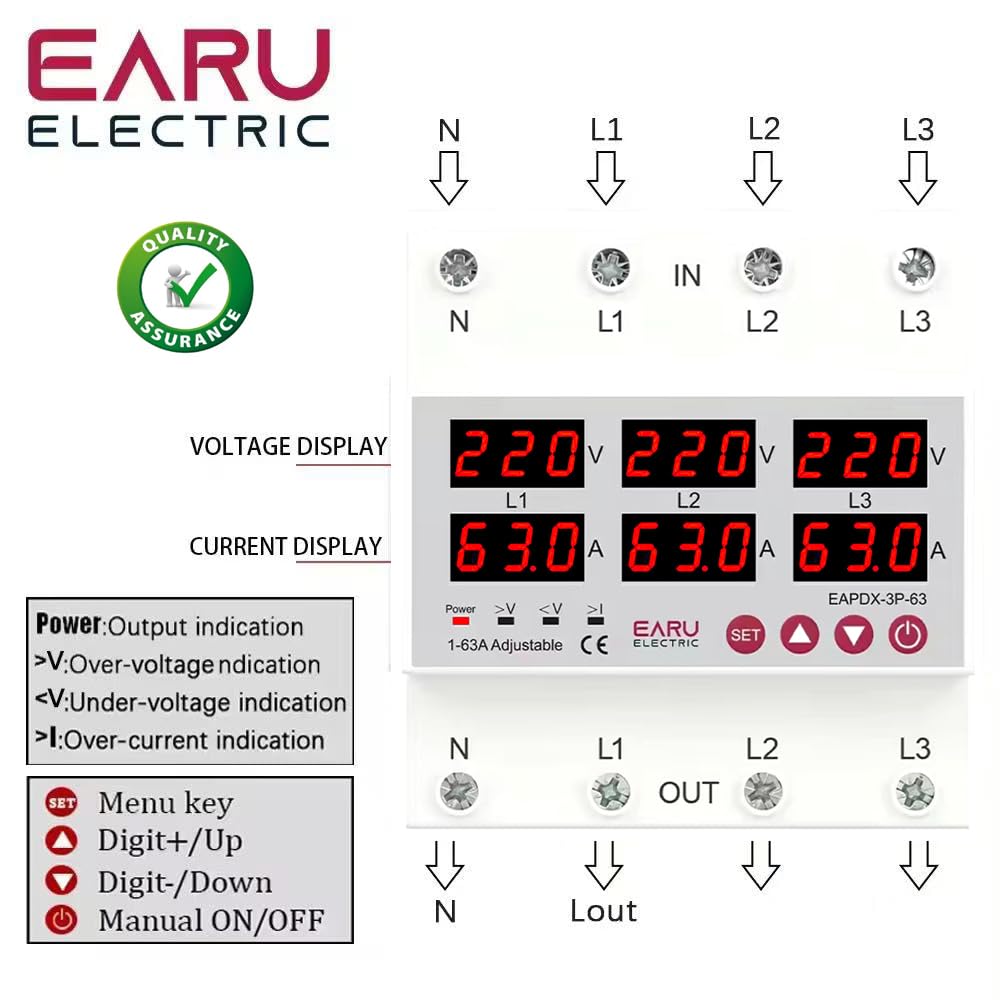
画像3.2.1: フロント view of the EARU Electric Voltage Protector, showing the LED display for L1, L2, L3 voltage and current, along with control buttons (SET, Up, Down, Power) and protection indicators. Terminal labels for N, L1, L2, L3 (IN and OUT) are also visible.

画像3.2.2: 視点 view highlighting the product features and the input/output terminals (N, L1, L2, L3) at the top and bottom of the device. This image emphasizes the physical layout and connection points.
4. セットアップとインストール
4.1. 取り付け
The EARU-1008 is designed for DIN rail mounting. Securely attach the device to a standard 35mm DIN rail within an electrical enclosure.
4.2. 配線接続
Refer to the wiring diagram below for correct connections. Ensure all connections are tight and properly insulated.
- Connect the incoming neutral (N) and phase lines (L1, L2, L3) to the 'IN' terminals.
- Connect the outgoing neutral (N) and phase lines (L1, L2, L3) to the 'OUT' terminals.
- 電源を投入する前に、すべての接続を再確認してください。

画像4.2.1: Detailed wiring diagram for the EARU Electric Voltage Protector, showing connections for N, L1, L2, L3 for both input and output. The diagram illustrates how to integrate the protector into a 3-phase electrical system.
5. 操作手順
5.1. 初期電源投入
Once wired, apply power to the device. The LED display will illuminate, showing the real-time voltag各相の電圧と電流。
5.2. 表示インジケーター
- V: 巻tageディスプレイ。
- A: 現在の表示。
- 力: Output indication.
- >V: オーバーボリュームtage表示。
- <V: アンダーボリュームtage表示。
- >私: Over-current indication.
5.3. パラメータの設定
Use the 'SET' button to enter the configuration menu and the 'Up' and 'Down' keys to adjust values. Press 'SET' again to confirm and move to the next parameter. Hold 'SET' for 3 seconds to enter settings mode.

画像5.3.1: A detailed guide to setting various protection parameters on the EARU Electric Voltage Protector. This includes overvoltage、undervoltage, overcurrent, and recovery delay settings, with default values and adjustment ranges.
調整可能な主なパラメータは次のとおりです。
- オーバーボルtage 保護設定: Range 230-300V (Default 270V).
- オーバーボルtage Protection Recover Setting: Range 225-295V (Default 265V).
- オーバーボルtage Recovery Delay: Range 1-500s (Default 30s).
- オーバーボルtage Trip Delay: Range 0.1-30s (Default 1.0s).
- アンダーボルtage 保護設定: Range 140-210V (Default 170V).
- アンダーボルtage Protection Recover Setting: Range 145-215V (Default 175V).
- アンダーボルtage Trip Delay: Range 0.1-30s (Default 1.0s).
- 過電流保護設定: Range 1-63A (Default 30A).
- Overcurrent Trip Delay: Range 0.1-30s (Default 1.0s).
- 巻tage & Current Manual Error Calibration: Adjust for accuracy, range -9.5% to +9.5% (Default 0%).
- Power-on Delay Setting: Adjustable Range: 1-500S (Default: 10s).
5.4. Manual ON/OFF
The power button allows for manual switching of the device output.
6. メンテナンス
The EARU-1008 is designed for minimal maintenance. However, periodic checks are recommended:
- デバイスを清潔に保ち、ほこりやごみが付かないようにしてください。
- Periodically inspect wiring connections for tightness and signs of wear.
- 過熱を防ぐために、デバイスの周囲に十分な換気を確保してください。
7。 トラブルシューティング
デバイスが期待どおりに機能しない場合は、次の点を考慮してください。
- ディスプレイなし/電源なし: Check the main power supply and all wiring connections.
- Protection Trip: Identify the active protection indicator (>V, <V, >I). Check the corresponding voltage or current levels. The device will automatically reset once conditions return to normal, based on configured recovery delays.
- 位相障害: The device automatically detects and responds to phase failures, initiating a cut-off and auto-reset once the phase is restored.
- 間違った読み方: If readings appear inaccurate, consider performing a manual error calibration as described in Section 5.3.
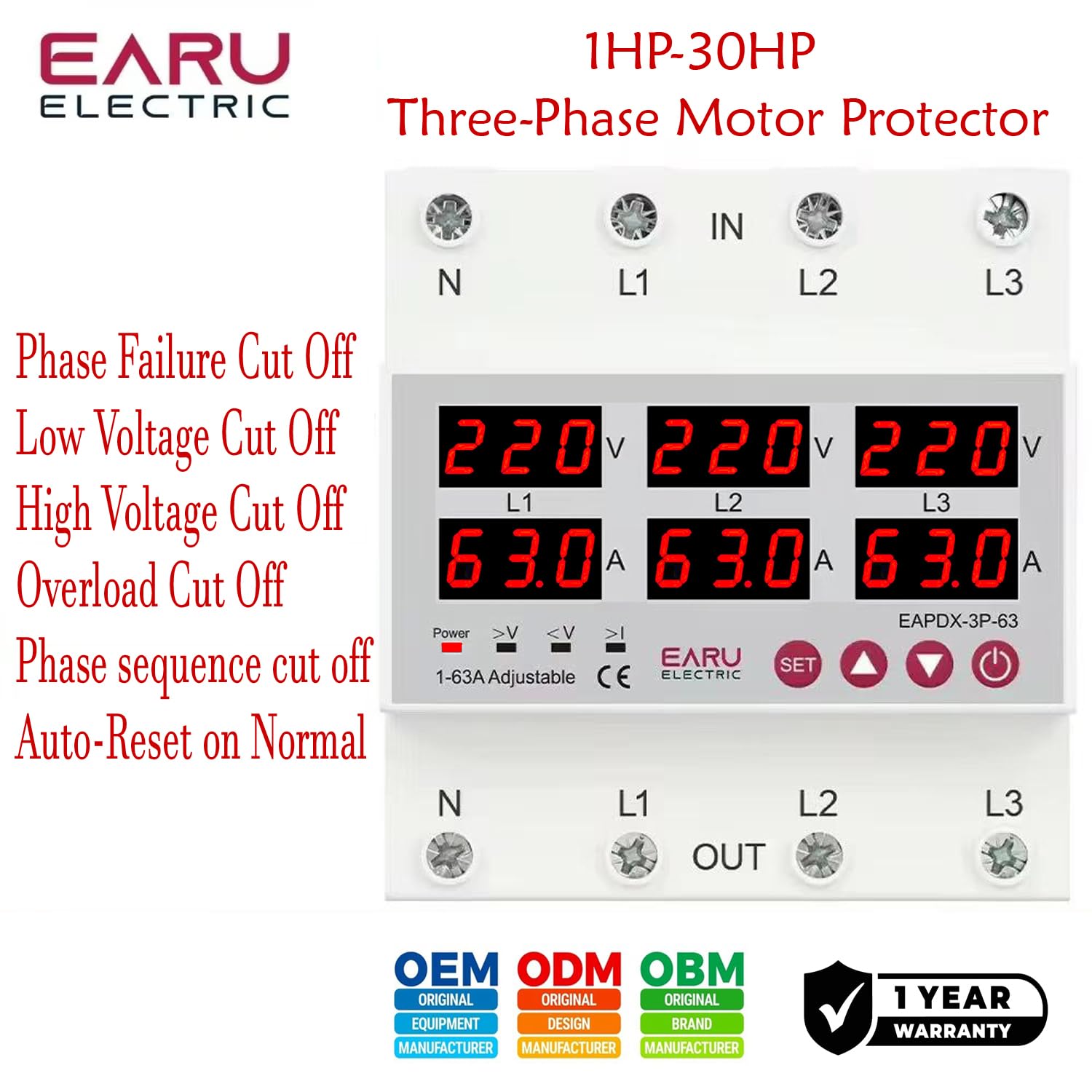
画像7.1: This image highlights the various protection features of the EARU Electric Voltage Protector, including phase failure cut-off, low voltage cut-off, high voltage cut-off, overload cut-off, phase sequence cut-off, and auto-reset on normal conditions. These are key aspects for troubleshooting protection trips.
8. 仕様
| パラメータ | 価値 |
|---|---|
| ブランド | EARU |
| モデル | EARU-1008 |
| 定格供給量tage | AC 3*220V (N-L1/L2/L3) / 440V |
| 定格周波数 | 50/60Hz |
| Over Current Protection Setting Range | 1-63A (Default 30A) |
| オーバーVoltage Protection Setting Range | 230-300V (Default 270V) |
| 巻の下でtage Protection Setting Range | 140-210V (Default 170V) |
| 製品寸法 | 20 x 10 x 20 cm |
| アイテム重量 | 450グラム |
| 取り付けタイプ | DINレール |

画像8.1: This image provides a visual representation of the EARU Electric Voltage Protector's dimensions and a table of key technical specifications, including voltage, frequency, and protection ranges.
9. 保証とサポート
9.1. 保証
The EARU Electric Voltage Protector (Model EARU-1008) comes with a 1年間のメーカー保証 ご購入日から通常使用における材料および製造上の欠陥が保証対象となります。保証請求の際は、購入証明書を保管してください。
9.2. カスタマーサポート
For technical assistance, troubleshooting, or warranty inquiries, please contact EARU customer support through your retailer or the official EARU website. Provide your model number (EARU-1008) and a detailed description of the issue for efficient service.