
1. はじめに
The EARU Automatic Voltage Protector (Model EARU-1005) is an advanced electrical safety device designed to protect your valuable home and office appliances from damaging power fluctuations. This device offers comprehensive protection against over-voltage、under-voltage, and overcurrent conditions, ensuring the longevity and safe operation of your electrical equipment. It features adjustable thresholds and an auto-reconnect function for convenience and continuous protection.
2. 主な特徴
- All-in-One Protection: Safeguards appliances from power surges, over-voltage (above 275V), under-voltage (below 175V), and adjustable overcurrent (1A-63A).
- 精度調整: Customizable cut-off thresholds for over-voltage(200V-275V)および電圧不足tage (175V-200V) to suit specific grid conditions and appliance needs.
- 自動リセット機能: Automatically restores power within 60-300 seconds once grid voltage stabilizes within the set safe range, eliminating manual intervention.
- 優れた導電性: Constructed with 100% pure copper conductors for minimal resistance, efficient operation, and enhanced long-term reliability under heavy 63A loads.
- DINレールの取り付け: Designed for easy and secure integration into standard 2-Pole, 36mm width DIN Rail electrical panels.
- 総合的な安全性: Provides robust protection for an entire household against unpredictable voltag変動と急上昇。
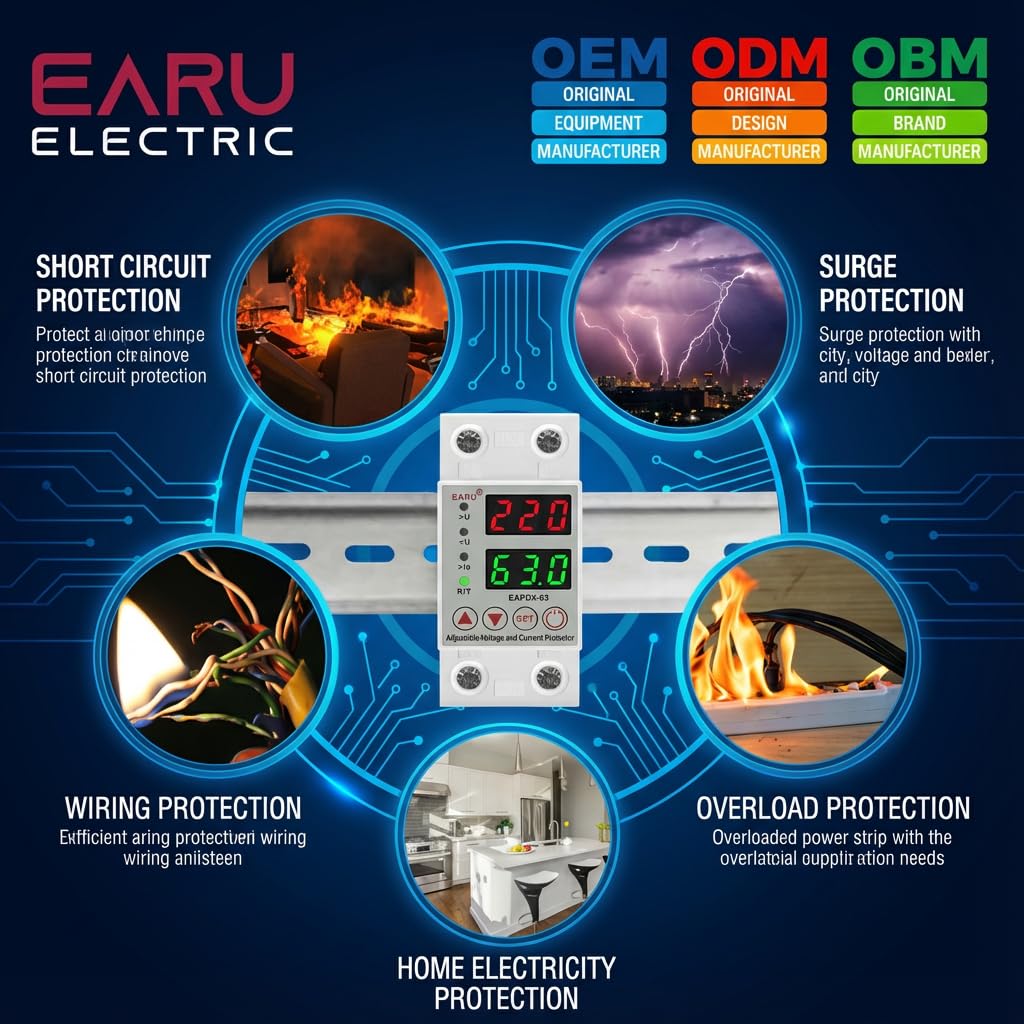
画像2.1: 以上view of the protection capabilities of the EARU Automatic Voltage プロテクター。
3. 安全情報
Please read and understand all safety instructions before installing or operating the device. Failure to do so may result in electric shock, fire, or serious injury.
- 設置は、地域の電気工事規定および規制に従って、資格のある電気技師のみが行う必要があります。
- 設置やメンテナンス作業を行う前に、主電源が切断されていることを確認してください。
- デバイスが損傷しているように見える場合、または湿気にさらされている場合は、デバイスを操作しないでください。
- Verify correct wiring connections (Line and Neutral) to prevent malfunction or damage.
- このデバイスは、屋内での使用のみを目的として設計されています。
- 最大電流定格63Aを超えないでください。
4.製品オーバーview
4.1. コンポーネントとディスプレイ
The EARU Automatic Voltage Protector features a clear digital display and intuitive control buttons for easy monitoring and adjustment.
- 巻tageディスプレイ: 現在のラインボリュームを表示しますtage.
- 現在の表示: Shows the current load in Ampそうです。
- インジケーターライト:
>U: 過剰ボリュームtageインジケーター。<U:Under-voltageインジケーター。>Ie: Overcurrent indicator.R/T: Reset/Time indicator.
- コントロールボタン:
- 上矢印(▲)/下矢印(▼): パラメータ値を調整するために使用されます。
- SETボタン: Press and hold for 3 seconds to enter setting mode.
- 電源オン/オフボタン: Toggles power to the protected circuit.
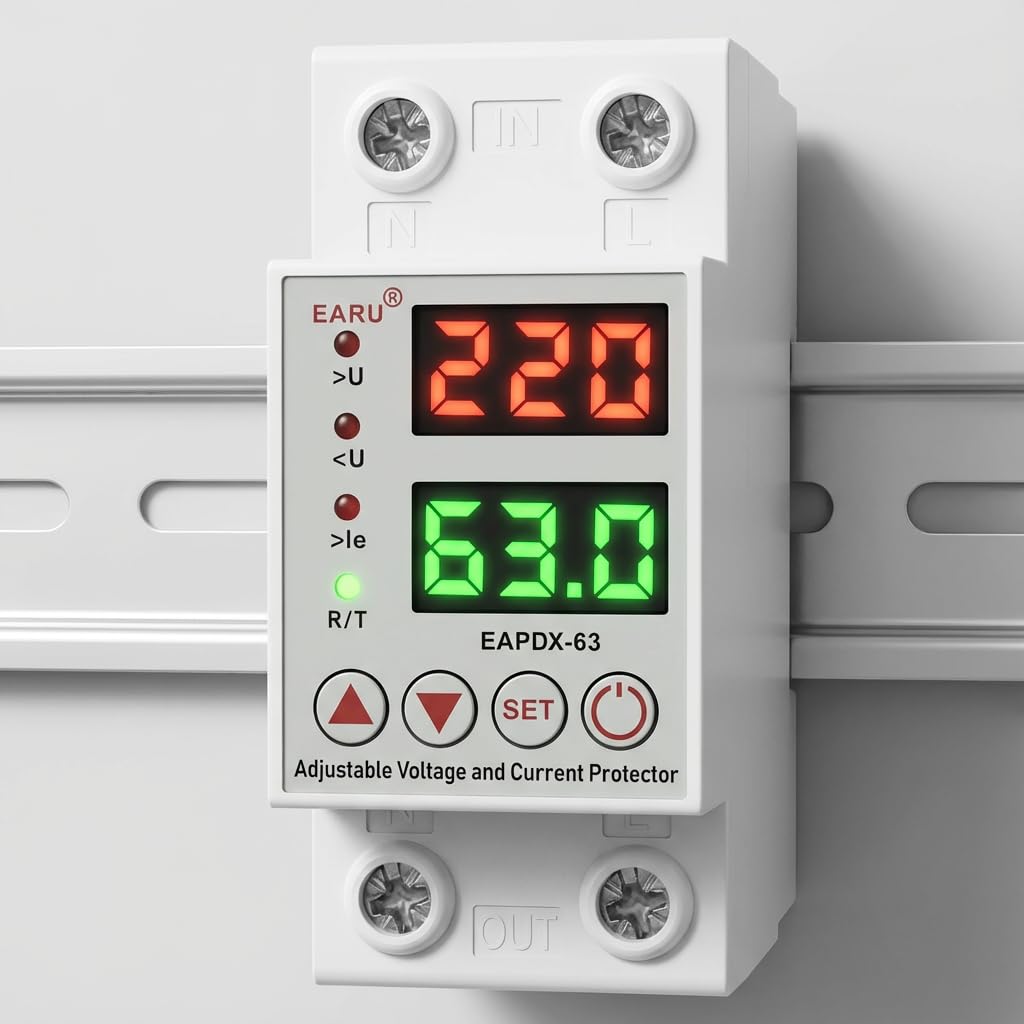
画像4.1:正面 view of the EARU Automatic Voltage Protector, highlighting its digital display and control buttons.
5. セットアップとインストール
The EARU Automatic Voltage Protector is designed for DIN Rail mounting. Ensure proper wiring and secure installation.
5.1. 取り付け
Mount the device onto a standard 36mm width DIN Rail within your electrical panel. Ensure it is securely clipped into place.
5.2.配線図
Connect the incoming power supply (Line and Neutral) to the "IN" terminals and the outgoing load to the "OUT" terminals. Refer to the diagram below for correct wiring.

図5.1: 例ample wiring configuration for DIN Rail installation.

Image 5.2: Device dimensions for installation planning.
6. 操作手順
The device allows for precise adjustment of protection parameters. Follow these steps to configure your voltageプロテクター。
6.1. Parameter Setting Mode
- デバイスの電源がオンになっていることを確認します。
- を押し続けます セット button for approximately 3 seconds until the display changes to show "P-1" or a similar setting indicator. This indicates you are in parameter setting mode.
- 使用 上矢印(▲) そして 下矢印(▼) buttons to navigate through the different parameters (P-1 to P-6).
- Once you have selected a parameter, press the セット button briefly to enter its adjustment mode.
- 使用 上矢印(▲) そして 下矢印(▼) ボタンをクリックして値を変更します。
- を押す セット button again to confirm the value and move to the next parameter, or wait a few seconds for the device to automatically save and exit the setting mode.
6.2. パラメータの説明
| パラメータ | 説明 | 調整範囲 |
|---|---|---|
| P-1 | オーバーボリュームtage設定 | 240V - 300V (or OFF) |
| P-2 | アンダーボリュームtage設定 | 140V - 200V (or OFF) |
| P-3 | Overcurrent setting | 1A - 40A / 63A / 80A (depending on model) |
| P-4 | リセット/スタート遅延 | 1秒~300秒 |
| P-5 | Relay recovery delay | 1秒~300秒 |
| P-6 | Overcurrent recovery delay | 1秒~300秒 |
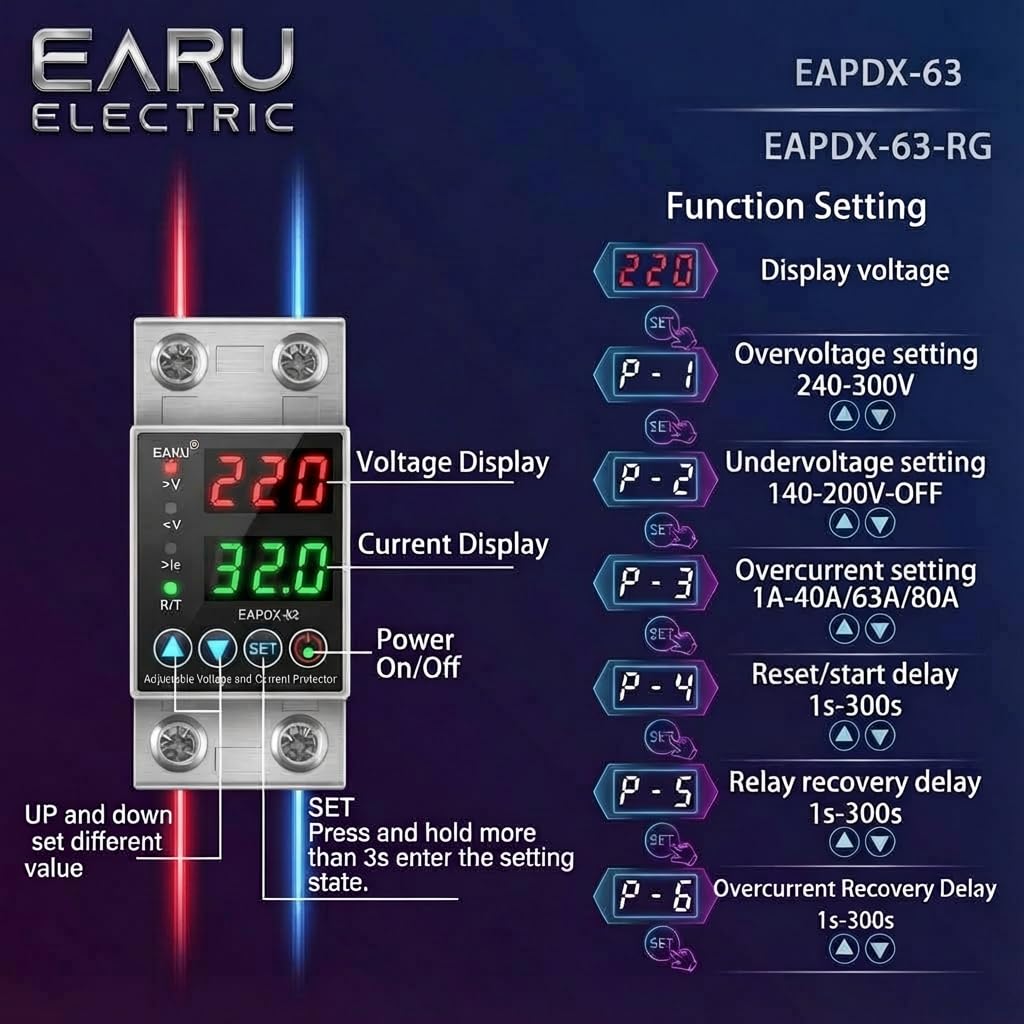
Image 6.1: Function setting guide for the device.
6.3. Video Guide: Setting Parameters
Video 6.1: This video demonstrates how to adjust the over-voltage、under-voltage, overcurrent, and recovery delay settings on the EARU Automatic Voltage Protector. It shows the step-by-step process of entering the setting mode and modifying each parameter.
7. メンテナンス
The EARU Automatic Voltage Protector requires minimal maintenance. Regular checks can ensure optimal performance.
- 定期的にデバイスを点検し、目に見える損傷や緩んだ接続がないか確認してください。
- 過熱を防ぐために、通気口にほこりやごみが詰まっていないことを確認してください。
- 外装は乾いた柔らかい布で拭いてください。液体クリーナーや溶剤は使用しないでください。
- ご自身でデバイスを開けたり修理したりしないでください。修理は資格のある専門家に依頼してください。
8。 トラブルシューティング
If you encounter issues with your EARU Automatic Voltage Protector, refer to the following common troubleshooting steps:
| 問題 | 考えられる原因 | 解決 |
|---|---|---|
| デバイスの電源が入らない | 入力電源がありません。配線が正しくありません。内部障害があります。 | 主電源を確認してください。配線の接続を確認してください。問題が解決しない場合は、サポートにお問い合わせください。 |
| Power cuts off frequently | 巻tage/current outside set thresholds; unstable grid. | 現在のボリュームを確認するtage/current readings. Adjust P-1, P-2, P-3 settings if necessary. Monitor grid stability. |
| Device does not auto-reconnect | Recovery delay (P-4, P-5, P-6) set too long; persistent fault. | Verify recovery delay settings. Ensure grid conditions have stabilized. Manually reset if safe to do so. |
| 間違ったボリュームtage/現在の読書 | Calibration issue; faulty sensor. | サポートが必要な場合はカスタマー サポートにお問い合わせください。 |
9. 仕様
| 特徴 | 詳細 |
|---|---|
| ブランド | EARU |
| モデル | EARU-1005 |
| 製品寸法(長さx幅x高さ) | 7.7 x 3.5 x 6.5 cm |
| アイテム重量 | 450グラム |
| 入力ボリュームtage | 230ボルトAC |
| 最大ワットtage | 13800ワット |
| 最大電流 | 63 Ampエルス |
| オーバーボリュームtage 保護範囲 | Adjustable 200V-275V (Cut-off above 275V default) |
| アンダーボリュームtage 保護範囲 | Adjustable 175V-200V (Cut-off below 175V default) |
| Auto-Reconnect Delay | 60~300秒で調整可能 |
| 取り付けタイプ | DIN Rail (2-Pole, 36mm width) |
| 導体材質 | 100% Pure Copper |
| 原産国 | インド |
10. 保証とサポート
The EARU Automatic Voltage Protector (Model EARU-1005) is backed by a 1-Year Manufacturer Warranty. This warranty covers defects in materials and workmanship under normal use.
- For warranty claims or technical support, please contact EARU customer service.
- 保証を有効にするために、購入の証明として購入領収書を保管してください。
- 許可されていない修理または変更は保証を無効にします。