
1. はじめに
Welcome to the user manual for your new boAt Rockerz 413 Bluetooth Over-Ear Headphones. These headphones are designed to provide a superior audio experience with features such as 60 hours of playback, powerful 40mm drivers, ENx Technology for clear calls, Dual Pairing for seamless device switching, and a low-latency BEAST Mode for gaming.
Please read this manual carefully to ensure proper use and to maximize the performance and longevity of your headphones.
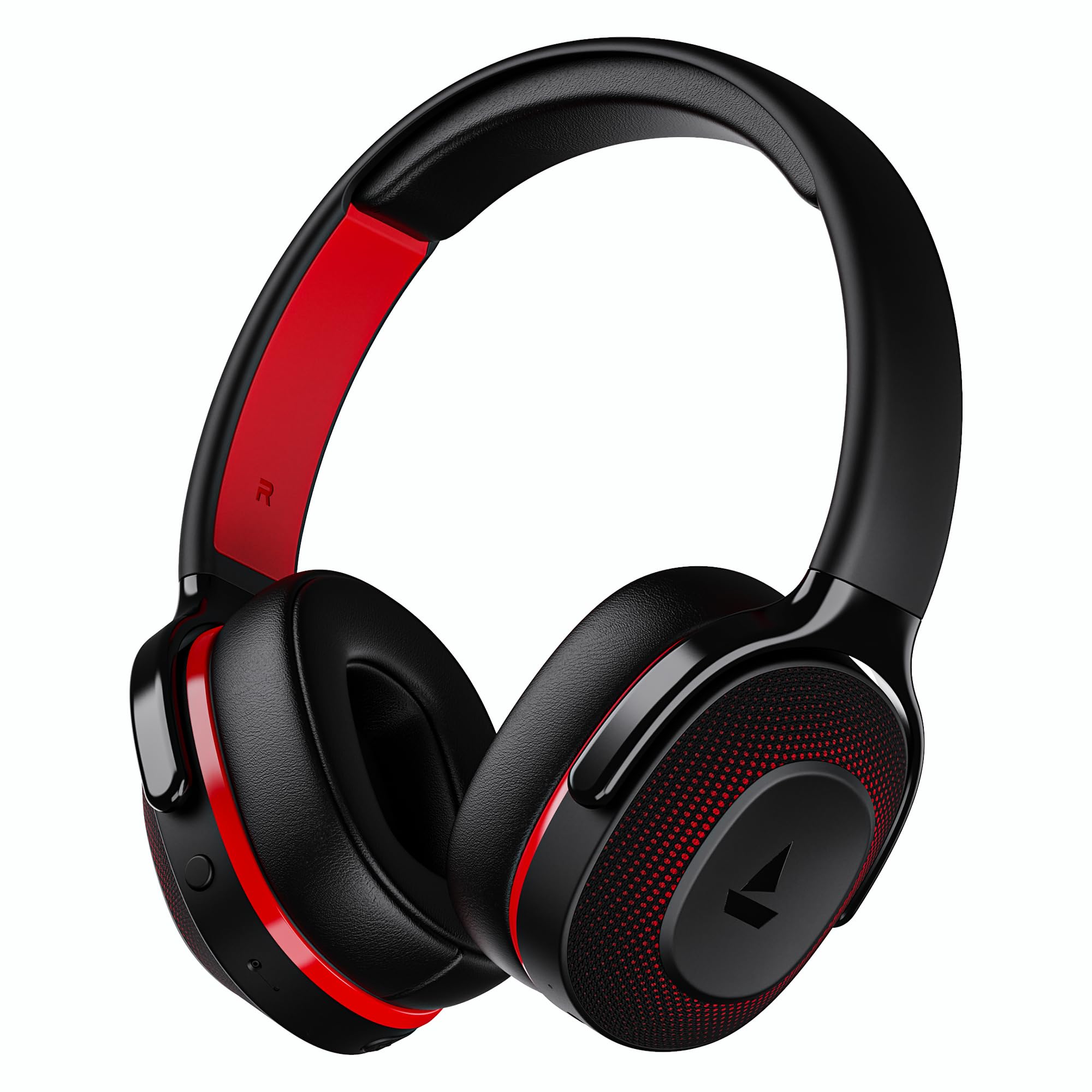
Image: boAt Rockerz 413 Bluetooth Headphones in Black & Red.
2. 箱の中身
Upon opening your boAt Rockerz 413 package, you should find the following items:
- boAtRockerz413ヘッドフォン
- 充電ケーブル
3.製品オーバーview およびコントロール
ヘッドフォンの物理的なコンポーネントとコントロールについて理解しておきましょう。

画像: クローズアップ view of the right ear cup, highlighting the easy access control buttons for power, volume, and mode selection. The headphones feature an adaptive fit design and support dual pairing with Bluetooth v5.2.
コントロールボタン:
- 電源ボタン: 長押しで電源のオン/オフ、短く押すと再生/一時停止になります。
- ボリュームアップ(+): 短く押すと音量が上がります。長押しすると次のトラックに進みます。
- ボリュームダウン (-): 短く押すと音量が下がります。長押しすると前のトラックに戻ります。
- 多機能ボタン: (Specific function may vary, often for call management or voice assistant).
- モードボタン: Activates BEAST Mode for low latency gaming.
4. セットアップ
4.1 電源のオン/オフ
- 電源を入れるには: LED インジケーターが点灯するまで、電源ボタンを約 3 秒間押し続けます。
- 電源を切るには: LED インジケーターが消えるまで、電源ボタンを約 5 秒間押し続けます。
4.2Bluetoothペアリング
- 初めて使用する前に、ヘッドフォンが完全に充電されていることを確認してください。
- Power on the headphones. They will automatically enter pairing mode, indicated by a flashing LED light (e.g., blue and red alternating).
- デバイス(スマートフォン、タブレット、ラップトップ)で Bluetooth を有効にします。
- 検索する available Bluetooth devices and select "boAt Rockerz 413" from the list.
- Once connected, the LED indicator will show a steady blue light or flash slowly.
4.3 デュアルペアリング
The Rockerz 413 supports dual pairing, allowing you to connect to two devices simultaneously (e.g., a smartphone and a laptop). This enables seamless switching between audio sources without manual disconnection.
- セクション 4.2 の説明に従って、ヘッドフォンを最初のデバイスに接続します。
- 最初のデバイスのBluetoothを無効にします。ヘッドフォンは再びペアリングモードになります。
- ヘッドフォンを2番目のデバイスに接続します。
- 最初のデバイスでBluetoothを再度有効にします。ヘッドフォンは両方のデバイスに自動的に接続されます。
- Audio will play from the device that is actively playing content.
Image: The boAt Rockerz 413 headphones demonstrating their adaptive fit and the capability for dual pairing with Bluetooth v5.2.
5. 操作手順
5.1 オーディオ再生
- 再生/一時停止: 電源ボタンを短く押します。
- 次のトラック: 音量アップ(+)ボタンを長押しします。
- 前のトラック: 音量ダウン(-)ボタンを長押しします。
- 音量コントロール: 音量アップ (+) ボタンまたは音量ダウン (-) ボタンを短く押します。
5.2 通話管理(ENxテクノロジー)
The boAt Rockerz 413 features ENx Technology, which enhances your voice and cancels surrounding noise for clear call quality.
- 通話の応答/終了: 多機能ボタンを短く押します。
- 通話を拒否: マルチファンクションボタンを長押しします。
- 音声アシスタント: Double press the Multi-function Button (if supported by your device).

Image: The boAt Rockerz 413 headphones showcasing ENx Technology for enhanced call clarity.
5.3 BEASTモード(低遅延ゲーム)
Activate BEAST Mode for a low-latency audio experience, ideal for gaming. This mode reduces audio delay to 60ms, providing synchronized sound with your gameplay.
- Activate BEAST Mode: Press the dedicated Mode Button. You may hear an audio prompt confirming activation.
- BEASTモードを無効にする: Press the Mode Button again.

Image: boAt Rockerz 413 headphones shown alongside a smartphone displaying a game, emphasizing the 60ms low latency BEAST Mode for an immersive gaming experience.
5.4 boAt Signature Sound with 40mm Drivers
Experience rich and balanced audio with the boAt Signature Sound, delivered through powerful 40mm dynamic drivers. These drivers are engineered to provide clear highs, detailed mids, and deep bass for an enjoyable listening experience across various genres.

Image: An exploded diagram of the boAt Rockerz 413 ear cup, illustrating the internal 40mm drivers and components responsible for delivering boAt Signature Sound.
6. 充電
Your boAt Rockerz 413 headphones offer an impressive 60 hours of playback on a single charge.
- 付属の充電ケーブルをヘッドフォンの充電ポートに接続します。
- ケーブルのもう一方の端を USB 電源 (例: 壁のアダプタ、コンピュータの USB ポート) に接続します。
- 充電中は LED インジケーターが赤色に点灯します。
- Once fully charged, the LED indicator will turn blue or off, depending on the model.
- 急速充電器や大容量の充電器の使用は避けてください。tage exceeding 5V to prevent damage.

Image: Close-up of the boAt Rockerz 413 headphone ear cup, highlighting its 60 hours of playback capability.
7. メンテナンス
ヘッドフォンの寿命を延ばし、最適なパフォーマンスを確保するには、次のメンテナンス ガイドラインに従ってください。
- ヘッドホンは乾燥した状態に保ってください。水や過度の湿気にさらさないでください。
- イヤークッションとヘッドバンドは、定期的に柔らかく乾いた布で拭いてください。
- 極端な温度を避けてください。
- 使用しないときは、ヘッドフォンを涼しく乾燥した場所に保管してください。
- ヘッドフォンを分解したり改造したりしないでください。保証が無効になります。
8。 トラブルシューティング
| 問題 | 考えられる解決策 |
|---|---|
| ヘッドフォンがオンにならない | ヘッドホンが充電されていることを確認してください。電源に接続してもう一度お試しください。 |
| デバイスとペアリングできません |
|
| 音が出ない、または音量が小さい |
|
| Call quality issues (ENx Tech) |
|
| Latency in gaming (BEAST Mode) |
|
9. 仕様
| 特徴 | 詳細 |
|---|---|
| ブランド | ボート |
| モデル名 | ロッカーズ |
| モデル番号 | PB0019 |
| 耳の位置 | オーバーイヤー |
| フォームファクター | オーバーイヤー |
| 騒音制御 | アクティブノイズキャンセリング |
| Bluetoothバージョン | 5.2 |
| ワイヤレステクノロジー | ブルートゥース |
| オーディオドライバータイプ | ダイナミックドライバ |
| ドライバーサイズ | 40ミリメートル |
| バッテリー寿命(平均) | 60時間 |
| 制御方法 | プッシュボタン |
| 製品の特徴 | ENx Technology, BEAST Mode, Dual Pairing |
| 対応デバイス | Tablets, Desktops, Telephones, Cellphones, Laptops, Smart Speaker, Television |
| 具体的な用途 | Gaming, Music, Travel |
| 材料 | ファブリック |
| アイテム重量 | 300グラム |
| 原産国 | 中国 |
10. 保証
The boAt Rockerz 413 headphones come with a 1年間保証 ご購入日から1年間有効です。保証請求の際は、購入証明書を保管してください。保証は製造上の欠陥を対象としており、誤用、事故、不正な改造、または通常の摩耗や損耗による損傷は対象外となります。
For detailed warranty terms and conditions, please refer to the official boAt webサイトをご覧いただくか、カスタマー サポートにお問い合わせください。
11. サポート
For further assistance, technical support, or warranty claims, please contact boAt customer service:
- メーカーの連絡先: イマジンマーケティング株式会社
- メールアドレス: info@imaginemarketingindia.com
boAtヒアラブルアプリ
Enhance your experience by downloading the boAt Hearables App. Scan the QR code below or visit the provided link to access additional features, stream music, listen to audiobooks, and find user help guides.
Image: A smartphone screen displaying a QR code for the boAt Hearables App, which allows users to stream music, listen to audiobooks, and access user guides.
アプリはこちらからダウンロードしてください: boAt Hearables App Link