
1. はじめに
This manual provides essential information for the safe and efficient installation, operation, and maintenance of your OSRAM ENDURA PRO Outdoor Wall Projector with Sensor. This high-efficiency outdoor wall luminaire features an extensive angle and innovative optical design, providing reliable and secure lighting for various outdoor applications.

Image 1.1: Highly Efficient Lighting. The OSRAM ENDURA PRO LED projector provides uniform and efficient lighting, enhancing security around your property with optimal brightness.
2. 安全に関する注意事項
Please read and understand all safety instructions before installing or operating the product. Failure to follow these instructions may result in electric shock, fire, or other hazards.
- 有資格者: すべての電気接続は、資格のある電気技師が行う必要があります。
- 感電の危険性: Always disconnect power before installation, maintenance, or repair. Caution, risk of electric shock.
- 絞殺の危険: To reduce the risk of strangulation, ensure that any flexible wiring connected to this luminaire is effectively secured to the wall if the wiring is within reach.
- 製品の完全性: Do not modify or alter the product in any way. Use only original OSRAM accessories and spare parts.
- 動作環境: This product is designed for outdoor use with an IP55 rating. Do not submerge in water.
3 製品の特徴
The OSRAM ENDURA PRO projector is engineered for optimal outdoor lighting performance and durability.
- 高性能: Provides bright and uniform illumination, enhancing safety in all outdoor areas.
- 調整可能なヘッド: The luminaire head is adjustable, allowing for precise light orientation to illuminate specific areas and dark corners.
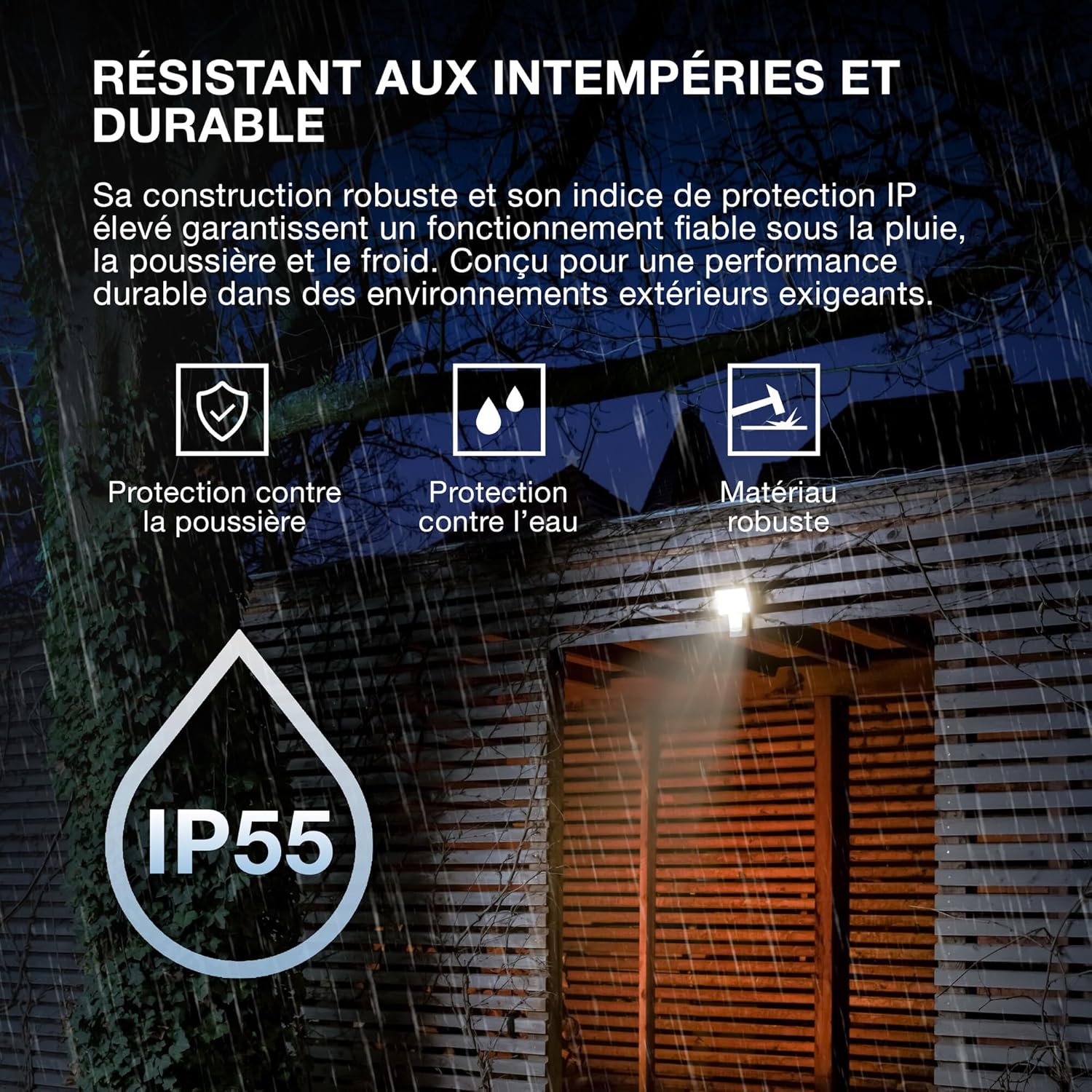
- 堅牢な構造: Features IP55 protection against dust and water jets, and IK05 impact resistance, ensuring reliable operation in various weather conditions.
- 統合センサー: Equipped with a motion and brightness detection sensor for automated operation.
- 動作モード: Offers 4 selectable operating modes, including 6-hour continuous illumination or activation by motion and ambient light.
- エネルギー効率: 省エネ運転を実現する設計。

Image 3.1: Weather Resistant and Durable. The robust construction with IP55 and IK05 ratings ensures reliable performance in demanding outdoor environments, protecting against dust, water, and impacts.

Image 3.2: Precisely Adjustable. The pivoting lamp head allows for precise light orientation, directing illumination exactly where needed for efficient and glare-free lighting.
4. セットアップとインストール
The OSRAM ENDURA PRO projector is designed for easy and quick installation on walls or ceilings.
4.1. インストールの前に
- Ensure the power supply is disconnected at the main circuit breaker before starting any electrical work.
- Verify that the mounting surface is suitable and can support the weight of the luminaire.
- Consult a qualified electrician for all electrical connections.
4.2. 取り付け手順
- 取り付け場所の準備: Choose a suitable location for wall or ceiling mounting.
- 掘削ポイントをマークする: Use the mounting bracket as a template to mark the drilling points on the surface.
- ドリル穴: マークした箇所に穴を開け、適切な壁プラグを挿入します(必要な場合)。
- 安全な取り付けブラケット: Attach the mounting bracket securely to the wall or ceiling using screws.
- 電気接続: Connect the electrical wiring to the luminaire terminals according to local electrical codes. Ensure proper grounding.
- 照明器具を取り付ける: Mount the luminaire onto the secured bracket.
- 安全な配線: If the flexible wiring is within reach, secure it effectively to the wall to prevent strangulation hazards.
- 電力を回復する: インストールが完了し、すべての接続が安全になったら、回路に電力を復元します。

Image 4.1: Quick Assembly and Easy Installation. The diagram illustrates both wall and ceiling installation methods, highlighting the 180° detection angle and coverage area for enhanced security.
画像4.2: 製品の寸法。 Detailed dimensions of the luminaire for accurate installation planning.
5. 操作手順
The OSRAM ENDURA PRO projector offers flexible operating modes and an adjustable head for customized lighting.
5.1. 動作モードの選択
The luminaire features 4 selectable operating modes, typically controlled via a push button or internal switch (refer to the detailed wiring diagram in the packaging for exact control method):
- Motion and Brightness Detection: The light turns on automatically when motion is detected in low ambient light conditions.
- Continuous Illumination (e.g., 6 hours): The light remains on for a set duration, regardless of motion or ambient light.
- Other modes may include variations of detection sensitivity, time-on duration, or ambient light threshold.
5.2. Adjusting the Luminaire Head
The luminaire head can be manually adjusted to direct the light beam as required. Gently pivot the head to the desired angle (up to 60 degrees as indicated in product images) to optimize illumination for your specific area.
6. メンテナンス
Regular maintenance ensures the longevity and optimal performance of your OSRAM ENDURA PRO projector.
- クリーニング: Clean the luminaire regularly with a soft, damp 布で拭いてください。研磨剤入りの洗剤や溶剤は表面を傷つける恐れがあるため使用しないでください。
- 検査: Periodically inspect the luminaire for any signs of damage, such as cracks in the housing or frayed wiring. If damage is found, disconnect power immediately and contact a qualified electrician for repair or replacement.
- 電気接続: Ensure all electrical connections remain secure. If any looseness is detected, have it checked by a qualified electrician.
7。 トラブルシューティング
If you encounter issues with your OSRAM ENDURA PRO projector, refer to the following common troubleshooting steps:
| 問題 | 考えられる原因 | 解決 |
|---|---|---|
| ライトが点灯しない | 電源なし Sensor not triggered 動作モードが正しくありません | 回路ブレーカーと電気接続を確認してください。 Ensure motion is within sensor range and ambient light is low enough. Verify selected operating mode. |
| ライトが点灯し続けます | Continuous illumination mode selected Constant motion in sensor range センサーの誤動作 | Switch to motion detection mode. Adjust sensor position or sensitivity. カスタマーサポートにお問い合わせください。 |
| 光がちらつく | 不安定な電力供給 接続が緩い | Consult a qualified electrician to check power supply. すべての電気接続が安全であることを確認してください。 |
If the problem persists after attempting these solutions, please contact OSRAM customer support or a qualified electrician.
8. 仕様
Key technical specifications for the OSRAM ENDURA PRO Flood Sensor 27W 4000K IP55.
| 特徴 | 仕様 |
|---|---|
| モデル番号 | 4099854451744 |
| ブランド | オスラム |
| 消費電力 | 27ワット |
| 光束 | 3000 lm (Lumen) |
| 色温度 | 4000K(クールホワイト) |
| 巻tage | 220ボルト(AC) |
| 保護等級 | IP55 (Dust protected, protected against water jets) |
| 耐衝撃性 | IK05 |
| 材料 | ポリカーボネート(PC) |
| 寸法(長さ×幅×高さ) | 20.1 x 5.6 x 22.5 cm |
| 重さ | 480グラム |
| スイッチタイプ | 動き検出器 |
| 取り付けタイプ | 壁掛け |
| 応用分野 | Outdoor, Parking lots, Squares, Parks, Arcades |
Image 8.1: Performance Options. The OSRAM ENDURA PRO is available in various wattages and luminous fluxes. This model is the 27W version, providing 3000 lumens.

画像 8.2: 製品のパッケージ。 The packaging provides an overview of the product, including key specifications and features.
9. 保証とサポート
For warranty information and customer support, please refer to the documentation included with your product or visit the official OSRAM webサイトでご確認ください。購入証明として購入レシートを保管してください。
オスラム Webサイト: www.osram.com