
1. 導入と製品の説明view
This manual provides detailed instructions for the installation, operation, and maintenance of your WALI Vertical Dual Monitor Wall Mount, Model 012ARMV-49. This mount is designed to support two monitors in a stacked configuration, optimizing desk space and providing ergonomic view角度を変える。
The mount supports displays from 17 to 49 inches, with a maximum weight capacity of 44 lbs (20 kg) per arm. It is compatible with VESA 75x75mm and 100x100mm mounting patterns. Key features include flexible tilt, swivel, and height adjustments, along with 360-degree rotation for versatile screen positioning.
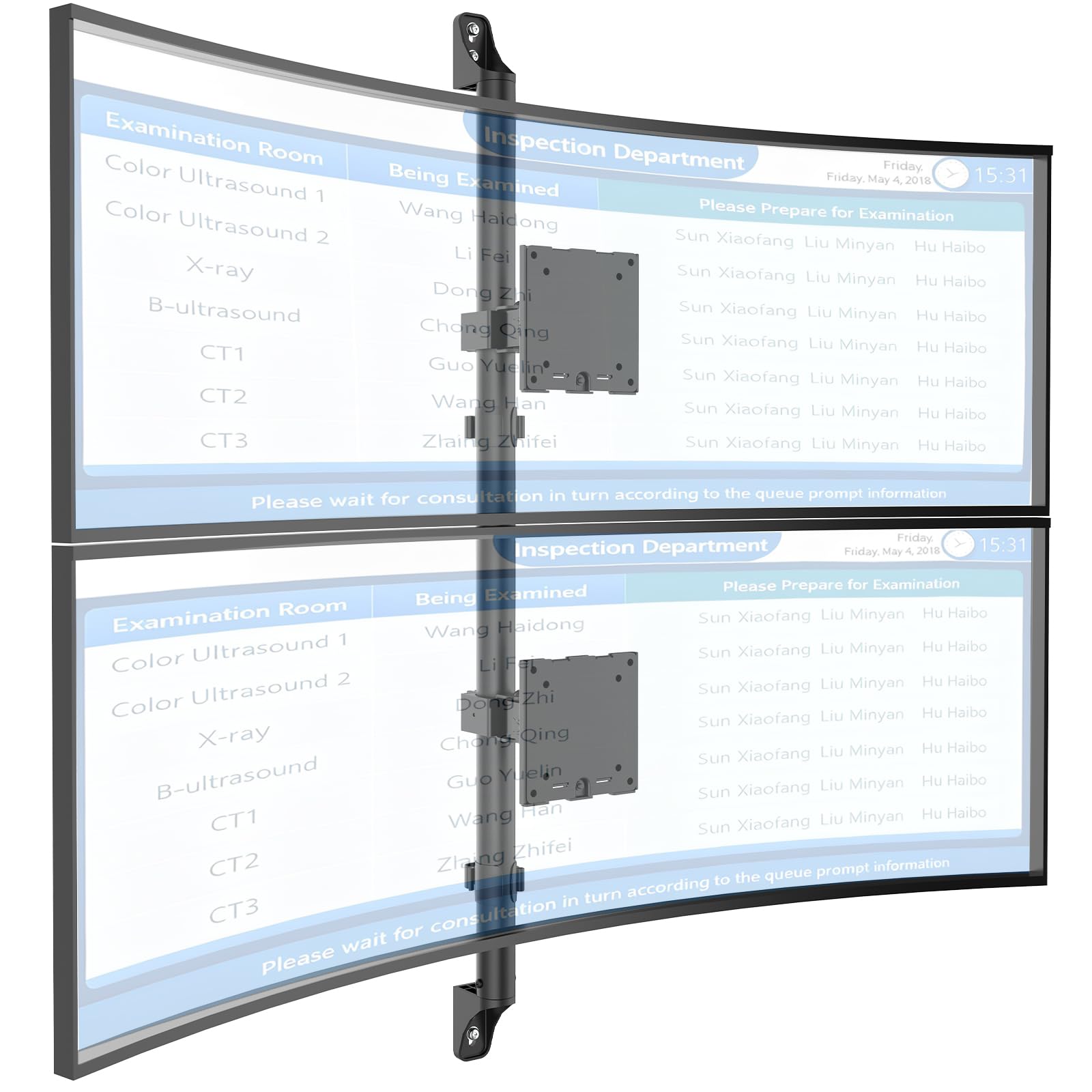
Figure 1: WALI Vertical Dual Monitor Wall Mount with two curved monitors.
2. 安全情報
設置およびご使用の前に、必ずすべての説明書をよくお読みになり、理解してください。指示に従わない場合、人身傷害や物的損害が発生する可能性があります。この説明書は、今後の参考のために保管してください。
- 重量容量: Do not exceed the maximum weight capacity of 44 lbs (20 kg) per monitor. Exceeding this limit can result in serious injury or product failure.
- モニターサイズ: モニターのサイズが 17 ~ 49 インチのサポートされている範囲内であることを確認してください。
- VESAの互換性: Verify your monitor's VESA mounting pattern (75x75mm or 100x100mm) before installation.
- 壁の種類: This mount is designed for installation on concrete/brick walls or wooden studs. Do not install on drywall alone.
- 専門家による設置: 設置手順や壁の種類について不明な点がある場合は、資格のある専門家にご相談ください。
- 可動部品: 挟まれないように、調整中は可動部分に手や指を近づけないでください。
- 子供たち: 小さな部品や梱包材は窒息の危険があるため、お子様の手の届かないところに保管してください。
3. パッケージ内容
Verify that all components are present and undamaged. If any parts are missing or damaged, contact WALI customer support.
- 1 x WALI Vertical Dual Monitor Wall Mount (Black)
- Mounting Hardware Kit (includes screws, washers, wall anchors for masonry, and self-tapping screws for wood)
- ユーザーマニュアル
4. 仕様
| 特徴 | 仕様 |
|---|---|
| 取り付けタイプ | 壁掛け |
| 移動タイプ | 明瞭に表現する |
| ブランド | ワーリ |
| 材料 | Dual aerospace-grade aluminum mounting brackets, High-strength steel pole |
| 色 | 黒 |
| 対応デバイス | モニター、テレビ |
| 最大傾斜角度 | 20度 |
| Minimum Supported Screen Size | 17インチ |
| Maximum Supported Screen Size | 49インチ |
| モデル番号 | 012ARMV-49 |
| VESA互換性 | 75x75mm、100x100mm |
| 重量容量 | 片腕あたり 44 ポンド (20 kg) |
5. セットアップとインストール
Follow these steps carefully to install your WALI Vertical Dual Monitor Wall Mount.
5.1 壁の準備
- 壁の種類を識別します: This mount is suitable for wooden studs, solid concrete walls, and brick walls.
- Locate Studs (for wood walls): Use a stud finder to locate the center of a wooden stud. Mark the drilling locations.
- 掘削場所をマークする: Hold the wall plate against the wall at your desired height and mark the screw holes. Ensure it is level.

Figure 2: Wall compatibility for installation.
5.2 Attaching the Wall Plate
- パイロット穴をドリルで開ける: Drill pilot holes at the marked locations. The size of the drill bit will depend on your wall type and the provided hardware.
- セキュアウォールプレート: Attach the wall plate to the wall using the appropriate screws and anchors for your wall type. Ensure it is firmly secured.

Figure 3: Securing the wall mount plate.
5.3 Attaching VESA Plates to Monitors
- Remove Original Stand: Carefully remove the original stand from your monitors.
- VESAプレートを取り付ける: Align the VESA plate with the mounting holes on the back of your monitor. Use the provided screws to secure the plate. Ensure the plate is oriented correctly for vertical stacking.
5.4 Mounting Monitors to the Arm
- Slide Arm onto Wall Base: Carefully slide the monitor arm assembly onto the secured wall base.
- Attach Monitors: With assistance, carefully lift each monitor and slide its VESA plate onto the corresponding arm bracket. Ensure it clicks securely into place.
- Secure Monitors: Use the safety screws or clips to prevent accidental dislodgement of the monitors from the arms.

Figure 4: Monitor arm assembly and attachment points.
5.5 ケーブル管理
- ケーブルの配線: Utilize the integrated cable management system to route monitor cables neatly along the arm and down the wall pole.
- 安全なケーブル: Use the provided clips or ties to secure the cables, preventing clutter and ensuring a clean setup.

図 5: 統合ケーブル管理システム。
6. 操作手順(調整)
The WALI Vertical Dual Monitor Wall Mount offers various adjustments for optimal view快適さを。
- 高さ調整: The monitors can be adjusted vertically along the main pole. Loosen the adjustment screws on the arm brackets, slide the monitors to the desired height, and then re-tighten the screws. The maximum height adjustment is 28.74 inches.
- 傾き調整: Tilt the monitors up to +50 degrees or down to -20 degrees to reduce glare and find your preferred view角度。
- スイベル調整: Swivel the monitors up to +/-90 degrees horizontally for collaborative work or to adjust the view方向性。
- 回転: Rotate the monitors 360 degrees to switch between landscape and portrait orientations.

Figure 6: Tilt, Swivel, and Rotation adjustments.

Figure 7: Full motion adjustment range and dimensions.
7. メンテナンス
定期的なメンテナンスにより、モニター マウントの寿命が長くなり、安全に動作することが保証されます。
- クリーニング: マウントを柔らかくてdで拭きますamp 布で拭いてください。研磨剤入りの洗剤や溶剤は使用しないでください。
- 気密性を確認してください: すべてのネジと接続部がしっかりと締められているか、定期的に確認してください。必要に応じて締め直してください。
- 損傷の検査: Regularly inspect the mount for any signs of wear, damage, or corrosion. Discontinue use and contact support if any issues are found.
8。 トラブルシューティング
If you encounter issues with your WALI Vertical Dual Monitor Wall Mount, refer to the following common problems and solutions:
- モニターがたわんだり位置を維持できなかったりする:
- Ensure the monitor weight is within the 44 lbs (20 kg) per arm limit.
- Tighten the tension adjustment screws on the arm joints using the included tool.
- マウントは不安定に感じる:
- Verify that the wall plate is securely fastened to the wall with appropriate anchors for your wall type.
- Check that all connections between the arm and the VESA plates are tight.
- モニターの位置調整が難しい:
- Loosen the tension adjustment screws slightly if the movement is too stiff.
- Ensure no cables are obstructing the movement of the arms.
9. 保証とサポート
Your WALI Vertical Dual Monitor Wall Mount comes with a 10年間保証通常の使用における材料および製造上の欠陥をカバーします。
For technical assistance, missing parts, or warranty claims, please contact WALI customer support. Our experienced and friendly US-based customer support team is available to assist you 7 days a week.
連絡先: Refer to the WALI web最新の連絡先情報については、サイトまたは製品パッケージをご覧ください。
