
1. はじめに
Thank you for choosing the SANODESK Electric Standing Desk E150. This manual provides essential information for the safe assembly, operation, and maintenance of your new desk. Please read it thoroughly before use and keep it for future reference.
The SANODESK E150 is designed to enhance your workspace with its adjustable height, memory functions, and robust construction, supporting a healthier and more productive work environment.
2. 安全情報
- 衝突検出: The desk is equipped with a high-performance sensor. If an obstacle is detected during ascent or descent, the desk will automatically stop and reverse to a safe position.
- 過熱保護: The motor includes overheat protection to prevent damage from prolonged use.
- モーター異常保護: Built-in protection safeguards the motor from unusual operation.
- 重量制限: Do not exceed the maximum load capacity of 60kg (132 lbs). Overloading can cause damage or injury.
- クリアランス: Ensure there are no obstructions above or below the desk during operation to prevent collisions.
- 子供とペット: 高さ調整中は、子供やペットをデスクから遠ざけてください。
- 電源: 付属の電源アダプターのみを使用し、接地されたコンセントに接続されていることを確認してください。
3. セットアップと組み立て
The SANODESK E150 is designed for straightforward assembly. All necessary assembly tools are included in the package.
3.1 開梱と検査
Carefully unpack all components and inspect them for any damage. If any parts are missing or damaged, please contact customer support immediately.
3.2組み立て手順
Follow the detailed assembly instructions provided in the separate assembly guide. The high-quality 16mm thick tabletop features a smooth surface, which aids in easy and seamless assembly.

Image: The SANODESK E150 desk, illustrating its 100cm width and 60cm depth, ideal for various setups.
4. 操作手順
4.1コントロールパネルオーバーview

画像: クローズアップ view of the desk's control panel, featuring an LED display showing the current height, up and down adjustment buttons, and four memory preset buttons.
- LEDパネル: 現在のデスクの高さをセンチメートル単位で表示します。
- 上(▲)/下(▼)ボタン: 押し続けると、デスクの高さを上または下に調整できます。
- メモリボタン(1、2、3、4): 最大 4 つの好みの高さ設定を保存して呼び出すことができます。
4.2 机の高さ調整
を押し続けます 上へ(▲) or 下へ(▼) button to move the desk to your desired height. The desk can be adjusted freely between 71.5 cm (minimum) and 114 cm (maximum).

Image: The SANODESK E150 demonstrating its height adjustment range, from a minimum of 71.5cm to a maximum of 114cm.
4.3 メモリプリセットの設定
- 上/下ボタンを使用して、デスクを希望の高さに調整します。
- を押す M button (often labeled 'S' or 'Set' on some models, or implied by holding a number button).
- 3秒以内に、メモリボタンの1つ(1、2、3、または4). The LED display will flash or beep to confirm the setting is saved.
4.4 メモリプリセットの呼び出し
希望するメモリボタン(1、2、3、または4)を1回押すと、デスクは保存した高さまで自動的に移動します。
4.5 運転中の安全機能
The desk's high-performance sensor detects obstacles during movement. If an object is encountered, the desk will automatically stop and reverse slightly to a safe position, preventing potential damage or injury.

Image: The SANODESK E150 illustrating its safety feature, where the desk automatically stops and reverses if an obstacle is detected during height adjustment.
4.6 統合ストレージ
The desk includes a convenient storage box and hooks, allowing for effective use of your workspace. The storage hook has a maximum load capacity of 5kg, suitable for bags, headphones, or hats.

Image: The SANODESK E150 featuring an under-desk storage box and a hook, designed to help organize your workspace.
5. メンテナンス
To ensure the longevity and optimal performance of your SANODESK E150, follow these simple maintenance guidelines:
- クリーニング: 机の表面とフレームを柔らかくて乾いた布で拭いてください。amp 布で拭いてください。仕上げを傷める可能性のある研磨剤入りの洗剤や刺激の強い化学薬品は使用しないでください。
- ケーブル管理 Periodically check and organize cables to prevent entanglement during height adjustments.
- 定期点検: Ensure all screws and bolts are tightened. Do not overtighten.
- 環境への配慮: The tabletop is made from high-quality, environmentally conscious materials.
6。 トラブルシューティング
If you encounter any issues with your SANODESK E150, please refer to the following common solutions:
- 机が動かない: Check if the power cable is securely connected to both the desk and the wall outlet. Ensure no objects are obstructing the desk's movement.
- Error Code on LED Display: If an error code appears, try unplugging the desk for 10 seconds and then plugging it back in. If the error persists, consult the full troubleshooting guide (if provided separately) or contact customer support.
- 不均一な動き: Ensure the desk is placed on a flat, stable surface. Recalibrate the desk if necessary (refer to specific calibration instructions in a separate guide or contact support).
For complex issues or persistent problems, please contact SANODESK customer support.
7. 仕様
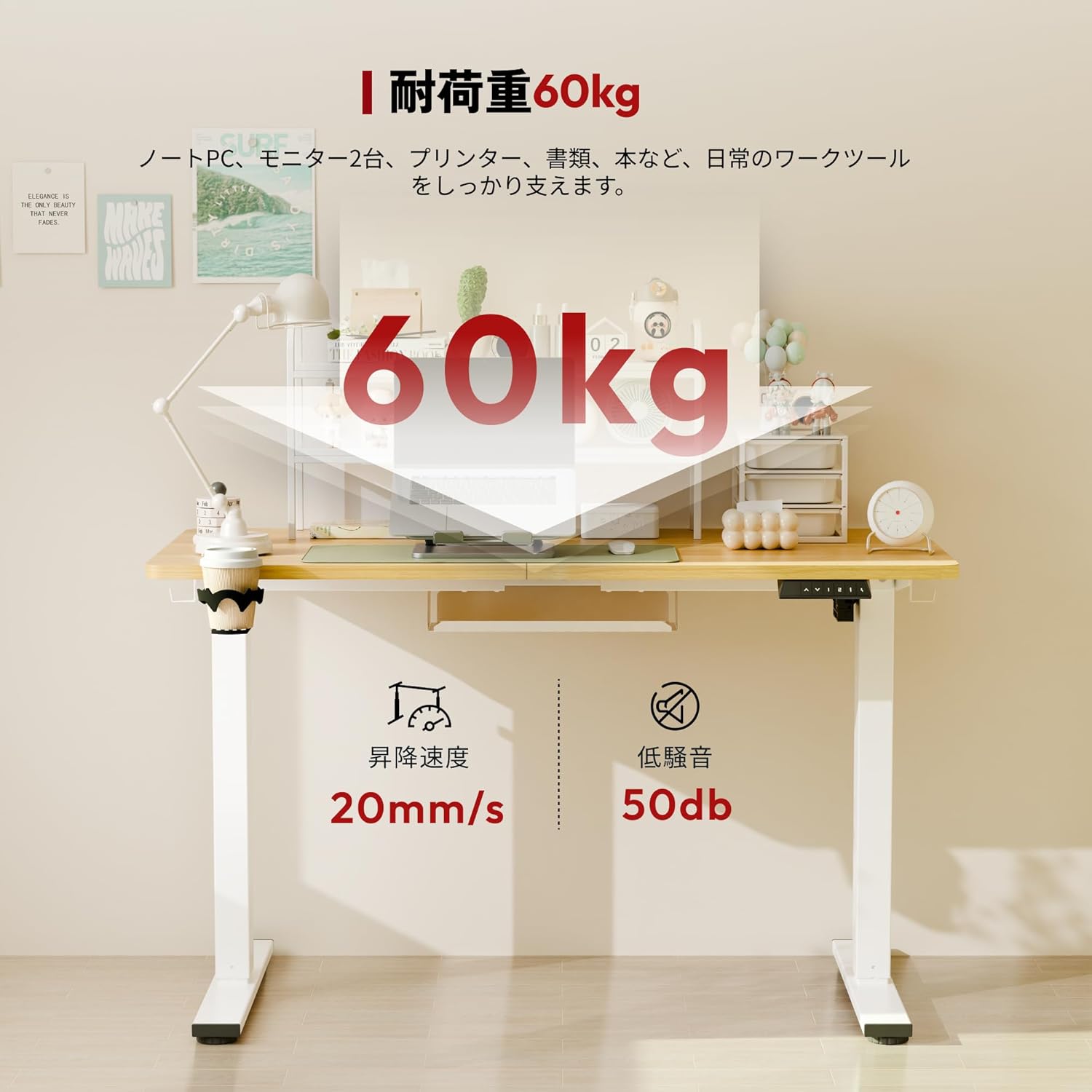
Image: The SANODESK E150 showcasing its key performance specifications: a robust 60kg load capacity, a smooth 20mm/s lift speed, and quiet operation at 50dB.
| 特徴 | 詳細 |
|---|---|
| ブランド | サノデスク |
| モデル | E150 |
| 形 | 長方形 |
| デスクタイプ | コンピューターデスク |
| 製品寸法(奥行き×幅×高さ) | 60 cm x 100 cm x 71.5 cm |
| 色 | Legs (White) / Top (Maple) |
| ベース素材 | 金属 |
| 仕上げタイプ | オイルラビング |
| テーブルトップの厚さ | 16ミリメートル |
| 最小高さ | 71.5センチ |
| 最大高さ | 114センチ |
| 耐荷重 | 60キロ |
| リフト速度 | 20mm/秒 |
| 騒音レベル | 50デシベル |
| 引き出しタイプ | なし |
| 欧州連合 | 840460445818 |
8. 保証とサポート
SANODESK provides a manufacturer's free long-term warranty of 3年 for this product. During the warranty period, there are unlimited responses for support inquiries, ensuring peace of mind.
We have established a dedicated support system within Japan, including a call center, to provide excellent after-sales service to our customers. In the event of any support needs, assistance will be provided in Japanese.
For warranty claims or technical support, please contact SANODESK customer service through the official webサイトまたは購入プラットフォーム。