
カトミ LED-1000
Katomi DMX 1000W フォグマシン ユーザーマニュアル
モデル: LED-1000
1. はじめに
This manual provides detailed instructions for the safe and effective operation, setup, maintenance, and troubleshooting of your Katomi DMX 1000W Fog Machine. Please read this manual thoroughly before using the product to ensure proper function and to prevent damage or injury.
2. 安全情報
以下の安全上の注意事項を常に守ってください。
- フォグマシンが安定した水平な面に設置されていることを確認してください。
- 換気口をふさがないでください。
- Use only water-based fog fluid specifically designed for fog machines. Using other liquids may cause damage or create a fire hazard.
- 運転中や使用直後はノズルが非常に熱くなりますので触れないでください。
- 機械を可燃性物質から遠ざけてください。
- 電源コードが損傷している場合は機械を操作しないでください。
- お子様やペットの手の届かない場所に保管してください。
- Ensure adequate ventilation in the area of operation.
- 清掃や修理を行う前に電源を切ってください。
3. パッケージ内容
パッケージにすべてのアイテムが揃っていることを確認します。
- Katomi DMX 1000W Fog Machine (LED-1000)
- ワイヤレスリモコン
- Wired Remote Control (often included, inferred)
- 電源ケーブル
- ユーザーマニュアル(このドキュメント)
4.製品オーバーview
フォグマシンのコンポーネントについて理解しておきましょう。

画像: 前面と背面 view of the Katomi DMX 1000W Fog Machine with labeled components including LED lights, fog outlet, fluid tank, ON/OFF switch, fuse, power cord jack, DIP switches, DMX IN, and DMX OUT ports.
- LEDライト: Integrated RGB LEDs for colored fog effects.
- 霧出口: 霧が出るところ。
- 液体タンク: Reservoir for fog fluid.
- オン/オフスイッチ: 主電源制御。
- ヒューズ: Safety component to protect the circuit.
- Power Cord Jack: Connection point for the power cable.
- DIP/ON Switches: Used for DMX address setting.
- DMX512 IN/OUT: Ports for connecting to a DMX controller.
- ハンドル: 簡単な輸送のために。
5. セットアップ手順
初期設定は次の手順で行います。
- 開梱して配置: Carefully remove the fog machine from its packaging. Place it on a flat, stable, and heat-resistant surface. Ensure there is adequate space around the machine for ventilation.
- ハンドルの取り付け: If the handle is not pre-installed, attach it securely using the provided hardware.
- 液体タンクを満たす: Unscrew the cap of the fluid tank and carefully pour high-quality, water-based fog fluid into the tank. Do not overfill; observe the MAX fill line. Securely replace the cap.
- 接続電源: Insert the power cord into the Power Cord Jack on the back of the machine, then plug the other end into a grounded electrical outlet.
- 電源オン: Flip the ON/OFF switch to the 'ON' position. The machine will begin to warm up. The warm-up time is approximately 2-3 minutes. An indicator light (if present) will illuminate when ready.

Image: Visual guide showing the steps for setting up the fog machine, including installing the handle, plugging in the power cord, pouring fog fluid, turning on the switch, checking fluid capacity, and pressing the remote button to spray fog.
6. 操作手順
6.1. ワイヤレスリモコン
Once the machine has warmed up and the ready indicator is lit, you can operate it using the wireless remote control.

Image: The Katomi DMX 1000W Fog Machine shown with its wireless remote control and power cable.
- Press the designated fog button on the remote to emit fog.
- The remote may also have buttons to control the integrated RGB LED lights (Red, Green, Blue).
- The wireless remote typically has an operating range of up to 32.8 feet (approx. 10 meters).
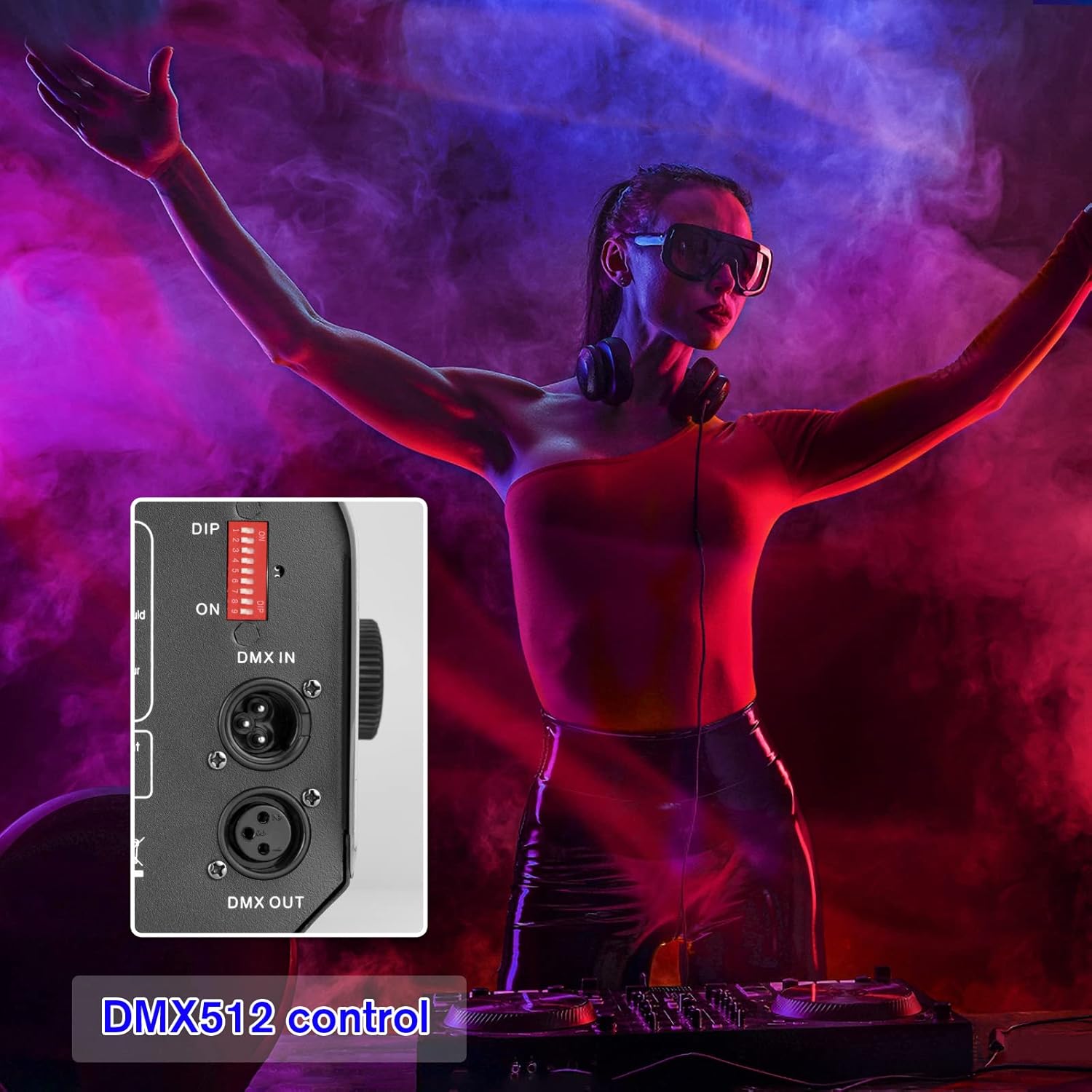
6.2. DMX512 Control
For advanced control and integration with professional lighting systems, use the DMX512 protocol.

画像: 詳細な view of the DMX IN and DMX OUT ports, along with the DIP switches used for setting the DMX address on the fog machine.
- DMXアドレスの設定: Use the DIP switches on the back of the machine to set the desired DMX starting address. Refer to a DMX address chart for specific switch combinations.
- Connect DMX Cable: Connect a DMX cable from your DMX controller to the DMX IN port on the fog machine. If linking multiple DMX devices, connect from DMX OUT to the next device's DMX IN.
- 制御チャネル: Consult your DMX controller's manual and the fog machine's DMX channel assignment (typically one channel for fog output, and additional channels for RGB LED control).
6.3. RGB LED照明
The integrated RGB LED lights enhance the fog effect with color.

Red Fog

Green Fog
青い霧
The LED lights can be controlled via the wireless remote or a DMX controller, allowing you to select various colors (Red, Green, Blue, and combinations) to match your event's atmosphere.
7. メンテナンス
定期的なメンテナンスにより、フォグマシンの寿命が長くなり、最適なパフォーマンスが確保されます。
- クリーニング: 定期的に、柔らかく乾いた布で本機の外装を清掃してください。研磨剤入りの洗剤や溶剤は使用しないでください。
- 液体タンク: After each use, if storing for an extended period, empty any remaining fog fluid from the tank. For best results, run a small amount of distilled water through the machine to clear the pump and heater coil.
- ノズル: Ensure the fog nozzle is clear of any blockages. If residue builds up, gently clean it with a small brush or cotton swab.
- ストレージ: 機械は、直射日光や極端な温度を避け、涼しく乾燥した場所に保管してください。
8。 トラブルシューティング
問題が発生した場合は、次の一般的な問題と解決策を参照してください。
| 問題 | 考えられる原因 | 解決 |
|---|---|---|
| フォグ出力なし | No power; insufficient fluid; machine not warmed up; clogged nozzle; pump malfunction. | Check power connection; fill fluid tank; wait for warm-up indicator; clean nozzle; contact support if pump issue suspected. |
| 弱い霧の出力 | Low fluid level; improper fluid type; partial nozzle blockage. | Refill fluid; ensure correct fog fluid is used; clean nozzle. |
| リモコンが動作しない | Remote battery dead; remote out of range; receiver issue. | Replace remote battery; operate within range; check remote receiver connection. |
| LEDライトが動作しない | LED control setting; internal wiring issue. | Check remote/DMX settings for LED control; contact support. |
| Machine smells burnt | Overheating; incorrect fluid; internal component issue. | Immediately power off and unplug. Allow to cool. Ensure correct fluid. Do not use if smell persists; contact support. |
これらの解決策を試しても問題が解決しない場合は、カスタマー サポートにお問い合わせください。
9. 仕様
Key technical specifications for the Katomi DMX 1000W Fog Machine:

Image: Dimensions of the fog machine (7.8 inch width, 5.1 inch height, 12.9 inch depth) and a table listing current voltage、パワー、タンク容量、スプレー距離、RC 距離、ウォームアップ時間。
| 特徴 | 仕様 |
|---|---|
| モデル | LED-1000 |
| 力 | 1000W |
| 巻tage | AC110V 50 / 60Hz |
| タンク容量 | 40.6オンス(約1.2リットル) |
| スプレー距離 | 16.4フィート(約5メートル) |
| リモコン距離 | 32.8フィート(約10メートル) |
| ウォームアップタイム | 2~3分 |
| 寸法(長さ×幅×高さ) | 12.9×7.8×5.1インチ(約) |
| 重さ | 8.51ポンド(約3.86kg) |
10. 保証とサポート
This product comes with a manufacturer's warranty. Please refer to the warranty card included in your package for specific terms and conditions. For technical support, troubleshooting assistance beyond this manual, or warranty claims, please contact Katomi customer service through the retailer where the product was purchased or visit the official Katomi webサイト。
Ask a question about this manual
Ask about setup, troubleshooting, compatibility, parts, safety, or missing instructions. Manuals+ will review the question and use this page’s manual context to help answer it.