
SIMO SolHero24
SIMO Solis Hero 4G LTE Portable Mobile Hotspot Instruction Manual
Model: SolHero24 | Brand: SIMO
1.製品オーバーview
The SIMO Solis Hero is a versatile 2-in-1 device designed to provide reliable global Wi-Fi connectivity and serve as a portable power bank. It offers seamless internet access in over 140 countries without the need for a SIM card or contract, automatically connecting to the strongest available network. Its robust design is suitable for various travel and remote work scenarios.
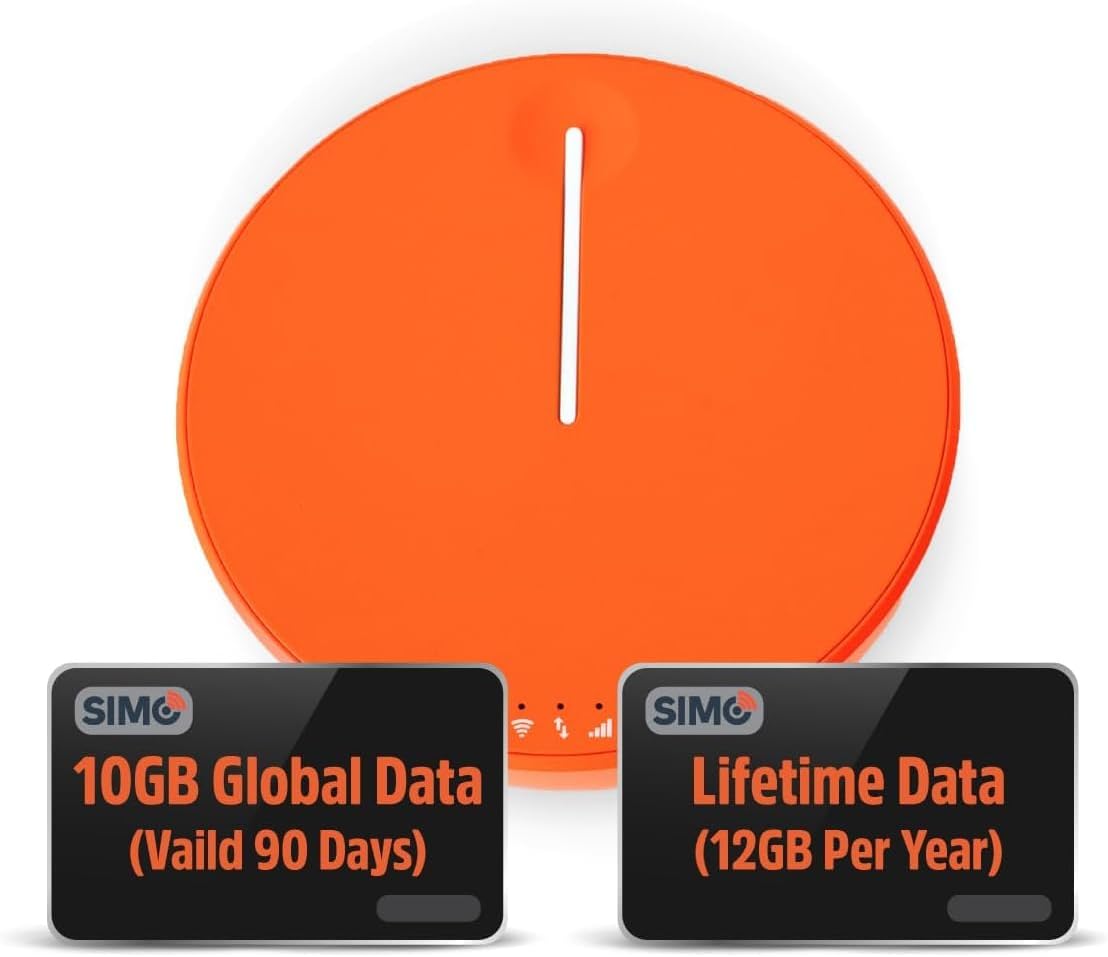
Figure 1.1: SIMO Solis Hero 4G LTE Portable Mobile Hotspot device.
主な特徴:
- 2-in-1デバイス: Functions as a mobile hotspot and a 5250mAh power bank.
- グローバル接続: Access to 300+ mobile networks in 140+ countries with SignalScan technology.
- No SIM Card or Contract: Utilizes virtual SIM technology for hassle-free connection.
- Lifetime Data Plan: Includes 1GB of global data every month for the life of the device.
- 耐久性に優れたデザイン: IP68-rated for dust, water, and drop protection.
- マルチデバイスサポート: 最大 10 台のデバイスを同時に接続します。

図1.2:以上view of Solis Hero key features.
2. 箱に含まれるもの
Upon opening your SIMO Solis Hero package, you will find the following components:
- SIMO Solis Hero Hotspot Device
- キャリングケース
- USB-C充電ケーブル
- クイックスタートガイド
- Registration & Support Card
Video 2.1: Official unboxing and setup guide for the SIMO Solis Hero. This video demonstrates the contents of the box and initial steps to get started.

Figure 2.1: Visual representation of the Solis Hero components and initial setup steps.
3.セットアップガイド
3.1 デバイスの初期アクティベーション
- デバイスを充電します。 Before first use, fully charge your Solis Hero using the provided USB-C charging cable. Connect the cable to the device and a compatible USB power adapter (not included).
- 電源オン: インジケーター ライトが点灯するまで、デバイスの電源ボタンを押し続けます。
- Download the Solis App: Scan the QR code on the Registration & Support Card or search for 'Solis Wi-Fi' in your device's app store (available for iOS and Android).
- デバイスの登録: Open the Solis app and follow the on-screen instructions to create an account and register your Solis Hero using its serial number. This step is crucial for activating your Lifetime Data plan and any included global data.
3.2 Wi-Fiへの接続
- Locate Wi-Fi Network: On your smartphone, tablet, or laptop, go to your Wi-Fi settings.
- Select Solis Hero Network: Find the Wi-Fi network name (SSID) broadcast by your Solis Hero device. The SSID and password are typically found on a sticker on the device or in the Quick Start Guide.
- パスワードを入力してください: プロンプトが表示されたら、Wi-Fi パスワードを入力します。
- 接続する: Your device should now be connected to the Solis Hero's Wi-Fi network.
4. 操作手順
4.1 Wi-Fi接続
- The Solis Hero automatically connects to the strongest 4G LTE network available in your location using SignalScan technology.
- You can manage connected devices and monitor data usage through the Solis app.
4.2 パワーバンクの機能
- The built-in 5250mAh battery allows you to charge other devices.
- Connect your device to the Solis Hero using a compatible charging cable.
- The Solis Hero can provide over 16 hours of battery life for its own operation, or it can be used to charge external devices.
4.3 Data Plans and Management
Your Solis Hero comes with a Lifetime Data plan (1GB per month) and an additional 10GB of global data (valid for 90 days). Additional data can be purchased as needed via the Solis app.

Figure 4.1: Flexible data plans are available through the Solis app to suit various usage needs.
5. メンテナンスとケア
- クリーニング: デバイスの清掃には、柔らかく乾いた布をご使用ください。研磨剤入りの洗剤や溶剤は使用しないでください。
- ストレージ: デバイスは直射日光や極端な温度を避け、涼しく乾燥した場所に保管してください。
- バッテリーのケア: バッテリーの寿命を延ばすには、デバイスを頻繁に完全に放電することは避けてください。長期間使用しない場合でも、定期的に充電してください。
- 防水・防塵性能: While IP68-rated, avoid intentional submersion or exposure to harsh environments to maintain device integrity.
6. 一般的な問題のトラブルシューティング
| 問題 | 考えられる原因 | 解決 |
|---|---|---|
| インターネット接続なし | No data plan active or data exhausted. Weak signal. Device not powered on. | Check data plan status in Solis app. Move to an area with better signal. Ensure device is powered on and fully charged. |
| デバイスが充電されない | Faulty cable or adapter. Charging port obstruction. | Try a different USB-C cable and power adapter. Check charging port for debris. |
| インターネット速度が遅い | Congested network. Data throttling after high usage. Too many connected devices. | Move to a less congested area. Check data plan details for speed limitations. Disconnect unused devices. |
| Wi-Fiネットワークに接続できません | Incorrect Wi-Fi password. Device too far from hotspot. | Verify Wi-Fi password. Move closer to the Solis Hero device. |
7. 技術仕様
| 特徴 | 詳細 |
|---|---|
| モデル番号 | SolHero24 |
| バッテリー容量 | 5250mAhリチウムイオン(付属) |
| 寸法 | 4.41 x 4.37 x 2.05インチ |
| アイテム重量 | 9.7オンス |
| 接続性 | 4G LTE, Wi-Fi (connects to 300+ mobile networks) |
| 最大接続デバイス数 | 10 |
| 耐久性評価 | IP68 (Dust, Water, Drop Protection) |
8. 保証と顧客サポート
SIMO products are backed by responsive customer service. For any inquiries, technical assistance, or warranty claims, please refer to the contact information provided on your Registration & Support Card or visit the official SIMO webサイト。
また、 SIMO Store on Amazon 詳細とサポートリソースについては、こちらをご覧ください。
Ask a question about this manual
Ask about setup, troubleshooting, compatibility, parts, safety, or missing instructions. Manuals+ will review the question and use this page’s manual context to help answer it.