
1. はじめに
Thank you for choosing the Fuers ERD054G01 4G LTE Solar Outdoor Surveillance Camera. This manual provides essential information for the proper installation, operation, and maintenance of your device. Please read it carefully before use to ensure optimal performance and longevity of the product. This camera is designed for outdoor security, offering advanced features such as 4G LTE connectivity, solar power, dual lenses, and intelligent motion detection.
2.製品オーバーview
2.1 パッケージ内容
- Fuers Solar Outdoor Surveillance Camera
- ソーラーパネル(一体型)
- 取り付けアクセサリ(ネジ、壁プラグ)
- ユーザーマニュアル
- 128GB TF カード (プリインストールまたは別途付属)
2.2 カメラコンポーネント
カメラの主なコンポーネントについて理解しておきましょう。

画像2.2.1: 詳細 view of the camera highlighting the solar panel, upper and lower lenses, LED lights, microphone, and PIR motion sensor.
- ソーラーパネル: 6W panel for continuous power charging.
- 上部固定レンズ: Provides a stable 90° field of view.
- 下部PTZレンズ: Rotates 355° horizontally (Pan) and 90° vertically (Tilt) for wide area coverage.
- LEDライト: 10 white LEDs for color night vision and 2 IR LEDs for infrared night vision.
- マイクとスピーカー: 双方向の音声通信用。
- PIRモーションセンサー: 人体検知用のパッシブ赤外線センサー。
- SIMカードスロット: 4G LTE 接続用。
- TFカードスロット: ローカルビデオストレージ用(最大 128 GB をサポート)。
- リセットボタン: 工場出荷時の設定を復元します。
3. セットアップ
3.1 初期充電
Before first use, ensure the camera's internal 18600 mAh battery is sufficiently charged. Position the solar panel in direct sunlight for several hours, or connect the camera to a 5V/2A USB power adapter (not included) using a standard USB cable.

画像3.1.1: The camera's solar panel charging the internal battery, ensuring continuous operation.
3.2 SIMカードとTFカードのインストール
Locate the SIM card and TF card slots, usually protected by a rubber cover on the camera body. Carefully insert your 4G LTE SIM card and the provided 128GB TF card into their respective slots. Ensure they are inserted correctly according to the diagrams on the camera or in the quick start guide. Close the cover securely to maintain IP66 waterproofing.
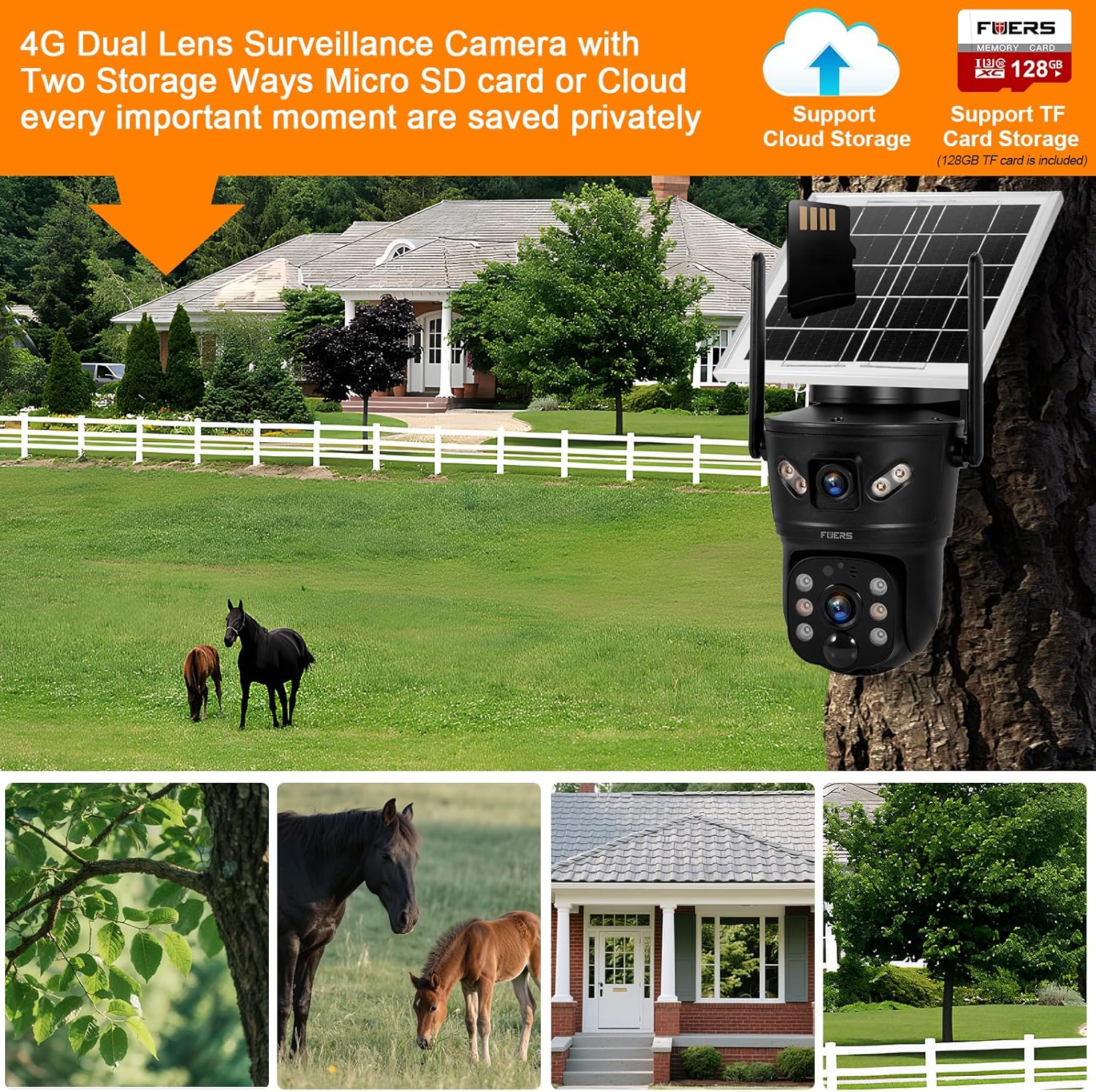
画像3.2.1: Illustration of the camera's dual storage options: cloud and local TF card, along with 4G connectivity.
3.3 アプリのダウンロードと登録
ダウンロード V380プロ application from your smartphone's app store (Google Play Store for Android or Apple App Store for iOS). Follow the on-screen instructions to register an account. An email verification may be required.
3.4 カメラのペアリング
- Power on the camera. It will emit a voice prompt indicating it's ready for connection.
- Open the V380 Pro app and tap the '+' icon to add a new device.
- Select the option for '4G Camera' or 'Wireless Camera' and follow the voice prompts from the camera and instructions in the app.
- The app will guide you through connecting the camera to your 4G network. Ensure your SIM card has an active data plan.
- 接続したら、カメラに名前を付けてライブを開始できます viewing。
3.5カメラの取り付け
4Gの電波受信状態が良好な屋外の場所を選び、 ample sunlight exposure for the solar panel. Use the provided mounting bracket and screws to securely attach the camera to a wall or pole. Ensure the camera has a clear line of sight to the area you wish to monitor.
4. 操作手順
4.1 ライブ View PTZコントロール
Open the V380 Pro app and select your camera from the device list to access the live view. You can use the on-screen controls to pan (355° horizontal) and tilt (90° vertical) the lower lens to adjust the viewing angle. The upper lens provides a fixed wide-angle view.

画像4.1.1: The camera's dual lens functionality, demonstrating the fixed upper lens and the pan/tilt capabilities of the lower lens.
4.2 動きの検出とアラート
The camera features dual PIR and radar detection for accurate motion sensing (0-12m range, 120° angle). When motion is detected, the camera can:
- スマートフォンに即座にプッシュ通知を送信します。
- Trigger a 3W siren to deter intruders.
- ビデオを自動的に録画するtage.
Adjust sensitivity and alert settings within the V380 Pro app under 'Alarm Settings'. The AI Humanoid detection feature helps reduce false alarms by focusing on human shapes.

画像4.2.1: The camera's motion detection feature in action, triggering an instant alert on a mobile device.
4.3 双方向オーディオ
Utilize the built-in microphone and speaker for two-way communication. In the live view interface of the V380 Pro app, tap the microphone icon to speak through the camera, and listen to audio from the camera's surroundings.
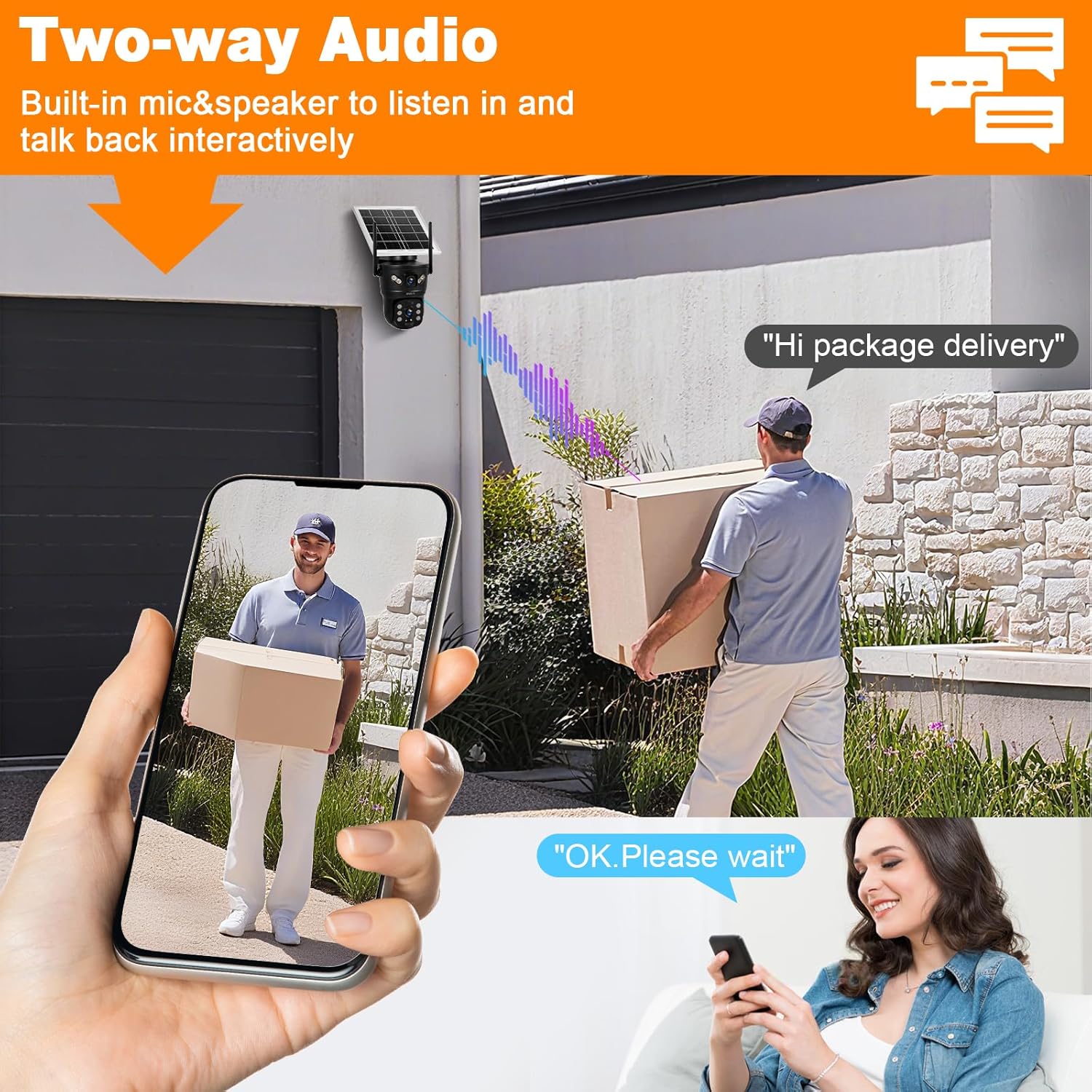
画像4.3.1: Demonstrating the two-way audio function, allowing interactive communication through the camera.
4.4 ナイトビジョン
The camera supports both infrared (black and white) and full-color night vision up to 10 meters. The 10 white LEDs provide illumination for color night vision, while the 2 IR LEDs enable standard infrared viewing. You can configure night vision modes (e.g., automatic, color, IR) within the app settings.

画像4.4.1: Comparison of color night vision (ON) and standard night vision (OFF), highlighting the camera's ability to capture clear, colored images in low light.
4.5 記録と保存
The camera records video footage based on motion detection or continuous recording settings. Recordings are stored on the local 128GB TF card. Additionally, alarm videos can be uploaded to cloud storage (subscription may be required). Access recorded footage through the 'Playback' section in the V380 Pro app.
5. メンテナンス
Regular maintenance ensures optimal performance of your surveillance camera.
- クリーニング: Periodically clean the solar panel and camera lenses with a soft, damp 視界を遮ったり充電効率を低下させたりする可能性のある埃、汚れ、ゴミを布で拭き取ってください。刺激の強い化学薬品は使用しないでください。
- ファームウェアの更新: Check the V380 Pro app regularly for available firmware updates. Keeping the firmware updated ensures the camera has the latest features and security patches.
- バッテリーの状態: While the solar panel provides continuous charging, ensure the camera receives adequate sunlight to maintain battery health, especially during prolonged cloudy periods.
- 天候保護: The camera is IP66 rated for outdoor use, meaning it is protected against dust and powerful water jets. However, avoid submerging the camera in water or exposing it to extreme physical impact.

画像5.0.1: The camera's IP66 waterproof rating, indicating its durability in various weather conditions from -10°C to 60°C.
6。 トラブルシューティング
If you encounter issues with your Fuers ERD054G01 camera, refer to the following common problems and solutions:
| 問題 | 考えられる原因 | 解決 |
|---|---|---|
| Camera is offline/cannot connect to app. | No 4G signal; SIM card issue; low battery; app connectivity issue. | Check 4G signal strength at camera location. Ensure SIM card is active and has data. Recharge battery. Restart camera and app. Try resetting the camera using the reset button. |
| 夜間の画質が悪い。 | Lenses are dirty; incorrect night vision mode; insufficient ambient light for color night vision. | Clean lenses. Switch night vision mode in app (e.g., to IR for darker areas). Ensure white LEDs are enabled for color night vision. |
| 動きの検出が機能していないか、誤報が多すぎます。 | Incorrect sensitivity settings; PIR sensor obstructed; environmental factors (e.g., moving branches). | Adjust motion detection sensitivity in the app. Ensure PIR sensor is clear. Enable AI Humanoid detection to filter out non-human motion. |
| バッテリーがソーラーパネル経由で充電されません。 | Insufficient sunlight; solar panel dirty or obstructed; faulty panel. | Relocate camera to an area with more direct sunlight. Clean the solar panel. If issue persists, contact support. |
| 双方向オーディオが機能しません。 | Microphone/speaker muted in app; poor network connection. | Ensure microphone and speaker are enabled in the V380 Pro app. Check network stability. |
For further assistance, consult the FAQ section within the V380 Pro app or contact customer support.
7. 仕様
| 特徴 | 仕様 |
|---|---|
| モデル番号 | ERD054G01 |
| 接続性 | 4G LTE (SIM card required), Wi-Fi (for initial setup/local access) |
| 電源 | Integrated 18600 mAh rechargeable battery, 6W Solar Panel |
| 解決 | 2MP (1920 x 2160P) 2K HD |
| レンズタイプ | Dual Lens (Fixed upper 90°, PTZ lower 355° Pan / 90° Tilt) |
| ナイトビジョン | Color Night Vision (10 White LEDs), IR Night Vision (2 IR LEDs), up to 10m range |
| モーション検出 | Dual PIR and Radar (0-12m, 120° angle), AI Humanoid Tracking |
| オーディオ | 双方向オーディオ(内蔵マイクとスピーカー) |
| ストレージ | Local (128GB TF Card included), Cloud Storage (for alarm videos) |
| 耐候性 | IP66防水 |
| 動作温度 | -10°C ~ +60°C |
| 寸法(長さ×幅×高さ) | 11 x 8 x 4 cm |
| 重さ | 1.2キロ |
8. 保証とサポート
8.1 保証情報
Your Fuers ERD054G01 camera is covered by a standard manufacturer's warranty against defects in materials and workmanship. The specific duration and terms of the warranty may vary by region and retailer. Please retain your proof of purchase for warranty claims.
8.2 カスタマーサポート
For technical support, warranty inquiries, or any questions regarding your product, please refer to the support section within the V380 Pro application or visit the official Fuers webサイトをご覧ください。製品をご購入いただいた販売店にお問い合わせいただくこともできます。