
1. はじめに
Thank you for choosing the Baseus Qi2 Certified 15W Wireless Magnetic Power Bank. This device is designed to provide convenient and efficient charging for your compatible mobile devices, featuring both wireless and wired charging capabilities. Please read this manual thoroughly before use to ensure proper operation and to maximize the product's lifespan.

Image 1.1: The Baseus Qi2 Certified 15W Wireless Magnetic Power Bank.
2.製品オーバーview
2.1 パッケージ内容
- Baseus Qi2 Certified 15W Wireless Magnetic Power Bank (10000mAh)
- USB-C-USB-C充電ケーブル
- ユーザーマニュアル
2.2 主な特徴
- Qi2 Certified Wireless Charging: Provides up to 15W wireless charging for compatible devices.
- High-Speed Wired Charging: Features a USB-C port with up to 22.5W Power Delivery (PD) output.
- 磁気アタッチメント: Strong magnetic connection compatible with MagSafe-enabled devices (iPhone 12-17 series).
- 10000mAh容量: Offers substantial power for multiple charges.
- 高度な安全機能: Equipped with AI temperature monitoring and graphene for enhanced heat dissipation, preventing overheating.
- コンパクトでポータブルなデザイン: スリムプロfile 持ち運びに便利です。
- パススルー充電: パワーバンクと接続されたデバイスを同時に充電できます。
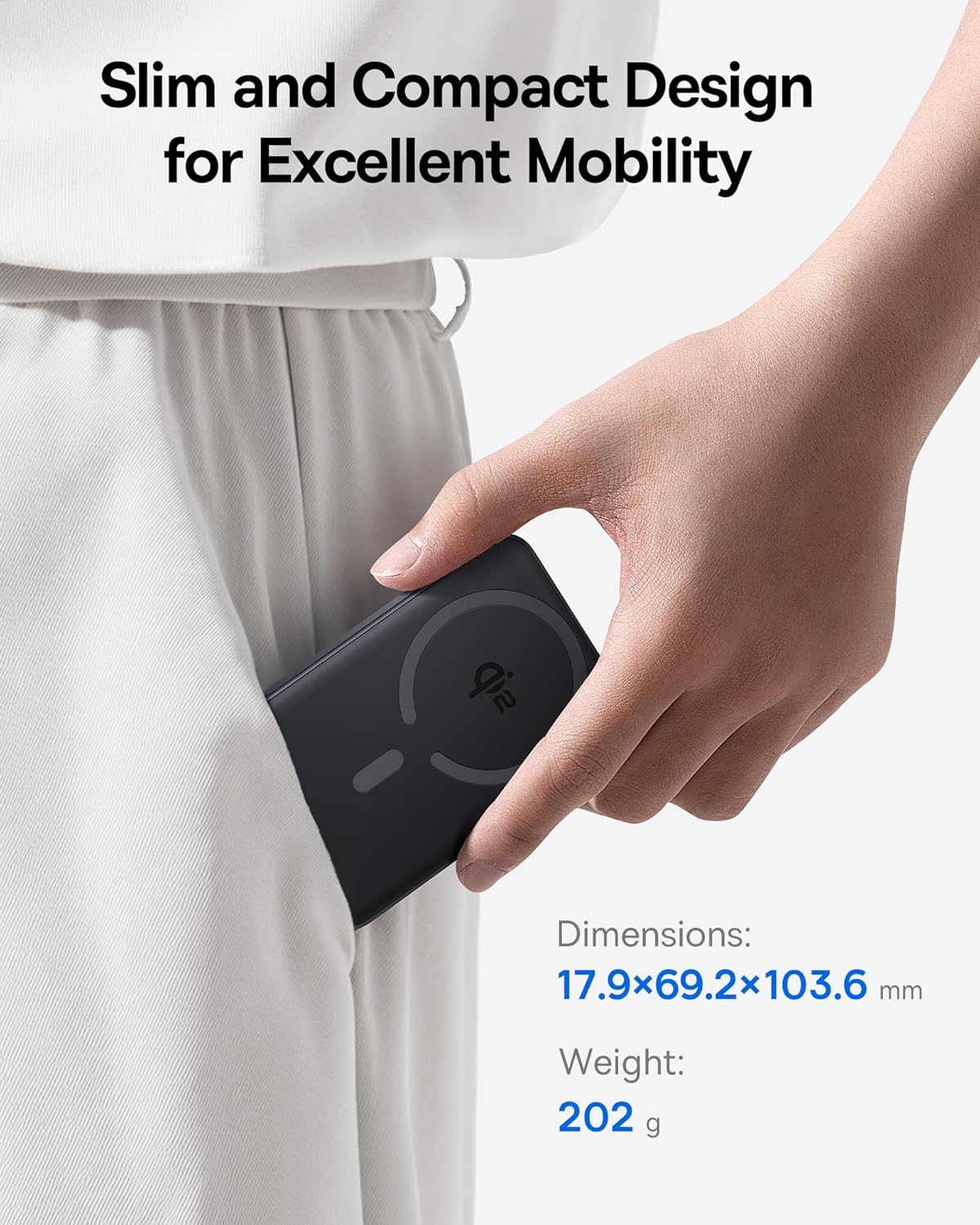
Image 2.1: The power bank's compact design allows for easy portability.
3. セットアップ
3.1 初期充電
- 初めて使用する前に、パワーバンクを完全に充電してください。
- 付属の USB-C ケーブルをパワーバンクの USB-C ポートに接続します。
- USB-C ケーブルのもう一方の端を互換性のある USB 電源アダプター (別売) に接続します。
- パワーバンクのLEDインジケーターが点灯し、充電状態を示します。完全に充電されると、すべてのLEDが点灯します。
4. 操作手順
4.1 パワーバンクの充電
To recharge the power bank, use the included USB-C cable and connect it to a power source. The power bank supports fast input charging.
4.2 Wireless Charging Your Device
- Ensure your device is compatible with MagSafe or Qi2 wireless charging (e.g., iPhone 12-17 series).
- Align the back of your compatible device with the magnetic charging area of the power bank. The magnets will snap into place, securing the connection.
- Wireless charging will begin automatically. The power bank does not require a power button for wireless charging.

Image 4.1: Wireless charging in progress, demonstrating the magnetic connection.

Image 4.2: Magnetic attachment for effortless charging.
4.3 Wired Charging Your Device
- USB-C ケーブルの一方の端をパワーバンクの USB-C ポートに接続します。
- USB-C ケーブルのもう一方の端をデバイスの充電ポートに接続します。
- パワーバンクは接続されたデバイスを自動的に検出し、充電を開始します。
4.4 パススルー充電
The power bank supports pass-through charging, allowing you to charge both the power bank and a connected device simultaneously. Connect the power bank to a wall adapter, and then connect your device to the power bank via either wireless or wired connection.

Image 4.3: The power bank supports both wired and wireless charging simultaneously.
4.5 ユニバーサルな互換性

画像4.4: 互換性終了view for wireless and wired charging.
5. 安全情報
安全な操作を確保し、デバイスの損傷や怪我を防ぐために、次の安全ガイドラインを守ってください。
- パワーバンクを極端な温度、直射日光、火気にさらさないでください。
- 装置を分解、改造、修理しないでください。
- パワーバンクを水やその他の液体から遠ざけてください。
- 落としたり、強い衝撃を与えないでください。
- 認定された充電ケーブルとアダプターのみを使用してください。
- お子様の手の届かない場所に保管してください。
- The power bank features multiple built-in protections, including over-voltage、under-voltage, overcharge, over-discharge, over-temperature, over-current, short circuit, recovery, and over-power protection.

Image 5.1: Advanced thermal management for safe charging.

Image 5.2: Comprehensive safety protections integrated into the power bank.
6. メンテナンス
Proper maintenance ensures the longevity and optimal performance of your power bank:
- 柔らかく乾いた布でデバイスを拭いてください。研磨剤入りの洗剤や溶剤は使用しないでください。
- モバイルバッテリーを使用しないときは、涼しく乾燥した場所に保管してください。
- 長期間保管する場合は、バッテリーの状態を維持するために、3 か月ごとにパワーバンクを約 50% まで充電してください。
7。 トラブルシューティング
7.1 デバイスがワイヤレス充電されない
- デバイスが Qi2 または MagSafe と互換性があることを確認してください。
- Check for proper alignment of your device on the power bank's charging surface.
- Remove any thick cases or metallic objects between your device and the power bank.
- パワーバンクに十分な充電があることを確認します。
7.2 USB-C経由でデバイスが充電されない
- USB-C ケーブルがパワーバンクとデバイスの両方にしっかりと接続されていることを確認します。
- ケーブルの故障を排除するために、別の USB-C ケーブルを使用してみてください。
- パワーバンクに十分な充電があることを確認します。
7.3 パワーバンクが充電されない
- Ensure the USB-C cable is securely connected to the power bank and the wall adapter.
- Try a different wall adapter and/or USB-C cable.
- Ensure the wall adapter provides sufficient power output.
8. 仕様
| モデル番号 | E00285 |
| バッテリー容量 | 10000mAh (3.7V/37Wh) |
| USB-C入力 | 5V=3A; 9V=2.22A |
| USB-C出力 | 5V=3A; 9V=2.22A; 12V=1.5A; 10V=2.25A (Max 22.5W) |
| ワイヤレス出力 | 5W/7.5W/15W (Max 15W) |
| 総出力 | 5V = 3A |
| 製品寸法 | 4.6 x 2.7 x 0.7 インチ (17.9 x 69.2 x 103.6 mm) |
| アイテム重量 | 8.8オンス(202g) |
| 色 | Black (also available in Moon White, Baby Pink) |
9. 保証とサポート
Baseus products are designed and manufactured to the highest quality standards. This product is covered by a limited warranty from the date of purchase. For detailed warranty information, product support, or to register your product, please visit the official Baseus webサイトにアクセスするか、カスタマーサービスにお問い合わせください。
保証請求のために購入証明書を保管してください。