
Baseus EnerGeek GR11
Baseus EnerGeek 145W Power Bank User Manual
Model: EnerGeek GR11 | Capacity: 20000mAh | Output: 145W Max
1.製品オーバーview
The Baseus EnerGeek 145W Power Bank is a high-capacity portable charging device designed to provide fast and efficient power to a wide range of electronic devices, including laptops, smartphones, and tablets. It features a 20000mAh battery, a maximum output of 145W, and an integrated 60cm retractable USB-C cable for convenience.

Image: The Baseus EnerGeek 145W Power Bank, showcasing its compact design and the integrated retractable USB-C cable. The digital display is visible, indicating battery status.
主な特徴:
- 最大出力145W: Supports Power Delivery for rapid charging of high-power devices.
- 20000mAh容量: Provides multiple charges for smartphones and laptops.
- Integrated 60cm Retractable USB-C Cable: Durable and convenient for storage and use.
- マルチポート充電: Two USB-C ports and two USB-A ports allow simultaneous charging of up to four devices.
- インテリジェントデジタルディスプレイ: Real-time display of battery level, charging power, and remaining time.
- 高度な冷却システム: Features conductive graphene, aerogel insulation, and an AI-powered chip for effective temperature regulation.
2. パッケージ内容
パッケージに以下の項目が含まれているか確認してください。
- Baseus EnerGeek 145W Power Bank (EnerGeek GR11)
- ユーザーマニュアル
- (追加アクセサリは地域やパッケージによって異なる場合があります)
3. セットアップと初回使用
3.1 初期充電
Before first use, it is recommended to fully charge the Baseus EnerGeek Power Bank. This ensures optimal battery performance and longevity.
- Connect the integrated USB-C cable or a separate USB-C cable to the power bank's input port (USB-C1 or USB-C2).
- Connect the other end of the cable to a compatible USB-C wall charger (100W charger recommended for fastest charging).
- デジタルディスプレイに充電状態とバッテリー残量が表示されますtage. ディスプレイに 100% と表示されたら、パワーバンクは完全に充電されています。

Image: The Baseus EnerGeek Power Bank connected to a wall charger via its integrated USB-C cable, illustrating the fast charging input capability.
4. 操作手順
4.1 充電装置
The Baseus EnerGeek Power Bank can charge up to four devices simultaneously using its various output ports.
- 内蔵USB-Cケーブルの使用: Pull out the 60cm retractable USB-C cable and connect it to your device's USB-C port.
- 外部ケーブルの使用: Connect your device's charging cable to one of the available USB-C (C2, C3) or USB-A (A1) output ports on the power bank.
- The power bank will automatically detect the connected device and begin charging. The digital display will show the output power.
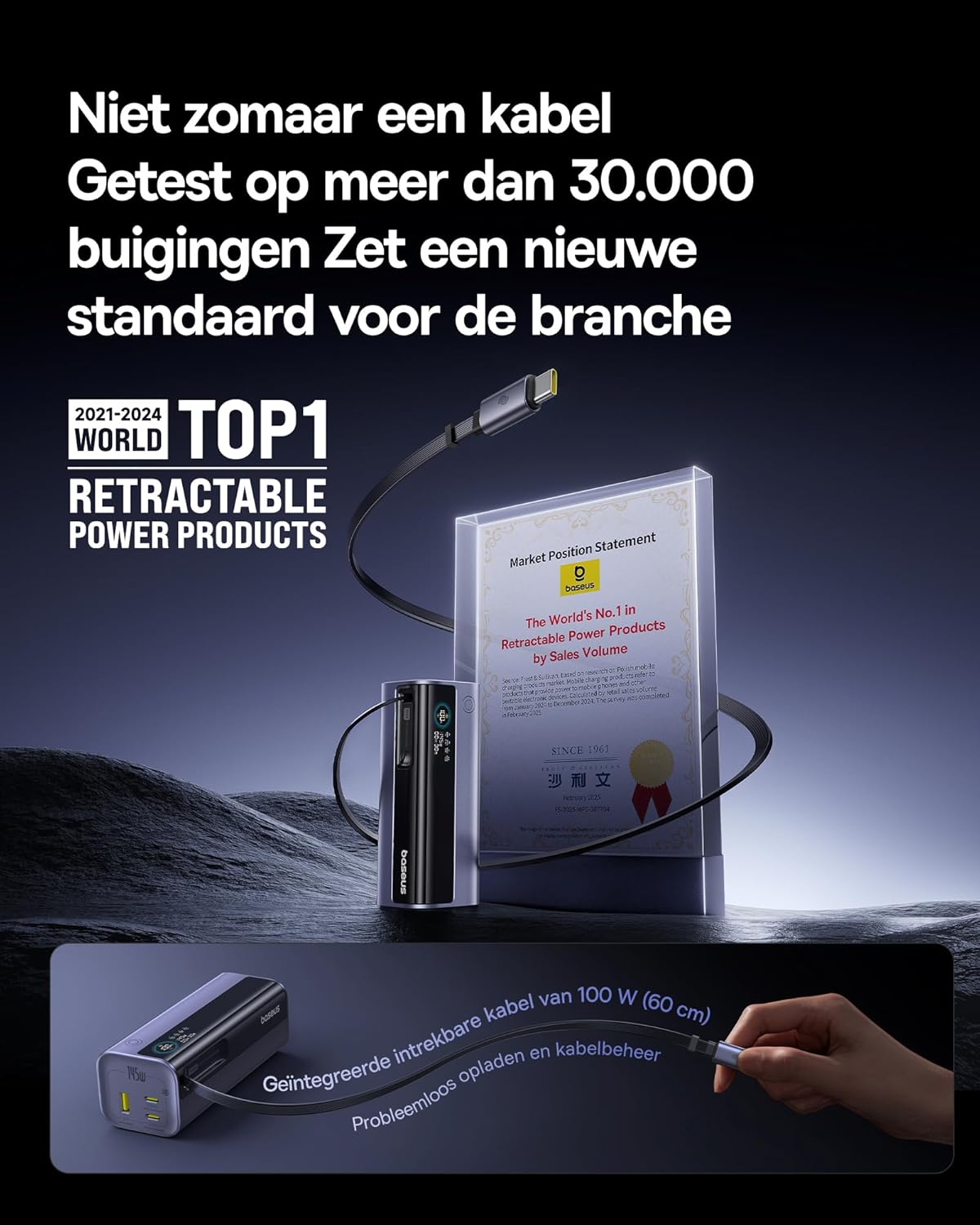
Image: The Baseus EnerGeek Power Bank connected to a laptop and an iPhone, demonstrating its ability to charge multiple devices simultaneously with high power output.
4.2 デジタルディスプレイの理解
インテリジェントなデジタル ディスプレイは、リアルタイムの情報を表示します。
- バッテリー残量: バッテリー残量を表示しますtage.
- Charging Power (Input/Output): 現在のワット数を表示しますtage being drawn or delivered.
- 残り時間: Estimates the time left for the power bank to fully charge or discharge.
- I / Oステータス: Indicates which ports are active for input or output.

画像: 詳細な view of the Baseus EnerGeek Power Bank's digital display, showing battery percentage, current wattage、および推定残り時間。
4.3 ケーブルの引き込み
To retract the integrated USB-C cable, gently pull it out slightly further, then release it. The cable will automatically retract into the power bank's housing.
5. メンテナンスとケア
- パワーバンクは、極端な温度(高温または低温)、直射日光、湿気の多い環境に置かないでください。
- パワーバンクを水やその他の液体にさらさないでください。
- パワーバンクを落としたり、強い衝撃を与えたりしないでください。
- Clean the surface of the power bank with a soft, dry cloth. Do not use harsh chemicals or abrasive materials.
- パワーバンクを長期間使用しない場合は、涼しく乾燥した場所に保管してください。長期保管する場合は、50~70%程度まで充電することをお勧めします。
6。 トラブルシューティング
| 問題 | 考えられる原因 | 解決 |
|---|---|---|
| パワーバンクが充電されない | Low battery on power bank; faulty charging cable; incompatible wall adapter. | Ensure the power bank has some charge. Try a different USB-C cable and a compatible wall adapter (e.g., 100W PD charger). |
| デバイスがパワーバンクから充電されない | Power bank battery is empty; faulty device cable; device not compatible with power bank output. | Recharge the power bank. Try a different charging cable for your device. Ensure your device supports the power bank's output specifications. |
| 充電が遅い | Cable or adapter not supporting fast charging; multiple devices connected reducing individual output. | Use a high-quality, fast-charging compatible cable and adapter. Disconnect other devices to maximize output to a single device. |
| デジタル表示が動作しない | パワーバンクがオフになっています。一時的なソフトウェアの不具合です。 | Press the power button to activate the display. If the issue persists, try fully discharging and recharging the power bank. |
7. 仕様
| 特徴 | 詳細 |
|---|---|
| モデル番号 | EnerGeek GR11 |
| バッテリー容量 | 20000mAh |
| 最大出力 | 145W(合計) |
| USB-C1ケーブル出力 | 最大100W |
| USB-C2出力 | 最大100W |
| USB-C3出力 | 最大100W |
| USB-A1出力 | 最大33W |
| 入力(USB-C) | 最大100W |
| 寸法 | 13 x 5.2 x 4.9 cm |
| 重さ | 465グラム |
| 電池のタイプ | リチウムイオン |
| 特集 | Digital display, Integrated cable, Fast charging |
8. 保証とサポート
保証情報とカスタマーサポートについては、Baseusの公式ウェブサイトをご覧ください。 webご購入いただいた販売店にお問い合わせいただくか、ウェブサイトをご覧ください。保証請求の際に必要となりますので、購入証明書を保管してください。
メーカー: ベースス
ASIN: B0F83VMZJT
初回利用可能日: 9年2025月XNUMX日
さらに詳しいサポートが必要な場合は、 AmazonのBaseusストア.
Ask a question about this manual
Ask about setup, troubleshooting, compatibility, parts, safety, or missing instructions. Manuals+ will review the question and use this page’s manual context to help answer it.