
1.製品オーバーview
The BUGANI Shock Bluetooth Speaker is a powerful and portable audio device designed for both indoor and outdoor use. Featuring 60W super power output, Bluetooth 5.4 connectivity, and IPX6 waterproofing, it delivers robust sound quality and durability. Its long-lasting battery also functions as a power bank for your mobile devices.

2. 箱の中身
Upon unboxing your BUGANI Shock Bluetooth Speaker, please ensure all the following items are present:
- BUGANI Shock Bluetooth Speaker
- タイプC充電ケーブル
- AUXケーブル
- ユーザーマニュアル(このドキュメント)
- クイックスタートガイド

3. 主な特徴
3.1. Powerful Audio System
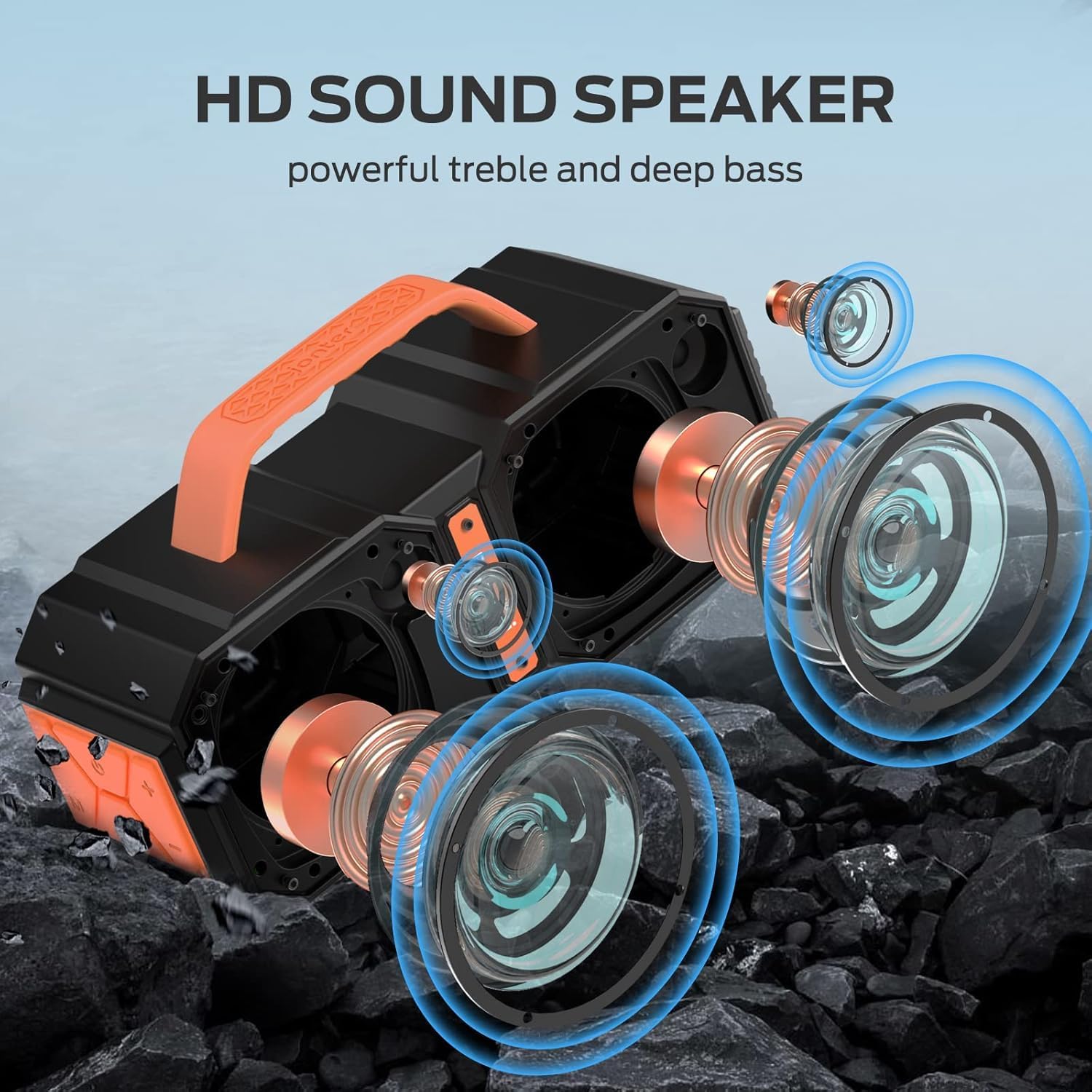
The speaker features two mid-bass external magnetic speakers, two tweeters, and two subwoofer diaphragms. With 60 watts of power, it delivers robust sound quality with deep bass and clear treble, providing surprisingly loud, room-filling volume without distortion, even at maximum levels.
3.2. 高度な Bluetooth 5.4 接続
Equipped with the latest Bluetooth 5.4 technology, the speaker ensures faster connection speeds, more stable signal transmission, and lower power consumption. It offers a wireless connection range of up to 100 feet, allowing seamless pairing with mobile phones, computers, and MP3 players. A built-in microphone supports hands-free calls.
3.3. 真のワイヤレスステレオ(TWS)機能
For an enhanced audio experience, you can connect two BUGANI Shock speakers together to achieve a combined 120W stereo surround sound. This feature creates a dynamic and immersive listening environment.

3.4. IPX6防水等級
The BUGANI Shock speaker boasts an IPX6 waterproof mechanical casing, making it resistant to high-pressure, heavy sprays of water. This robust design ensures durability and reliability for outdoor adventures, whether at the beach, by the pool, or during camp旅行をします。

3.5. Built-in Power Bank Function
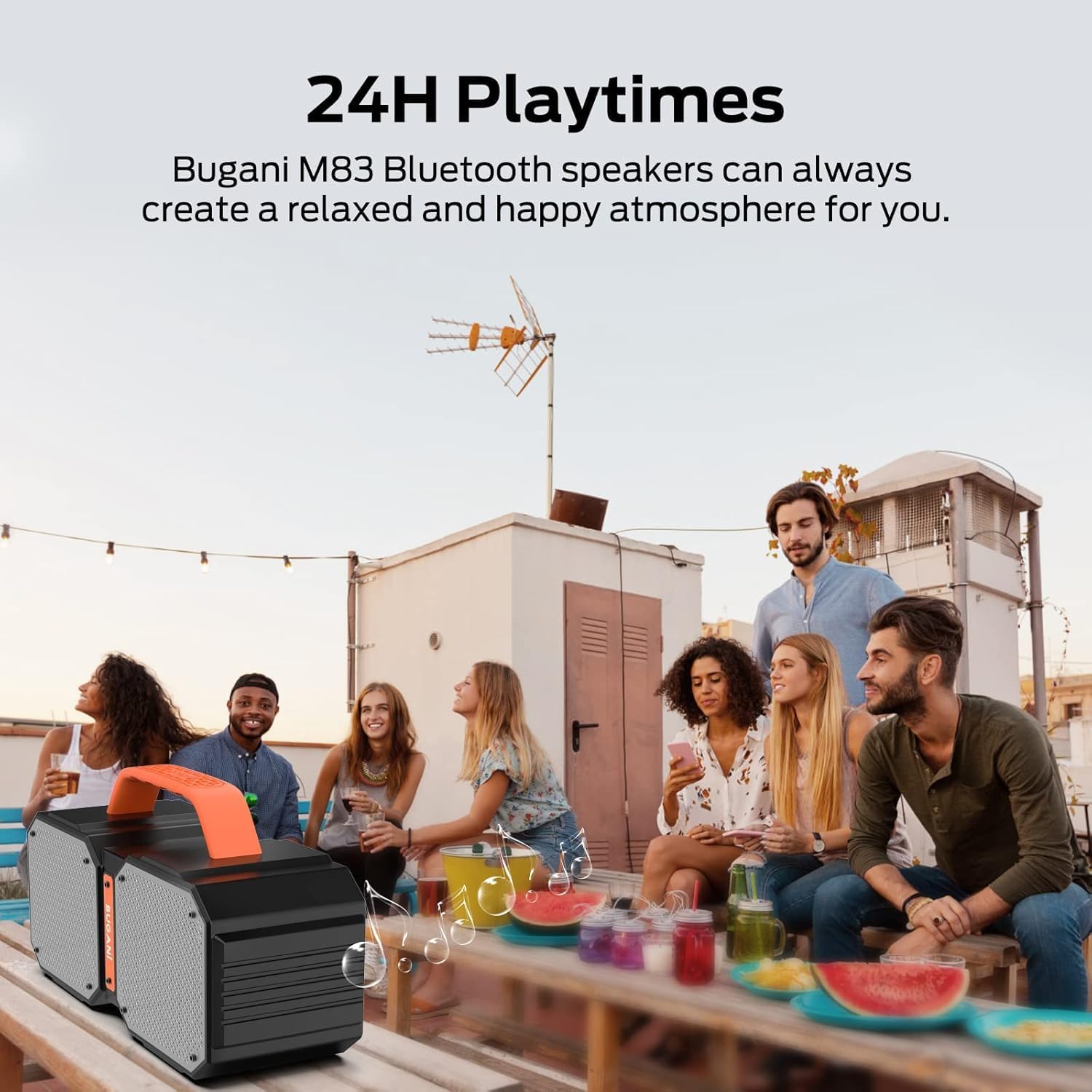
The speaker includes a massive built-in battery that provides up to 32 hours of playtime on a single charge. Additionally, it can function as a power bank, allowing you to charge your smartphone or other USB-powered devices via a USB cable, ensuring your devices stay powered during outdoor activities.

3.6. Dual EQ Modes (Indoor/Outdoor)
The speaker offers two equalization (EQ) modes, optimized for indoor and outdoor listening environments, allowing you to adjust the sound profile for the best audio experience wherever you are.
4. セットアップ
4.1.スピーカーの充電
- 付属のType-C充電ケーブルをスピーカーの充電ポートに接続します。
- ケーブルのもう一方の端を USB 電源アダプター (別売) またはコンピューターの USB ポートに接続します。
- 充電インジケーターライトが点灯します。完全に充電されると、ライトの色が変わるか消灯します。
4.2.Bluetoothペアリング
- Ensure the speaker is powered on. The Bluetooth indicator light will flash, indicating it's in pairing mode.
- デバイス(スマートフォン、タブレットなど)で Bluetooth を有効にし、利用可能なデバイスを検索します。
- Select "BUGANI Shock" from the list of devices.
- 接続されると、Bluetooth インジケーター ライトが点灯し、確認音が聞こえます。
4.3. 完全ワイヤレスステレオ(TWS)ペアリング
To pair two BUGANI Shock speakers for TWS:
- 両方のスピーカーの電源がオンになっており、他の Bluetooth デバイスに接続されていないことを確認します。
- On one speaker (this will be the primary speaker), press and hold the TWS button (often indicated by two interlocking circles or a similar icon) for a few seconds until you hear a pairing tone.
- プライマリ スピーカーは自動的にセカンダリ スピーカーを検索して接続します。
- Once successfully paired, both speakers will emit a confirmation tone, and their TWS indicator lights will become solid.
- 次に、セクション4.2の説明に従って、デバイスをBluetooth経由でメインスピーカーに接続します。両方のスピーカーからステレオで音声が再生されます。
5. 操作手順
5.1. コントロールview
| ボタン/ポート | 関数 |
|---|---|
| 電源ボタン | Press and hold to power ON/OFF. Short press to play/pause music. |
| ボリューム+ | 短く押すと音量が上がります。 |
| ボリューム- | 短く押すと音量が下がります。 |
| 前のトラック | Long press Volume - to go to previous track. |
| 次のトラック | Long press Volume + to go to next track. |
| モード(M)ボタン | 短く押すと、Bluetooth、AUX、TF カード モードが切り替わります。 |
| TWSボタン | Press and hold to initiate TWS pairing (see section 4.3). |
| AUX入力ポート | 3.5mm AUX ケーブルを介して外部オーディオ デバイスを接続します。 |
| TFカードスロット | TF カードを挿入して直接音楽を再生します。 |
| USB-A出力ポート | 外部デバイスを充電するためのパワーバンクとして使用します。 |
| USB-C入力ポート | スピーカーの充電ポート。 |
5.2. EQモードの切り替え
The BUGANI Shock speaker features two EQ modes: Indoor and Outdoor. To switch between these modes, locate the dedicated EQ button (if present, otherwise it might be integrated with another button or automatic). Refer to the Quick Start Guide for specific button functionality related to EQ mode switching.
6. メンテナンス
6.1. 清掃
ソフトでスピーカーを拭きます、damp 布で拭いてください。刺激の強い化学薬品や研磨剤入りの洗剤は使用しないでください。充電やケーブルの接続を行う前に、すべてのポートが乾いていることを確認してください。
6.2. 防水性能(IPX6)
The IPX6 rating means the speaker can resist high-pressure, heavy sprays of water. It is not designed for submersion. Ensure the charging port cover is securely closed before exposing the speaker to water.
6.3. ストレージ
スピーカーは直射日光や極端な温度を避け、涼しく乾燥した場所に保管してください。長期間保管する場合は、バッテリーの良好な状態を保つため、数ヶ月ごとにバッテリーを約50%まで充電してください。
7。 トラブルシューティング
| 問題 | 考えられる原因 | 解決 |
|---|---|---|
| スピーカーの電源が入らない | バッテリー残量が少ない | スピーカーを完全に充電してください。 |
| Bluetoothでペアリングできない | スピーカーがペアリングモードになっていない、デバイスの Bluetooth がオフになっている、スピーカーから遠すぎる | Ensure speaker is in pairing mode (flashing light). Turn on device Bluetooth. Move device closer to speaker (within 100ft). |
| 音が出ない、または音量が小さい | Volume too low on speaker/device; Incorrect input mode; Not connected properly | Increase volume on both speaker and device. Press 'M' button to cycle through modes. Re-pair Bluetooth or re-connect AUX cable. |
| TWSペアリングが失敗する | スピーカーがすでに他のデバイスに接続されている; 距離が離れすぎている | Disconnect both speakers from any other Bluetooth devices. Ensure speakers are within close proximity during TWS pairing. |
| Charging external device fails | Speaker battery low; Incorrect cable | Ensure speaker has sufficient charge. Use a compatible USB cable for your device. |
8. 技術仕様
| 仕様 | 価値 |
|---|---|
| モデル名 | Brief Pro |
| スピーカータイプ | 3D |
| 対応デバイス | MP3プレーヤー、タブレット、スマートフォン |
| ユニット数 | 1.0 カウント |
| サラウンドサウンドチャンネル構成 | 2.1 |
| 色 | オレンジ |
| バッテリー寿命 | 32時間 |
| 製品寸法 | 奥行き3インチ x 幅3インチ x 高さ3インチ |
| アイテム重量 | 7.26 ポンド (3.3 キログラム) |
| 防水です | true (IPX6) |
| 最大範囲 | 100フィート(Bluetooth) |
| 制御方法 | Remote (via connected device) |
| 無線通信技術 | ブルートゥース |
| 電源 | 電池駆動 |
| 電池の数 | 1 A 電池が必要 (内部充電可能) |
| オーディオドライバータイプ | ダイナミックドライバ |
| 接続プロトコル | Bluetooth、補助 |
| スタイル | M83 |
| メーカー | ブガニ |
| スピーカー最大出力 | 160 ワット (ピーク) |
| オーディオ出力モード | ステレオ、サラウンド |
9. 保証とサポート
The BUGANI Shock Bluetooth Speaker comes with a 限定保証具体的な条件については、パッケージに同梱されている保証カードを参照してください。
BUGANI also offers 生涯テクニカルサポート この製品について。このマニュアルに記載されていない問題やご質問がある場合は、サポートチームまでお問い合わせください。
- メールアドレス: support@bugani.com (example)
- 電話: 1-800-BUGANI (example)
- Webサイト: Visit the BUGANI Store on Amazon