1. はじめに
The xTool F1 is a versatile 2-in-1 dual laser engraver designed for high-speed and precision engraving and cutting across a wide range of materials. It integrates a 2W infrared laser for metals and a 10W diode laser for organic materials like wood and acrylic. This manual provides essential information for safe operation, setup, maintenance, and troubleshooting of your xTool F1 device.
2. 安全情報
WARNING: The xTool F1 is a Class 4 laser product. Direct exposure to the laser beam can cause severe eye and skin damage. Always follow safety guidelines.
- 目の保護: Always wear appropriate laser safety goggles when operating the device, even with the protective cover.
- 密閉型操作: The xTool F1 features a fully enclosed cover to block smoke and filter the laser. Ensure the cover is properly closed during operation.
- 換気: Operate the device in a well-ventilated area. Utilize the built-in fan and consider an external air purifier (sold separately) to manage smoke and odors.
- 物質の安全性: Only engrave or cut materials approved for laser processing. Avoid materials that produce toxic fumes or are highly flammable.
- 監督: 運転中は絶対に機械から離れないでください。
- 緊急停止: 緊急停止ボタンの位置と機能をよく理解しておいてください。
3.製品コンポーネント
The xTool F1 comes pre-assembled. Key components include:
- xTool F1 Main Unit (with integrated 2W Infrared and 10W Diode Lasers)
- Protective Enclosure/Cover
- 電源アダプター
- USBケーブル
- Material Pack (for testing)
- カッティングパネル

Image: The xTool F1 unit shown with its pre-assembled design and included accessories such as a cutting panel and material sampレ。
4. セットアップ
The xTool F1 is designed for quick setup due to its pre-assembled nature.
- 開梱: Carefully remove the xTool F1 from its packaging.
- 配置: 風通しの良い場所の安定した水平な場所に彫刻機を置いてください。
- 電源接続: 電源アダプタを彫刻機に接続し、電源コンセントに接続します。
- コンピューター接続: 付属の USB ケーブルを使用して彫刻機をコンピューターに接続します。
- ソフトウェアのインストール: 公式xToolからxTool Creative Spaceソフトウェアをダウンロードしてインストールします。 website. Alternatively, LightBurn software is also supported.
5. 操作手順
5.1ソフトウェアオーバーview
The xTool F1 is compatible with:
- xTool Creative Space: User-friendly software supporting SVG, DXF, JPG, PNG, and BMP formats.
- ライトバーン: A mature engraving software for common laser cutters.

Image: The xTool F1 supports various devices including phones, iPads, and laptops, utilizing xTool Creative Space and Lightburn software for design and control.
5.2 フォーカシング
Accurate focusing is crucial for optimal engraving results.
- オートフォーカス: Enter the material thickness in the software, and the laser head will automatically adjust its height to maintain focus.
- マニュアルフォーカス: Turn the knob on the device to adjust the laser head height. Ensure the two red dots projected by the laser overlap perfectly on the material surface for precise focus.
Image: Illustration of auto-focus, where material thickness is input, and manual focus, where a knob is turned to align two red laser dots.
5.3 Engraving Process (3 Steps)
Engraving with the xTool F1 is a straightforward process:
- Step 1: Design Creation: Create or import your design using xTool Creative Space or LightBurn.
- ステップ2:事前view そしてポジショニング: ライブプリを使用するview function to ensure your design is correctly positioned on the material. The device can project a frame preview or a graph outline preview.
- Step 3: Start Engraving: 事前のview, press the button on the device to begin the engraving process.
Image: A visual guide to the three-step engraving process: designing on a tablet, previewing on the machine, and pressing the start button.
5.4 Material Compatibility and Dual Lasers
The xTool F1 features two distinct lasers for broad material compatibility:
- 2W 1064nm赤外線レーザー: Ideal for engraving all metal materials and some plastics.
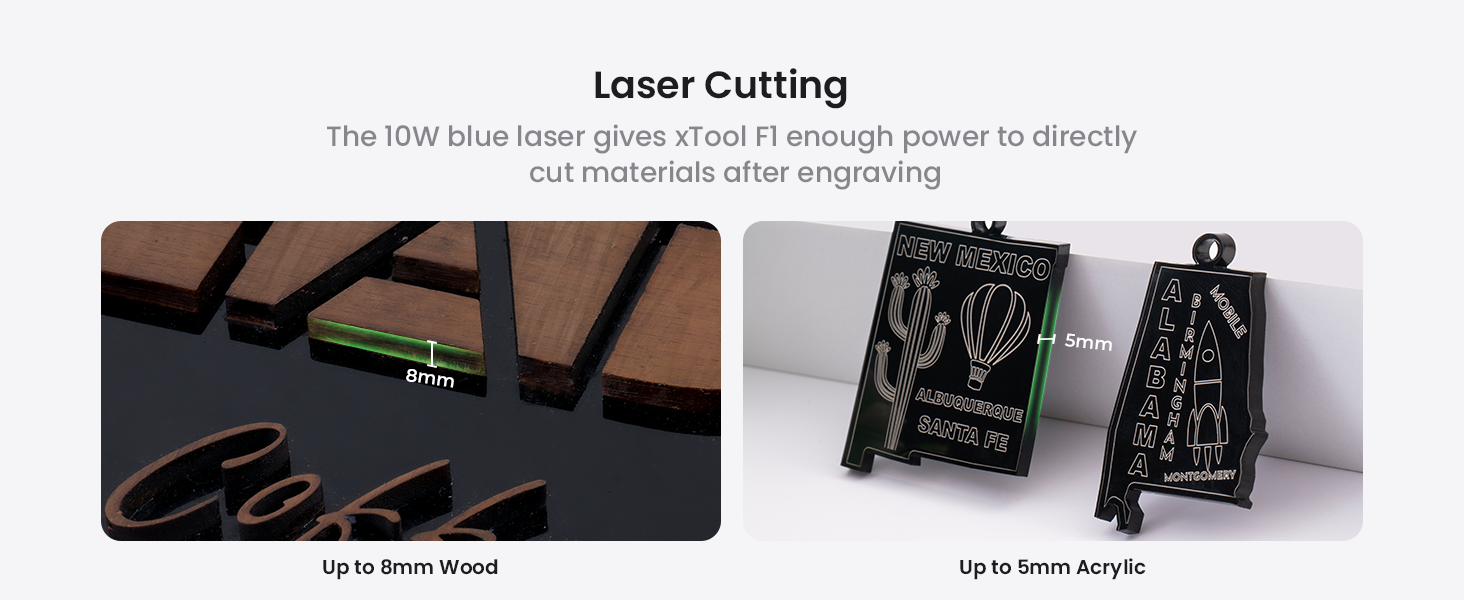
- 10W 455nm青色ダイオードレーザー: Suitable for cutting and engraving wood, acrylic, leather, paper, rubber, and other organic materials. It can cut up to 10mm wood and 6mm acrylic.
画像: 内部 view of the xTool F1, highlighting the distinct paths of the 2W infrared laser (red) for metals and the 10W blue diode laser (blue) for other materials.
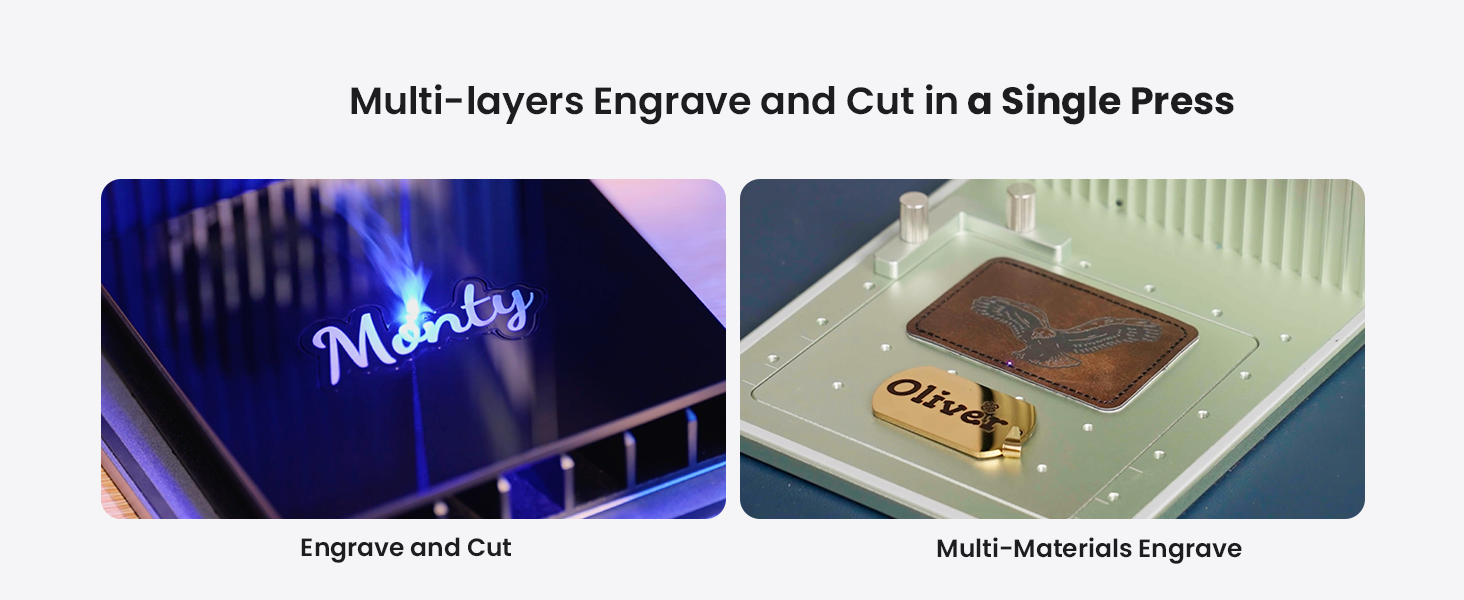
Image: A diverse collection of over 300 materials, including wood, acrylic, glass, aluminum, slate, and leather, demonstrating the xTool F1's engraving capabilities.
5.5 Expanding Working Area with Slide Extension
The xTool F1 can expand its working area for larger projects or batch processing.
- Standard Working Area: 115mm×115mm。
- With Slide Extension: Expandable to 115mm x 400mm, allowing for 4 times the engraving area. This is ideal for batch processing multiple items simultaneously.

Image: The xTool F1 with its slide extension accessory, visually demonstrating the expansion of the engraving area from 115x115mm to 115x400mm.
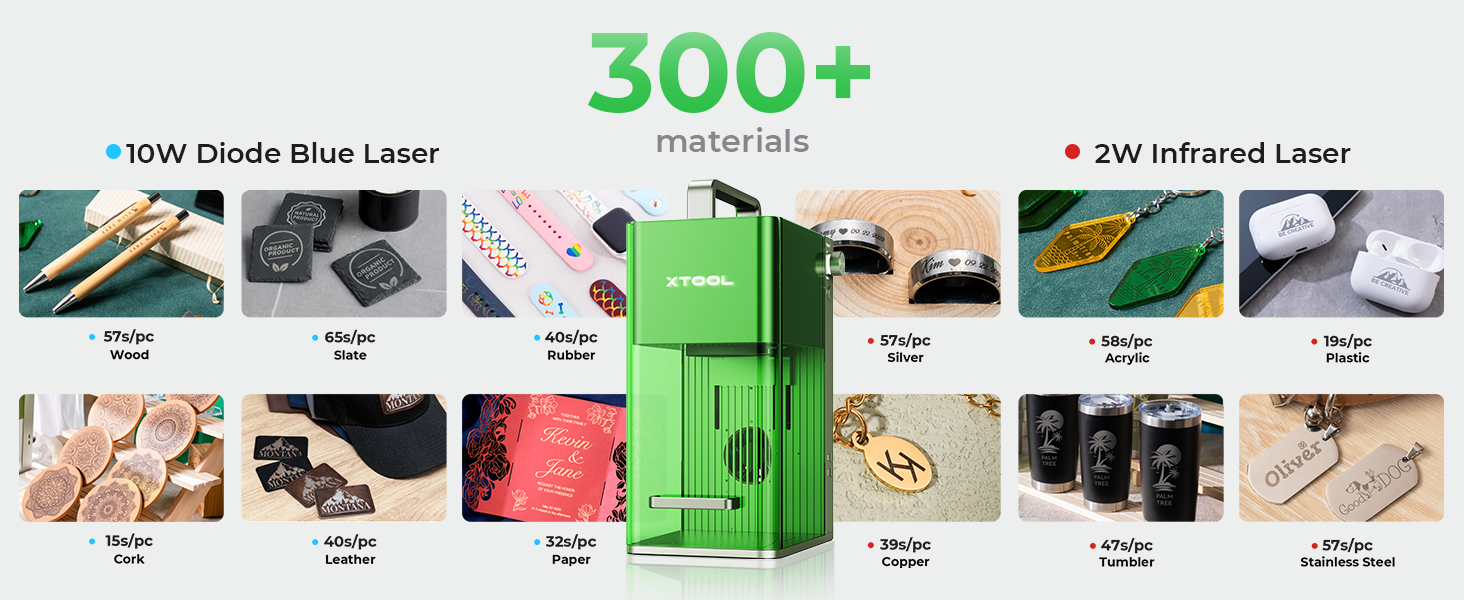
Image: The xTool F1 efficiently engraving multiple spoons in a single batch using the extended working area provided by the slide extension.
6. メンテナンス
Regular maintenance ensures optimal performance and longevity of your xTool F1.
- クリーニング: Regularly clean the interior of the machine, especially the lens and work area, to remove dust and debris. Use a soft, lint-free cloth and lens cleaning solution if necessary.
- エアフィルター: If using an air purifier, regularly check and replace its filter as recommended by the manufacturer.
- ファームウェアの更新: Keep the device firmware and software updated to the latest versions for improved features and stability.
7。 トラブルシューティング
このセクションでは、発生する可能性のある一般的な問題について説明します。
| 問題 | 考えられる原因 | 解決 |
|---|---|---|
| レーザーが発射されない | Power cable loose; Emergency stop engaged; Software error; Laser module issue | Check power connections; Disengage emergency stop; Restart software/device; Contact support if issue persists. |
| 彫刻の品質が悪い | Incorrect focus; Wrong material settings; Dirty lens; Material not flat | Adjust focus (auto/manual); Verify material settings in software; Clean laser lens; Ensure material is flat and secured. |
| Device not connecting to computer | USB cable issue; Driver not installed; Software conflict | Try a different USB port/cable; Reinstall drivers; Restart computer and device. |
For more detailed troubleshooting or issues not listed here, please refer to the official xTool support resources.
8. 仕様
| 特徴 | 詳細 |
|---|---|
| モデル | xツール F1 |
| レーザータイプ | 2W 1064nm Infrared Laser & 10W 455nm Blue Diode Laser |
| 彫刻速度 | 最大4000mm/秒 |
| モーション精度 | 0.00199mm |
| Standard Working Area | 115mm×115mm |
| Expanded Working Area (with Slide Extension) | 115mm×400mm |
| Cutting Capacity (Diode Laser) | Up to 10mm wood, 6mm acrylic |
| 重さ | 4.6kg |
| 接続性 | USB |
| サポートされているソフトウェア | xTool Creative Space, LightBurn |
9. 保証とサポート
For detailed warranty information, product registration, and technical support, please visit the official xTool web公式サイトをご覧いただくか、カスタマーサービスに直接お問い合わせください。保証請求の際は、購入証明としてレシートを保管してください。
オンラインリソース:
- Official xTool Webサイト: www.xtool.com
- サポートページ: website for FAQs, tutorials, and contact options.


