
1. はじめに
The PULWTOP 11-in-1 Powered USB C Hub is designed to expand the connectivity of your laptop, desktop, or gaming host by adding multiple high-speed data and charging ports. This hub is equipped with a dedicated power adapter to ensure stable performance across all connected devices.
主な特徴:
- Hybrid Powered USB C Hub: Adds 2 USB-C 3.2 10Gbps ports (Data ONLY), 1 USB-A 3.2 10Gbps port (Data ONLY), 3 USB-A 3.0 5Gbps ports (Data ONLY), SD/Micro SD 480Mbps, and 2 USB-C PD Charging Ports (45W Max, Charge ONLY).
- 75W Power Adapter & PD Charging Ports: Includes a 72W (24V/3A) power adapter, supporting 1x45W or 2x24W charging via PD ports.
- Faster Transfer Speed: Up to 10Gbps for USB-C and USB-A 3.2 ports, and up to 5Gbps for USB-A 3.0 ports.
- 頑丈なデザイン: High-quality aluminum housing with a 60cm durable braided cable.
- HD LEDディスプレイ: Intelligently detects and displays watts for connected devices on PD ports.
Note: All ports of this USB C Hub do not support video output function.
2. セットアップ
Follow these steps to set up your PULWTOP 11-in-1 Powered USB C Hub:
- 電源アダプタを接続します: Plug the included 72W (24V/3A) power adapter into the DC IN port on the hub and then into a wall outlet. The hub requires external power for stable operation and to provide charging capabilities.
- ホストデバイスに接続します: Use the integrated 2-in-1 USB-C/USB-A cable to connect the hub to your laptop, desktop, or other compatible host device. Ensure the connection is secure.
- Power Your Laptop (Optional): If your laptop supports Power Delivery (PD) input via its USB-C port, connect your laptop's original power adapter to the PD IN port on the side of the hub. This allows the hub to pass power through to your laptop.
- 周辺機器を接続します。 You can now connect your USB devices, SD/MicroSD cards, and other devices to the available ports on the hub.

画像: 上view of the PULWTOP 11-in-1 Powered USB C Hub, highlighting its various ports and power input options.
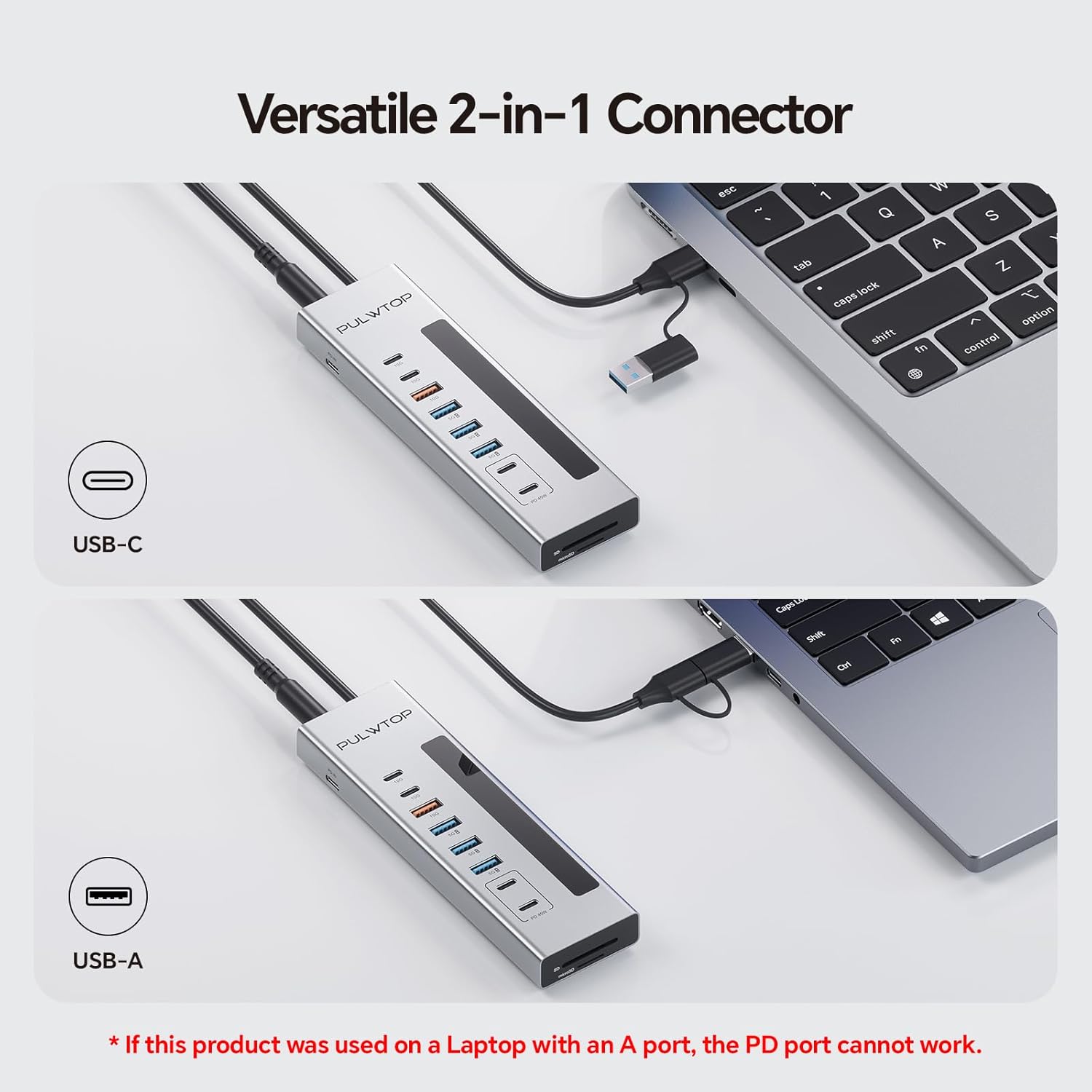
Image: The versatile 2-in-1 connector of the hub, showing its compatibility with both USB-C and USB-A host ports.
3. 操作手順
データ転送:
- USB-C 3.2 Ports (10Gbps): Connect compatible USB-C devices for high-speed data transfer. These ports are data-only and do not support charging or video output.
- USB-A 3.2 Port (10Gbps): Connect compatible USB-A devices for high-speed data transfer. This port is data-only and does not support charging or video output.
- USB-A 3.0 Ports (5Gbps): Connect compatible USB-A devices for standard data transfer. These ports are data-only and do not support charging or video output.
- SD/MicroSD カードスロット: Insert your SD or MicroSD cards for data access. Both slots can be used simultaneously.
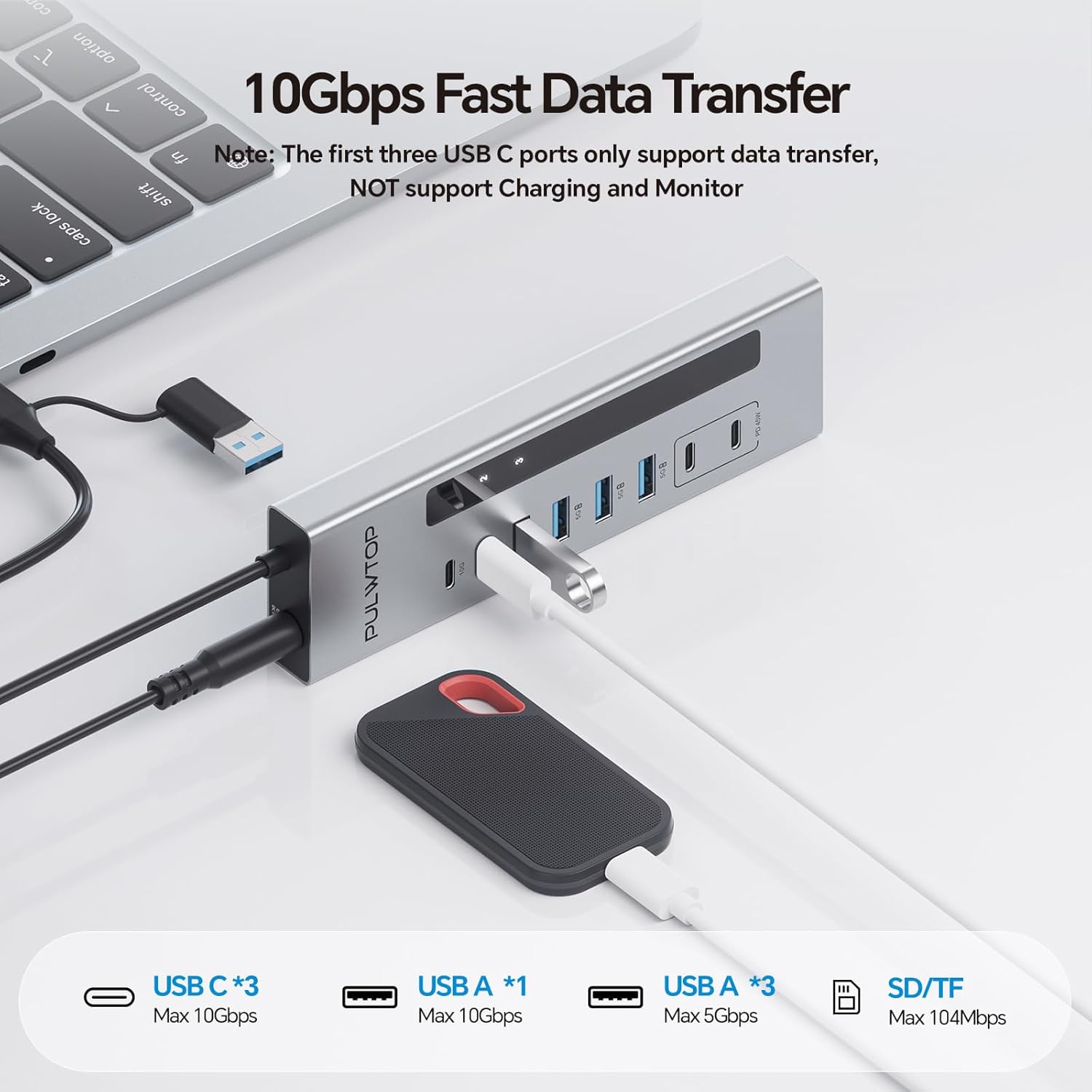
Image: The hub connected to a laptop, demonstrating 10Gbps fast data transfer with various USB-C and USB-A devices.
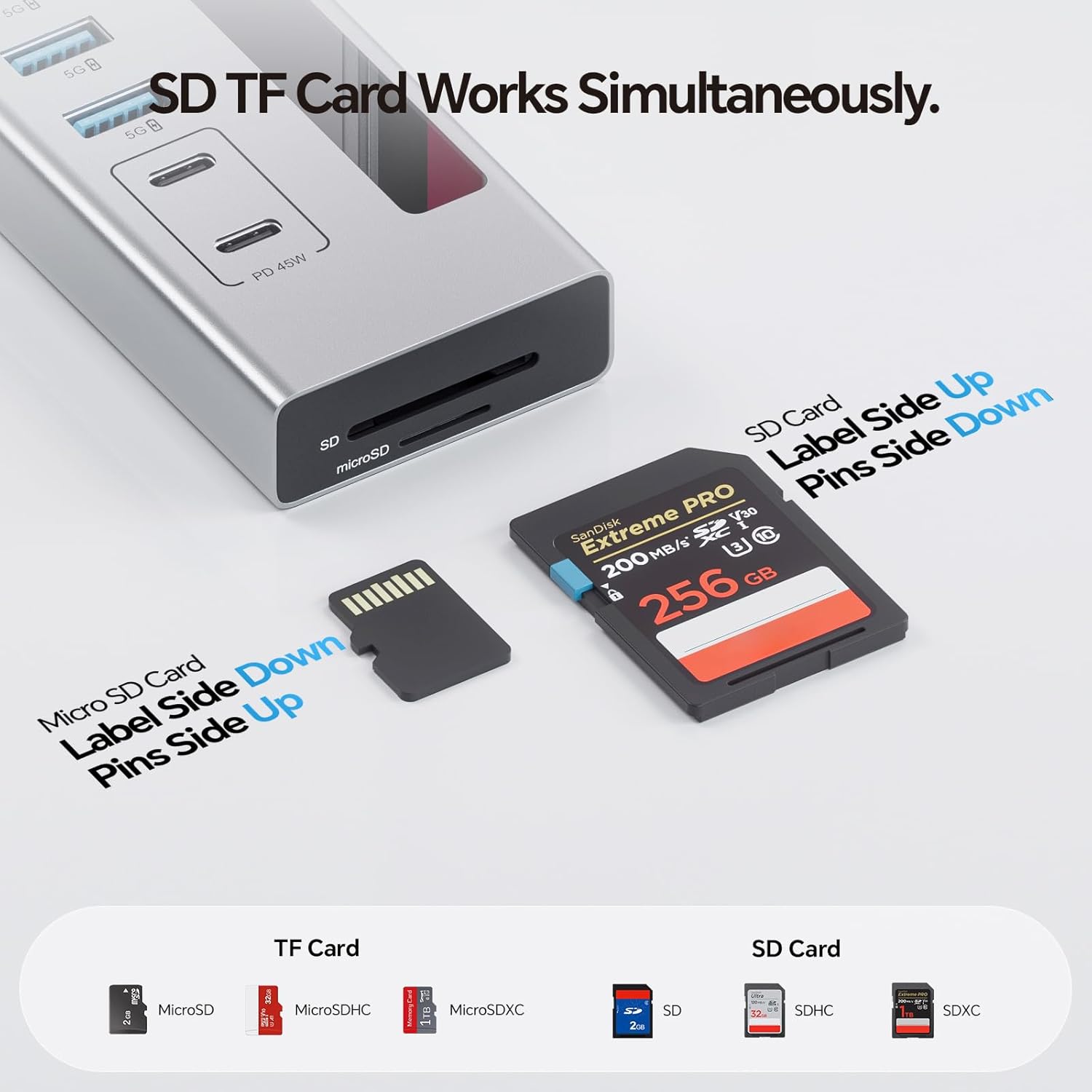
Image: Close-up of the SD and MicroSD card slots on the hub, illustrating simultaneous card usage.
電力供給(PD)充電:
- Dedicated USB-C PD Charging Ports: The two USB-C PD ports (labeled PD 45W) are for charging only. They do not support data or video transmission.
- 充電出力: These ports can deliver up to 45W when charging a single device or 24W per port when charging two devices simultaneously.
- LEDディスプレイ: The HD LED display will show the wattage being delivered to devices connected to the PD charging ports.
- Samsung デバイス: Due to the charging protocol of Samsung devices, the hub only supports 24W Max charging for Samsung phones and tablets.

Image: The hub demonstrating Max 45W fast charging for two smartphones simultaneously, with wattage displayed on the LED screen.
ユニバーサル互換性:
The hub is designed for plug-and-play functionality without requiring any driver installations. It is compatible with various host devices and operating systems.

Image: A chart illustrating the universal compatibility of the hub with various host devices (laptops, tablets, phones) and accessory devices (keyboards, mice, printers, hard drives, cameras, flash drives, NAS), across Windows, macOS, Android, ChromeOS, and Linux operating systems.
4. メンテナンス
To ensure the longevity and optimal performance of your PULWTOP 11-in-1 Powered USB C Hub, follow these maintenance guidelines:
- クリーニング: Use a soft, dry cloth to wipe the aluminum housing. Avoid using liquid cleaners or abrasive materials that could damage the finish.
- ケーブルのお手入れ: Handle the braided cable gently. Avoid sharp bends or excessive pulling that could damage the internal wires.
- ストレージ: 使用していないときは、ハブを直射日光や極端な温度を避け、涼しく乾燥した場所に保管してください。
- ポート保護: Keep the ports free from dust and debris. Consider using dust covers if the hub is stored for extended periods.
5。 トラブルシューティング
If you encounter issues with your PULWTOP 11-in-1 Powered USB C Hub, refer to the following common solutions:
- ビデオ出力なし: This hub is designed for data transfer and charging only. None of its ports support video output to external displays. If you require video output, a different type of hub or adapter is needed.
- Laptop Not Charging via PD IN: Ensure you are using your laptop's original power adapter connected to the PD IN port on the side of the hub. Also, verify that your laptop's USB-C port supports Power Delivery.
- PD Port Not Working with USB-A Host: The USB-C PD port for laptop power pass-through will not function if the hub is connected to your laptop using a USB 3.0 A interface. Ensure your laptop connection to the hub is via USB-C for PD pass-through.
- Apple Device Charging Issues: Some Apple devices may not receive power pass-through from the hub due to specific charging protocols. This is a known compatibility limitation with certain Apple models.
- データ転送が遅い: Ensure your connected devices and cables support the advertised speeds (10Gbps for USB-C 3.2/USB-A 3.2, 5Gbps for USB-A 3.0). Older devices or cables may limit transfer rates.
- Hub Not Detected: Disconnect and reconnect the hub from your host device. Ensure the power adapter is securely connected to the hub. Try connecting the hub to a different port on your host device.
ビデオ: ユーザーがview discussing the hub's performance, specifically noting the absence of power pass-through to Apple devices, which may be a compatibility issue.
6. 仕様
| 特徴 | 仕様 |
|---|---|
| 製品寸法 | 2.09 x 2.76 x 0.67インチ |
| アイテム重量 | 10.6オンス |
| モデル番号 | 11-in-1 Powered USB-C Hub |
| ブランド | パルトップ |
| 色 | 銀 |
| ハードウェアインターフェイス | MicroSD, USB 3.0 |
| 特集 | プラグアンドプレイ |
| 対応デバイス | USB Flash Drives, Mouse, Keyboards, Printers, Laptops, Tablets, Card Readers |
| USB-C 3.2ポート | 2 (10Gbps, Data ONLY) |
| USB-A 3.2 ポート | 1 (10Gbps, Data ONLY) |
| USB-A 3.0 ポート | 3 (5Gbps, Data ONLY) |
| SD/マイクロSDカードリーダー | 480Mbps |
| USB-C PD Charging Ports | 2 (45W Max, Charge ONLY) |
| DC Adapter Included | 72W (24V/3A) |
7. 保証とサポート
For warranty information or technical support, please refer to the documentation included with your product or visit the official PULWTOP website. You may also contact PULWTOP customer service for assistance.
保護プランは別途ご購入いただけます。
- 3年間の保護プラン
- 4年間の保護プラン
- 完全保護: 1 つのプランで、対象となる過去および将来のすべての購入をカバーします。