
1. はじめに
This manual provides detailed instructions for the installation, operation, and maintenance of your Ctronics 2K 3MP Wi-Fi Indoor Surveillance Camera (Model CTIPC-920C-P2). This wireless, battery-powered camera offers flexible surveillance for various indoor environments, featuring 2K 3MP resolution, infrared night vision, smart PIR motion detection, and two-way audio communication.
2. 安全情報
デバイスの損傷や人身傷害を防ぐために、すべての安全に関する指示を注意深く読んで従ってください。
- 指定された電源アダプタと充電ケーブルのみを使用してください。
- カメラを極端な温度、湿度、直射日光にさらさないでください。
- Keep the camera away from water and other liquids. This product is not waterproof.
- カメラをご自身で分解したり修理したりしないでください。サポートが必要な場合は、カスタマーサポートにお問い合わせください。
- カメラが落下しないようにしっかりと取り付けられていることを確認してください。
3. パッケージ内容
パッケージにすべてのアイテムが含まれていることを確認します。
- Ctronics 2K 3MP Wi-Fi Indoor Surveillance Camera
- Mounting Bracket/Support
- USB充電ケーブル
- ユーザーマニュアル(このドキュメント)
- Screws and Wall Plugs (if applicable for mounting)
4.製品オーバーview
カメラの主なコンポーネントについて理解しておきましょう。

画像4.1: The Ctronics indoor camera, highlighting its 100% wire-free and battery-powered design with a 5000mAh battery capacity. This allows for flexible placement without the need for power cables.
The camera features a compact dome design, equipped with a lens, infrared LEDs for night vision, a microphone, a speaker for two-way audio, and a reset button. It is designed for easy placement on flat surfaces or ceiling mounting using the provided bracket.
5. セットアップとインストール
5.1 カメラの充電
Before initial use, fully charge the camera's built-in rechargeable Lithium-ion battery using the provided USB cable and a compatible 5V power adapter. The charging indicator light will typically change color or turn off when fully charged.
5.2 アプリのインストール
Download the official Ctronics Pro app or HiP2P Client software to your smartphone, tablet, or PC. 検索する "Ctronics Pro" in your device's app store (Google Play Store or Apple App Store) or visit the official Ctronics website for PC client downloads.

画像5.1: Accessing the camera feed via the Ctronics Pro mobile app and HiP2P Client on a PC, demonstrating multi-device compatibility.
5.3 Wi-Fiへの接続
- Open the Ctronics Pro app and create an account or log in.
- 「+」アイコンをタップして新しいデバイスを追加します。
- Follow the on-screen instructions to connect the camera to your 2.4GHz Wi-Fi network. This usually involves scanning a QR code generated by the app with the camera lens.
- Ensure your camera is within range of your Wi-Fi router for a stable connection.
5.4カメラの取り付け
The camera's 100% wire-free design allows for flexible placement. You can place it on a shelf, table, or mount it to a ceiling using the included support bracket. No drilling is required for tabletop placement.

画像5.2: Examples of flexible camera placement in different indoor environments, demonstrating its readiness for use anywhere.
6. 操作手順
6.1 ライブ View 録音
接続したら、アプリを開いて view the live feed from your camera. The camera records in 2K 3MP resolution, providing clear and stable video. You can manually record video or capture screenshots directly from the app.

画像6.1: Demonstrates the camera's 2K HD resolution for clear daytime footage and effective infrared night vision up to 20m.
6.2 パン/チルト/ズーム(PTZ)制御
カメラの viewing angle directly from the app. The camera supports 355° horizontal pan and 80° vertical tilt, allowing for comprehensive room coverage. Use the digital zoom feature to get a closer look at details.
6.3 スマートPIRモーション検知
The camera features intelligent PIR (Passive Infrared) motion detection, designed to accurately detect human movement and reduce false alarms. When motion is detected, you will receive instant push notifications on your connected device.

画像6.2: Illustrates the Smart PIR Motion Detection feature, which only alerts users when relevant motion is detected, such as a person or pet.
You can adjust the motion detection sensitivity settings within the app to suit your environment and preferences.
6.4 赤外線ナイトビジョン
The camera is equipped with infrared LEDs for clear night vision up to 20 meters. This feature operates discreetly without bright white light, making it ideal for monitoring nurseries, pet areas, or elderly care without disturbance.
6.5 双方向オーディオ
Utilize the built-in microphone and speaker for two-way communication. You can listen to what's happening in the camera's vicinity and speak through the camera to interact with family members or pets.

画像6.3: Depicts the two-way audio function, allowing users to communicate with individuals near the camera, fostering a sense of closeness.
6.6 ストレージオプション
The camera supports multiple storage methods for your footage:
- マイクロSDカード: 最大128GBのMicro SDカード(別売)に対応しています。カードをカメラの専用スロットに挿入してください。
- クラウドストレージ: Optional cloud storage service available through the Ctronics Pro app for secure, remote backup of your recordings.
- FTP: アプリで FTP 設定を構成して、録画を FTP サーバーにアップロードします。

画像6.4: Highlights the flexible storage options available, including cloud, local 128GB SD card, and FTP, to keep your footag安全です。
6.7 Custom Alarm Sounds
Personalize your camera's alarm responses by setting custom alarm sounds through the app. This allows you to choose specific alerts that fit your lifestyle or preferences.
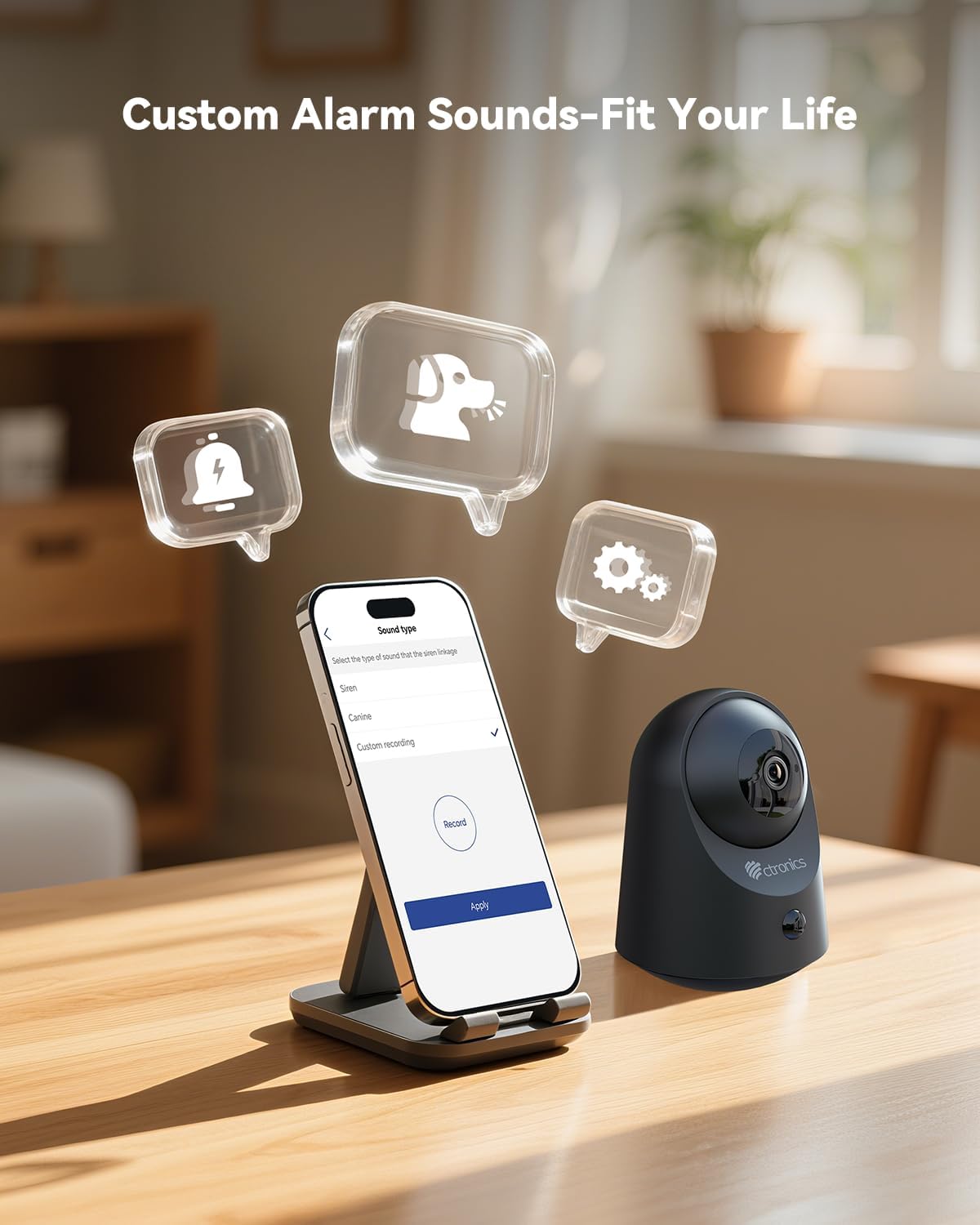
画像6.5: Demonstrates the ability to customize alarm sounds via the app, allowing users to tailor alerts to their specific needs.
7. メンテナンス
- クリーニング: カメラのレンズと本体の清掃には、柔らかく乾いた布をご使用ください。液体クリーナーやエアゾールは使用しないでください。
- バッテリーのケア: For optimal battery life, avoid fully discharging the battery frequently. Recharge the camera when the battery level is low.
- ファームウェアの更新: Regularly check the Ctronics Pro app for available firmware updates to ensure your camera has the latest features and security enhancements.
8。 トラブルシューティング
| 問題 | 考えられる原因 | 解決 |
|---|---|---|
| カメラの電源が入りません。 | バッテリー残量が少ない、または充電ケーブル/アダプターに不具合があります。 | Charge the camera for several hours. Try a different USB cable or power adapter. |
| Wi-Fiに接続できません。 | Incorrect Wi-Fi password, camera too far from router, or 5GHz Wi-Fi network. | 2.4GHz Wi-Fiのパスワードが正しいことを確認してください。カメラをルーターに近づけてください。カメラをリセットして、もう一度ペアリングをお試しください。 |
| ビデオ品質が低い。 | Wi-Fi 信号が弱い、レンズが汚れている、または光が弱い。 | Wi-Fi信号強度を改善してください。カメラのレンズを清掃してください。十分な照明を確保するか、ナイトビジョンがオンになっていることを確認してください。 |
| 動きの検出が機能していないか、誤報が多すぎます。 | Incorrect sensitivity settings, camera placement, or environmental factors. | Adjust PIR sensitivity in the app. Ensure camera is placed to minimize unwanted triggers (e.g., moving branches, direct sunlight). |
| 双方向オーディオが機能しません。 | アプリ内でマイク/スピーカーがミュートされているか、ネットワークに問題があります。 | Check app settings to ensure audio is enabled. Verify stable internet connection. |
9. 仕様
| 特徴 | 詳細 |
|---|---|
| モデル番号 | CTIPC-920C-P2 |
| 解決 | 2K 3MP(2304x1296P) |
| 接続性 | Wi-Fi(2.4GHz)、Bluetooth |
| 電源 | 充電式リチウムイオン電池内蔵 |
| 巻tage | 5ボルト |
| 消費電力 | 5ワット |
| パン/チルト範囲 | パン355°、チルト80° |
| 暗視範囲 | 最大20メートル(赤外線) |
| モーション検出 | Smart PIR Human Motion Detection |
| オーディオ | 双方向オーディオ |
| ストレージオプション | Micro SD (up to 128GB), Cloud Storage, FTP |
| 寸法(長さ×幅×高さ) | 11 x 10 x 7 cm |
| 重さ | 544.31グラム(1.2ポンド) |
| 材料 | アクリロニトリルブタジエンスチレン(ABS) |
| 耐水性レベル | Not waterproof (Indoor use only) |
10. 保証とサポート
Ctronics products come with a standard manufacturer's warranty. Please refer to the warranty card included in your package or visit the official Ctronics web詳細な保証条件については、サイトをご覧ください。
For technical support, troubleshooting assistance, or any inquiries regarding your product, please contact Ctronics customer service through their official webサイトまたはアプリ内で提供されている連絡先情報。
Webサイト: www.ctronics.com