
BNCF NewBook 11
BNCF NewBook 11 2-in-1 ノートパソコン ユーザーマニュアル
Model: NewBook 11 | Brand: BNCF
導入
This manual provides essential information for setting up, operating, maintaining, and troubleshooting your BNCF NewBook 11 2-in-1 Laptop. Please read this guide thoroughly to ensure optimal performance and longevity of your device.
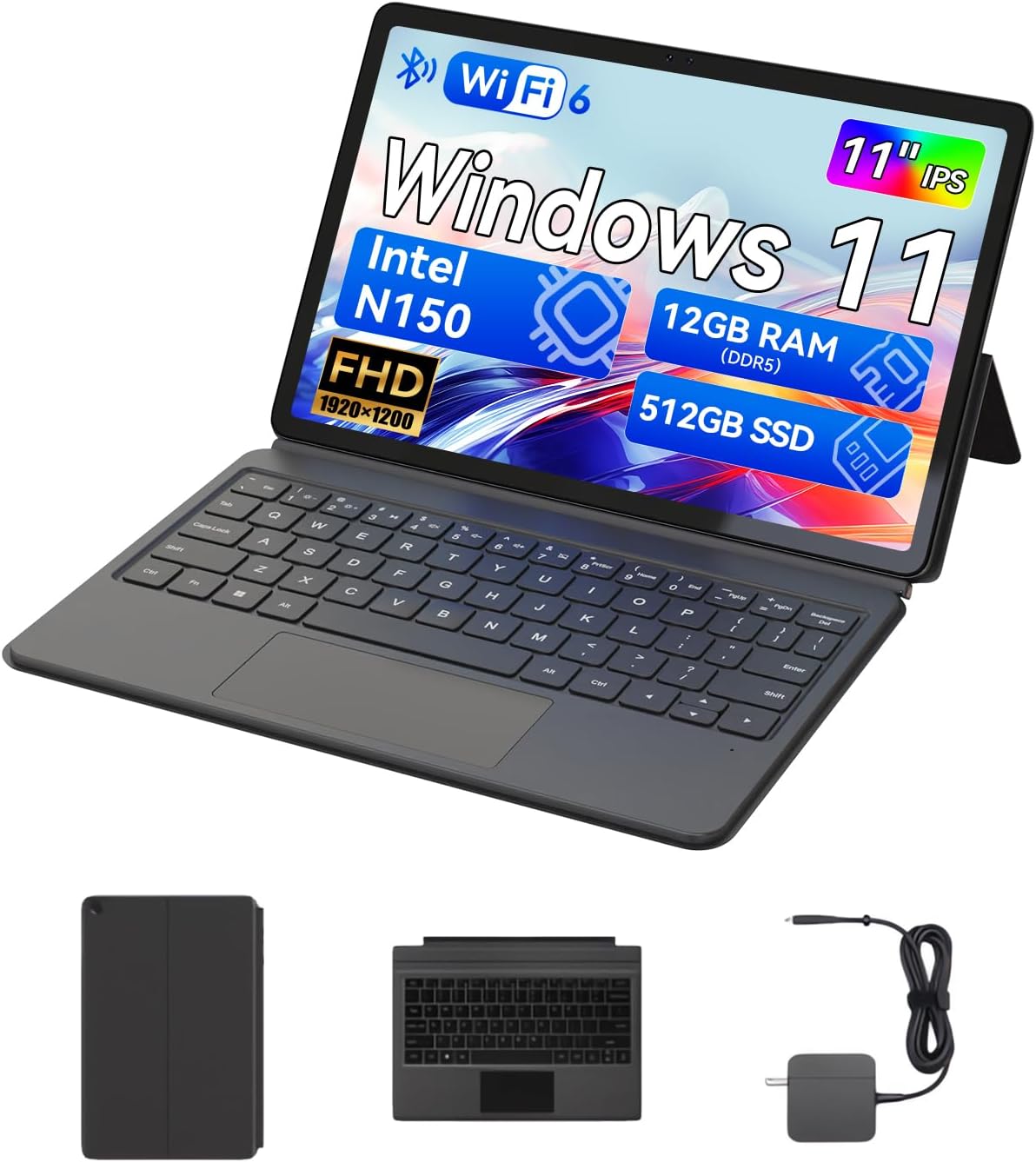
The BNCF NewBook 11 2-in-1 Laptop, shown here in its laptop configuration, featuring an 11-inch display, detachable keyboard, and kickstand.
1.セットアップガイド
1.1 開梱と初期検査
Upon receiving your BNCF NewBook 11, carefully unpack all components. Ensure the following items are present:
- BNCF NewBook 11 2-in-1 Laptop
- マグネット式キーボード
- キックスタンド
- 電源アダプタ(12V / 3A)
- ユーザーマニュアル(このドキュメント)
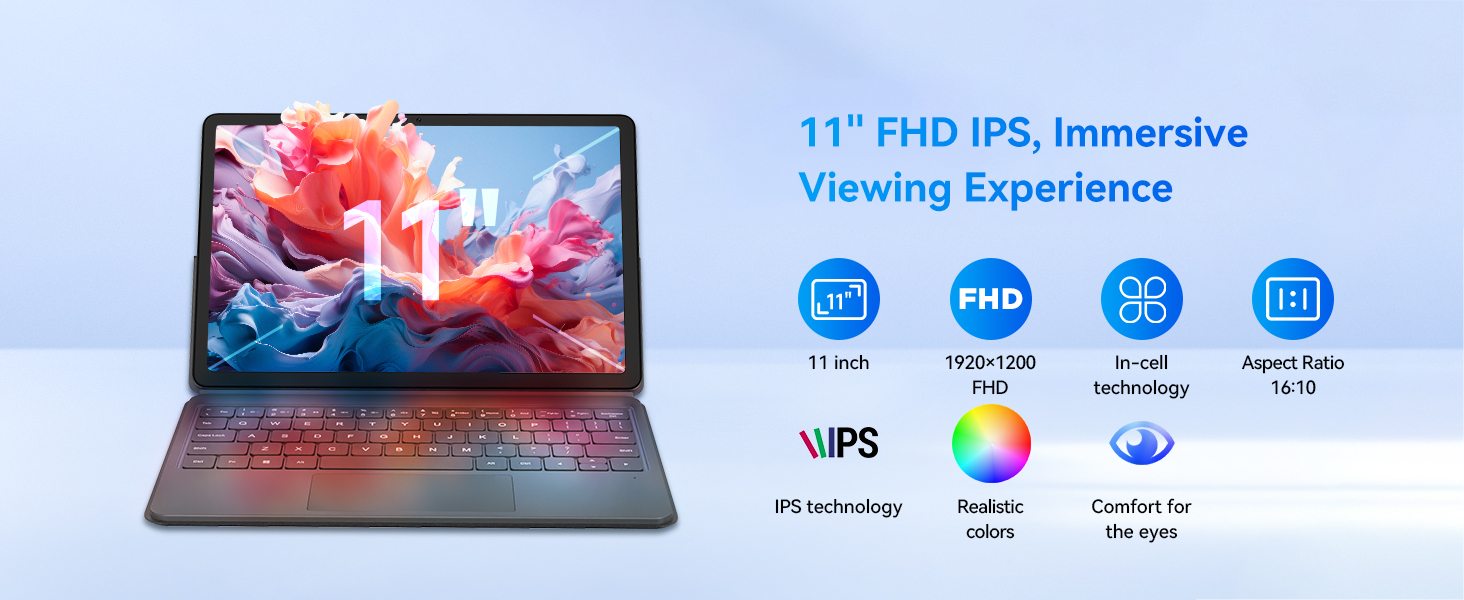
Illustration of the items included in the BNCF NewBook 11 package, including the main unit, keyboard, kickstand, and power adapter.
1.2デバイスの充電
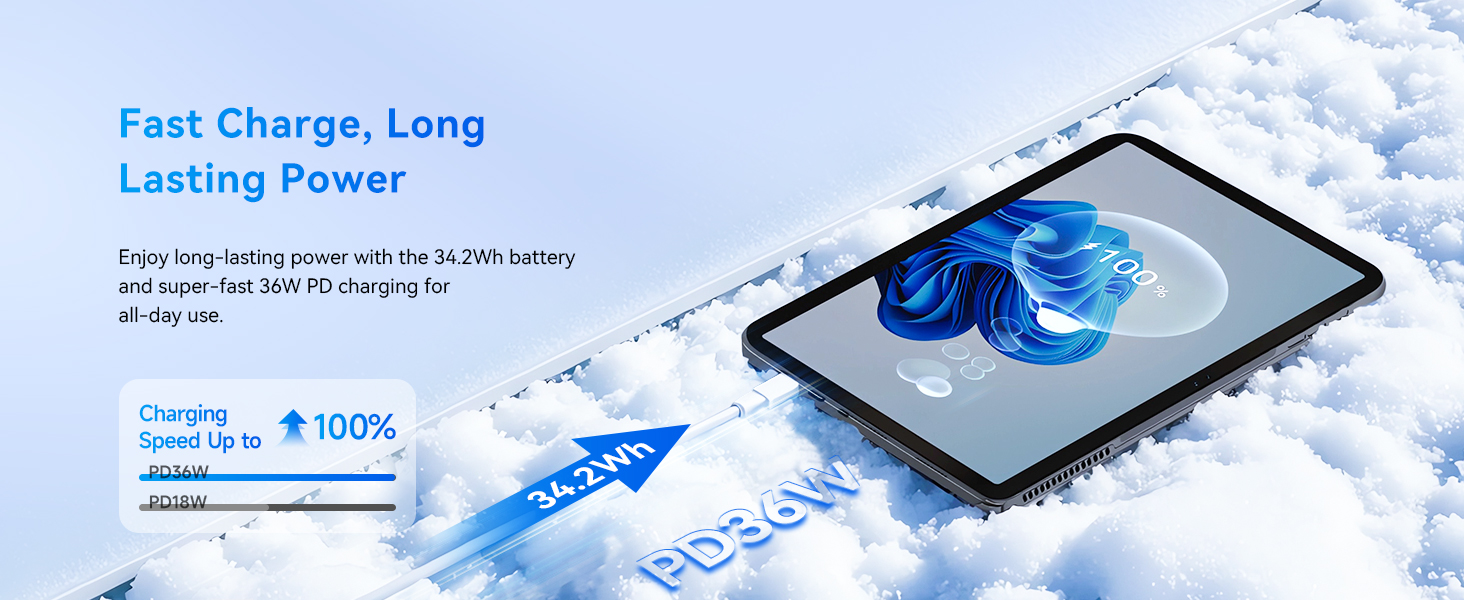
Before first use, fully charge your NewBook 11. Connect the provided power adapter to the Type-C charging port on the device and then to a power outlet. The charging indicator will illuminate.
1.3 Attaching the Keyboard and Kickstand
The magnetic keyboard and kickstand are designed for easy attachment and detachment:
- キーボード: Align the magnetic connector on the keyboard with the docking port at the bottom edge of the tablet. The magnets will secure it in place.
- キックスタンド: The kickstand attaches magnetically to the back of the tablet. Position it to achieve your desired viewing angle. Note that frequent adjustments may require re-aligning the kickstand.

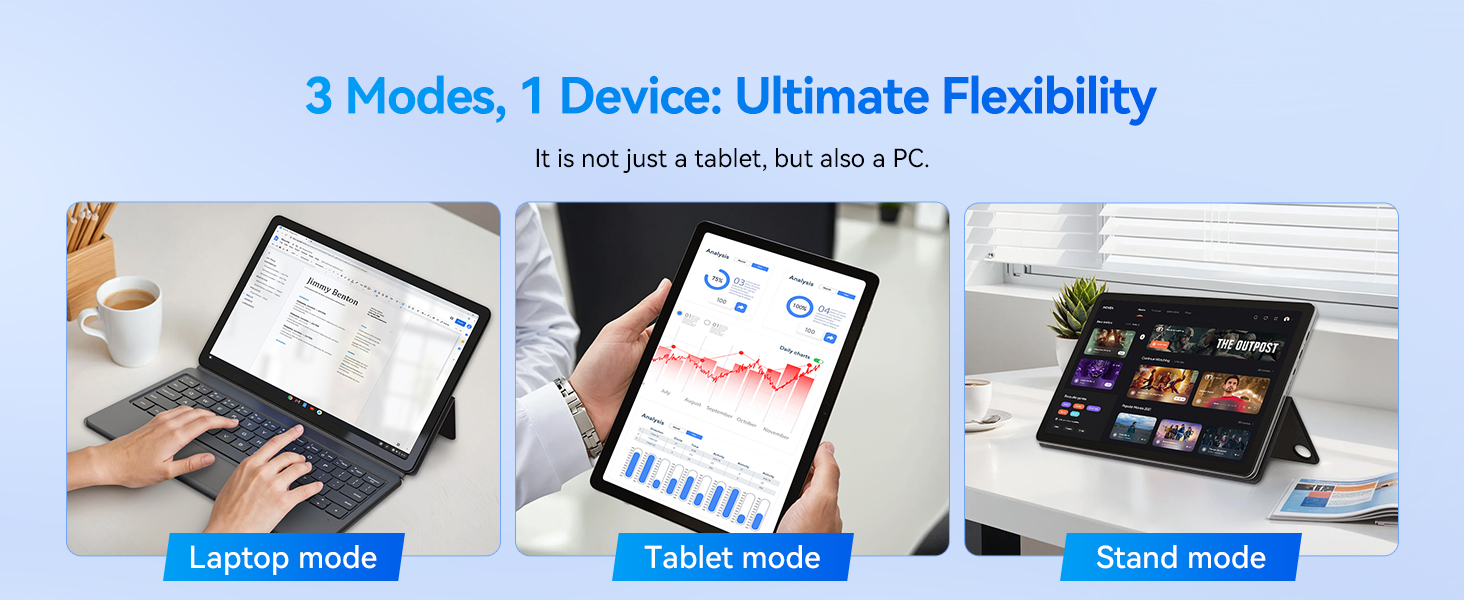
The BNCF NewBook 11 demonstrating its three flexible modes: laptop, tablet, and stand, enabled by the magnetic keyboard and kickstand.
1.4 初回電源投入とWindows 11のセットアップ
Press and hold the power button located on the side of the device until the screen illuminates. Follow the on-screen instructions to complete the Windows 11 initial setup, including language selection, network connection, and user account creation.
2. 操作手順
2.1 2 in 1機能
The BNCF NewBook 11 offers versatile usage modes:
- ラップトップモード: With the keyboard and kickstand attached, use the device as a traditional laptop for productivity tasks.
- タブレットモード: Detach the keyboard to use the device as a standalone tablet for touch-based interactions, browsing, or media consumption.
- スタンドモード: Use the kickstand to prop up the tablet without the keyboard, ideal for watching videos or presentations.
2.2 タッチスクリーンとディスプレイ
The 11-inch FHD IPS In-Cell touchscreen (1920x1200 resolution) provides clear visuals and responsive touch input. Utilize multi-touch gestures for navigation within Windows 11.
The 11-inch FHD IPS In-Cell display of the NewBook 11, designed for clear and vibrant visuals.
2.3 接続性
The device features various ports and wireless options:
- USB-Cポート(2) One for charging/data, one full-featured.
- USB 3.0ポート(1) 周辺機器を接続するために使用します。
- Micro HDMI Port (1): For external display output (supports 1080P HD).
- 3.5mm Audio Jack (1): ヘッドフォンまたは外部スピーカー用。
- Wi-Fi 6: For high-speed wireless internet connectivity (2.4/5GHz).
- Bluetooth 5.0: ワイヤレスアクセサリを接続します。
詳細 view of the BNCF NewBook 11's ports and external features, highlighting its comprehensive connectivity options.
2.4台のカメラ
The device includes dual cameras: a 5MP front camera and an 8MP rear camera, suitable for video calls and basic photography.
3. メンテナンスとケア
3.1 クリーニング
- 画面: 電子機器用に特別に設計された、柔らかく糸くずの出ない布を使用してください。Damp必要に応じて、水またはスクリーンクリーナーで軽く拭いてください。刺激の強い化学薬品は使用しないでください。
- 体: Wipe the metal chassis with a soft, dry cloth.
3.2バッテリーケア
バッテリー寿命を延ばすには:
- バッテリーを頻繁に完全に放電することは避けてください。
- デバイスを極端な温度にさらさないでください。
- Use only the provided BNCF power adapter for charging.
3.3冷却システム
The NewBook 11 features an active cooling system with a PC-level fan and dual-copper heat pipe. Ensure the air vents are not obstructed to maintain optimal performance and prevent overheating.
An illustration of the internal active cooling system, showing the PC-level fan and copper heat pipe designed to maintain stable device temperature.
4。 トラブルシューティング
This section addresses common issues you might encounter with your BNCF NewBook 11.
4.1 デバイスの電源が入らない
- Ensure the device is fully charged. Connect the power adapter and wait a few minutes before attempting to power on again.
- 電源ボタンを 10 ~ 15 秒間押し続け、ハードリセットを実行します。
4.2 バッテリー寿命が短い
- 画面の明るさを低めに調整します。
- 不要なバックグラウンド アプリケーションを閉じます。
- Ensure Wi-Fi and Bluetooth are turned off when not in use.
- Check for Windows updates, as power management improvements may be included.
4.3 Display Issues (e.g., Washed Out Colors)
- Check display settings in Windows 11 (Settings > System > Display) for color calibration options.
- グラフィック ドライバーが最新であることを確認します。
4.4 キーボードまたはトラックパッドが反応しない
- Ensure the magnetic keyboard is securely attached to the tablet's docking port.
- Detach and reattach the keyboard.
- デバイスを再起動します。
- If issues persist, contact BNCF support.
4.5 General Performance Slowdown
- 使用していないアプリケーションとブラウザのタブを閉じます。
- Check for sufficient free storage space on the 512GB SSD.
- マルウェアのシステムスキャンを実行します。
- Ensure Windows 11 is updated to the latest version.
5. 仕様
| 特徴 | 詳細 |
|---|---|
| モデル名 | NewBook 11 |
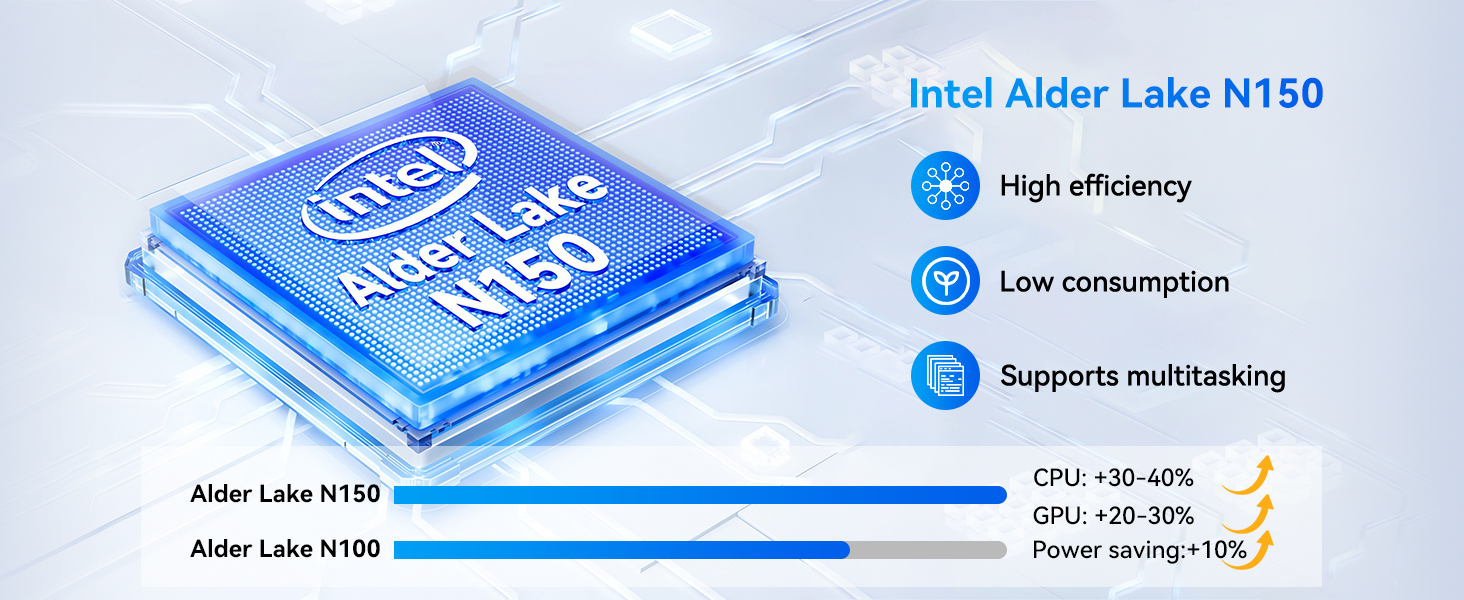
| プロセッサ | Intel Alder Lake N150 (Quad-core, up to 3.6 GHz) |
| グラフィックス | インテルUHDグラフィックス |
| ラム | 12GB DDR5 |
| ストレージ | 512GB NVMe SSD |
| オペレーティング·システム | ウィンドウズ11プロ |
| 画面 | 11-inch FHD IPS In-Cell Touchscreen (1920x1200 pixels) |
| カメラ | 前面: 5MP、背面: 8MP |
| ワイヤレス接続 | Wi-Fi 6 (2.4/5GHz), Bluetooth 5.0 |
| ポート | 2x Type-C (charging/data, full-featured), 1x USB 3.0, 1x Micro HDMI, 1x 3.5mm Audio Jack |
| バッテリー | 34.2Wh, supports PD 36W fast charging |
| 寸法(タブレット) | 10.12 x 6.61 x 0.38インチ |
| 重量(タブレット) | 635g(1.4ポンド) |
| Weight (Total with Keyboard/Kickstand) | 1106g(2.44ポンド) |
6. 保証とサポート
BNCF is committed to providing high-quality products and customer satisfaction.
6.1 保証情報
Your BNCF NewBook 11 comes with a 1年間の保証. This warranty covers manufacturing defects and ensures that your device meets BNCF's quality standards. For specific details regarding the RMA (Return Merchandise Authorization) policy, please refer to the official BNCF webサイトをご覧いただくか、カスタマー サポートにお問い合わせください。
6.2 テクニカルサポート
BNCF offers 生涯テクニカルサポート for its products. If you encounter any issues or have questions regarding your device, please contact BNCF customer service. You can expect a response within 24 hours.

BNCF provides a one-year warranty and dedicated support to ensure customer satisfaction.