
導入
This manual provides essential information for setting up, operating, maintaining, and troubleshooting your HP 250 G9 Laptop. Please read this guide thoroughly to ensure proper use and to maximize the lifespan of your device.
箱の中身
パッケージ内のすべてのアイテムが揃っていることを確認します。
- HP 250 G9 ノートパソコン
- 電源アダプター
- ドキュメント(クイックスタートガイド、安全情報)
設定
1. 初回電源投入
- 電源アダプタを接続します: Plug the power adapter into the laptop's AC power port and then into a wall outlet.
- ラップトップを開きます。 ノートパソコンの蓋を慎重に開けます。
- 電源オン: Press the power button, usually located on the keyboard deck, to turn on the laptop.
- 画面上の指示に従ってください: ラップトップは、言語の選択、ネットワーク接続、ユーザー アカウントの作成など、Windows 11 Pro の初期セットアップ プロセスをガイドします。
2. 周辺機器の接続
Your HP 250 G9 Laptop offers various ports for connecting external devices:
- USBタイプC: データ転送および対応デバイスの接続に使用します。
- USB Type-A: マウス、キーボード、外付けドライブなどの USB デバイスを接続します。
- HDMI: 外部ディスプレイやプロジェクターに接続します。
- ヘッドフォン/マイクコンボジャック: オーディオ入出力用。
- RJ-45(イーサネット): 有線ネットワーク接続用。

画像: 以上view of the HP 250 G9 Laptop's connectivity ports. This image illustrates the location and type of ports available on the laptop, including USB Type-C, HDMI, USB Type-A, headphone jack, DC-in for power, and an Ethernet port for wired network connections.
操作手順
1. 基本操作
- 電源オン/オフ: 電源ボタンを押して電源を入れます。シャットダウンするには、「スタート」ボタンをクリックし、「電源」をクリックして「シャットダウン」を選択します。
- 画面: The 15.6-inch Full HD anti-glare display provides clear visuals. Adjust brightness using the function keys (Fn + Fx keys, specific to model).
- キーボードとタッチパッド: Use the full-size keyboard for typing and the integrated touchpad for navigation. External mice can be connected via USB.
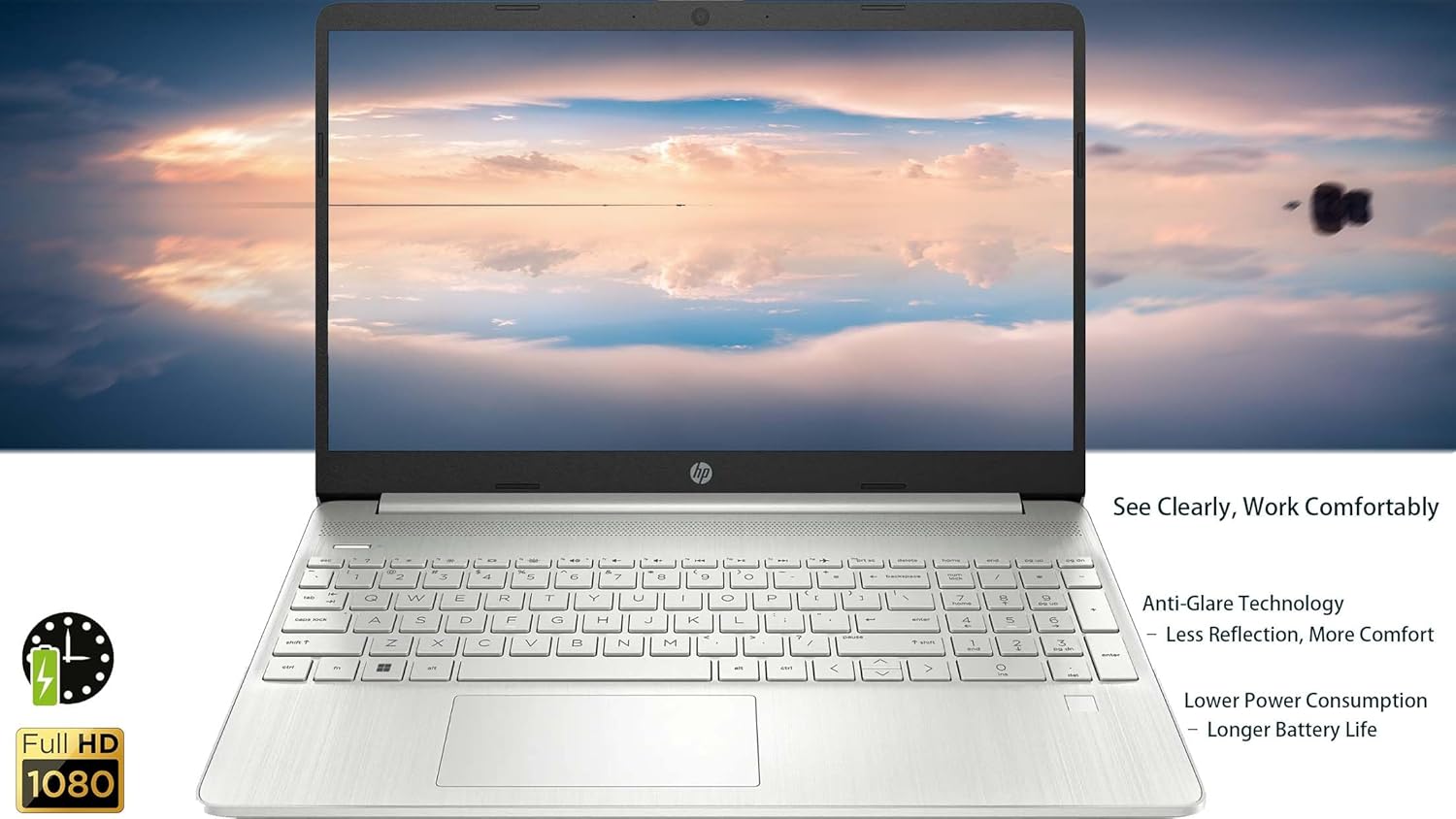
画像: The HP 250 G9 Laptop in an open position, displaying its 15.6-inch screen and full-size keyboard. This image highlights the anti-glare display and the overall design of the laptop for comfortable use.
2. 接続性
- Wi-Fi: Connect to wireless networks via the Realtek Wi-Fi 5 card. Access Wi-Fi settings through the Windows taskbar network icon.
- ブルートゥース: Pair Bluetooth devices like headphones or speakers using the integrated Bluetooth 5.0. Manage Bluetooth settings in Windows Settings > Devices.
- イーサネット: 安定した有線インターネット接続を確保するには、イーサネット ケーブルを RJ-45 ポートに接続します。
3. Webカメラとオーディオ
- Webカム: The 720p HD camera is suitable for video calls. Ensure proper lighting for best results.
- マイク: Dual-array microphones provide clear audio input.
- 講演者: Dual stereo speakers deliver audio output. Adjust volume using function keys or Windows sound settings.
4.バッテリー管理
- The 3-cell, 41Wh Li-ion battery provides power for extended use.
- For optimal battery life, avoid extreme temperatures and fully discharge/recharge periodically.
- Monitor battery status via the Windows taskbar icon.
メンテナンス
1. 清掃
- 画面: 柔らかく糸くずの出ない布を軽く拭いてください。amp水またはスクリーンクリーナーで拭き取ってください。液体を画面に直接吹き付けないでください。
- キーボードとシャーシ: 表面を拭くときは柔らかい布を使用してください。頑固な汚れには、軽く湿らせた布を使用してください。amp cloth is acceptable. Avoid harsh chemicals.
- ポート: Keep ports free of dust and debris. Use compressed air if necessary, but sparingly.
2. ソフトウェアの更新
- システムの安定性とセキュリティを確保するため、Windows Updateを定期的に確認し、インストールしてください。[設定] > [Windows Update] に移動してください。
- Keep device drivers updated. HP Support Assistant can help manage driver updates.
トラブルシューティング
一般的な問題と解決策:
- ノートパソコンの電源が入らない:
- 電源アダプターがノートパソコンと正常に機能している電源コンセントの両方にしっかりと接続されていることを確認します。
- 別の電源コンセントを試してください。
- バッテリーが完全に消耗している場合は、ノートパソコンの電源が入るまでに数分間充電が必要になることがあります。
- Wi-Fi接続なし:
- Windows 設定で Wi-Fi が有効になっているかどうかを確認します。
- ルーターとモデムを再起動します。
- Wi-Fi ネットワークの範囲内にいることを確認してください。
- 画面が空白またはちらつく:
- ファンクションキーを使用して画面の明るさを調整します。
- Connect an external monitor to check if the issue is with the laptop's display or graphics driver.
- ラップトップを再起動します。
- パフォーマンスが遅い:
- バックグラウンドで実行されている不要なアプリケーションを閉じます。
- Windows の更新プログラムを確認してインストールします。
- Run a disk cleanup and defragmentation (for HDD, SSDs do not need defragmentation).
- マルウェアやウイルスをスキャンします。
仕様
| 特徴 | 詳細 |
|---|---|
| モデル | HP250G9 |
| プロセッサ | Intel Celeron N4500 (2 コア、最大 2.8 GHz) |
| 画面 | 15.6-inch Full HD (1920 x 1080), Anti-glare |
| グラフィックス | 統合型 Intel UHD グラフィックス |
| ラム | 32GB DDR4 |
| ストレージ | 2TB PCIe NVMe M.2 SSD |
| オペレーティング·システム | ウィンドウズ11プロ |
| ワイヤレス接続 | Realtek Wi-Fi 5、Bluetooth 5.0 |
| ポート | 1x USB Type-C, 2x USB Type-A, 1x HDMI 1.4b, 1x Headphone/Mic Combo, 1x RJ-45, 1x AC Power |
| Webカム | 720p HD camera with dual-array microphones |
| オーディオ | デュアルステレオスピーカー |
| バッテリー | 3-cell, 41Wh Li-ion |
| 寸法(長さx幅x高さ) | 14.09 x 9.53 x 0.78インチ |
| 重さ | 3.83ポンド |
| 色 | Asteroid Silver |

画像: Physical dimensions and weight of the HP 250 G9 Laptop. This image provides a visual representation of the laptop's size, including its screen diagonal, height, depth, width, and overall weight, emphasizing its portability.
保証とサポート
Your HP 250 G9 Laptop comes with a 1-Year Warranty from the Seller. For warranty claims or technical support, please contact the seller directly or visit the official HP support website for additional resources and driver downloads.
HPサポート Webサイト: サポート