
1. 重要な安全上の注意事項
Please read all instructions carefully before using the projector and retain this manual for future reference. Improper use may result in electric shock, fire, or other hazards.
- 通気口を塞がないでください。プロジェクターの周囲に十分なスペースを確保し、適切な空気の流れを確保してください。
- 火災や感電を防ぐため、プロジェクターを雨や湿気にさらさないでください。
- プロジェクターのレンズを直視しないでください。amp 明るい光により目が損傷する恐れがあるため、電源をオンにしてください。
- メーカー指定のアタッチメント/アクセサリのみを使用してください。
- 雷雨のときや長期間使用しない場合は、プロジェクターのプラグを抜いてください。
- 本製品をご自身で修理しようとしないでください。すべての修理は資格のあるサービス担当者にご依頼ください。
2.セットアップガイド
2.1 箱の中身
パッケージにすべてのアイテムが揃っていることを確認します。
- HOMPOW Mini Projector
- リモートコントロール
- 電源アダプター
- HDMIケーブル
- ユーザーマニュアル
- 保証書

Image: The HOMPOW Mini Projector shown with its remote control, power adapter, and HDMI cable.
2.2 初期設定
2.2.1電源接続
- 電源アダプタをプロジェクターの電源入力ポートに接続します。
- 電源アダプターを適切なコンセントに差し込みます。
2.2.2 Placement and Focus
プロジェクターを安定した平らな面に設置してください。最適な設置のために viewing, place it perpendicular to the projection surface (wall or screen).
- 投影距離: The recommended projection distance ranges from 3.49 feet to 7.26 feet.
- 画像サイズ: This allows for an image size between 40 inches and 120 inches.
- フォーカス調整: 画像が鮮明に表示されるまで、プロジェクター レンズのフォーカス リングを回転させます。

Image: Visual comparison demonstrating the clarity of 1080P Full HD supported resolution versus 480P.
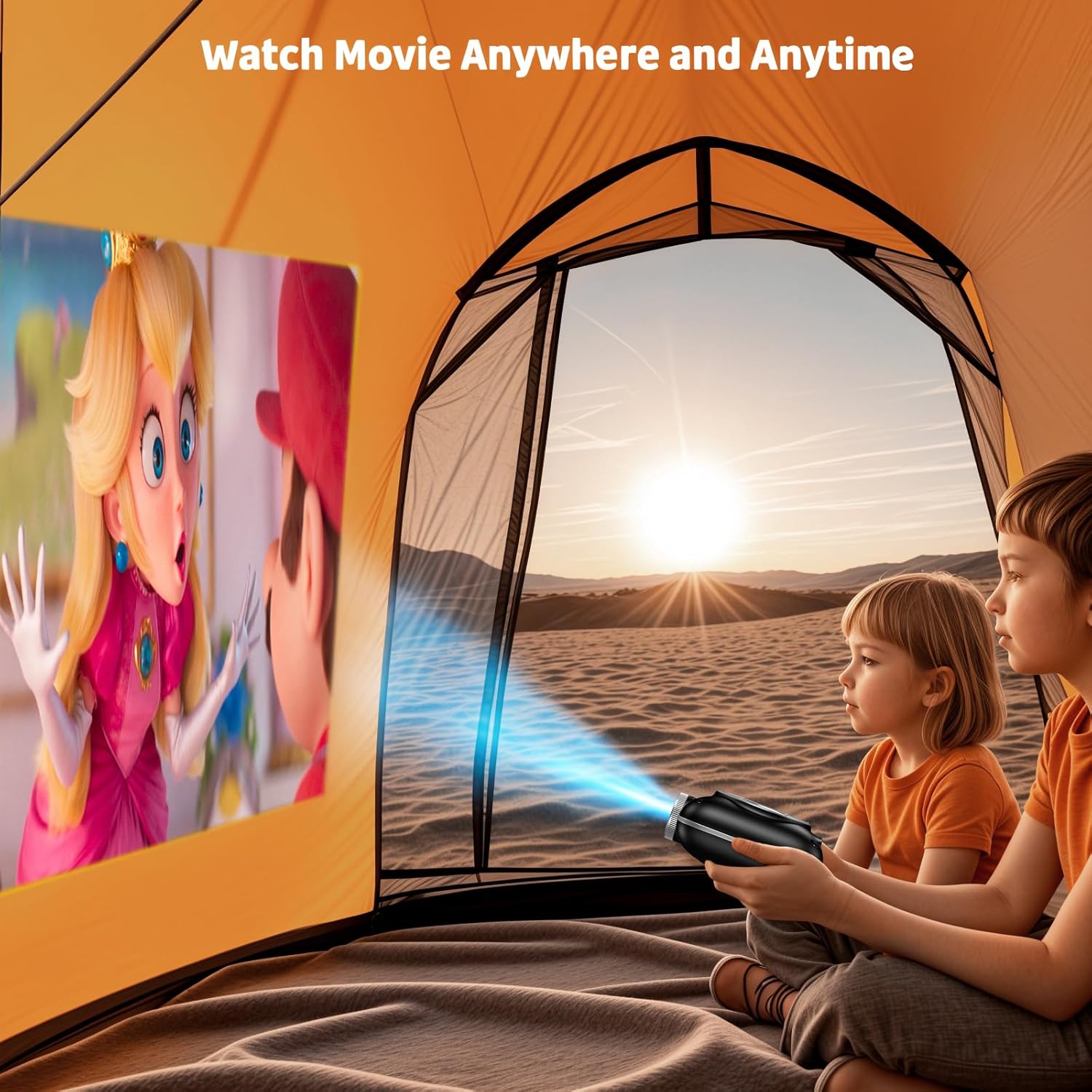
Image: The compact projector projecting a movie inside a tent, highlighting its portability for outdoor use.
3. 操作手順
3.1 電源オン/オフ
Press the power button on the projector or the remote control to turn the device on or off. The projector features an auto-off timer for convenient screen time management.
3.2 接続性
The HOMPOW Mini Projector offers multiple connectivity options:
- HDMI 2.0 ポート: Connect to laptops, TV sticks, gaming consoles (PS4, PS5), and other HDMI-enabled devices using the included HDMI cable.
- USB 2.0ポート: メディアを再生するには USB ドライブを接続します。
- 双方向 Bluetooth 5.1: Connect external Bluetooth speakers for enhanced audio or use the projector as a Bluetooth speaker to play music from your phone.

Image: The projector highlighting its wireless connectivity features, including WiFi and Bluetooth.

Image: A visual guide illustrating how to connect various devices such as smartphones, tablets, TV sticks, laptops, PS3/PS4, headphones, and USB drives to the projector.
3.3 スクリーンミラーリング
スマートフォンまたはタブレットの画面をミラーリングするには:
- Android フォンの場合: Use a Micro USB/Type-C to HDMI adapter (sold separately).
- iPhone/iPadの場合: Use a Lightning to HDMI adapter (sold separately).
- ストリーミングサービスの場合: Plug in a TV stick (sold separately) for Netflix/Hulu and other HDCP-compliant streaming platforms.
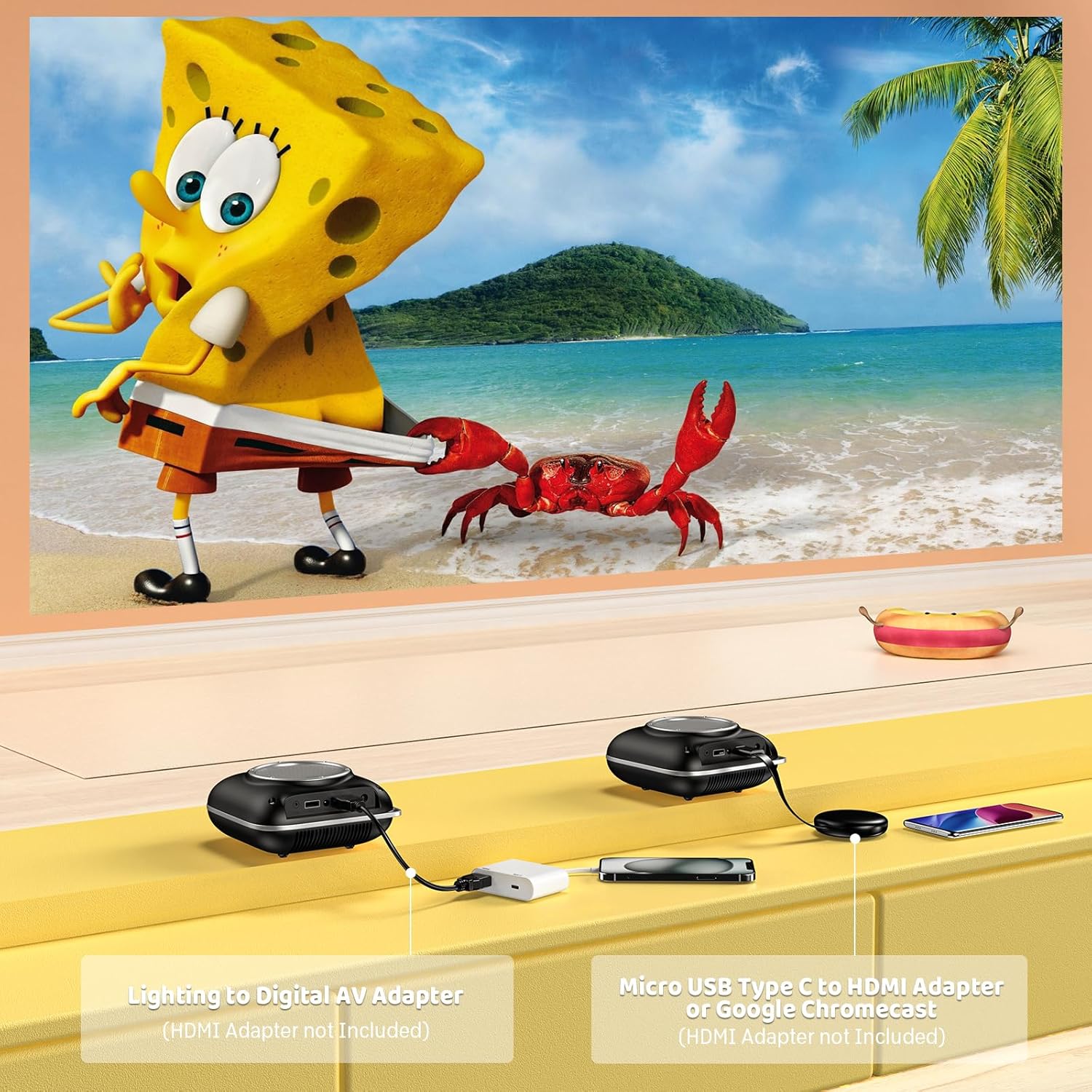
Image: Instructions for connecting mobile devices to the projector using Lightning to Digital AV Adapter for iOS and Micro USB Type-C to HDMI Adapter or Google Chromecast for Android.
3.4オーディオ出力
The projector features built-in 5W high-powered stereo speakers. For enhanced sound, utilize the bidirectional Bluetooth 5.1 to connect to external Bluetooth speakers or headphones.

Image: Diagram showing the projector's two-way Bluetooth functionality, allowing connection to an external speaker or functioning as a Bluetooth speaker for a phone.
3.5 Projection Size and Zoom
The projector supports a projection size from 40 to 120 inches. Use the 50%-100% zoom function to adjust the image size without moving the projector.

Image: A visual representation of the 50%-100% zoom function, showing how the projected image size can be adjusted.
4. メンテナンス
4.1 クリーニング
- レンズ: 光学レンズ専用の柔らかく糸くずの出ない布を使用してください。研磨剤入りのクリーナーは使用しないでください。
- 外観: プロジェクターの外装は、柔らかく乾いた布で拭いてください。刺激の強い化学薬品や溶剤の使用は避けてください。
- 換気: 過熱を防ぐために、通気口にほこりやごみがないことを確認してください。
4.2 ストレージ
When not in use, store the projector in a cool, dry place, away from direct sunlight and extreme temperatures. Use the original packaging or a protective case to prevent dust accumulation and damage.
5。 トラブルシューティング
一般的な問題とその解決策については、以下の表を参照してください。
| 問題 | 考えられる原因 | 解決 |
|---|---|---|
| 画像が投影されない | 電源が接続されていない、入力ソースが正しくない、レンズキャップが装着されている。 | 電源接続を確認し、正しい入力ソース (HDMI/USB) を選択し、レンズキャップを取り外します。 |
| ぼやけた画像 | Focus not adjusted, projector too close/far. | Adjust the focus ring, ensure projector is within optimal projection distance (3.49-7.26 ft). |
| 音が出ない | Volume too low, external speaker not connected, audio format unsupported. | Increase volume, connect Bluetooth speaker, check audio format compatibility. |
| 画面ミラーリングが機能しない | Incorrect adapter, device compatibility issue. | Ensure correct HDMI adapter for your phone (Micro USB/Type-C for Android, Lightning for iOS). |
| プロジェクターの過熱 | 換気が妨げられた状態での長時間の使用。 | Ensure clear space around vents, allow projector to cool down if used for extended periods. |
6. 技術仕様
| 特徴 | 詳細 |
|---|---|
| ブランド | ホムポウ |
| モデル | B0F43PY223 |
| ネイティブ解像度 | 1280 x 720(720P) |
| サポートされている解像度 | 1920 x 1080 (1080P フルHD) |
| 接続技術 | HDMI, USB 2.0, Bluetooth 5.1 (Two-Way) |
| 表示タイプ | CRT (as per specification, typically LCD for mini projectors) |
| コントラスト比 | 10000:1 |
| 投影サイズ | 40~120インチ |
| 投射距離 | 3.49 - 7.26フィート |
| 光源の動作寿命 | 50000時間 |
| 内蔵スピーカー | 5W High-Powered Stereo Speakers |
| ズーム機能 | 50%-100% |
| 寸法(長さ×幅×高さ) | 4.9インチ x 4.9インチ x 2.1インチ |
| 重さ | 0.7キログラム |
| 消費電力 | 30ワット |
| 巻tage | 110ボルト |
7. 保証とサポート
7.1 保証情報
The HOMPOW Mini Projector comes with:
- A 30-day replacement window.
- 2-year repair coverage.
保証請求のために購入証明書を保管してください。
7.2 カスタマーサポート
For any questions, troubleshooting assistance, or warranty inquiries, please contact HOMPOW customer support. We offer 24/7 assistance to ensure stress-free ownership.
Contact information can typically be found on the HOMPOW official webサイトまたはパッケージに同梱されている保証カードをご覧ください。